
1. Įvadas
The KAIWEETS KTL01 is a non-contact AC voltage tester designed for safe and efficient electrical testing. It features dual-range sensitivity, an LCD display with signal percentage, audible and visual alerts, and a built-in flashlight. This manual provides essential information for the proper setup, operation, maintenance, and troubleshooting of your device.

Image: The KAIWEETS KTL01 Non-Contact Voltage Tester Pen, highlighting its design and display.
2. Saugos informacija
Always prioritize safety when working with electrical systems. This device is rated for IV KAT. 1000V measurement environments, indicating a high level of protection against transient overvoltages. Adhere to all local and national safety codes.
- Nenaudokite testerio, jei jis atrodo pažeistas arba neveikia tinkamai.
- Prieš naudodami įsitikinkite, kad baterijų skyrius yra sandariai uždarytas.
- Always test on a known live circuit first to confirm the tester is functioning.
- Non-contact detection does not guarantee the absence of voltage. Always verify with a contact method if necessary.
- Keep hands and fingers away from the probe tip during testing.

Image: The KAIWEETS KTL01 detecting voltage in an electrical outlet, showing the red light indicator and CAT IV 1000V safety rating.
3. Produktas baigtasview
The KTL01 features an ergonomic design with clear indicators for ease of use.

Image: A detailed diagram labeling the components of the KAIWEETS KTL01, including the battery cover, sensitivity adjustment button, flashlight switch, power button, LCD screen, signal indicator, and probe (NCV sensor).
Pagrindiniai komponentai:
- Probe (NCV Sensor): Aptinka AC ttage be kontakto.
- Signalo indikatorius: LED light that illuminates to indicate voltage buvimas.
- Žibintuvėlis: Užtikrina apšvietimą tamsiose darbo vietose.
- LCD ekranas: Rodo ttage strength percentage, bar graph, and mode.
- Maitinimo mygtukas: Įjungia/išjungia įrenginį.
- Žibintuvėlio jungiklis: Įjungia / išjungia žibintuvėlį.
- SENS Button (Sensitivity Adjustment): Switches between high and low sensitivity modes.
- Baterijos dangtelis: Prieiga akumuliatoriaus montavimui.

Image: Close-up of the KAIWEETS KTL01's intuitive LCD display, showing a signal percentage readout and an analog bar graph.
4. Sąranka
Akumuliatoriaus montavimas:
- Unscrew the battery cover at the bottom of the tester.
- Įdėkite dvi 1.5 V AAA baterijas, užtikrindami teisingą poliškumą (+/-).
- Saugiai uždėkite akumuliatoriaus dangtelį.
5. Naudojimo instrukcijos
Maitinimo įjungimas/išjungimas:
- Paspauskite Maitinimo mygtukas to turn the tester on. The LCD will illuminate.
- Paspauskite ir palaikykite Maitinimo mygtukas again to turn the tester off.
- The device will automatically shut off after 5 minutes of inactivity to conserve battery.
Dual-Range Voltage Jautrumas:
The KTL01 offers two sensitivity modes for various applications:
- High Sensitivity Mode (12V-1000V AC): Suitable for general household wiring, outlets, and circuit breakers.
- Low Sensitivity Mode (70V-1000V AC): Ideal for sensitive devices like doorbells, thermostats, and irrigation systems to minimize false alarms.
Paspauskite SENS mygtukas to switch between high and low sensitivity modes. The LCD will indicate the current mode.
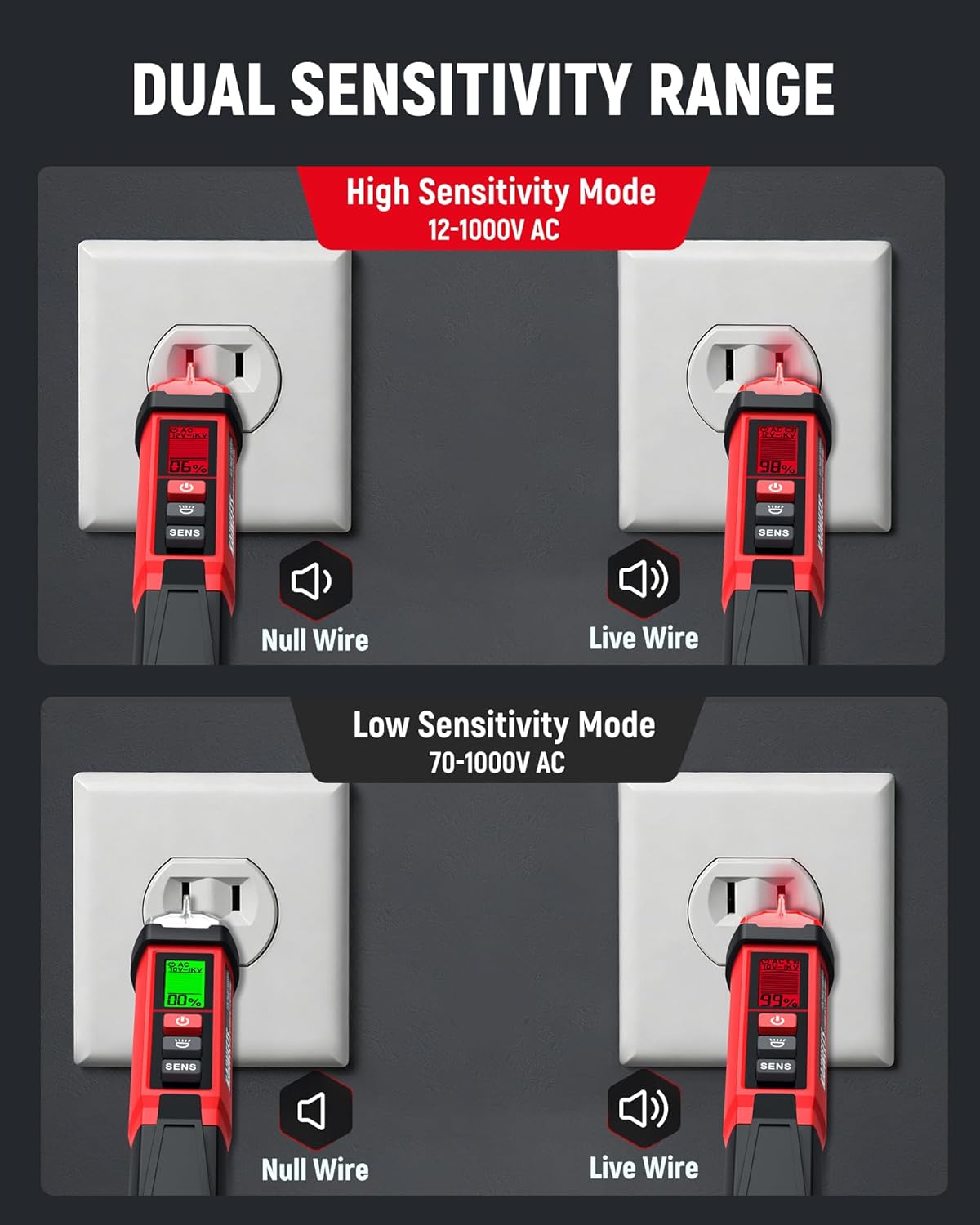
Image: Illustration of the KAIWEETS KTL01 in both High Sensitivity Mode (12-1000V AC) and Low Sensitivity Mode (70-1000V AC), showing detection of Null Wire (green light) and Live Wire (red light) in an outlet.
Nekontaktinis AC ttage Detection (Live/Neutral Wire):
- Turn on the tester and select the desired sensitivity mode.
- Place the probe tip near the wire, outlet, or component you wish to test.
- Jei AC ttage is detected, the signal indicator will light up (red for live/high voltage, green for low voltage/no current), the buzzer will sound, and the LCD will display the signal strength percentage and bar graph. The buzzer frequency increases with stronger voltage.
Breakpoint Finder:
To locate a breakpoint in a live wire:
- Ensure the wire is live and the tester is in an appropriate sensitivity mode.
- Move the probe along the length of the wire.
- The tester will indicate voltage presence up to the breakpoint. The absence of a signal beyond a certain point indicates a break in the circuit.

Image: The KAIWEETS KTL01 demonstrating its breakpoint test function on an electrical cable, showing how it detects the presence or absence of voltage along the wire.
Žibintuvėlio veikimas:
- Paspauskite Žibintuvėlio jungiklis to turn the built-in LED flashlight on.
- Paspauskite Žibintuvėlio jungiklis dar kartą, kad jį išjungtumėte.
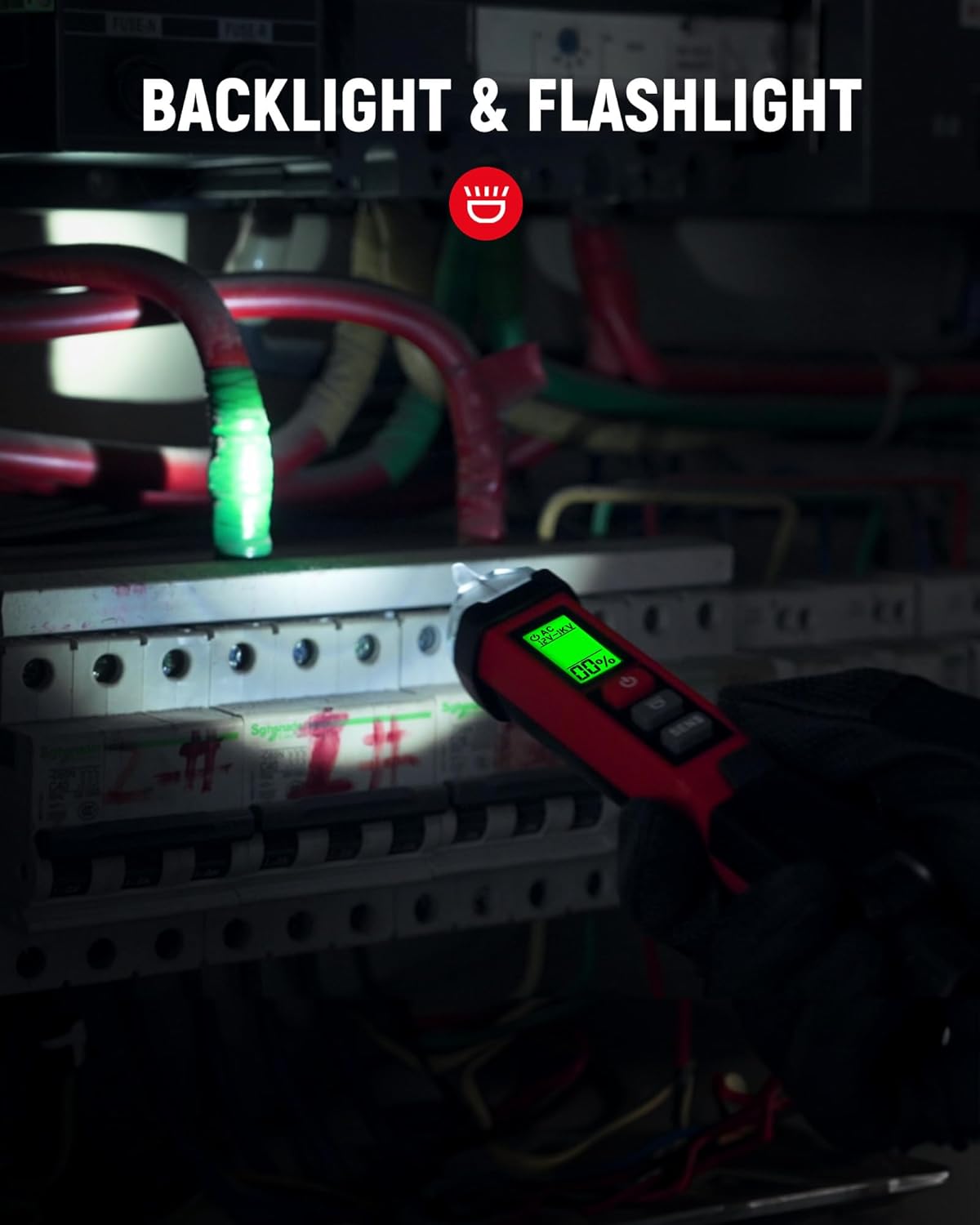
Image: The KAIWEETS KTL01's flashlight illuminating a dark breaker panel, demonstrating its utility in low-light conditions.
Video: KAIWEETS Non-Contact Voltage Tester KTL01, CAT IV 1000V
Video: An official product video demonstrating the features and usage of the KAIWEETS KTL01 Non-Contact Voltage Tester, including its CAT IV 1000V safety rating.
6. Priežiūra
- Valymas: Wipe the device with a dry, clean cloth. Do not use abrasive cleaners or solvents.
- Baterijos keitimas: Replace batteries when the low-battery indicator appears on the LCD. Always use fresh 1.5V AAA batteries.
- Saugykla: Store the tester in a cool, dry place away from direct sunlight and extreme temperatures. Remove batteries if storing for extended periods.
7. Problemų sprendimas
| Problema | Galima priežastis | Sprendimas |
|---|---|---|
| No indication when testing a live circuit | Dead batteries; Tester malfunction | Replace batteries; Contact support |
| False positives or inconsistent readings | Interference; Incorrect sensitivity mode | Move away from other electrical devices; Switch to Low Sensitivity Mode |
| Senkančios baterijos indikatorius | Baterijos išsikrovusios | Replace with new 1.5V AAA batteries |
8. Specifikacijos
| Funkcija | Detalė |
|---|---|
| Prekės ženklas | KAIWEETS |
| Modelis | KTL01 |
| Maitinimo šaltinis | Maitinamas baterijomis (2 x 1.5 V AAA) |
| AC ttage Range (High Sensitivity) | 12 V–1000 V kintamoji srovė |
| AC ttage Range (Low Sensitivity) | 70 V–1000 V kintamoji srovė |
| Saugos įvertinimas | IV KAT. 1000V |
| Ekranas | LCD with Percentage and Bar Graph |
| Perspėjimai | Audible (Buzzer) and Visual (LED, LCD) |
| Ypatingos savybės | Flashlight, Auto Shut-off, Low Battery Indicator, Breakpoint Finder |
| Prekės svoris | 120 gramų |
| Prekės matmenys | 1.57 x 1.18 x 6.69 colio |
| Darbinė temperatūra | Iki 50 laipsnių Celsijaus |
| Sertifikatai | CE, FCC |
9. Garantija ir palaikymas
Garantija:
The KAIWEETS KTL01 Non-Contact Voltage Tester Pen comes with a 36 mėnesių (3 metų) garantija nuo įsigijimo datos. Ši garantija taikoma gamybos defektams ir užtikrina, kad gaminys atitinka nurodytus veikimo standartus įprastomis naudojimo sąlygomis. Išsaugokite pirkimo įrodymą, jei norėtumėte pateikti pretenzijas dėl garantijos.
Klientų aptarnavimas:
For technical assistance, warranty inquiries, or any questions regarding the KAIWEETS KTL01, please contact KAIWEETS customer support through their official website or the retailer where the product was purchased. Provide your model number (KTL01) and a detailed description of the issue for efficient service.