
1. Įvadas
Thank you for choosing Auxmir Smart A19 RGB+CCT LED Light Bulbs. These smart bulbs offer a wide range of colors and tunable white light, controllable via Wi-Fi, Bluetooth, remote, or voice commands through Amazon Alexa and Google Assistant. This manual provides essential information for safe installation, operation, and maintenance of your smart light bulbs.
2. Saugos informacija
- Naudoti tik patalpose: These bulbs are designed for indoor use. Do not install in wet or humid locations.
- Išjunkite prieš montuojant: Prieš montuodami arba išimdami lemputę, visada išjunkite šviestuvo maitinimą.
- Tinkamas ttage: Įsitikinkite, kad armatūros tūristage is compatible with the bulb (AC100-130V).
- Suderinamumas su reguliatoriumi: Do not use with standard dimmer switches. Dimming is controlled via the app or voice commands.
- Venkite uždarų šviestuvų: Do not install in fully enclosed fixtures, as this can trap heat and shorten the bulb's lifespan.
- Laikyti atokiai nuo vandens: Venkite vandens ar kitų skysčių poveikio.
3. Pakuotės turinys
- Auxmir Smart A19 RGB+CCT LED Light Bulb (2-Pack)
- Nuotolinis valdymas (1)
- Vartotojo vadovas (šis dokumentas)
4. Produkto ypatybės
- RGB+CCT Color Changing: 16 million RGB colors and tunable white light (2700K warm white to 6500K cool daylight).
- Dvigubas ryšys: Supports both Wi-Fi (2.4GHz only) and Bluetooth for flexible control.
- Keli valdymo metodai: Control via Briturn App, included remote, or voice commands with Alexa and Google Home.
- Nereikalingas stebulė: Prisijungia tiesiai prie jūsų 2.4 GHz „Wi-Fi“ tinklo.
- Muzikos sinchronizavimas: Lights change color and brightness in rhythm with music.
- Scenos režimai: Pre-set scenes and customizable DIY effects (fading, flashing, breathing).
- Planavimas ir laikmatis: Set schedules for automatic on/off and brightness adjustments.
- Energiją taupantis: 9W power consumption, equivalent to a 60W incandescent bulb, delivering 800 lumens.
- Ilgas tarnavimo laikas: Veikimo laikas iki 20,000 valandų.
5. Sąranka
5.1 Fizinis įrengimas
- Prieš montuodami šviestuvą, įsitikinkite, kad maitinimas yra išjungtas jungikliu.
- Carefully screw the Auxmir Smart Light Bulb into a standard E26 base socket.
- Turn on the power to the light fixture. The bulb should flash, indicating it is in pairing mode.
5.2 App Download and Pairing (Briturn App)
The Briturn App is required for full smart functionality. Ensure your mobile device is connected to a 2.4GHz Wi-Fi network.
- Atsisiųskite programą: Ieškokite "Briturn" in the Apple App Store or Google Play Store, or scan the QR code provided in the product packaging.
- Registruotis / Prisijungti: Open the Briturn App and create a new account or log in if you already have one.
- Pridėti įrenginį: Tap the "+" icon or "Add Device" button in the app.
- Pasirinkite įrenginio tipą: Choose "Lighting" or "Light Source (Wi-Fi)" from the device list.
- Patvirtinkite susiejimo režimą: Ensure your bulb is flashing rapidly. If not, turn the bulb off and on 3 times (on-off-on-off-on) until it flashes.
- Prisijunkite prie „Wi-Fi“: Enter your 2.4GHz Wi-Fi network name and password in the app.
- Poravimas: The app will begin searching for the bulb. Once found, the bulb will stop flashing and remain steadily lit.
- Pervardyti įrenginį: You can rename the bulb for easier control (e.g., "Living Room Light").
„Bluetooth“ valdymas: If your Wi-Fi is unavailable, you can still control the bulb directly via Bluetooth within a 40-meter (130 feet) range using the Briturn App. Ensure Bluetooth is enabled on your phone.
5.3 Balso asistento integravimas („Alexa“ ir „Google Home“)
To enable voice control, link your Briturn account to Amazon Alexa or Google Assistant.
- Atidarykite balso asistento programėlę: Open the Amazon Alexa app or Google Home app on your mobile device.
- Add Device/Skill: Navigate to the "Skills & Games" section (Alexa) or "Works with Google" section (Google Home).
- Ieškokite Briturn: Ieškokite the "Briturn" skill/service.
- Įgalinti įgūdžių / susiejimo paskyrą: Enable the Briturn skill and link it to your Briturn account using your Briturn login credentials.
- Atraskite įrenginius: Once linked, ask your voice assistant to "Discover devices" or manually initiate device discovery in the app.
- Balso komandos: Dabar galite naudoti balso komandas, tokias kaip:
- „Alexa, įjunk svetainės apšvietimą.“
- "Hey Google, dim Bedroom Light to 50%."
- "Alexa, change Kitchen Light to blue."
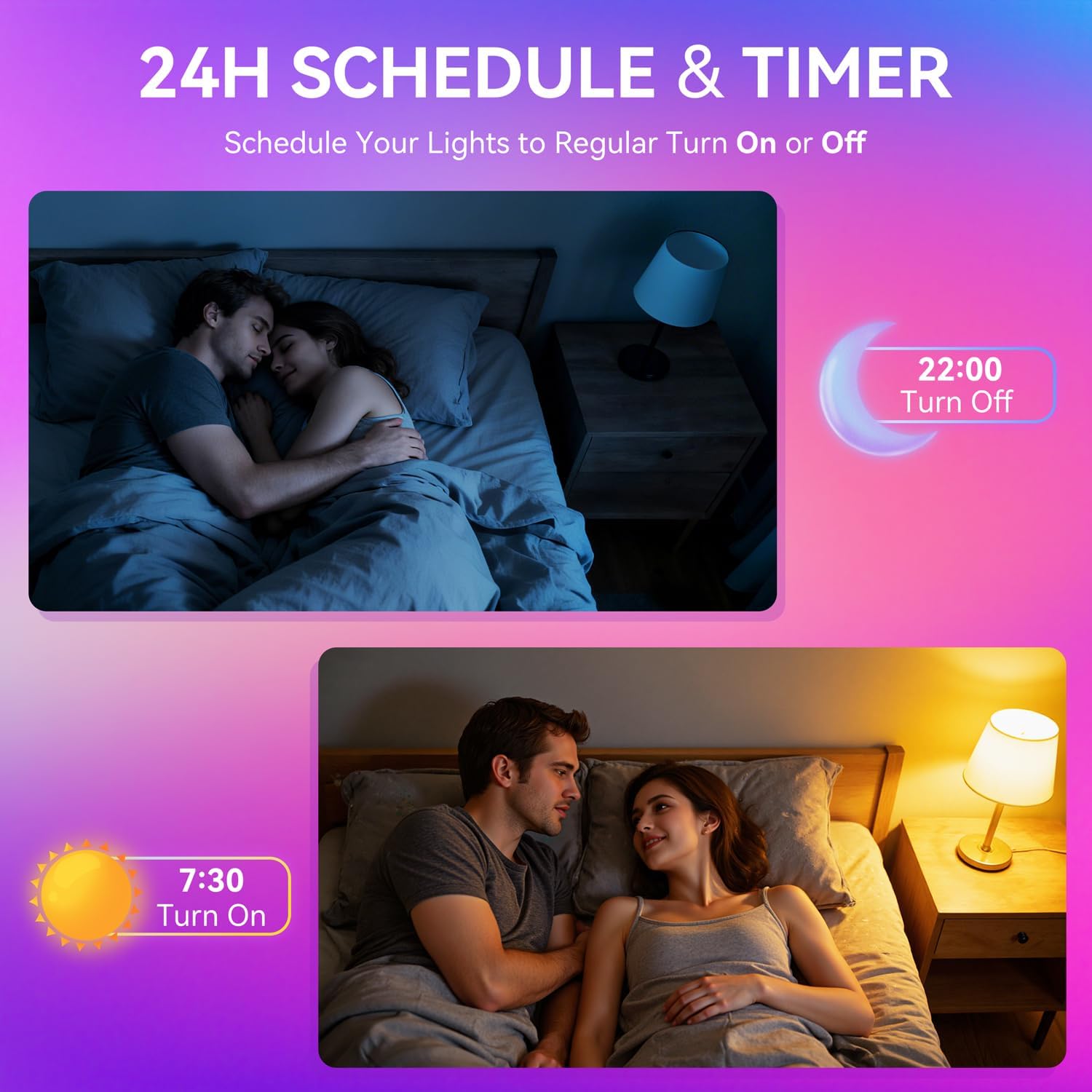
Image: A woman interacting with a smart speaker to control her Auxmir smart light bulb, demonstrating voice control functionality.
6. Naudojimo instrukcijos
6.1 Color and Brightness Control
- Spalvos pasirinkimas: In the Briturn App, select your bulb and choose from 16 million RGB colors using the color wheel.
- Derinamas baltas: Adjust the white light temperature from 2700K (warm white) to 6500K (cool daylight) to suit your preference.
- Pritemdymas: Use the brightness slider in the app or voice commands to adjust brightness from 1% to 100%.

Image: Three Auxmir smart bulbs showcasing their ability to display a wide range of RGB colors and tunable white light, from warm to cool.
6.2 scenos režimai
The Briturn App offers various pre-set scenes and allows you to create custom lighting effects.
- Pre-set Scenes: Select from modes like Movie, Sleep, Festival, and more to instantly change the ambiance of your room.
- „Pasidaryk pats“ scenos: Create your own custom lighting effects by adjusting colors, brightness, and transition styles (fading, flashing, breathing). Save these as personal scenes for quick access.

Paveikslėlis: Buvęsample of a living space transformed by Auxmir smart lighting, demonstrating various scene modes and their impact on room ambiance.
6.3 Music Sync
Synchronize your lights with music playing on your phone or through the phone's microphone.
- In the Briturn App, select the Music Sync feature.
- Choose from modes like Party, Dynamic, Calm, or Auto Rhythm.
- The bulbs will change colors and brightness according to the rhythm and beat of the music detected by your phone's microphone.

Image: A visual representation of the music sync feature, where Auxmir smart bulbs change colors and patterns in response to music, creating a dynamic atmosphere.
6.4 Scheduling and Timer
Automate your lighting with schedules and timers.
- In the Briturn App, navigate to the "Schedule" or "Timer" section for your bulb.
- Set specific times for the bulb to turn on or off.
- Customize brightness and color for scheduled events (e.g., a warm light to wake up, a dim light for bedtime).
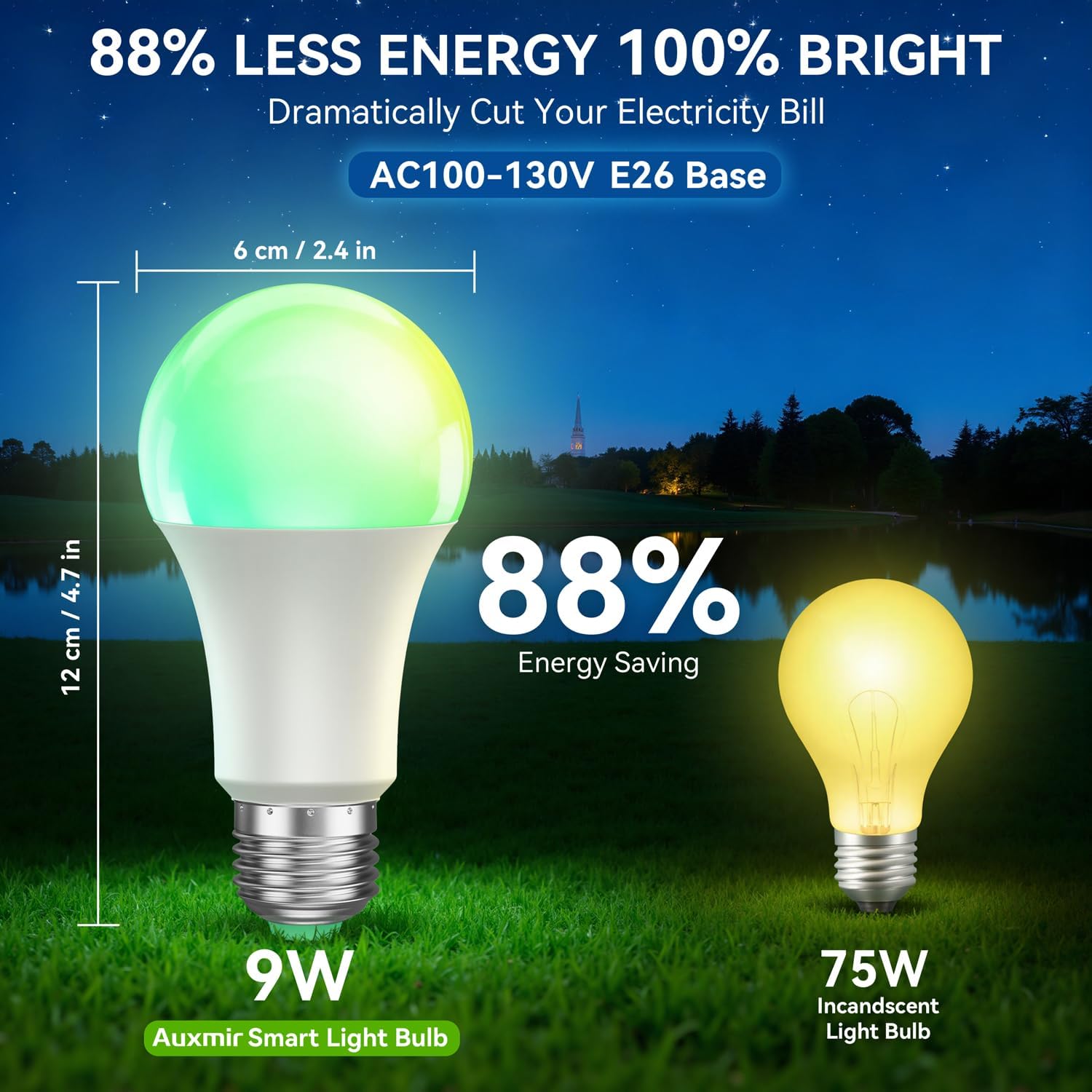
Image: Illustrations depicting the scheduling feature, where Auxmir smart bulbs can be programmed to turn on and off at specific times, such as for waking up or going to bed.
6.5 Grupės valdymas
Control multiple Auxmir smart bulbs simultaneously.
- In the Briturn App, go to the device list.
- Select the option to create a "Group."
- Add the desired bulbs to the group (e.g., "Living Room Lights").
- You can now control all bulbs in the group with a single command or tap, adjusting their color, brightness, and scenes together.

Image: A diagram illustrating how Auxmir smart bulbs can be grouped and controlled across different rooms in a home, enabling synchronized lighting for various activities.
7. Priežiūra
- Valymas: Prieš valydami, įsitikinkite, kad lemputė išjungta ir atvėsusi. Nuvalykite minkšta, sausa šluoste. Nenaudokite skystų valiklių.
- Pakeitimas: When the bulb reaches the end of its lifespan, replace it with another Auxmir Smart A19 LED Light Bulb or a compatible E26 LED bulb.
- Saugykla: Jei laikote lemputę, laikykite ją vėsioje, sausoje vietoje, apsaugotoje nuo tiesioginių saulės spindulių ir ekstremalių temperatūrų.
8. Problemų sprendimas
| Problema | Galima priežastis | Sprendimas |
|---|---|---|
| Lemputė neįsijungia | Į šviestuvą netiekiamas maitinimas; lemputė netinkamai įsukta; lemputė perdegusi. | Check power switch and circuit breaker. Ensure bulb is securely screwed in. Test bulb in another fixture. |
| Lemputė neprisijungia prie „Wi-Fi“ | Incorrect Wi-Fi password; Not a 2.4GHz network; Bulb not in pairing mode; Router too far. | Verify Wi-Fi password. Ensure you are on a 2.4GHz network. Reset bulb to pairing mode (on-off-on-off-on). Move bulb closer to router. |
| Valdymas balsu neveikia | Briturn skill not enabled/linked; Incorrect device name; Voice assistant not connected to internet. | Ensure Briturn skill is enabled and linked in Alexa/Google Home app. Use the exact device name. Check internet connection of your voice assistant device. |
| Nuotolinio valdymo pultas neveikia | Battery depleted; Obstruction between remote and bulb; Remote not paired. | Replace remote battery. Ensure clear line of sight. Refer to remote pairing instructions (if applicable, usually automatic). |
| Bulb flickering or unstable light | Loose connection; Electrical interference; Faulty bulb. | Check bulb connection. Ensure no other devices are causing interference. If problem persists, contact support. |
9. Specifikacijos
| Funkcija | Specifikacija |
|---|---|
| Modelio numeris | ZJ-BWBL1L-RGBWW-2PP-BT |
| Lemputės formos dydis | A19 |
| Lemputės pagrindas | E26 |
| Vattage | 9 vatų |
| Kaitrinis ekvivalentas | 60 vatų |
| Ryškumas | 800 liumenų |
| Šviesios spalvos | Multicolor (RGB) + Tunable White (2700K-6500K) |
| Pritemdomas | 1% - 100% via App/Voice |
| Ryšys | Wi-Fi 2.4GHz, Bluetooth |
| Kontrolės metodas | Programėlė, nuotolinis valdymas, balsas („Alexa“, „Google Assistant“) |
| Įvesties tomastage | AC100-130V |
| Gyvenimo trukmė | 20,000 valandų |
| Naudojimas viduje / lauke | Tik patalpose |
| Matmenys (P x A) | 2.4 colio x 4.7 colio (6 cm x 12 cm) |
| Medžiaga | Stiklas |
10. Garantija ir palaikymas
10.1 Informacija apie garantiją
Auxmir Smart Light Bulbs come with a 3 metų garantija nuo įsigijimo datos. Ši garantija taikoma gamybos defektams ir gedimams įprasto naudojimo metu. Ji netaikoma žalai, atsiradusiai dėl netinkamo naudojimo, nelaimingų atsitikimų, neleistinų modifikacijų ar netinkamo įrengimo.
10.2 Pagalba klientams
If you encounter any issues or have questions regarding your Auxmir Smart Light Bulbs, please contact our customer support team:
- El. paštas: [Insert Customer Support Email Here]
- Telefonas: [Insert Customer Support Phone Number Here]
- Websvetainė: Visit the official Auxmir webDUK ir papildomų išteklių svetainė.
Please have your model number (ZJ-BWBL1L-RGBWW-2PP-BT) and purchase details ready when contacting support.