
Įvadas
Thank you for choosing the OneOdio Focus A1Pro Wireless On-Ear Headphones. This manual provides detailed instructions for setting up, operating, maintaining, and troubleshooting your new headphones. Please read this manual thoroughly before use to ensure optimal performance and longevity of your device.
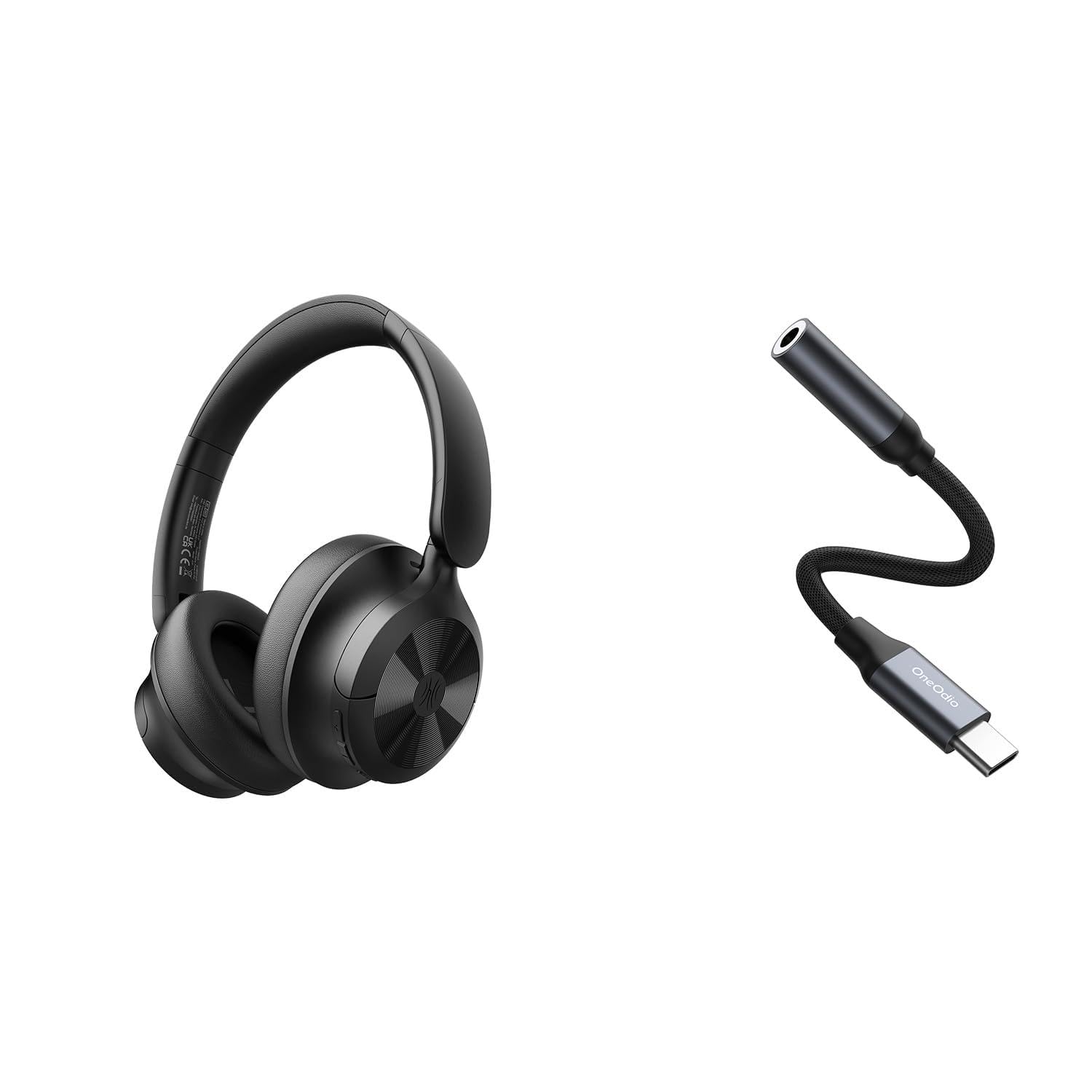
Image: OneOdio Focus A1Pro Wireless On-Ear Headphones. This image displays the headphones in their typical on-ear design, showcasing ausų kaušelius ir galvos juostą.
Pakuotės turinys
Patikrinkite pakuotę, ar joje yra šie daiktai:
- OneOdio Focus A1Pro Wireless On-Ear Headphones
- USB-C iki 3.5 mm garso adapteris
- USB-C įkrovimo laidas
- Nešiojimo maišelis
- Vartotojo vadovas (šis dokumentas)
Sąranka
1. Ausinių įkrovimas
Before first use, fully charge the headphones. Connect the USB-C charging cable to the charging port on the headphones and the other end to a USB power source (e.g., computer USB port, wall adapter). The LED indicator will show charging status and turn off or change color when fully charged.

Image: Close-up of the USB-C charging port on the OneOdio Focus A1Pro headphones, with a charging cable connected.
2. Įjungimas/išjungimas
- Norėdami įjungti: Paspauskite ir palaikykite daugiafunkcį mygtuką maždaug 3 sekundes, kol LED indikatorius pradės mirksėti mėlynai.
- Norėdami išjungti: Paspauskite ir palaikykite daugiafunkcį mygtuką maždaug 3 sekundes, kol LED indikatorius sumirksės raudonai ir tada užges.
3. „Bluetooth“ poravimas
- Įsitikinkite, kad ausinės yra išjungtos.
- Press and hold the Multi-function button for 5-7 seconds until the LED indicator flashes red and blue alternately. This indicates pairing mode.
- Savo įrenginyje (išmaniajame telefone, planšetiniame kompiuteryje, kompiuteryje) įjunkite „Bluetooth“ ir ieškokite galimų įrenginių.
- Select "OneOdio A1Pro" from the list of found devices.
- Prijungus, LED indikatorius lėtai mirksės mėlyna spalva.
- Jei reikia slaptažodžio, įveskite „0000“.
Įjungus ausines, jos automatiškai bandys prisijungti prie paskutinio suporuoto įrenginio.
4. Wired Connection (using USB-C to 3.5mm Audio Adapter)
For a wired connection, use the provided USB-C to 3.5mm audio adapter. This allows you to connect the headphones to devices with a standard 3.5mm audio jack.
- Plug the USB-C end of the adapter into the USB-C port on the headphones.
- Plug the 3.5mm end of the adapter into the 3.5mm audio jack of your audio source device.
- Ensure the headphones are powered off for wired mode to function correctly and conserve battery.

Image: The OneOdio Focus A1Pro headphones connected to an audio source via the USB-C to 3.5mm audio adapter.
Naudojimo instrukcijos
Kontroliuojaview
The headphones feature intuitive controls located on the earcup. Familiarize yourself with these buttons for seamless operation.

Image: Diagram showing the location and function of control buttons on the OneOdio Focus A1Pro headphones, including volume, multi-function, and ANC buttons.
Muzikos atkūrimas
- Leisti / pristabdyti: Vieną kartą paspauskite daugiafunkcį mygtuką.
- Kitas takelis: Paspauskite ir 2 sekundes palaikykite nuspaudę garsumo didinimo mygtuką.
- Ankstesnis takelis: Paspauskite ir 2 sekundes palaikykite nuspaudę garsumo mažinimo mygtuką.
- Pagarsink: Trumpai paspauskite garsumo didinimo mygtuką.
- Patildyti: Trumpai paspauskite garsumo mažinimo mygtuką.
Skambučių tvarkymas
- Atsiliepti / Baigti skambutį: Vieną kartą paspauskite daugiafunkcį mygtuką.
- Atmesti skambutį: Paspauskite ir 2 sekundes palaikykite daugiafunkcį mygtuką.
- Perrink paskutinį numerį: Du kartus paspauskite daugiafunkcinį mygtuką.
Aktyvus triukšmo panaikinimas (ANC)
The Focus A1Pro headphones feature Active Noise Cancellation to reduce ambient noise.
- Suaktyvinti ANC: Press the ANC button once. The ANC indicator light will turn green.
- Išjungti ANC: Press the ANC button once again. The ANC indicator light will turn off.
Nešioti ausines
Adjust the headband to fit comfortably over your head. The earcups should fully cover your ears for optimal sound quality and noise cancellation. The earcups are typically marked 'L' for left and 'R' for right.
Priežiūra
Valymas
- Ausines nuvalykite minkštu, sausu, nepūkuotu skudurėliu.
- Nenaudokite abrazyvinių valiklių, alkoholio ar cheminių tirpiklių.
- Venkite drėgmės patekimo į bet kokias angas.
- Ausų pagalvėles galima švelniai nuvalyti šiek tiek drėgnu skudurėliu.amp cloth and mild soap solution, then dried thoroughly.
Sandėliavimas
When not in use, store the headphones in the provided carrying pouch to protect them from dust and scratches. Store in a cool, dry place away from extreme temperatures.
Akumuliatoriaus priežiūra
- Venkite dažnai visiškai iškrauti akumuliatorių.
- Reguliariai kraukite ausines, net jei jų nenaudojate ilgą laiką, kad palaikytumėte baterijos veikimo laiką.
- Do not expose the headphones to high temperatures, as this can degrade battery performance.
Trikčių šalinimas
Nėra galios
- Įsitikinkite, kad ausinės yra visiškai įkrautos.
- Press and hold the Multi-function button for 3 seconds to power on.
Nėra garso
- Bluetooth:
- Ensure the headphones are paired and connected to your device.
- Patikrinkite garsumo lygį tiek ausinėse, tiek savo įrenginyje.
- Try unpairing and re-pairing the headphones.
- Laidinis:
- Ensure the USB-C to 3.5mm adapter is securely connected to both the headphones and the audio source.
- Verify the audio source is playing and its volume is up.
- Test with a different audio cable or device if possible.
„Bluetooth“ ryšio problemos
- Ensure the headphones are in pairing mode (red and blue flashing LED).
- Perkelkite ausines arčiau savo įrenginio.
- Išvalykite „Bluetooth“ sąrašą savo įrenginyje ir bandykite susieti dar kartą.
- Venkite trukdžių, kylančių iš kitų belaidžių įrenginių.
Ausinių nustatymas iš naujo
If you experience persistent issues, you can try resetting the headphones to their factory settings. (Note: Specific reset procedures vary by model. A common method is to press and hold the Multi-function and Volume Down buttons simultaneously for 5-10 seconds while powered on, or connect to power while holding a button. Refer to the manufacturer's official support for exact steps if this general method does not work.)
Specifikacijos
| Modelio pavadinimas | Focus A1Pro |
| Bluetooth versija | 5.0 (Estimated, common for modern headphones) |
| Vairuotojo skersmuo | 40 mm (Apskaičiuota) |
| Dažnio atsakas | 20Hz - 20kHz (Tipiškas) |
| Baterijos talpa | 500 mAh (Apskaičiuota) |
| Įkrovimo laikas | apytiksliai 2-3 valandos |
| Atkūrimo laikas | Up to 30 hours (Varies with volume and ANC usage) |
| Svoris | Approx. 250g (Apskaičiuota) |
Note: Specifications are subject to change without notice. Actual performance may vary.
Garantija ir palaikymas
Informacija apie garantiją
OneOdio products are covered by a limited warranty from the date of purchase. This warranty covers manufacturing defects in materials and workmanship. It does not cover damage caused by misuse, accidents, unauthorized modifications, or normal wear and tear. Please retain your proof of purchase for warranty claims.
Pagalba klientams
For technical support, warranty inquiries, or other assistance, please contact OneOdio customer service through their official websvetainėje arba mažmenininke, iš kurio įsigijote produktą.
Oficialus Websvetainė: www.oneodio.com
Pagalba el. paštu: support@oneodio.com