
Įvadas
Thank you for choosing the OneOdio Studio Max 1 Wireless DJ Headphone and USB-C to 3.5 mm Adapter. This manual provides essential information for the proper setup, operation, and maintenance of your device. Please read it thoroughly before use and retain it for future reference.
Pakuotės turinys
Patikrinkite, ar jūsų pakuotėje yra visi toliau išvardyti daiktai:
- OneOdio Studio Max 1 Wireless DJ Headphone
- USB-C to 3.5 mm Audio Adapter
- USB-C įkrovimo laidas
- 3.5 mm garso kabelis
- Vartotojo vadovas (šis dokumentas)
- Nešiojimo krepšys (jei yra)
Produktas baigtasview
Familiarize yourself with the components of your OneOdio Studio Max 1 headphones and the USB-C adapter.
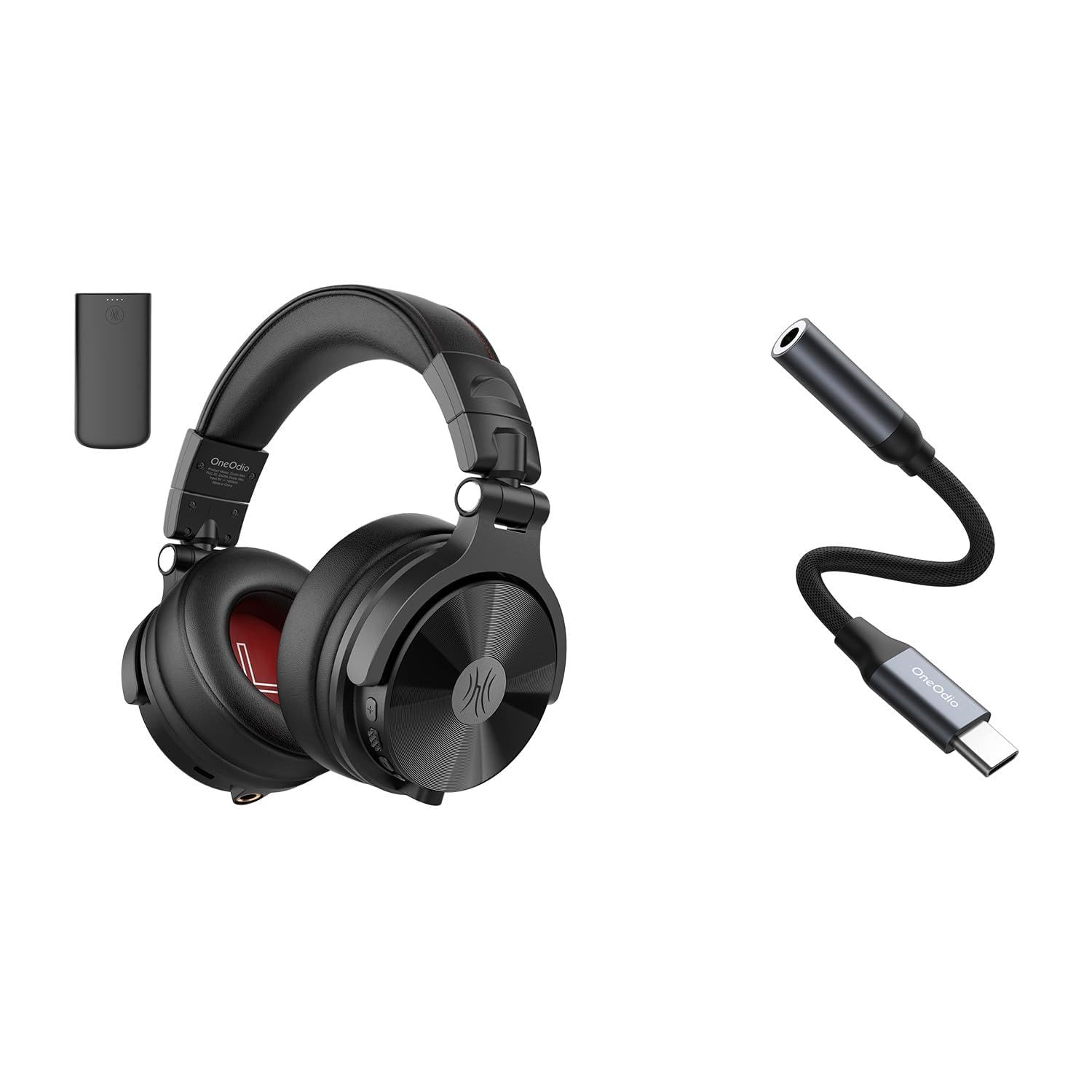
1 paveikslas: OneOdio Studio Max 1 Wireless DJ Headphone and USB-C to 3.5 mm Adapter. This image displays the headphones in their folded state alongside the USB-C to 3.5 mm adapter and included cables, providing a general view gaminio ir jo priedų.
Ausinių komponentai
- Maitinimo mygtukas: On/Off, Play/Pause, Call Answer/End
- Garsumo didinimo mygtukas: Increase volume, Next track (long press)
- Garsumo mažinimo mygtukas: Decrease volume, Previous track (long press)
- USB-C įkrovimo prievadas: For charging the headphones
- 3.5 mm Audio Input: Laidiniam ryšiui
- Mikrofonas: Skambučiams be rankų
- LED indikatorius: Displays power, pairing, and charging status
USB-C to 3.5 mm Adapter Components
- USB-C jungtis: Connects to your device
- 3.5 mm garso lizdas: Connects to headphones or other audio devices
- DAC lustas: Provides high-resolution audio conversion
Sąranka
Ausinių įkrovimas
Before initial use, fully charge the headphones.
- Prijunkite USB-C įkrovimo kabelį prie ausinių USB-C įkrovimo prievado.
- Kitą laido galą prijunkite prie USB maitinimo šaltinio (pvz., kompiuterio USB prievado, sieninio adapterio).
- Įkrovimo metu LED indikatorius šviečia raudonai ir užgęsta, kai visiškai įkraunamas.
2 paveikslas: Illustrates the USB-C charging port on the headphones. For charging, locate this port, typically on one of the earcups, and connect the provided USB-C cable.
Bluetooth Pairing (Wireless Mode)
- Įsitikinkite, kad ausinės išjungtos.
- Press and hold the Power Button for approximately 5-7 seconds until the LED indicator flashes blue and red alternately. This indicates pairing mode.
- Garso įrenginyje (išmaniajame telefone, planšetiniame kompiuteryje, kompiuteryje) įjunkite „Bluetooth“ ir ieškokite galimų įrenginių.
- Select "OneOdio Studio Max 1" from the list of found devices.
- Kai įrenginys bus suporuotas, LED indikatorius lėtai mirksės mėlynai.
Wired Connection (3.5 mm Audio Cable)
For a wired connection, you can use the included 3.5 mm audio cable.
- Connect one end of the 3.5 mm audio cable to the 3.5 mm audio input on the headphones.
- Connect the other end of the 3.5 mm audio cable to the 3.5 mm audio output on your device.
- Ausinės automatiškai persijungs į laidinį režimą.
Using the USB-C to 3.5 mm Adapter
This adapter allows you to connect 3.5 mm audio devices to USB-C ports that lack a dedicated audio jack.
- Connect the USB-C end of the adapter to the USB-C port on your audio source device (e.g., smartphone, laptop).
- Connect your 3.5 mm headphones or other audio device to the 3.5 mm audio jack on the adapter.
- Ensure your device's audio output is set to the USB-C audio accessory if prompted.
3 paveikslas: Depicts the USB-C to 3.5 mm adapter. To use, insert the USB-C connector into your device and plug your 3.5 mm audio cable into the adapter's audio jack.
Naudojimo instrukcijos
Maitinimo įjungimas/išjungimas
- Maitinimas: Press and hold the Power Button for 2-3 seconds until the LED indicator flashes blue.
- Išjungti: Press and hold the Power Button for 3-4 seconds until the LED indicator flashes red and then turns off.
Muzikos atkūrimas (belaidis režimas)
- Leisti / pristabdyti: Trumpai paspauskite maitinimo mygtuką.
- Pagarsink: Trumpai paspauskite garsumo didinimo (+) mygtuką.
- Patildyti: Trumpai paspauskite garsumo mažinimo (-) mygtuką.
- Kitas takelis: Ilgai paspauskite garsumo didinimo (+) mygtuką.
- Ankstesnis takelis: Ilgai paspauskite garsumo mažinimo (-) mygtuką.
Skambučių valdymas (belaidis režimas)
- Atsiliepti / Baigti skambutį: Trumpai paspauskite maitinimo mygtuką.
- Atmesti skambutį: Ilgai paspauskite maitinimo mygtuką.
- Perrink paskutinį numerį: Dukart paspauskite maitinimo mygtuką.
LDAC/LC3 Codec Support
The OneOdio Studio Max 1 supports LDAC and LC3 codecs for high-resolution wireless audio transmission. Ensure your source device also supports these codecs and that they are enabled in your device's Bluetooth settings for optimal audio quality.
Priežiūra ir priežiūra
- Clean the headphones and adapter with a soft, dry cloth. Do not use abrasive cleaners or solvents.
- Venkite prietaisų laikymo ekstremaliose temperatūrose, drėgmėje ar tiesioginiuose saulės spinduliuose.
- Store the headphones in the included carrying pouch when not in use to protect them from dust and scratches.
- Do not attempt to disassemble or modify the headphones or adapter, as this will void the warranty.
- Keep away from water and liquids. If exposed, power off immediately and allow to dry completely before use.
Trikčių šalinimas
| Problema | Galima priežastis | Sprendimas |
|---|---|---|
| Ausinės neįsijungia. | Senka baterija. | Pilnai įkraukite ausines. |
| Nepavyksta susieti per „Bluetooth“. | Ausinės neįjungtos susiejimo režimu; įrenginyje išjungtas „Bluetooth“ ryšys; per toli nuo įrenginio. | Ensure headphones are in pairing mode (flashing red/blue). Enable Bluetooth on your device. Move headphones closer to the device (within 10 meters). |
| Belaidžiu režimu nėra garso. | Per mažas garsumas; neprijungtos ausinės; pasirinkta neteisinga garso išvestis. | Padidinkite ausinių ir įrenginio garsumą. Iš naujo susiekite ausines. Patikrinkite įrenginio garso išvesties nustatymus. |
| Laidiniu režimu nėra garso. | Cable not fully inserted; faulty cable; incorrect audio output selected. | Ensure 3.5 mm cable is fully inserted into both devices. Try a different 3.5 mm cable. Check device's audio output settings. |
| USB-C adapter not working. | Adapter not fully inserted; device incompatible; incorrect audio output selected. | Ensure adapter is fully inserted into the USB-C port. Verify your device supports USB-C audio output. Check device's audio output settings. |
Specifikacijos
- Modelis: OneOdio Studio Max 1
- Vairuotojo skersmuo: 50 mm
- Dažnio atsakas: 20 Hz - 40 kHz (Hi-Res Audio certified)
- Varža: 32 omai
- Jautrumas: 110 dB ± 3 dB
- Bluetooth versija: 5.2
- „Bluetooth“ diapazonas: Iki 10 metrų (33 pėdų)
- Palaikomi kodekai: LDAC, LC3, SBC, AAC
- USB-C Adapter Samplingo kaina: 24-bit/96kHz HiFi audio
Garantija ir palaikymas
OneOdio products come with a standard manufacturer's warranty. For detailed warranty information, please refer to the warranty card included in your package or visit the official OneOdio website. For technical support, troubleshooting assistance, or warranty claims, please contact OneOdio customer service through their official channels.
Oficialus Websvetainė: www.oneodio.com
Pagalba el. paštu: support@oneodio.com