
1. Produktas baigtasview
The PUSOKEI 4K HD WiFi Action Camera is a versatile handheld video recorder designed for capturing high-quality footage in various environments, from sports activities to travel vlogs. It features a 180° rotating lens, a 1.31-inch display, and built-in WiFi for easy sharing and management of your recordings.
Pagrindinės funkcijos:
- 4K HD Video Quality: Records clear and vibrant moments in 4K resolution.
- Kompaktiškas ir nešiojamas dizainas: Easy to carry for various recording needs.
- 1.31 Inch Screen: Intuityvi sąsaja lengvam naršymui ir valdymui.
- 180° Rotating Lens: Allows for unique angles and creative compositions.
- WiFi ryšys: Enables quick sharing, storage, and editing of footage via a mobile app.
- Ciklo įrašymas: Nuolat įrašinėja, perrašydamas seniausius files kai atminties kortelė pilna.
- LED užpildymo lemputė: Suitable for both day and night use, enhancing image quality in low light.
Pakuotės turinys:
- 1 x PUSOKEI Handheld Camera
- 2 x USB kabeliai
- 1 x naudojimo instrukcija
Note: A Small Memory Card (up to 256GB) is required for recording and is not included in the package.

Image: PUSOKEI 4K HD WiFi Action Camera showcasing its main features like 4K HD resolution, 180° rotating lens, one-click recording, loop recording, business back clamp, ultra-low power consumption, and small memory card support.
2. Sąranka
2.1 Akumuliatoriaus įkrovimas
The camera is equipped with a built-in high-capacity battery. Before first use, fully charge the camera using the provided USB Type-C cable.
- Connect one end of the USB Type-C cable to the camera's charging port.
- Connect the other end to a standard USB power adapter (not included) or a computer's USB port.
- Užsidegs įkrovimo indikatoriaus lemputė. Kai įkrovimas bus baigtas, ji užges arba pakeis spalvą.

Image: The PUSOKEI Action Camera highlighting its Type-C charging port and indicating extended battery life.
2.2 Atminties kortelės įdėjimas
A small memory card (MicroSD card) is required to store recordings. The camera supports cards up to 256GB.
- Suraskite atminties kortelės angą fotoaparato šone.
- Švelniai įkiškite „MicroSD“ kortelę auksiniais kontaktais žemyn, kol ji spragtelės į vietą.
- Norėdami išimti, šiek tiek paspauskite kortelę, kol ji iššoks.

Image: The PUSOKEI Action Camera illustrating the insertion of a small memory card, emphasizing support for up to 256GB for secure data transmission and storage.
2.3 Įjungimas / išjungimas
- Norėdami įjungti: Press and hold the Power button (usually marked with a power symbol) for a few seconds until the screen illuminates.
- Norėdami išjungti: Dar kartą paspauskite ir palaikykite maitinimo mygtuką, kol ekranas išsijungs.
3. Naudojimo instrukcijos
3.1 Basic Controls and Screen Navigation
The camera features a 1.31-inch screen for live view and menu navigation. Use the physical buttons on the device to navigate through menus and select options.

Image: The PUSOKEI Action Camera displaying its 1.3-inch HD screen, illustrating its adjustable recording angle for wider viewir naudojimo paprastumas.
3.2 Vaizdo įrašymas
- Įsitikinkite, kad įdėta suformatuota atminties kortelė.
- Press the Record button (often marked with a red dot or camera icon) to start recording.
- Norėdami sustabdyti įrašymą, dar kartą paspauskite įrašymo mygtuką.
- The camera records in 4K HD resolution by default, providing high-quality footage.

Image: Comparison showing the difference between standard quality and 4K quality footage captured by the PUSOKEI Action Camera, highlighting its 4K Ultra HD display capabilities.
3.3 Using the 180° Rotating Lens
The camera's lens can be manually rotated 180 degrees to capture footage from various angles, including forward-facing, backward-facing, or any angle in between.
- Gently rotate the lens module to your desired angle.
- The screen display will adjust automatically to the lens orientation.
- This feature is ideal for vlogging, self-recording, or capturing unique perspectives.
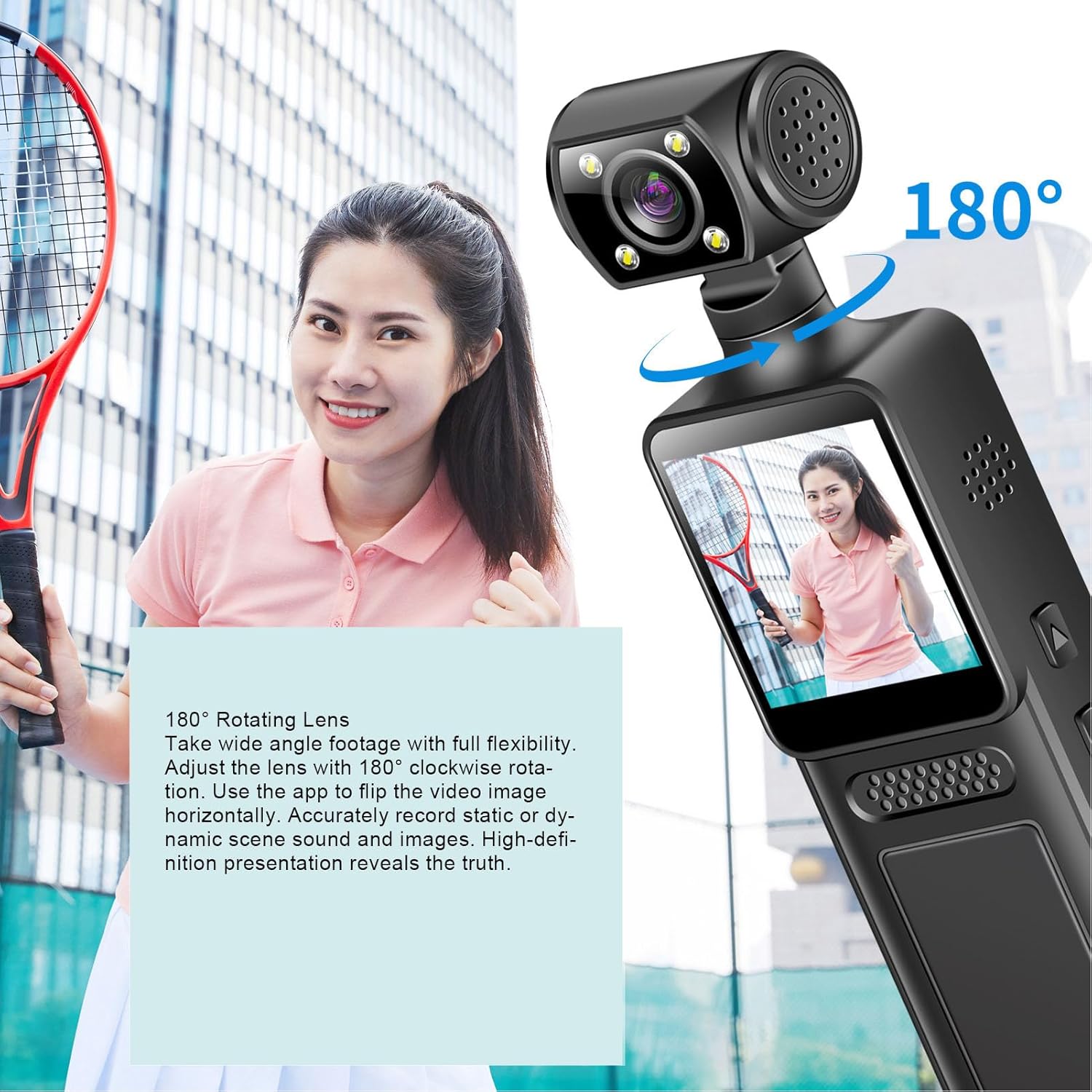
Image: The PUSOKEI Action Camera demonstrating its 180° rotating lens, allowing for wide-angle footage with full flexibility and the ability to flip video images horizontally via the app.
3.4 „Wi-Fi“ ryšys ir programėlių naudojimas
The camera features built-in WiFi for wireless connection to your smartphone or tablet. This allows for real-time viewing, downloading, and sharing of your footage.
- Download the official PUSOKEI camera app from your device's app store (iOS/Android).
- Turn on WiFi on your camera via the settings menu.
- On your smartphone, connect to the camera's WiFi network (SSID and password usually displayed on the camera screen).
- Open the app to automatically connect and view realaus laiko footage, or download recordings to your phone.

Image: The PUSOKEI Action Camera demonstrating mobile wireless connectivity, showing how to connect to a smartphone app to view realaus laiko footage or download recordings.
3.5 Ciklo įrašymas
The loop recording feature allows the camera to continuously record. When the memory card is full, the oldest filebus automatiškai perrašyti naujais įrašais.
- Access the camera's settings menu.
- Locate the "Loop Recording" option and enable or disable it as desired.
- Set the desired loop recording duration (e.g., 1, 3, 5 minutes) if available.
3.6 Using the LED Fill Light
The integrated LED fill light provides additional illumination for recording in low-light conditions, ensuring clear image quality.
- Locate the button or menu option to activate the LED fill light.
- Toggle the light on or off as needed for your recording environment.

Image: The PUSOKEI Action Camera demonstrating its LED fill light, suitable for both day and night use, ensuring clear video in dark environments and vivid color during daylight.
3.7 Body-Worn Camera Usage
The compact design and included back clamp allow the camera to be worn on clothing, making it suitable for sports, travel, or security applications.
- Attach the camera securely to your clothing using the integrated back clamp.
- Ensure the lens is oriented correctly for the desired recording angle.
- Verify the camera is recording before engaging in activities.
4. Priežiūra
Proper maintenance ensures the longevity and optimal performance of your PUSOKEI Action Camera.
4.1 Kameros valymas
- Objektyvas: Naudokite minkštą, nepūkuotą šluostę, specialiai skirtą fotoaparatų objektyvams. Venkite stiprių cheminių medžiagų.
- Ekranas: Wipe gently with a microfiber cloth. Do not press hard.
- Korpusas: Use a soft, dry cloth to wipe the camera body. If necessary, slightly dampnuvalykite šluostę vandeniu, tada nedelsdami nusausinkite.
- Įsitikinkite, kad visuose prievaduose nėra dulkių ir šiukšlių.
4.2 Akumuliatoriaus priežiūra
- Venkite dažnai visiškai iškrauti akumuliatorių.
- Store the camera with a partially charged battery (around 50%) if not used for extended periods.
- Do not expose the camera to extreme temperatures.
4.3 Saugykla
- Fotoaparatą laikykite vėsioje, sausoje vietoje, apsaugotoje nuo tiesioginių saulės spindulių ir drėgmės.
- Use a protective case to prevent scratches and impacts.
5. Problemų sprendimas
If you encounter issues with your camera, refer to the following common troubleshooting steps.
| Problema | Galima priežastis | Sprendimas |
|---|---|---|
| Kamera neįsijungia. | Žema akumuliatoriaus įkrova; sugedęs akumuliatorius; maitinimo mygtuko problema. | Charge the battery fully. Try a different charging cable/adapter. If problem persists, contact support. |
| Nepavyksta įrašyti vaizdo. | No memory card; memory card full; memory card error; incorrect settings. | Insert a memory card. Format the memory card (this will erase all data). Check available storage. Verify recording settings. |
| Prasta vaizdo kokybė. | Nešvarus objektyvas; prastas apšvietimas; neteisingi raiškos nustatymai. | Clean the lens. Activate the LED fill light in low light. Ensure 4K resolution is selected in settings. |
| „Wi-Fi“ ryšio problemos. | WiFi not enabled; incorrect password; app issues; interference. | Ensure camera WiFi is on. Re-enter WiFi password. Restart camera and phone. Try connecting in a different location. |
| Kamera užstringa arba nereaguoja. | Programinės įrangos triktis; atminties kortelės problema. | Perform a soft reset by holding the power button until it turns off. If unresponsive, use a pin to press the reset button (if available). Remove and reinsert the memory card. |
6. Specifikacijos
| Funkcija | Detalė |
|---|---|
| Modelio numeris | PUSOKEIpqi950c8n7 |
| Vaizdo raiška | 4K HD |
| Ekrano dydis | 1.31 colių |
| Objektyvo sukimas | 180 laipsnių |
| Ryšys | WiFi, USB Type-C |
| Baterijos tipas | Integruota Li baterija |
| Baterijos talpa | 1000 mAh |
| Atminties kortelių palaikymas | Iki 256 GB („MicroSD“, nepridedama) |
| Prekės svoris | 6.1 uncijos |
| Pakuotės matmenys | 6.3 x 3.15 x 1.97 colio |
| Gamintojas | PUSOKEI |
7. Garantija ir palaikymas
Informacijos apie garantiją ir klientų aptarnavimą ieškokite kartu su pirkiniu pateiktoje dokumentacijoje arba susisiekite tiesiogiai su pardavėju / gamintoju.
- Gamintojas: PUSOKEI
- Susisiekite: Please refer to the official PUSOKEI website or your purchase platform for specific support contact details.