
1. Svarbi saugos informacija
Please read all instructions carefully before using the AXV ARK-6 Vibration Plate Fitness Platform. Retain this manual for future reference. Improper use can lead to injury or damage to the device.
Bendrosios atsargumo priemonės
- Consult your physician before starting any new exercise program, especially if you have pre-existing medical conditions, are pregnant, or have a pacemaker.
- The maximum user weight capacity for this device is 330 svarai (150 kg)Neviršykite šios ribos.
- Use the vibration plate on a stable, flat, and non-slip surface. Ensure adequate space around the device.
- Keep children and pets away from the device during operation. This is not a toy.
- Do not use the device if you feel dizzy, nauseous, or experience any pain. Stop immediately and consult a physician.
- Atjunkite prietaisą nuo maitinimo lizdo, kai jo nenaudojate arba prieš valydami.
- Nemerkite prietaiso į vandenį ir nelaikykite jo per didelėje drėgmėje.
- Ensure your hands and feet are dry before operating the device.
2. Pakuotės turinys
Išpakuodami patikrinkite, ar yra visi komponentai ir ar jie geros būklės.
- AXV ARK-6 Vibration Plate Fitness Platform
- Nuotolinio valdymo pultas
- 2 pasipriešinimo juostos
- Maitinimo laidas
- Vartotojo vadovas (šis dokumentas)
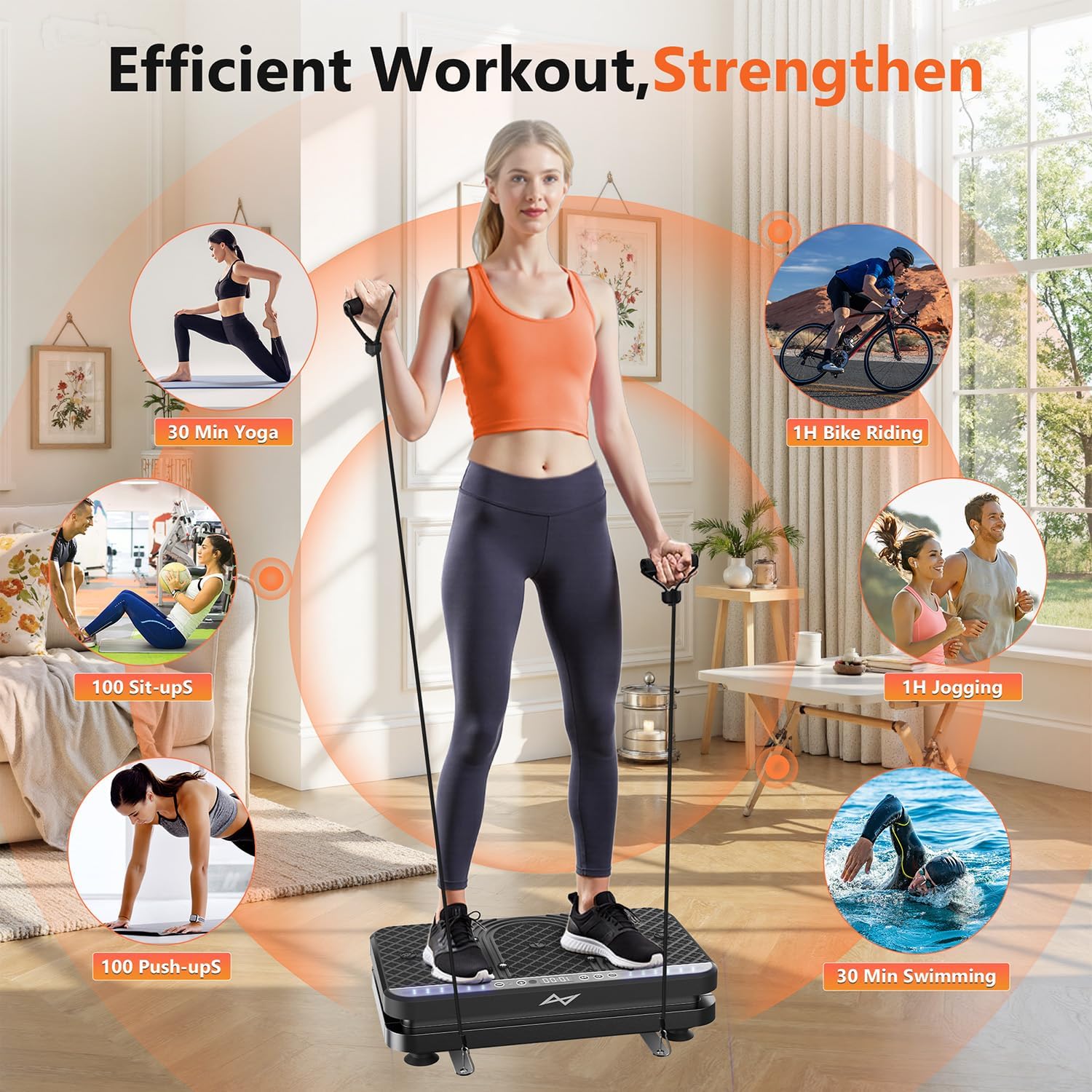
Image: The AXV ARK-6 Vibration Plate, showing the main unit, remote control, and two resistance bands.
3. Sąrankos instrukcijos
Išpakavimas ir įdėjimas
- Atsargiai išimkite visus komponentus iš pakuotės.
- Place the vibration plate on a firm, level floor. Ensure the area is clear of obstructions. The anti-slip rubber sucker feet on the base will help secure the unit.
- Ensure the power switch is in the 'OFF' position before connecting to power.
Maitinimo prijungimas
- Insert the power cord into the power input port on the side or back of the vibration plate.
- Kitą maitinimo laido galą įkiškite į įžemintą elektros lizdą.
Atsparumo juostų tvirtinimas
- Locate the hook holes on the sides of the vibration plate.
- Attach the carabiner clips of the resistance bands to these hook holes. Ensure they are securely fastened before use.
4. Naudojimo instrukcijos
The AXV ARK-6 features an intuitive LED display, touchscreen controls, and a remote control for ease of use.
Maitinimo įjungimas/išjungimas
- Flip the main power switch (usually located on the side) to the 'ON' position.
- The LED display will illuminate. Press the 'Power' button on the control panel or remote to start/stop the vibration.
Using the Control Panel and Remote Control
The control panel on the device and the remote control offer similar functionalities:
- Maitinimo mygtukas: Starts or stops the vibration.
- Greičio reguliavimas: Use '+' and '-' buttons to adjust vibration intensity from 1 to 120 levels.
- Režimo pasirinkimas: Cycle through 5 preset exercise modes. Each mode has a pre-programmed sequence of speed and time.
- Laiko nustatymas: Adjust the duration of your workout.

Vaizdas: Išsamus view of the LED display and the wireless remote control for the vibration plate.
Exercise Postures and Usage
The AXV ARK-6 supports various postures for a full-body workout and relaxation.
- Stovint: Stand with feet shoulder-width apart for general vibration. Adjust foot placement to vary intensity (wider stance for more intense vibration).
- Pritūpimai: Perform squats on the platform to engage leg and glute muscles more intensely.
- Naudojimas sėdint: Place your feet on the platform while seated for circulation and relaxation, or for targeted leg massage.
- Upper Body with Resistance Bands: While standing or sitting on the platform, use the attached resistance bands for arm, shoulder, and back exercises.

Image: A user demonstrating standing on the vibration plate with resistance bands, highlighting the versatility for different exercise types.

Image: A user utilizing the vibration plate while seated at a desk, demonstrating its use for relaxation and promoting circulation during work.
5. Priežiūra
Valymas
- Prieš valydami įsitikinkite, kad prietaisas yra išjungtas.
- Vibracinės plokštės paviršių nuvalykite minkšta,amp audinys. Nenaudokite abrazyvinių valiklių ar tirpiklių.
- Avoid spraying water directly onto the device.
Sandėliavimas
The AXV ARK-6 is designed to be compact and easy to store.
- Laikykite prietaisą vėsioje, sausoje vietoje, apsaugotoje nuo tiesioginių saulės spindulių ir ekstremalių temperatūrų.
- Its slim design allows it to be stored under furniture or in a closet.
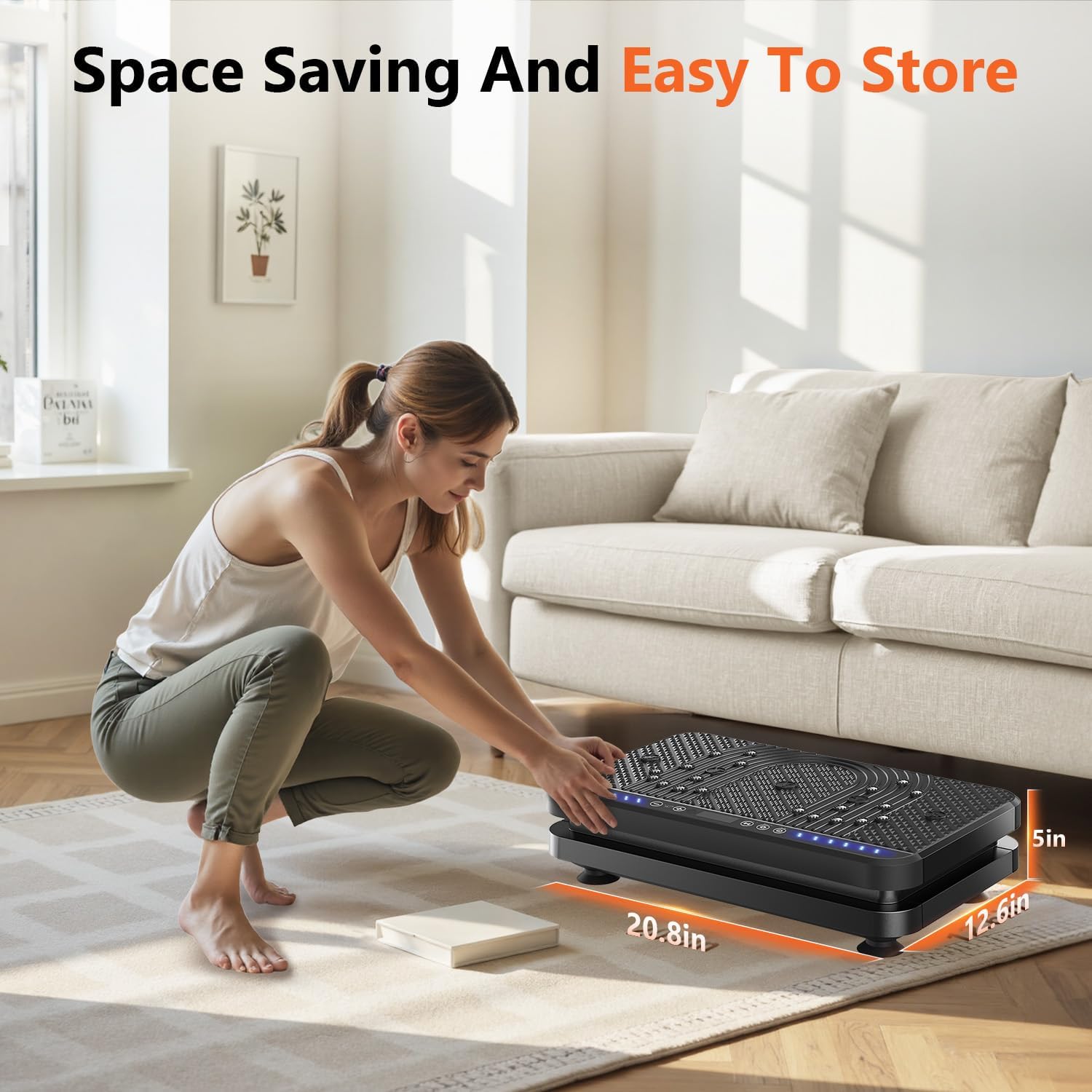
Image: A user easily storing the compact vibration plate, highlighting its space-saving design.
6. Problemų sprendimas
If you encounter any issues with your AXV ARK-6 Vibration Plate, please refer to the following common problems and solutions:
| Problema | Galima priežastis | Sprendimas |
|---|---|---|
| Įrenginys neįsijungia. | Power cord not connected properly; Main power switch is off; Power outlet issue. | Įsitikinkite, kad maitinimo laidas yra tvirtai prijungtas. Patikrinkite, ar pagrindinis maitinimo jungiklis yra įjungtas. Išbandykite lizdą su kitu įrenginiu. |
| No vibration when started. | Device is paused; Speed setting is too low. | Press the 'Power' button to ensure it's not paused. Increase the speed setting using the '+' button. |
| Nuotolinio valdymo pultas neveikia. | Batteries are dead; Obstruction between remote and device. | Replace remote control batteries. Ensure clear line of sight to the device's receiver. |
| Neįprastas triukšmas veikimo metu. | Loose component; Device not on a flat surface. | Ensure the device is on a completely flat and stable surface. If noise persists, discontinue use and contact support. |
If the problem persists after attempting these solutions, please contact AXV customer support.
7. Gaminio specifikacijos
| Funkcija | Detalė |
|---|---|
| Modelio pavadinimas | ARK-6 |
| Prekės ženklas | AXV |
| Matmenys (I x P x A) | 23.6 x 14.5 x 7 colio (apytiksliai pakuotės matmenys) |
| Svoris | 8.82 Kilograms (approximate package weight) |
| Medžiaga | Aukščiausios kokybės ABS plastikas |
| Spalva | BLACK (SLIM-ALLBLACK style) |
| Greičio lygiai | 1 iki 120 |
| Iš anksto nustatyti režimai | 5 |
| Valdymo tipas | Touchscreen, Wireless Remote Control |
| Ekranas | Large LED Panel (shows time, speed, estimated calories burned) |
| Ypatingos savybės | Magnet health massage function, Anti-slip surface, Ergonomic design |
| Maksimalus vartotojo svoris | 330 svarai (150 kg) |
8. Garantija ir klientų aptarnavimas
Informacija apie garantiją
The AXV ARK-6 Vibration Plate Fitness Platform comes with a 1 metų gamintojo garantija. Ši garantija apima medžiagų ir gamybos defektus normaliai naudojant.
Please retain your proof of purchase for warranty claims. The warranty does not cover damage caused by misuse, accidents, unauthorized modifications, or normal wear and tear.
Pagalba klientams
For any questions, technical assistance, or warranty claims, please contact AXV customer support. Refer to the contact information provided with your purchase or visit the official AXV websvetainėje, kur rasite išsamios pagalbos.
When contacting support, please have your model name (ARK-6) and purchase date available.