
Įvadas
This manual provides essential information for setting up, operating, maintaining, and troubleshooting your TCL TAB A1 Plus Android Tablet. The tablet features a 12.2-inch 2.4K 120Hz display, a Snapdragon 4 Gen 2 processor, 6GB RAM, and 128GB internal storage, expandable up to 2TB. It is equipped with an 8000mAh battery, quad stereo speakers, and 5MP front and 8MP rear cameras.
For optimal performance and longevity, please read these instructions carefully before using your device.
1. Sąranka
1.1 Išpakavimas ir pirminė apžiūra
Carefully remove all components from the packaging. Verify that all items listed in the "What's in the Box?" section are present and undamaged.

Image: The TCL TAB A1 Plus tablet, a USB-C cable, a Quick Guide & PSI document, and a SIM Pin are shown, illustrating the contents of the box.
- TCL TAB A1 Plus Android Tablet: Pagrindinis įrenginys.
- C tipo laidas: Įkrovimui ir duomenų perdavimui.
- QG & PSI: Quick Guide and Product Safety Information.
- SIM Pin: For accessing the SIM/microSD card tray.
1.2 Planšetinio kompiuterio įkrovimas
Prieš pirmą kartą naudodami, pilnai įkraukite planšetinį kompiuterį.
- Connect the Type-C cable to the tablet's USB-C port.
- Connect the other end of the cable to a compatible power adapter (not included) and plug it into a wall outlet.
- Ekrane esantis akumuliatoriaus indikatorius rodys įkrovimo būseną.

Image: A person is using the TCL TAB A1 Plus tablet while it is charging, with a visual representation of the 8000mAh battery and 20W fast charging capability.
The tablet supports 20W fast charging for quick power restoration.
1.3 Įjungimas / išjungimas
- Norėdami įjungti: Paspauskite ir palaikykite maitinimo mygtuką, kol pasirodys TCL logotipas.
- Norėdami išjungti: Paspauskite ir palaikykite maitinimo mygtuką, tada ekrane rodomoje parinkčių sąraše pasirinkite „Išjungti“.
1.4 Pradinė sąranka
Vykdykite ekrane pateikiamus nurodymus, kad atliktumėte pradinę sąranką, įskaitant:
- Kalbos pasirinkimas.
- Prisijungimas prie „Wi-Fi“ tinklo.
- Prisijungiama naudojant „Google“ paskyrą.
- Setting up security features (PIN, pattern, fingerprint).
2. Naudojimo instrukcijos
2.1 Ekrano funkcijos
The TCL TAB A1 Plus features a 12.2-inch 2.4K display with a 120Hz refresh rate and 100% sRGB color. TCL NXTVISION technology enhances visuals for richer colors and sharper clarity.

Image: A user relaxing on a couch, holding the TCL TAB A1 Plus tablet which displays a vibrant image, highlighting its 12.2" 2.4K display, 120Hz refresh rate, 550 nits brightness, and 100% sRGB color.
2.2 Našumas ir saugykla
Powered by Snapdragon 4 Gen 2 with 6GB RAM (expandable to 16GB total with RAM Expansion) and 128GB storage (expandable to 2TB via microSD), the tablet offers smooth performance for various tasks.

Image: A graphic illustrating the Snapdragon 4 Gen 2 processor, emphasizing its 4nm process and LPDDR5 memory for fast and smooth performance.

Image: The TCL TAB A1 Plus tablet displaying multiple open applications, with icons indicating 16GB RAM, 128GB ROM, and 2TB expandable storage.
2.3 Daugiafunkcinės funkcijos
The tablet supports several multitasking modes to enhance productivity:
- Padalintas ekranas: Paleiskite dvi programas vienu metu.
- Plaukiojantys langai: Keep apps visible in resizable windows while working on other tasks.
- Išplėsti režimą: Use the tablet as a second screen for your laptop.
- Veidrodinis režimas: Mirror your PC screen to the tablet for presentations or document review.

Image: A visual representation of the TCL TAB A1 Plus tablet's multitasking capabilities, including Split Screen, Floating Window, Extend Mode (tablet as second screen), and Mirror Mode (PC screen mirrored to tablet).
2.4 AI Productivity Tools
Leverage built-in AI tools for enhanced productivity:
- „Google Gemini“ dirbtinis intelektas: For summarizing, generating ideas, and instant assistance.
- Apibraukite, kad ieškotumėte: Quickly search for information by circling content on your screen.
- Writing Assist: Get AI help for emails, essays, and notes.
- Text Assist: Translate, rewrite, or summarize text instantly.
- Smart Translator: Real-time translation of text, images, or voice.
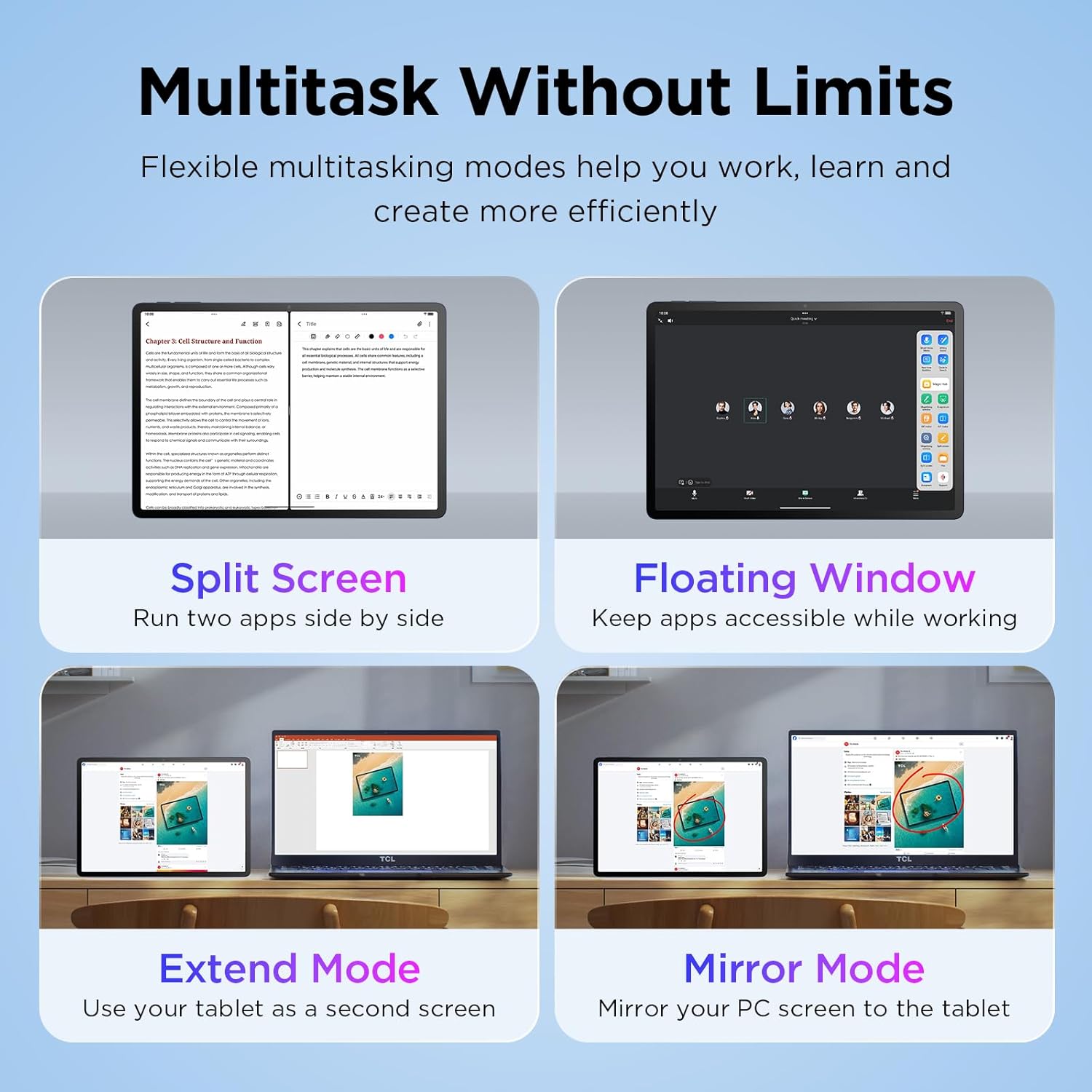
Image: The TCL TAB A1 Plus tablet displaying a search result for a landmark, with icons representing Google Gemini, Circle to Search, Writing Assist, Text Assist, and Smart Translator.
2.5 Garsas ir kamera
The tablet features quad stereo speakers for rich audio and 5MP front and 8MP rear cameras for clear video calls and photography.

Image: A split image showing the TCL TAB A1 Plus tablet with sound waves emanating from its quad speakers on one side, and the tablet's front and rear cameras (5MP front, 8MP rear) with examples of video calls and photos on the other.
Video: This official video from TCL showcases the smart performance and simple operation of the TCL TAB A1 Plus, demonstrating its key features and user experience.
3. Priežiūra
3.1 Planšetinio kompiuterio valymas
- Ekranui ir korpusui valyti naudokite minkštą, nepūkuotą šluostę.
- Venkite naudoti abrazyvinius valiklius, alkoholį ar tirpiklius, nes jie gali pažeisti ekraną ir apdailą.
- Įsisenėjusioms dėmėms šiek tiek pamirkykiteamplt audinį supilkite vandeniu.
3.2 Programinės įrangos naujiniai
Reguliariai tikrinkite, ar yra programinės įrangos atnaujinimų, ir juos įdiekite, kad užtikrintumėte optimalų našumą, saugumą ir prieigą prie naujų funkcijų.
- Eikite į Nustatymai.
- Bakstelėkite Sistema > Sistemos atnaujinimas.
- Vykdykite ekrane pateikiamus nurodymus, kad atsisiųstumėte ir įdiegtumėte visus galimus naujinimus.
3.3 Akumuliatoriaus priežiūra
- Venkite planšetinio kompiuterio laikymo ekstremaliose temperatūrose.
- Neleiskite baterijai dažnai visiškai išsikrauti.
- Įkrovimui naudokite pateiktą C tipo kabelį.
4. Problemų sprendimas
4.1 Planšetinis kompiuteris neįsijungia
- Ensure the battery is charged. Connect the tablet to a power source and wait a few minutes before attempting to power on again.
- Pabandykite priverstinai paleisti iš naujo, 10–15 sekundžių palaikydami nuspaustą maitinimo mygtuką.
4.2 Ekranas nereaguoja
- Iš naujo paleiskite planšetinį kompiuterį.
- Įsitikinkite, kad ekranas yra švarus, be drėgmės ar šiukšlių.
4.3 „Wi-Fi“ ryšio problemos
- Nustatymuose išjunkite ir įjunkite „Wi-Fi“.
- Paleiskite iš naujo „Wi-Fi“ maršrutizatorių.
- Pamirškite tinklą ir vėl prisijunkite, dar kartą įvesdami slaptažodį.
4.4 Programėlių strigimas arba užstrigimas
- Uždarykite ir vėl atidarykite programą.
- Išvalykite programos talpyklą ir duomenis Nustatymai > Programėlės > [Programėlės pavadinimas] > Sandėliavimas.
- Įsitikinkite, kad programa atnaujinta į naujausią versiją.
- If issues persist, uninstall and reinstall the app.
5. Specifikacijos
| Prekės ženklas | TCL |
| Modelio pavadinimas | TCL TAB A1 Plus |
| Ekrano dydis | 12.2 colių |
| Ekrano raiška | 2400 x 1600 pikselių (2.4K) |
| Atnaujinimo dažnis | 120 Hz |
| Procesorius | Snapdragon 4 Gen 2 |
| RAM | 6 GB (išplečiama iki 16 GB) |
| Sandėliavimas | 128 GB (išplečiama iki 2 TB per „microSD“) |
| Operacinė sistema | Android 16 (Upgradable to Android 17), 3 Years Security Updates |
| Baterijos talpa | 8000 mAh |
| Priekinė kamera | 5 MP |
| Galinė kamera | 8 MP |
| Dimensions (L x W x Thickness) | 10.85 cm ilgio x 7.45 cm pločio x 0.26 cm storio |
| Svoris | 1.19 svaro |
| Ryšys | Bluetooth, Wi-Fi (802.11ac, 802.11ax), USB Type C |
| Ypatingos savybės | AI-Powered Productivity Tools, Advanced Multitasking Modes, NXTVISION Display |
6. Informacija apie garantiją
The TCL TAB A1 Plus Android Tablet comes with a 1 metų gamintojo garantija. This warranty covers defects in materials and workmanship under normal use. Please refer to the included Product Safety Information (PSI) document for full terms and conditions.
Išsaugokite pirkimo įrodymą, kad galėtumėte kreiptis dėl garantijos.
7. Parama
Dėl papildomos pagalbos, techninės pagalbos ar view frequently asked questions, please visit the official TCL support websvetainėje arba susisiekite su klientų aptarnavimo tarnyba.
- Palaikymas internetu: Aplankykite TCL Official Store on Amazon dėl produkto informacijos ir palaikymo išteklių.
- Susisiekite su klientų aptarnavimo tarnyba: Refer to the contact information provided in your Quick Guide or on the TCL official websvetainę.