
NIIMBOT D11H
NIIMBOT D11H Label Maker Instruction Manual
Modelis: D11H
Įvadas
Thank you for choosing the NIIMBOT D11H Label Maker. This portable thermal label printer is designed for efficient and clear label printing for various organizational needs in home, office, and small business environments. This manual provides detailed instructions for setup, operation, and maintenance to ensure optimal performance of your device.

Image: A user operating the NIIMBOT D11H label maker with a smartphone, demonstrating its compact size and app-based functionality. The image highlights the device's portability and ease of use for creating various labels.
Kas yra dėžutėje
Išpakuodami, patikrinkite pakuotės turinį:
- NIIMBOT D11H Label Maker
- 3 Rolls of Label Tapes (14x30mm clear, 14x40mm white, 12x40mm green)
- Extra 6 Rolls of Mixed Label Paper (White 0.47" x 1.57", Clear 0.47" x 4.29", 0.55" x 1.18")
- USB įkrovimo laidas (C tipo)
- Vartotojo vadovas (šis dokumentas)

Image: A collection of NIIMBOT label rolls in different sizes and colors, illustrating the variety of labels included with the D11H label maker.
Produktas baigtasview
The NIIMBOT D11H is a compact, portable thermal label printer. It features a 300 DPI print resolution for clear text and graphics, a 1500mAh battery, and a Type-C USB port for charging. It connects via Bluetooth to your mobile device for label design and printing.

Image: A visual comparison between the NIIMBOT D11 and D11H models, highlighting the D11H's improved specifications such as 1500mAh battery, 300dpi resolution, Type-C USB, and 50mm/s printing speed.
Sąranka
1. Įrenginio įkrovimas
Before first use, fully charge the label maker. Connect the provided USB Type-C cable to the charging port on the device and to a standard USB power adapter (not included).
- Įkrovimo indikatoriaus lemputė rodys įkrovimo būseną.
- Pilnas įkrovimas paprastai trunka maždaug 2–3 valandas.
2. Installing Label Rolls
- Open the label compartment cover by sliding it open or pressing the release button (refer to device diagram if available).
- Insert the label roll with the printing surface facing upwards, ensuring the labels feed smoothly into the printer mechanism.
- Tvirtai uždarykite skyriaus dangtelį, kol jis spragtelėdamas užsifiksuos.
- Ensure a small portion of the label tape extends out of the printer's output slot.
3. Programėlės atsisiuntimas ir „Bluetooth“ ryšys
- Atsisiųskite programą: Ieškokite "NIIMBOT" or "NIIM" in your mobile app store (iOS App Store or Google Play Store) and download the official application.
- Turn On the Label Maker: Paspauskite ir palaikykite maitinimo mygtuką, kol užsidegs indikatoriaus lemputė.
- Įjungti Bluetooth: Įsitikinkite, kad jūsų mobiliajame įrenginyje įjungtas „Bluetooth“.
- Prisijunkite per programėlę: Open the NIIMBOT app. The app will automatically search for nearby NIIMBOT devices. Select your D11H from the list to pair. Note: Do not pair directly through your phone's Bluetooth settings; connect only via the NIIMBOT app.
- Once connected, the app will display the device status.
Naudojimo instrukcijos
1. Maitinimo įjungimas/išjungimas
- Maitinimas: Press and hold the power button for approximately 2 seconds. The indicator light will illuminate.
- Išjungti: Paspauskite ir palaikykite maitinimo mygtuką maždaug 2 sekundės, kol indikatoriaus lemputė užges.
2. Etikečių kūrimas ir redagavimas
Use the NIIMBOT app to design your labels:
- Open the NIIMBOT app and ensure your D11H is connected.
- Select a template or create a new label from scratch.
- The app offers various features including text, symbols, logos, barcodes, QR codes, images, and time stamps.
- Customize font, size, alignment, and other label properties.
- The D11H supports automatic calibration, meaning the first label will not be wasted during printing.

Image: An illustration showing the NIIMBOT D11H's self-calibration feature, which automatically rewinds the first label to prevent waste, ensuring efficient use of label paper.
3. Etikečių spausdinimas
- After designing your label in the app, tap the "Print" button.
- Confirm the number of copies and other print settings.
- The label maker will print the labels. The D11H prints at a speed of 50mm/s.
- Tear off the printed label along the serrated edge.
Note: This label maker produces monochrome printouts, meaning it only prints in black text.

Vaizdas: Stambus planas view of the NIIMBOT D11H printing a label, emphasizing its 300 dpi high-resolution thermal printing capability for clear and sharp text.
Priežiūra
1. Spausdinimo galvutės valymas
- Prieš valydami įsitikinkite, kad prietaisas yra išjungtas.
- Atidarykite etiketės skyrių.
- Švelniai nuvalykite spausdinimo galvutę vatos tamponu, lengvai dampsu izopropilo alkoholiu.
- Prieš uždarydami dangtelį ir įjungdami įrenginį, leiskite spausdinimo galvutei visiškai išdžiūti.
2. Sandėliavimas
- Etikečių spausdintuvą laikykite vėsioje, sausoje vietoje, toliau nuo tiesioginių saulės spindulių ir ekstremalių temperatūrų.
- Remove label rolls if the device will not be used for an extended period.
Trikčių šalinimas
| Problema | Galima priežastis | Sprendimas |
|---|---|---|
| Įrenginys neįsijungia | Žemas akumuliatoriaus lygis; Įrenginio gedimas; | Charge the device; Contact customer support if issue persists. |
| Nepavyksta prisijungti per Bluetooth | Bluetooth not enabled; Incorrect pairing method; App issue | Ensure Bluetooth is on; Connect via NIIMBOT app only; Restart app and device. |
| Prasta spausdinimo kokybė | Nešvari spausdinimo galvutė; neteisinga etiketės orientacija; išsikrovęs akumuliatorius | Clean the print head; Reinstall label roll correctly; Charge the device. |
| Etiketės netiekiamos | Label roll incorrectly installed; Empty roll; Jammed mechanism | Reinstall label roll; Replace with new roll; Check for obstructions. |
| Pirmoji etiketė iššvaistyta | Automatic calibration not functioning | Ensure the app and firmware are updated. The D11H model is designed to prevent this. |
Specifikacijos
- Modelis: NIIMBOT D11H
- Spausdinimo raiška: 300 DPI
- Spausdinimo technologija: Terminis spausdinimas
- Ryšys: Bluetooth
- Baterijos talpa: 1500 mAh
- Įkrovimo prievadas: C tipo USB
- Spausdinimo greitis: 50 mm/s
- Palaikoma OS: iOS, Android (via NIIMBOT App)
- Spausdinimo spalva: Monochrome (Black text only)
- Automatinis kalibravimas: Supported (no first label waste)
Programos
The NIIMBOT D11H label maker is suitable for a wide range of labeling tasks:
- Namų organizavimas: Labeling kitchen containers, storage boxes, pantry items.
- Biuro naudojimas: Organizavimas files, folders, stationery, cables.
- Mažas verslas: Produkto ženklinimas, kaina tags, inventory management, jewelry labels.
- Asmeniniam naudojimui: Labeling cosmetics, medicine, gifts, school supplies.

Image: Demonstrates various uses of the NIIMBOT D11H labels, including organizing kitchen items, setting reminders for medication, and labeling office supplies.
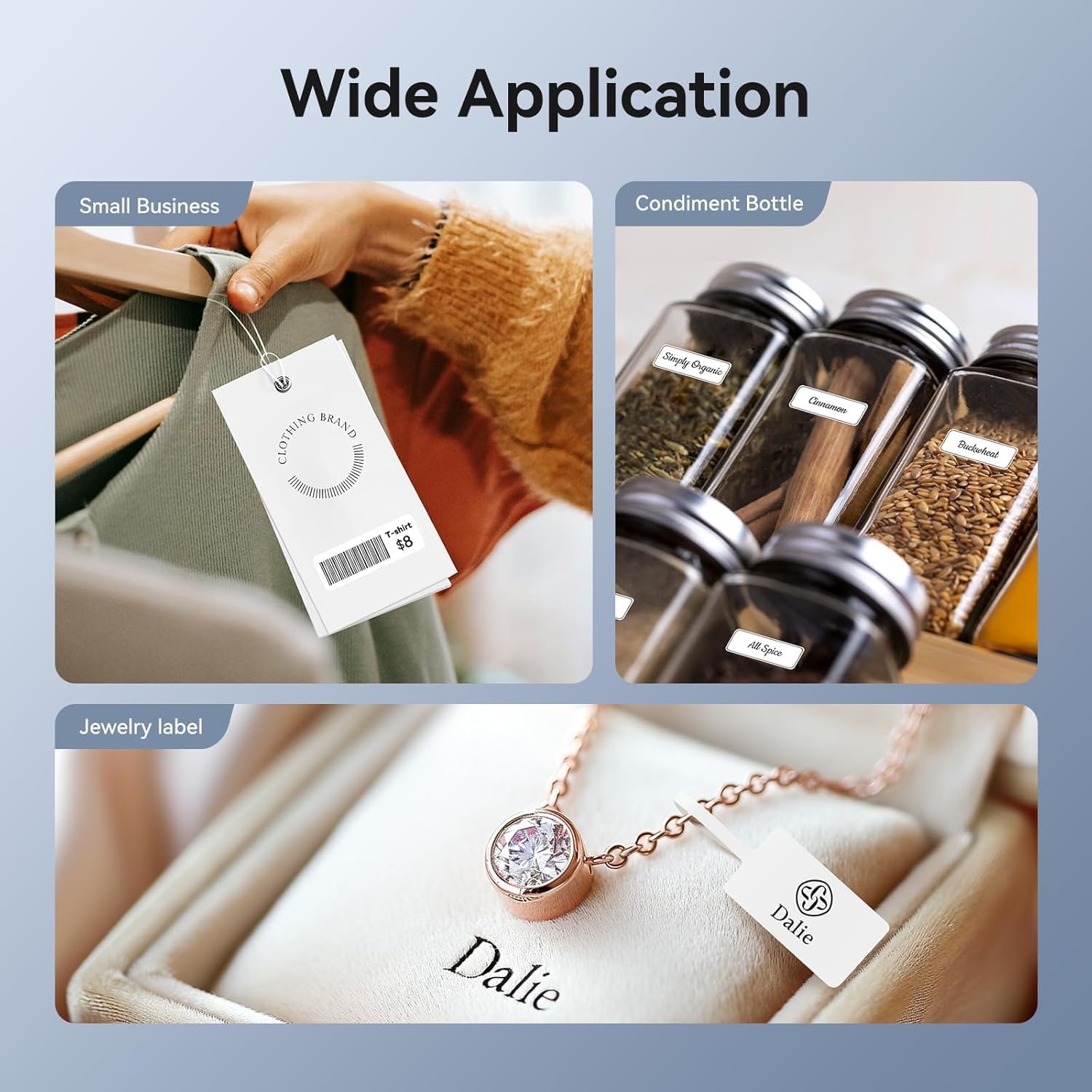
Image: Shows the versatility of the NIIMBOT D11H for small business applications, such as creating price tags for clothing, labeling condiment bottles, and making elegant jewelry labels.

Paveikslėlis: koliažo parodaasing diverse labeling applications for the NIIMBOT D11H, covering kitchen organization, office filing, cosmetic storage, gift personalization, stationery identification, and medicine management.
Garantija ir palaikymas
NIIMBOT products typically come with a standard manufacturer's warranty. Please refer to the warranty card included in your package or visit the official NIIMBOT websvetainėje, kurioje pateikiamos konkrečios garantijos sąlygos.
For technical support, troubleshooting assistance, or warranty claims, please contact NIIMBOT customer service through their official website or the contact information provided in your product packaging. When contacting support, please have your product model (D11H) and purchase details ready.
Ask a question about this manual
Ask about setup, troubleshooting, compatibility, parts, safety, or missing instructions. Manuals+ will review the question and use this page’s manual context to help answer it.