
Įvadas
Thank you for choosing the PUSOKEI Single Ear Bluetooth Headset. This manual provides detailed instructions for the proper setup, operation, and maintenance of your device. Please read this manual thoroughly before use to ensure optimal performance and longevity of your headset.
Pakuotės turinys
Patikrinkite, ar jūsų pakuotėje yra visi toliau išvardyti daiktai:
- 1 x Bluetooth Earphone
- 1 x Earphone Charging Case
- 2 x Ear Tips (different sizes)
- 1 x USB Adapter (Dongle)
- 1 x Naudotojo vadovas (šis dokumentas)
- 1x USB įkrovimo laidas

Image: All components included in the PUSOKEI Single Ear Bluetooth Headset package.
Produktas baigtasview
The PUSOKEI Single Ear Bluetooth Headset is designed for clear communication and comfort. Key features include:
- Bluetooth V6.1: Stabiliam ir greitam belaidžiam ryšiui.
- ENC Dual Microphone Noise Cancellation: Filters background noise for clear calls.
- IPX6 atsparumas vandeniui: Apsaugo nuo prakaito ir vandens purslų.
- Rotatable Earpiece and Ear Hook: Allows wearing on either left or right ear with adjustable fit.
- Daugiafunkcis mygtukas (MFB): For call management and media control.
- Garsumo mygtukai: For adjusting audio levels and track navigation.
Headset Components and Controls
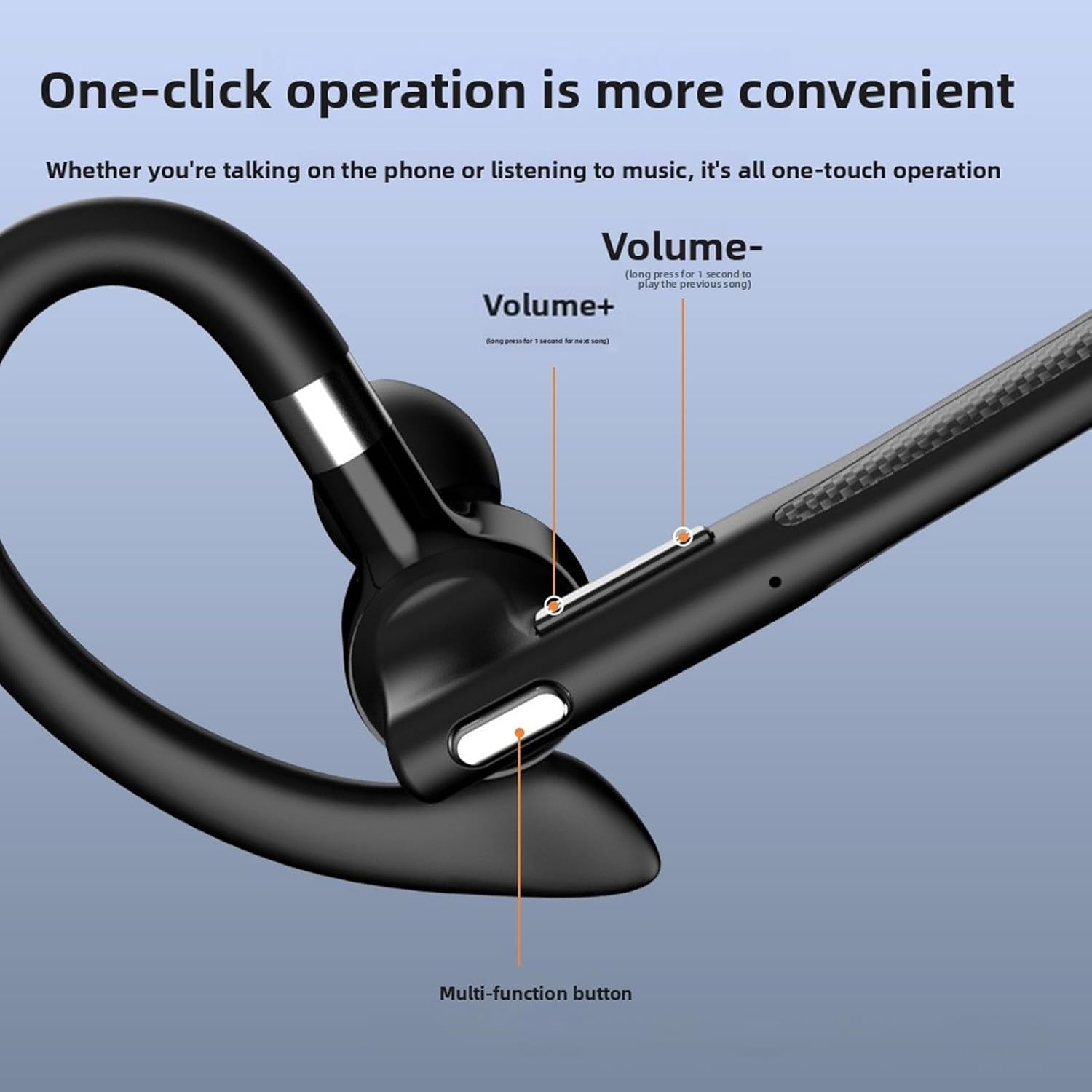
Vaizdas: Išsamus view of the headset's control buttons, including Volume +/-, and the Multi-function button.
- Garsumas + klavišas: Short press to increase volume. Long press for 1 second to play the next song.
- Volume - Key: Short press to decrease volume. Long press for 1 second to play the previous song.
- Daugiafunkcis mygtukas (MFB): Used for power on/off, answering/ending calls, playing/pausing music, and activating voice assistant.
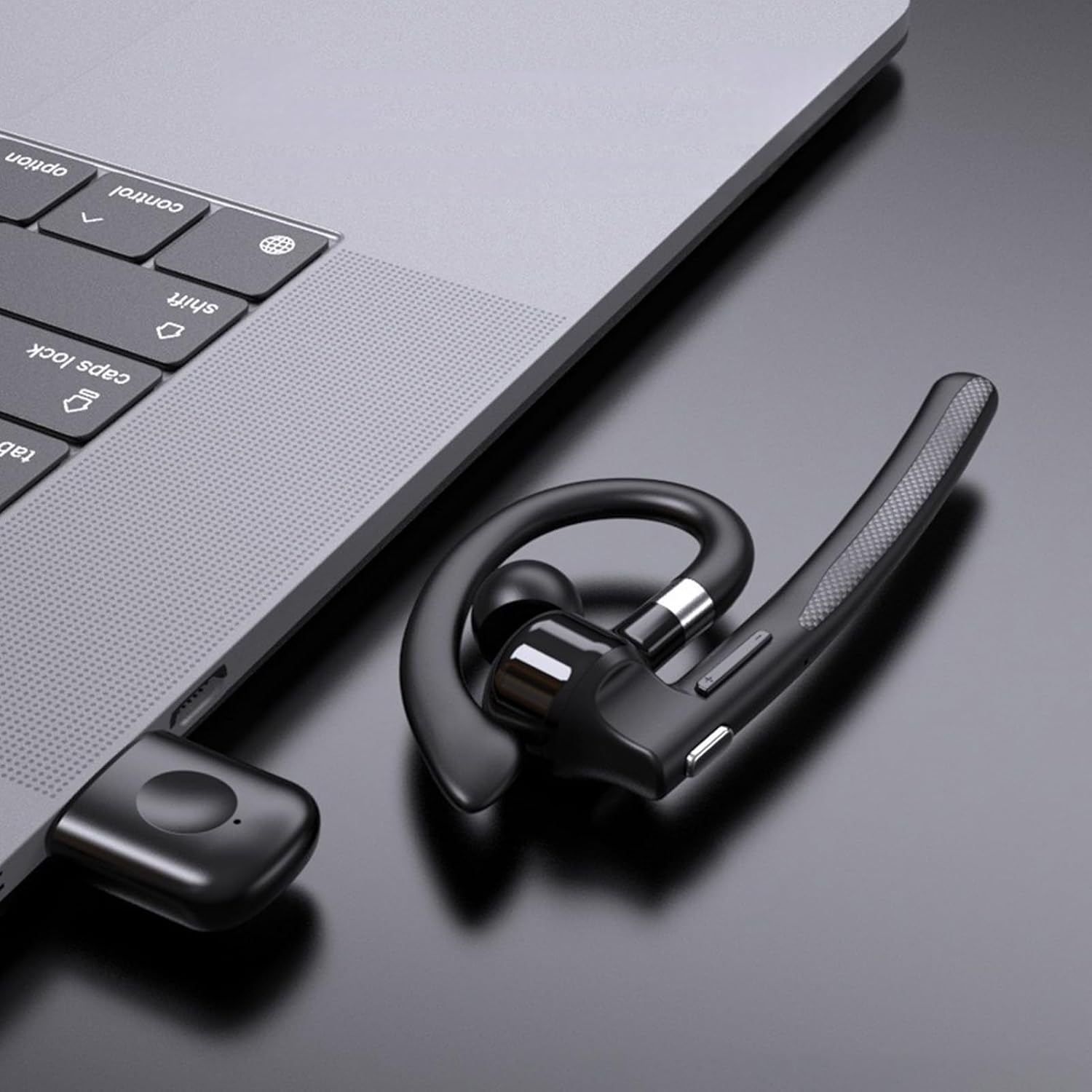
Image: Illustration of the headset's rotatable earpiece and ear hook for left or right ear wearing.
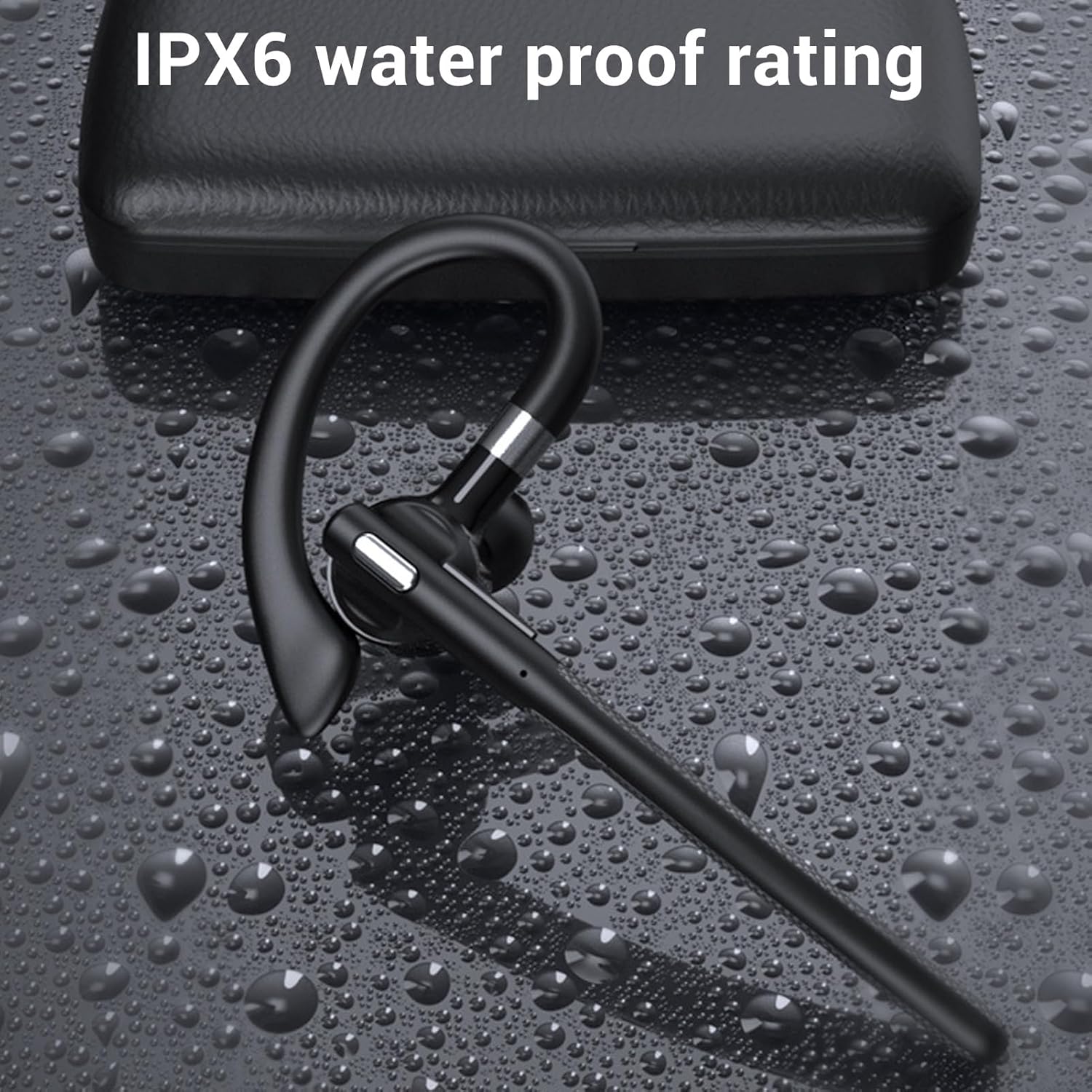
Image: The headset demonstrating its IPX6 water resistance.

Image: The headset highlighting its ENC Dual Microphone Noise Cancellation feature.
Sąranka
1. Charging the Headset and Charging Case
Before first use, fully charge both the headset and the charging case.
- Place the headset into the charging case.
- Connect the USB charging cable to the charging case and a power source (e.g., computer USB port, wall adapter).
- The LED display on the charging case will indicate the charging status. Ensure both are fully charged for optimal battery life.
2. Įjungimas/išjungimas
- Maitinimas: Press and hold the Multi-function Button (MFB) for approximately 3 seconds until you hear a voice prompt or see an indicator light.
- Išjungti: Press and hold the MFB for approximately 5 seconds until you hear a voice prompt or see an indicator light turn off.
3. Bluetooth Pairing (Without USB Dongle)
To connect the headset directly to your phone, tablet, or other Bluetooth-enabled device:
- Įsitikinkite, kad laisvų rankų įranga išjungta.
- Press and hold the MFB for about 5-7 seconds until the indicator light flashes red and blue alternately, indicating pairing mode.
- Savo įrenginyje eikite į „Bluetooth“ nustatymus ir įjunkite „Bluetooth“.
- Ieškokite available devices and select "YYK 526 USB" from the list.
- Once connected, the indicator light on the headset will flash blue slowly.
4. Connecting with USB Dongle (For PC/Laptop)
The USB dongle provides a stable connection for computers, especially those without built-in Bluetooth or for enhanced stability.
- Plug the USB adapter (dongle) into an available USB port on your computer.
- Power on the headset (if not already on). The headset will automatically attempt to connect to the dongle.
- Once connected, the indicator light on the headset will flash blue slowly, and the dongle's indicator light will be solid blue.
- On your computer's sound settings, ensure the PUSOKEI headset is selected as the input and output device.

Image: Headset, smartphone, and laptop with USB dongle demonstrating pairing capabilities.
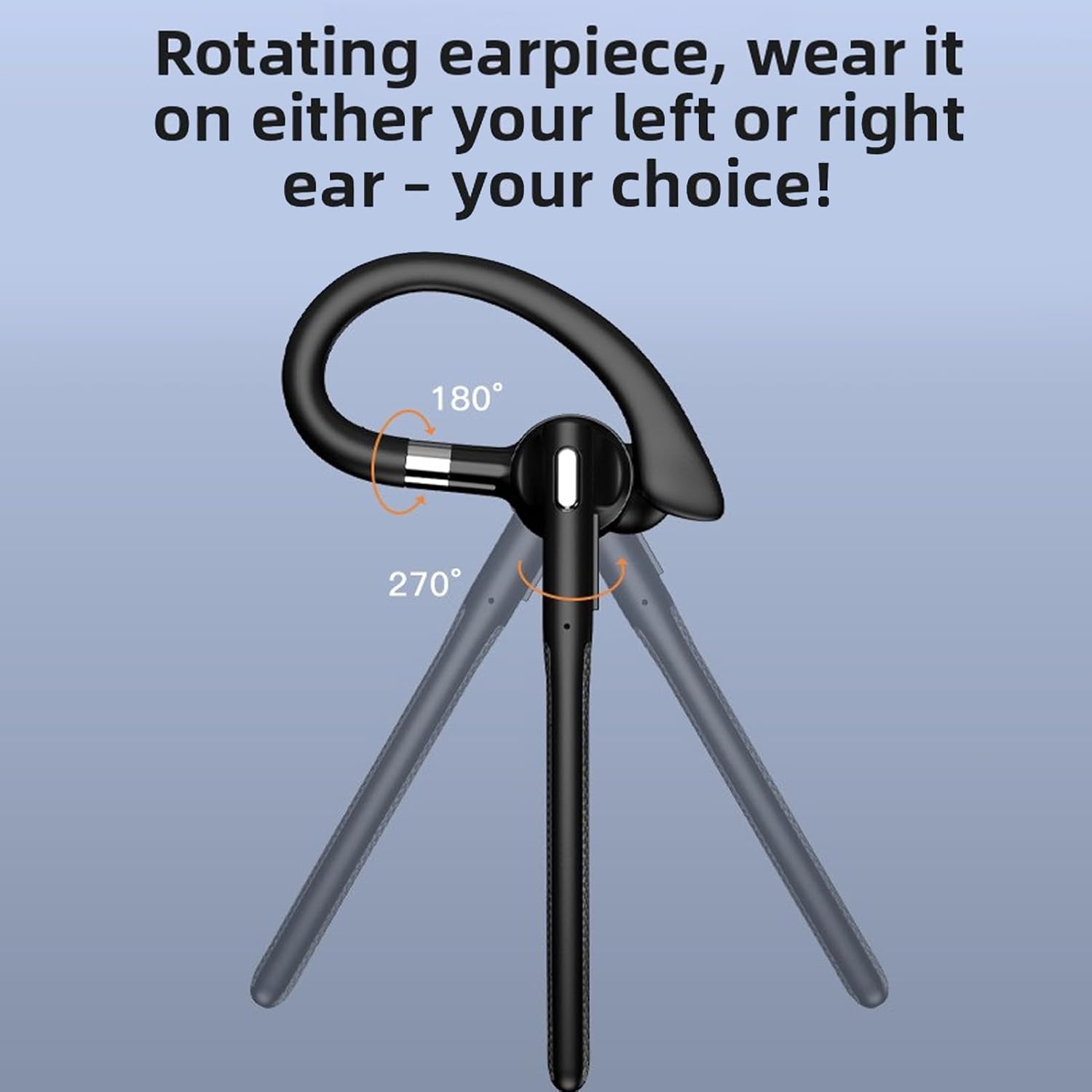
Image: The headset and USB dongle connected to a laptop.
Naudojimo instrukcijos
Nešioti ausines
The headset features a rotatable earpiece and ear hook for comfortable wear on either your left or right ear.
- Adjust the ear hook to fit comfortably over your ear.
- Rotate the earpiece to position the speaker inside your ear canal and the microphone boom towards your mouth.
- Ensure a snug fit for optimal sound quality and microphone performance.
Skambučių valdymas
- Atsiliepti į skambutį: Trumpai paspauskite MFB.
- Baigti skambutį: Skambučio metu trumpai paspauskite daugiafunkcį mygtuką.
- Atmesti skambutį: Long press the MFB for 2 seconds during an incoming call.
- Nutildyti / įjungti garsą: During a call, short press the MFB twice to mute or unmute the microphone.
- Perrink paskutinį numerį: Kai neskambinate, dukart paspauskite daugiafunkcį mygtuką.
Muzikos atkūrimas
- Leisti / pristabdyti: Trumpai paspauskite MFB.
- Kitas takelis: Long press the Volume + button for 1 second.
- Ankstesnis takelis: Long press the Volume - button for 1 second.
Garsumo valdymas
- Padidinti garsumą: Trumpai paspauskite garsumo didinimo mygtuką.
- Sumažinti garsumą: Trumpai paspauskite garsumo mygtuką.
Balso asistentas
- Suaktyvinti „Voice Assistant“: Triple-press the MFB when not on a call.
Priežiūra
Valymas
Reguliarus valymas padeda išlaikyti ausinių veikimą ir higieną.
- Wipe the headset and charging case with a soft, dry, lint-free cloth.
- Pritvirtinusius nešvarumus naudokite šiek tiek damp šluoste su švelniu muilu, tada nedelsdami nusausinkite.
- Nenaudokite abrazyvinių valiklių, alkoholio ar cheminių tirpiklių.
- The headset has an IPX6 water-resistant rating, meaning it can withstand splashes and sweat. Do not submerge it in water.
Sandėliavimas
- Kai nenaudojate, laikykite ausines įkrovimo dėkle, kad apsaugotumėte jas ir išliktumėte įkrautos.
- Laikyti vėsioje, sausoje vietoje, toliau nuo ekstremalių temperatūrų ir tiesioginių saulės spindulių.
Akumuliatoriaus priežiūra
- To preserve battery life, charge the headset and case regularly, even if not used frequently.
- Venkite ilgesnį laiką visiškai iškrauti akumuliatorių.
Trikčių šalinimas
Jei kyla problemų dėl ausinių, žr. šiuos dažniausiai pasitaikančius sprendimus:
Ausinės neįsijungia
- Ensure the headset is charged. Place it in the charging case and connect the case to power.
- Press and hold the MFB for at least 3 seconds.
Negalima susieti su įrenginiu
- Ensure the headset is in pairing mode (red and blue indicator lights flashing alternately).
- Make sure Bluetooth is enabled on your device and it is within 10 meters (33 feet) of the headset.
- Forget/delete "YYK 526 USB" from your device's Bluetooth list and try pairing again.
- Iš naujo paleiskite ausines ir įrenginį.
Nėra garso arba prasta garso kokybė
- Patikrinkite garsumo lygius tiek ausinėse, tiek prijungtame įrenginyje.
- Įsitikinkite, kad ausinės tinkamai prijungtos prie jūsų įrenginio. Jei reikia, susiekite iš naujo.
- If using the USB dongle, ensure it is securely plugged in and the headset is selected as the audio device in your computer's sound settings.
- Priartėkite prie savo įrenginio, kad išvengtumėte trukdžių arba nebūtumėte už diapazono ribų.
- Pabandykite leisti garsą iš kitos programos ar šaltinio.
Mikrofonas neveikia
- Ensure the microphone is not muted (double-press MFB during a call to toggle mute).
- Check your device's settings to ensure the headset is selected as the input (microphone) device.
- Įsitikinkite, kad mikrofono strėlė yra tinkamai nukreipta link jūsų burnos.
Specifikacijos
| Prekės tipas | Bluetooth ausinės |
| Modelis | PUSOKEIxkopsj7mg5 |
| Medžiaga | ABS |
| Bluetooth versija | V6.1 |
| Bluetooth palaikymas | A2DP/AVDTP/AVRCP/RFCOMM/HSP/SPP |
| Priėmimo atstumas | Apytiksliai 10m / 32.81ft |
| Bluetooth pavadinimas | YYK 526 USB |
| Dažnių juosta | 2.402 GHz–2.480 GHz |
| Garsiakalbio varža | 32Ω±10 % |
| Mikrofono jautrumas | -84dBm |
| Atsparumo vandeniui įvertinimas | IPX6 |
| Ausinių baterija | Built-in Polymer Lithium-ion Battery (Capacity: 40mAh) |
| Įkrovimo dėklas Akumuliatorius | Built-in Polymer Lithium-ion Battery (Capacity: 500mAh) |
| Pokalbių laikas | Iki 50 valandų |
| Budėjimo laikas | Iki 200 valandų |
| Svoris | Approx. 0.39 oz (earpiece only) |
Informacija apie garantiją
This PUSOKEI product is covered by a manufacturer warranty for 90 days from the date of purchase. This warranty covers manufacturing defects and workmanship. It does not cover damage caused by misuse, accidents, unauthorized modifications, or normal wear and tear.
Išsaugokite pirkimo įrodymą, kad galėtumėte kreiptis dėl garantijos.
Palaikymas
For further assistance, technical support, or warranty inquiries, please contact your retailer or refer to the official PUSOKEI websvetainė kontaktinei informacijai.
When contacting support, please have your product model number (PUSOKEIxkopsj7mg5) and proof of purchase readily available.