
Įvadas
This manual provides essential information for the safe and efficient operation of your Metz 32MQH7000Z Smart Google QLED+ LED TV. Please read it thoroughly before using the television and retain it for future reference.
The Metz MQH7000 TV features Gen6 QLED+ technology, delivering excellent image quality and vibrant colors. The enhanced stability of QLED+ technology also extends the TV's lifespan, ensuring reliable use.
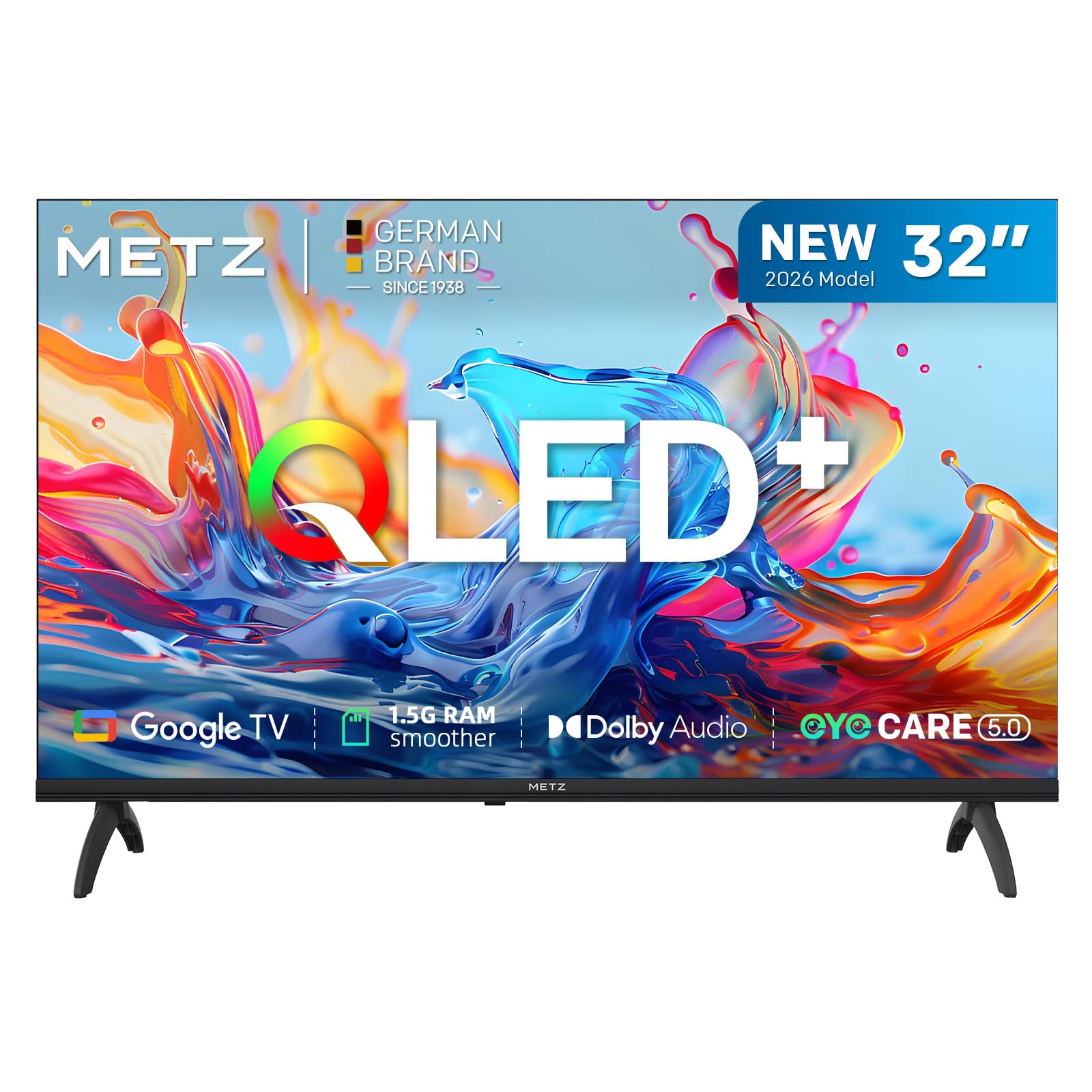
Vaizdas: priekis view of the Metz 32MQH7000Z 32-inch Smart Google QLED+ LED TV.
Kas yra dėžutėje
Patikrinkite, ar pakuotėje yra visi komponentai:
- Nuotolinio valdymo pultas
- Maitinimo kabelis
- Vartotojo vadovas
- TV Bases (2)
- Screws for Bases
- AAA baterijos (2)

Image: Contents of the Metz 32MQH7000Z TV box, including remote control, power cable, user manual, TV bases, and screws. The image also displays the TV's dimensions and available input/output ports.
Sąranka
1. Attaching the TV Bases
- Atsargiai padėkite televizorių ekranu žemyn ant minkšto, lygaus paviršiaus, kad nepažeistumėte.
- Align each base with the corresponding slots on the bottom of the TV.
- Pritvirtinkite pagrindus pridėtais varžtais. Įsitikinkite, kad jie tvirtai pritvirtinti.
2. Išorinių įrenginių prijungimas
Refer to the diagrams below for port locations:
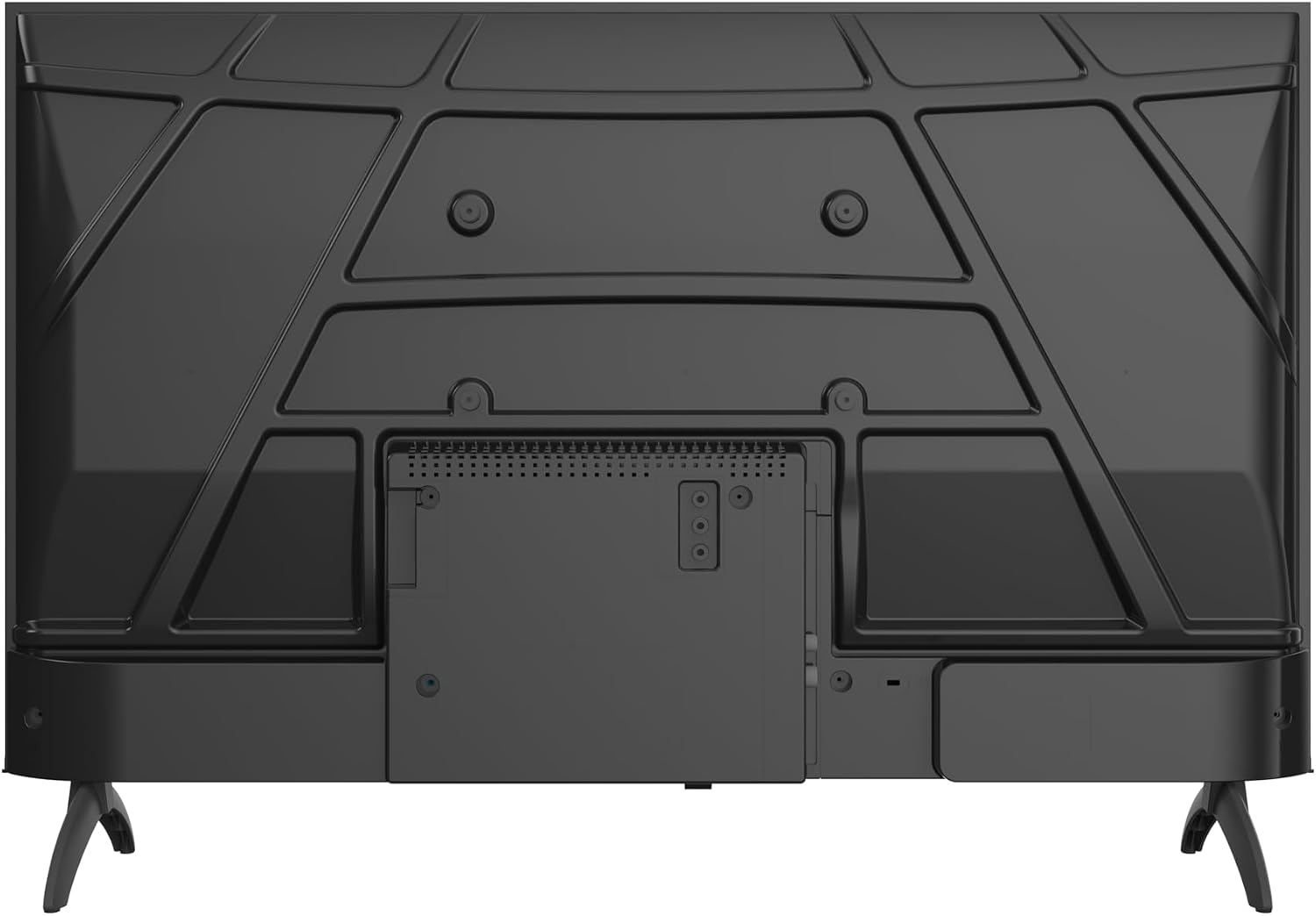
Vaizdas: Galinis view of the Metz 32MQH7000Z TV, highlighting the VESA mounting points and the main connection panel.

Vaizdas: Šoninė view of the Metz 32MQH7000Z TV, illustrating the location of various input ports including HDMI and USB.
- HDMI prievadai (x2): Prijunkite „Blu-ray“ grotuvus, žaidimų konsoles ar kitus įrenginius su HDMI jungtimi.
- USB prievadai (x2): Prijunkite USB atmintines, kad galėtumėte atkurti medijos failus arba atnaujinti programinę įrangą.
- Antenna/Cable Input (DVB-T/T2/C/S/S2): Connect your antenna or cable for terrestrial, cable, or satellite broadcasts.
- CI+ lizdas: Įdėkite CI+ modulį, kad galėtumėte žiūrėti užšifruotus kanalus.
- LAN prievadas: Prijunkite Ethernet kabelį laidiniam interneto ryšiui.
- Ausinių išvestis: Prijunkite ausines privačiam klausymuisi.
- Skaitmeninė garso išvestis: Prijunkite prie išorinės garso sistemos, kad garsas būtų geresnis.
3. Maitinimo prijungimas
- Prijunkite maitinimo laidą prie televizoriaus maitinimo įvesties.
- Kitą maitinimo laido galą prijunkite prie sieninio lizdo.
Naudojimo instrukcijos
1. Pradinė sąranka
Upon first power-on, the TV will guide you through the initial setup process, including language selection, network connection, and Google TV account login.
2. „Google TV“ sąsaja
Your Metz TV features Google TV, providing a personalized experience with access to popular streaming apps and content recommendations.

Image: The Google TV interface, displaying a selection of streaming application icons and personalized content suggestions.
- Prieiga prie programų: Navigate through the home screen to find and launch applications like Netflix, YouTube, Prime Video, and Disney+.
- Valdymas balsu: Use the remote control's microphone button to issue voice commands for searching content, controlling playback, and more.
3. Picture Settings (Gen 6 QLED+, HDR10 & HLG)
Your TV utilizes Gen 6 QLED+ technology for superior image quality. Adjust picture settings via the TV menu to optimize your viewpatirtį.

Vaizdas: Stambus planas view of the television screen, highlighting the vibrant and rich color reproduction achieved by QLED+ technology.
The TV supports HDR10 and HLG for enhanced contrast and color accuracy in compatible content. These technologies automatically adjust to provide deeper blacks and brighter highlights.

Image: A diagram illustrating the multi-layered Quantum Dot structure, designed to maintain color stability and vibrancy for over 10 years, comparing Metz QLED performance to conventional QLED over time.

Image: A side-by-side comparison demonstrating the visual improvement with HDR10 & HLG enabled, showing more vibrant colors and deeper contrast compared to a standard picture.
4. Sound Settings (Dolby Audio)
The integrated Dolby Audio system provides powerful and clear surround sound. Access the sound settings in the TV menu to customize audio profiles (e.g., Standard, Cinema, Music, Speech).

Image: An overhead perspective of a person seated on a sofa, watching the TV, with visual representations of Dolby Audio sound waves extending from the screen, indicating an immersive audio experience.
5. Ryšys
- "Bluetooth 5.1": Prijunkite belaidės ausines, garso juostas ar kitus „Bluetooth“ įrenginius.

Image: A graphic illustrating Bluetooth 5.1 connectivity, featuring a sleek sports car to symbolize fast, intelligent, and reliable wireless connections.
- „Wi-Fi“: Prisijunkite prie savo namų belaidžio tinklo, kad galėtumėte naudotis internetu ir transliuoti.
- Multi-Screen Casting (Chromecast): Cast content from your smartphone, tablet, or computer directly to the TV screen using Chromecast built-in.

Image: A visual representation of multi-screen casting, demonstrating how content can be streamed from a smartphone or laptop to the television for an immersive viewpatirtį.
6. Akių priežiūros funkcijos
The TV includes Eye Care features designed to reduce eye strain during prolonged viewing.
- Žema mėlyna šviesa: Sumažina kenksmingos mėlynosios šviesos skleidimą.
- Be mirgėjimo: Minimizes screen flickering for a more comfortable viewpatirtį.
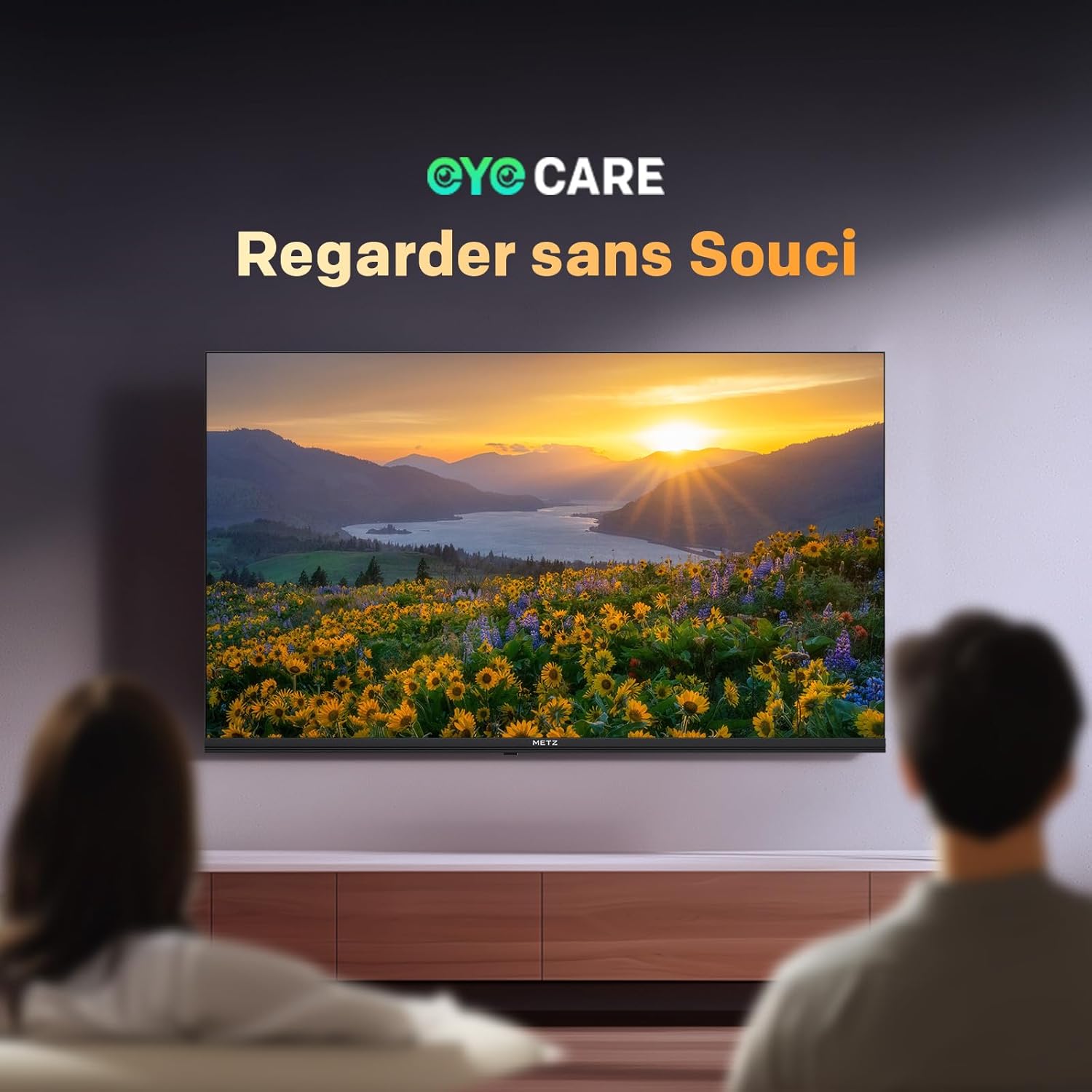
Image: A scene depicting individuals comfortably watching television, illustrating the benefits of the TV's Eye Care features for a relaxed viewpatirtį.

Image: Two comparative images demonstrating the benefits of Low Blue Light and Flicker-Free technologies. The top image shows a scene with and without low blue light, while the bottom image illustrates the difference with and without flicker-free technology for reduced eye fatigue.
7. Enhanced Performance (1.5 GB RAM)
The TV is equipped with 1.5 GB of RAM, providing a 50% increase in memory compared to previous models. This enhancement ensures smoother operation, faster application loading, and improved multitasking capabilities, reducing lag and enhancing overall responsiveness.

Image: A graphic representation highlighting the upgrade to 1.5 GB RAM, indicating a 50% increase in memory for improved television performance and responsiveness.
Priežiūra
Ekrano valymas
Švelniai nuvalykite ekraną minkštu, nepūkuotu skudurėliu. Jei dėmės sunkiai įveikiamos, švelniai nuvalykiteampNuvalykite šluostę vandeniu arba specializuotu ekrano valikliu. Venkite naudoti stiprias chemines medžiagas ar abrazyvines medžiagas.
Cleaning the TV Casing
Televizoriaus vidų nuvalykite minkštu, sausu skudurėliu.asing. Do not use liquid cleaners directly on the TV.
Bendroji priežiūra
- Prieš valydami televizorių arba jei jis bus nenaudojamas ilgesnį laiką, atjunkite jį nuo elektros lizdo.
- Laikykite televizorių atokiau nuo tiesioginių saulės spindulių, šilumos šaltinių ir per didelio dulkių kiekio.
- Užtikrinkite tinkamą vėdinimą aplink televizorių, kad išvengtumėte perkaitimo.
Trikčių šalinimas
Jei kyla problemų dėl televizoriaus, žr. šiuos dažniausiai pasitaikančius sprendimus:
| Problema | Galimas sprendimas |
|---|---|
| Nėra galios | Check if the power cable is securely plugged into both the TV and the wall outlet. Ensure the power outlet is functional. |
| Nėra vaizdo, bet yra garsas | Verify the correct input source is selected. Check cable connections (HDMI, antenna). Try another HDMI port. |
| Nėra garso, bet yra vaizdas | Check the volume level and mute status. Ensure external audio devices are correctly connected and powered on. Check audio output settings in the TV menu. |
| Nuotolinio valdymo pultas neveikia | Pakeiskite nuotolinio valdymo pulto baterijas. Įsitikinkite, kad tarp nuotolinio valdymo pulto ir televizoriaus IR jutiklio nėra jokių kliūčių. |
| Prasta vaizdo kokybė | Adjust picture settings (brightness, contrast, sharpness). Check antenna or cable connection for signal strength. For streaming, ensure a stable internet connection. |
| Nepavyksta prisijungti prie „Wi-Fi“ | Įsitikinkite, kad jūsų „Wi-Fi“ maršrutizatorius įjungtas ir yra diapazone. Iš naujo įveskite „Wi-Fi“ slaptažodį. Pabandykite iš naujo paleisti televizorių ir maršrutizatorių. |
Specifikacijos
| Funkcija | Detalė |
|---|---|
| Modelio pavadinimas | MQH7000 |
| Modelio numeris | 32MQH7000Z |
| Ekrano dydis | 32 Pouces (80 cm) |
| Ekrano technologija | QLED (Gen 6 QLED+, Quantum Dot QLED) |
| Rezoliucija | 768p (1366 x 768 pikselių) |
| Atnaujinimo dažnis | 60 Hz |
| HDR palaikymas | HDR10, HLG |
| Operacinė sistema | Google TV |
| RAM | 1.5 GB |
| Garso technologija | Dolby Audio, Dolby Digital, Dolby Digital Plus |
| Ryšys | Bluetooth 5.1, Wi-Fi, USB (x2), HDMI (x2), LAN |
| Derintuvas | DVB-T/T2/C/S/S2, CI+ |
| Ypatingos savybės | Auto Volume Leveller, Bezel-Less Design, Chromecast, Eye Comfort Mode, Game Mode |
| VESA montavimo standartas | 200 x 100 mm |
| Gaminio matmenys (su stovu) | 21.4P x 71.5lx 47.5A cm |
| Modelio metai | 2026 |
| Kilmės šalis | Lenkija |

Image: The energy efficiency label for the Metz 32MQH7000Z TV, indicating an energy class of E and power consumption details. For more information, visit the official EU EPREL database: https://eprel.ec.europa.eu/qr/2590878
Garantija ir palaikymas
Your Metz 32MQH7000Z TV comes with a 2 metų garantija nuo pirkimo datos. Prašome išsaugoti pirkimo įrodymą garantiniams reikalavimams.
For technical assistance, troubleshooting beyond this manual, or warranty service, please contact Metz customer support. Contact information can typically be found on the official Metz websvetainėje arba dokumentuose, pridėtuose prie jūsų produkto.
For additional resources and product information, visit the official Metz brand store: Metz Brand Store