
1. Įvadas
This manual provides instructions for the VTSYIQI Color Spectrometer Handheld Spectrophotometer. This device is designed for precise color measurement and quality control across various industries, including plastics, textiles, paint, and ceramics. It features a D/8 optical structure, SCI/SCE modes, a full waveband balanced LED light source, and a CMOS dual beam splitting sensor for accurate and efficient data processing.
2. Saugos informacija
Please read all safety instructions before operating the device.
- Nelaikykite prietaiso nuo ekstremalių temperatūrų ar drėgmės.
- Avoid direct exposure of the measurement aperture to strong light sources.
- Use only the provided accessories and power adapter.
- Nebandykite patys ardyti ar taisyti įrenginio. Pagalbos kreipkitės į kvalifikuotus techninės priežiūros darbuotojus.
- Saugokite prietaisą nuo vandens ir kitų skysčių.
- Ensure the measurement surface is clean and dry before use.
3. Pakuotės turinys
Patikrinkite, ar pakuotėje yra visi reikalingi daiktai:
- Main Host (Color Spectrometer)
- Intelligent Calibration Base
- USB kabelis
- Vartotojo vadovas
- SQCX Quality Management Software (via download or included media)
- Kalibravimo sertifikatas
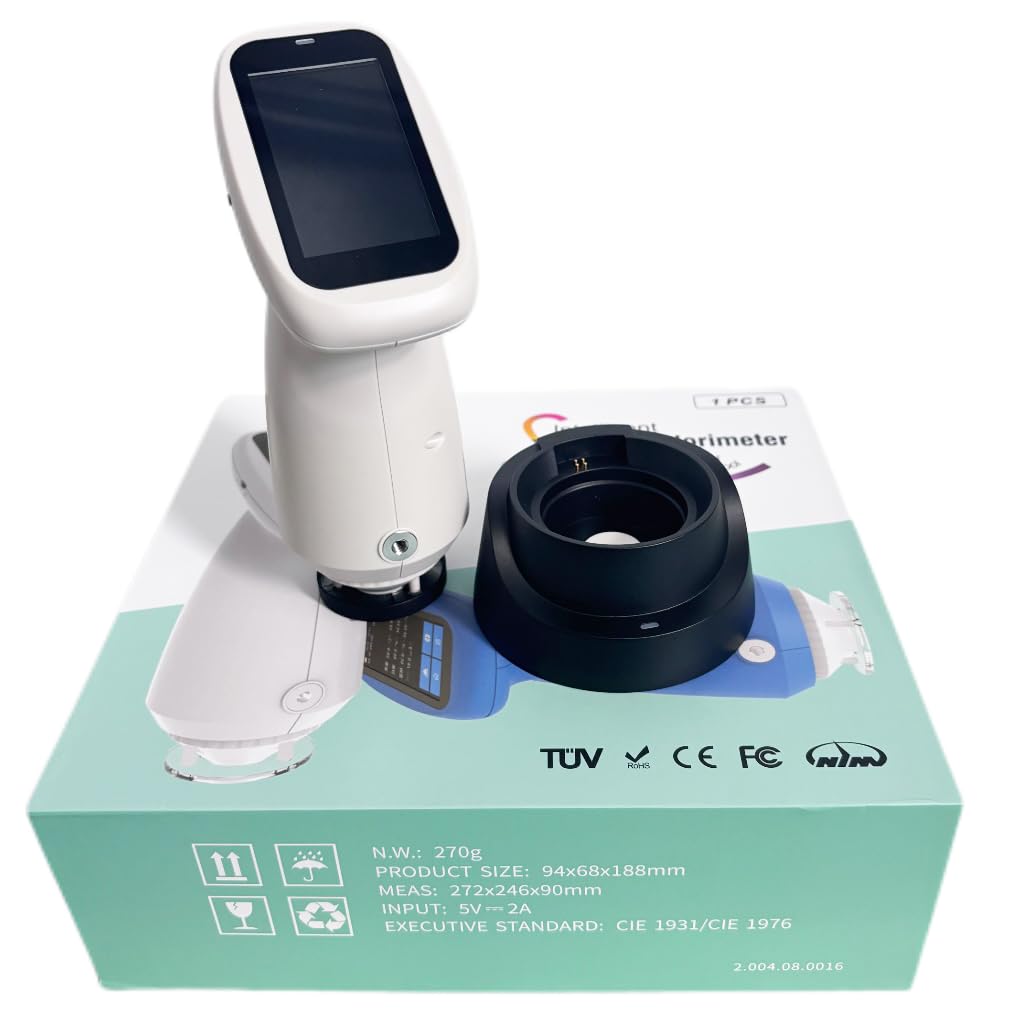
Image: The VTSYIQI Color Spectrometer, its intelligent calibration base, and other accessories neatly packaged in the product box.
4. Sąranka
4.1 Pradinis įkrovimas
Before first use, fully charge the device using the provided USB cable and a compatible power adapter. Connect the USB cable to the charging port on the intelligent calibration base, then place the spectrometer onto the base.

Image: The VTSYIQI Color Spectrometer resting on its black intelligent calibration and charging base.
4.2 Įjungimas / išjungimas
Norėdami įjungti, paspauskite ir palaikykite nuspaudę įrenginio šone esantį maitinimo mygtuką, kol užsidegs ekranas. Norėdami išjungti, paspauskite ir palaikykite nuspaudę maitinimo mygtuką, kol pasirodys išjungimo raginimas, tada patvirtinkite.
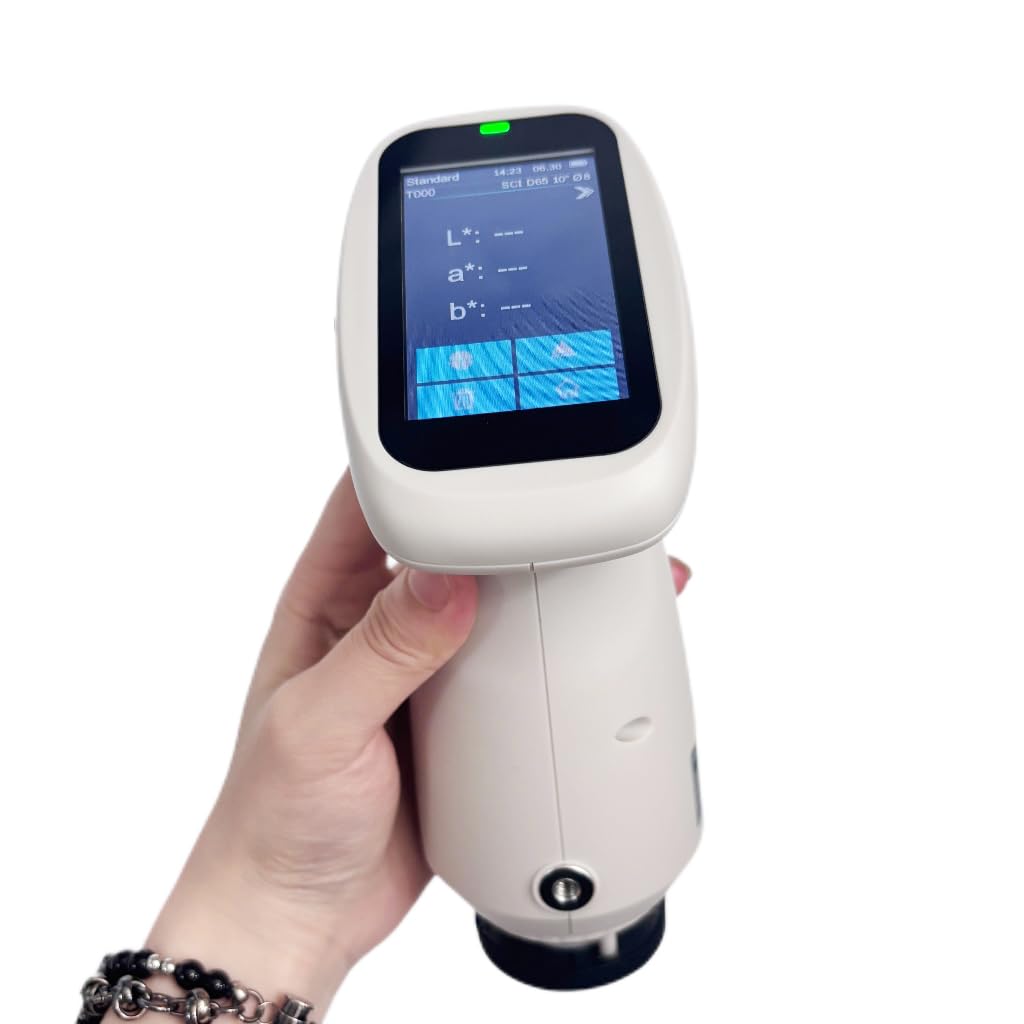
Image: A hand holding the VTSYIQI Color Spectrometer, with its display showing measurement parameters like L*, a*, b* values.
4.3 Whiteboard Calibration
The device requires regular whiteboard calibration for accurate measurements.
- Ensure the intelligent calibration base is clean and free of dust.
- Place the spectrometer onto the calibration base, ensuring it is seated correctly.
- Access the calibration function from the device menu or press the designated measurement button while on the base. The device will perform an automatic whiteboard calibration.
- Wait for the calibration process to complete. A confirmation message will appear on the screen.
Video: This video demonstrates the operation of the VTSYIQI Spectrocolorimeter, including the whiteboard calibration process. It shows how to place the device on its base and initiate calibration.
5. Naudojimo instrukcijos
5.1 Matavimo režimai
The spectrometer supports various measurement modes and color spaces. Navigate through the on-screen menu to select the desired mode (e.g., SCI/SCE) and color space (e.g., CIE LAB, LCh).
5.2 Matavimo atlikimas
- Įsitikinkite, kad prietaisas yra sukalibruotas.
- Select the appropriate measurement aperture (MAV: Φ8mm/Φ10mm) for your sample.
- Place the measurement aperture firmly and flatly against the sample paviršius.
- Press the measurement button. The device will take a reading, typically within 1 second.
- The measurement results, including spectral reflectance and colorimetric indices, will be displayed on the screen.

Image: The VTSYIQI Color Spectrometer next to its black calibration base, with the device's screen displaying measurement data.
5.3 Data Management with SQCX Software
The included SQCX Quality Management Software allows for comprehensive color data management.
- Connect the spectrometer to a computer via USB.
- Install and launch the SQCX software.
- Transfer measurement data from the device to the software.
- Use the software for color management, color difference comparison, test report generation, and customization of color management systems.
Video: This video provides a display overview of the VTSYIQI Color Spectrometer, showcasing its user interface and various measurement options.
6. Priežiūra
6.1 Valymas
Regularly clean the device, especially the measurement aperture and the whiteboard on the calibration base. Use a soft, dry cloth. For stubborn dirt, a slightly damp Galima naudoti šluostę su švelniu plovikliu, po to nusausinti. Nenaudokite abrazyvinių valiklių ar tirpiklių.
6.2 Saugykla
When not in use, store the spectrometer in its original packaging or a protective case in a cool, dry place, away from direct sunlight and extreme temperatures.
6.3 Kalibravimas
Perform whiteboard calibration before each measurement session or if the device has been moved or subjected to significant temperature changes.
7. Problemų sprendimas
| Problema | Galima priežastis | Sprendimas |
|---|---|---|
| Įrenginys neįsijungia. | Išsikrovusi baterija arba netinkamai paspaustas maitinimo mygtukas. | Charge the device. Press and hold the power button for a few seconds. |
| Netikslūs matavimai. | Device not calibrated, dirty aperture/whiteboard, or incorrect measurement technique. | Perform whiteboard calibration. Clean the aperture and whiteboard. Ensure proper contact with the sample. |
| Cannot connect to SQCX software. | USB cable issue, software not installed, or driver problems. | Check USB connection. Reinstall SQCX software and drivers. |
| Ekranas nereaguoja. | Programinės įrangos triktis arba laikinas užšalimas. | Restart the device by holding the power button. If issue persists, contact support. |
8. Specifikacijos
| Funkcija | Detalė |
|---|---|
| Optinė geometrija | D/8 (diffused illumination, 8-degree viewing angle), SCI/SCE Mode, Comply to CIE No.15, GB/T 3978, GB 2893, GB/T 18833, ISO7724-1, ASTM E1164, DIN5033 Teil7 |
| Šviesos šaltinis | Combined full spectrum LED light source |
| Sferos dydžio integravimas | Φ40 mm |
| Jutiklis | CMOS dual beam splitting sensor |
| Bangos ilgio diapazonas | 400-700 nm |
| Matavimo diafragma | Two Apertures: MAV: Φ8mm/Φ10mm |
| Spekuliarinis komponentas | SCI/SCE |
| Spalvų erdvė | CIE LAB, XYZ, Yxy, LCh, CIE LUV, s-RGB, HunterLab, βxy, DIN Lab99 |
| Spalvų skirtumo formulė | ΔE*ab, ΔE*uv, ΔE*94, ΔE*cmc(2:1), ΔE*cmc(1:1), ΔE*00, DINΔE99, ΔE(Hunter) |
| Stebėtojo kampas | 2°/10° |
| Šviestuvas | D65, A, C, D50, D55, D75, F1, F2(CWF), F3, F4, F5, F6, F7(DLF), F8, F9, F10(TPL5), F11(TL84), F12(TL83/U30), U35, NBF, ID50, ID65 (Partially realize through the PC software /APP software) |
| Ekranas | Spektrograma / reikšmės, Samples spalvingumo reikšmės, spalvų skirtumo reikšmės / grafikas, rezultatas PASS / FIL, spalvų modeliavimas, spalvų poslinkis |
| Laiko matavimas | Apie 1 sek |
| Repeatability (Chromaticity value) | MAV/SCI, within ΔE*ab 0.035 (After preheating and correction, the average value of the whiteboard was measured for 30 times at an interval of 5s) |
| Repeatability (Spectral reflectance) | MAV/SCI, Standard deviation within 0.1% (400nm to 700nm: within 0.2%) |
| Tarppriemonių klaida | MAV/SCI, Within ΔE*ab 0.35 (Average for 12 BCRA Series II color tiles) |
| Displayed Accuracy | 0.01 |
| Measured Reflectance Range | 0–200 % |
| Reflectance Resolution | 0.01 % |
| Matavimo režimas | Single Measurement, Average Measurement (2-99 times) |
| Vietos nustatymo metodas | Stabilizer position |
| White Calibration Mode | Contact type calibration |
| Matmenys | 94 mm x 68 mm x 188 mm |
| Prekės svoris | Approximately 11.02 pounds (device and accessories) |
9. Garantija ir palaikymas
The VTSYIQI Color Spectrometer comes with a standard manufacturer's warranty. Please refer to the warranty card included in your package for specific terms and conditions.
For technical support, service, or warranty claims, please contact VTSYIQI customer service through their official websvetainėje arba kontaktinę informaciją, pateiktą jūsų produkto dokumentuose.
Išsaugokite pirkimo kvitą kaip pirkimo įrodymą garantijos tikslais.