
Įvadas
Thank you for choosing the GXTrust 1873 Revyn 60% Mechanical Gaming Keyboard. This ultra-compact, triple-mode keyboard is designed for optimal gaming performance and versatility. This manual provides detailed instructions for setup, operation, maintenance, and troubleshooting to ensure you get the most out of your device.

The GXTrust 1873 Revyn 60% Mechanical Gaming Keyboard, showcasing its compact design and vibrant RGB backlighting.
Pakuotės turinys
Pažymėkite langelį prie šių elementų:
- GXTrust 1873 Revyn 60% Mechanical Gaming Keyboard
- USB-A Receiver (2.4 GHz wireless dongle)
- USB-C–USB-A laidas (laidiniam prijungimui ir įkrovimui)
- Vartotojo vadovas (šis dokumentas)

The retail packaging for the GXTrust 1873 Revyn keyboard, indicating its contents.
Sąranka
Pradinis įkrovimas
Before first use, it is recommended to fully charge the keyboard. Connect the supplied USB-C cable to the keyboard's USB-C port and the other end to a powered USB-A port on your computer or a wall adapter. The keyboard can be used while charging.
Klaviatūros prijungimas
The GXTrust 1873 Revyn offers three connection modes: 2.4 GHz wireless, Bluetooth, and wired USB-C.
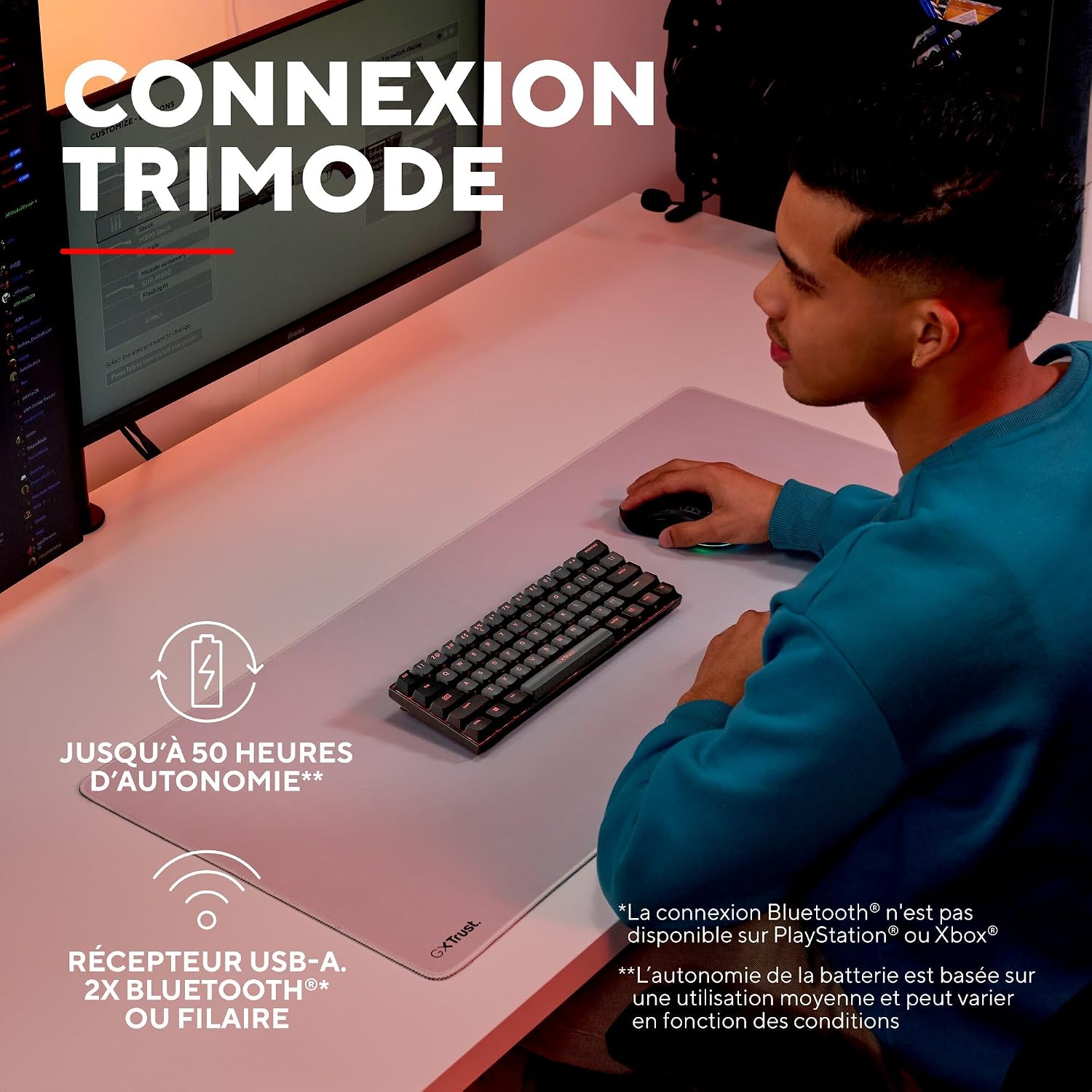
A user demonstrating the wireless functionality of the GXTrust 1873 Revyn keyboard on a desk setup.
1. 2.4 GHz belaidis ryšys
- Locate the USB-A receiver stored in the compartment on the back of the keyboard.
- Plug the USB-A receiver into an available USB-A port on your computer.
- Turn on the keyboard using the power switch located on the back. The keyboard should automatically connect to the receiver.
2. „Bluetooth“ ryšys
The keyboard supports two Bluetooth profiles (BT1 and BT2).
- Įjunkite klaviatūrą naudodami maitinimo jungiklį.
- Paspauskite ir palaikykite Fn + Z (skirta BT1) arba Fn + X (for BT2) keys for 3-5 seconds until the corresponding key (Z or X) flashes rapidly, indicating pairing mode.
- On your device (PC, laptop), go to Bluetooth settings and search for new devices.
- Select "GXTrust Revyn" from the list of available devices to pair. The key will stop flashing once connected.
3. Laidinis ryšys
- Connect the supplied USB-C cable to the keyboard's USB-C port.
- Prijunkite USB-A kabelio galą prie laisvo USB-A prievado kompiuteryje.
- Klaviatūra automatiškai persijungs į laidinį režimą ir pradės krautis.

The GXTrust 1873 Revyn keyboard connected via its coiled USB-C cable, highlighting the wired connection option.
Naudojimo instrukcijos
Key Layout and Fn Key Usage
The 60% compact layout means some functions are accessed via the Fn key in combination with other keys. Refer to the keycaps for secondary functions, typically indicated by a smaller icon or text.

Iš arti view of the GXTrust 1873 Revyn keyboard keys, illustrating the triple function markings on some keycaps.
- Rodyklių klavišai: Paprastai Fn + W/A/S/D or dedicated keys if available.
- Funkciniai klavišai (F1–F12): Pasiekta per Fn + 1-0, -, =.
- Multimedijos valdikliai: Often combined with Fn and other keys (e.g., volume, play/pause).
RGB apšvietimo valdymas
The keyboard features full RGB backlighting with 16.8 million color combinations. You can cycle through various lighting effects and adjust brightness directly on the keyboard or through the dedicated software.

The GXTrust 1873 Revyn keyboard illuminated with its full RGB backlighting, displaying a spectrum of colors.
- Keisti apšvietimo režimą: Paspauskite Fn + \| (backslash/pipe key).
- Sureguliuokite ryškumą: Paspauskite Fn + Rodyklė aukštyn (increase) / Rodyklė žemyn (sumažėjimas).
- Sureguliuokite greitį: Paspauskite Fn + Rodyklė kairėn (slower) / Rodyklė dešinėn (faster).
Programinės įrangos pritaikymas
For advanced customization, including key remapping, macro creation, and detailed RGB lighting effects, download the dedicated GXTrust software from the official website. The software is compatible with Windows 11 and above.

A screenshot of the GXTrust software interface, showing options for key programming and RGB lighting customization.
Priežiūra
Valymas
Norėdami išlaikyti klaviatūros veikimą ir išvaizdą:
- Prieš valydami atjunkite klaviatūrą nuo kompiuterio.
- Lengvai naudokite minkštą, nepūkuotą audinį dampKlaviatūros dangtelius ir korpusą nuvalykite vandeniu arba švelniu valymo tirpalu.
- Dulkėms ir šiukšlėms tarp klavišų pašalinti naudokite suslėgtą orą.
- Venkite naudoti stiprias chemines medžiagas, abrazyvus ar tirpiklius.
Akumuliatoriaus priežiūra
The integrated rechargeable battery provides up to 50 hours of use. To prolong battery life:
- Venkite dažnai visiškai iškrauti akumuliatorių.
- Kai klaviatūra ilgesnį laiką nenaudojama, laikykite ją vėsioje, sausoje vietoje.
- Jei ketinate ilgai laikyti, prieš sandėliavimą įkraukite akumuliatorių maždaug iki 50 %.
Trikčių šalinimas
| Problema | Galima priežastis | Sprendimas |
|---|---|---|
| Klaviatūra nereaguoja (belaidė) | Low battery, receiver not connected, incorrect mode, out of range. | Charge the keyboard. Ensure the USB-A receiver is securely plugged in. Switch to 2.4 GHz or Bluetooth mode. Move closer to the receiver/device. |
| Bluetooth ryšio problemos | Not in pairing mode, device not discoverable, interference. | Ensure keyboard is in Bluetooth pairing mode (Fn+Z/X). Make sure your device's Bluetooth is on and discoverable. Try re-pairing. |
| RGB apšvietimas neveikia | Lighting turned off, low battery, software conflict. | Press Fn+\| to cycle modes. Charge the keyboard. Check software settings. |
| Raktai neregistruojami | Software issue, physical damage, debris under keycap. | Restart your computer. Try connecting to another device. Clean the key area with compressed air. |
Specifikacijos
| Funkcija | Detalė |
|---|---|
| Modelio pavadinimas | GXT 1873 Revyn |
| Ryšio technologija | Bluetooth, RF (2.4 GHz), USB-A, USB-C (Wired) |
| Klaviatūros aprašymas | 60% Ultra-compact Mechanical |
| Rekomenduojami naudojimo būdai | Gaming, Multimedia, Personal, Daily Use |
| Ypatingos savybės | Integrated rechargeable battery (up to 50 hours), Triple connection, Programmable keys/lighting, Full RGB backlighting (16.8 million colors) |
| Spalva | Pilka/juoda |
| Matmenys (I x P x A) | 29 L x 10 W x 3.1 A cm |
| Medžiaga | Plastikiniai |
| Klaviatūros išdėstymas | AZERTY (prancūzų k.) |
| Mygtukų skaičius | 61 |
| Minimum OS Requirement | Windows 11 |
| Svoris | 533 gramų |

The GXTrust 1873 Revyn keyboard is compatible with PC, PlayStation, and Xbox. Bluetooth connectivity is not available for PlayStation or Xbox.
Garantija ir palaikymas
Informacija apie garantiją
The GXTrust 1873 Revyn keyboard comes with a 2 metų garantija nuo įsigijimo datos. Ši garantija taikoma gamybos defektams ir gedimams, atsiradusiems įprasto naudojimo metu. Ji netaikoma žalai, atsiradusiai dėl netinkamo naudojimo, nelaimingų atsitikimų, neleistinų modifikacijų ar įprasto nusidėvėjimo.
Pagalba klientams
For technical assistance, warranty claims, or further inquiries, please visit the official GXTrust website or contact their customer support team. Please have your product model number (GXT 1873 Revyn) and proof of purchase ready when contacting support.