
1. Įvadas
Thank you for choosing the Insoma Wi-Fi Water Timer. This device allows you to remotely control your garden watering schedules via a smartphone application, integrate with voice assistants like Alexa and Google Assistant, and manage irrigation efficiently. This manual provides comprehensive instructions for setup, operation, and maintenance to ensure optimal performance and longevity of your water timer.
2. Produktas baigtasview
Pagrindinės savybės
- 100% Wi-Fi Connection: No gateway required. Connects directly to 2.4GHz Wi-Fi for remote control from anywhere.
- Easy App Operation: Manage watering programs and review history via the Smart Life app.
- Išmanusis valdymas balsu: Suderinamas su „Alexa“ ir „Google Assistant“, kad būtų galima valdyti laisvų rankų įranga.
- Manual Watering & Weather Delay: Manually water for 1 minute to 24 hours. Use weather delay to pause schedules for 24, 48, or 72 hours.
- Multiple Schedule Settings: Supports up to 20 watering schedules (10 normal, 10 cycle/soak) to meet diverse irrigation needs.
- Patvarus dizainas: Features brass water inlet and outlet, IP55 waterproof and UV-resistant ABS resin construction, and a sealed battery compartment.
Komponentai
The Insoma Wi-Fi Water Timer consists of the main timer unit, a brass water inlet connector, and a hose outlet connector.
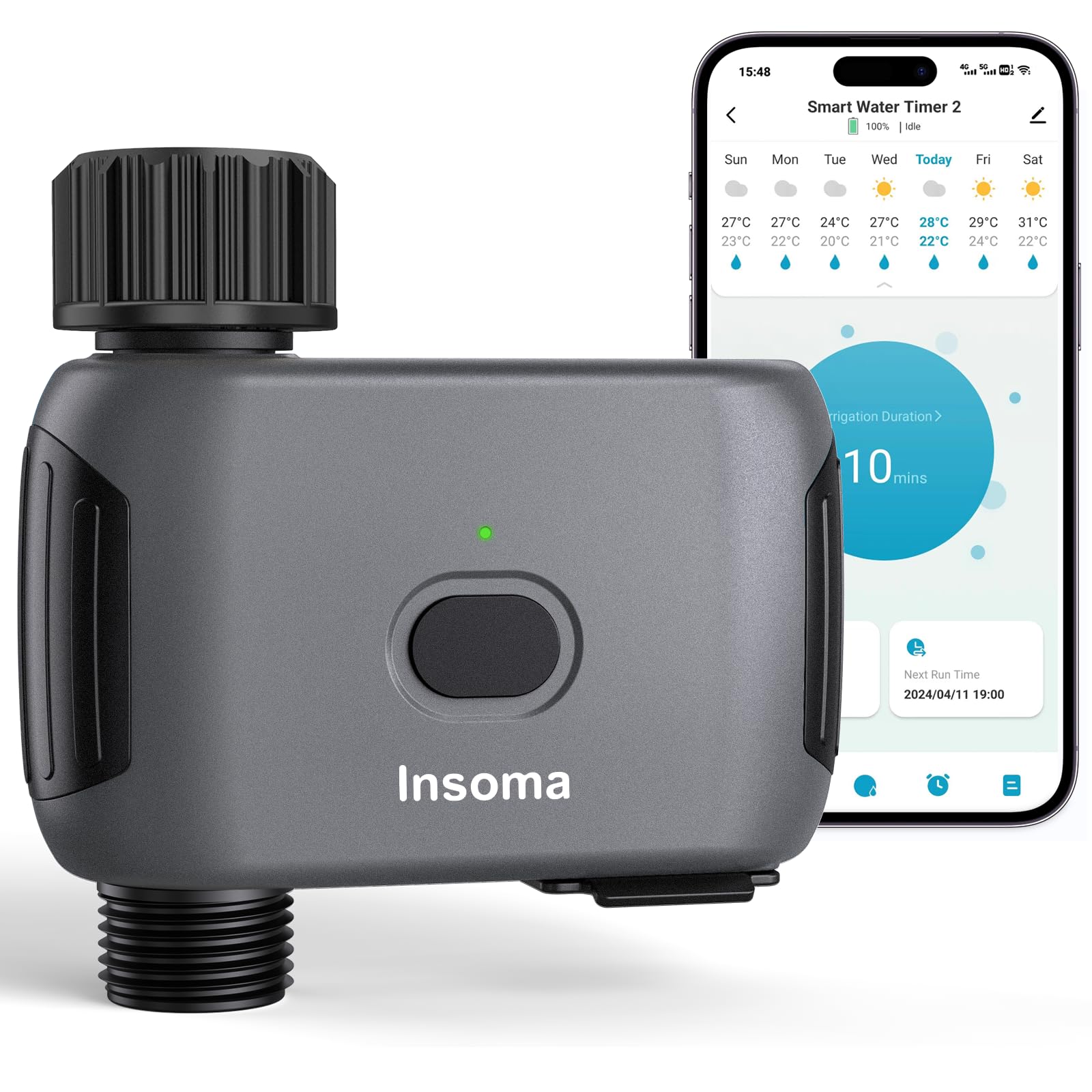
Figure 2.1: Insoma Wi-Fi Water Timer main unit.

Figure 2.2: Reinforced water inlet with filter.
3. Sąrankos vadovas
3.1 Akumuliatoriaus įdėjimas
- Atidarykite akumuliatoriaus skyriaus dangtelį, esantį laikmačio gale.
- Insert four (4) AA alkaline batteries (not included), ensuring correct polarity.
- Securely close the battery compartment cover to maintain the IP55 waterproof rating. The sealing strip inside prevents water intrusion.
3.2 Fizinis įrengimas
- Connect the water timer to your outdoor faucet. Ensure a tight fit to prevent leaks. The brass inlet provides a secure connection.
- Attach your garden hose to the outlet of the water timer.
3.3 Programėlės diegimas ir „Wi-Fi“ ryšys
- Atsisiųskite Protingas gyvenimas programėlę iš savo išmaniojo telefono programėlių parduotuvės („iOS“ arba „Android“).
- Užsiregistruokite arba prisijunkite prie savo „Smart Life“ paskyros.
- Įsitikinkite, kad jūsų išmanusis telefonas yra prijungtas prie 2.4 GHz „Wi-Fi“ tinklas. The Insoma Water Timer only supports 2.4GHz Wi-Fi.
- In the Smart Life app, tap the "+" icon to add a new device.
- Follow the on-screen instructions to add the Insoma Wi-Fi Water Timer. This typically involves putting the device into pairing mode (refer to the device's LED indicator for status) and confirming your Wi-Fi network details.
- Once connected, you can rename the device for easier identification.
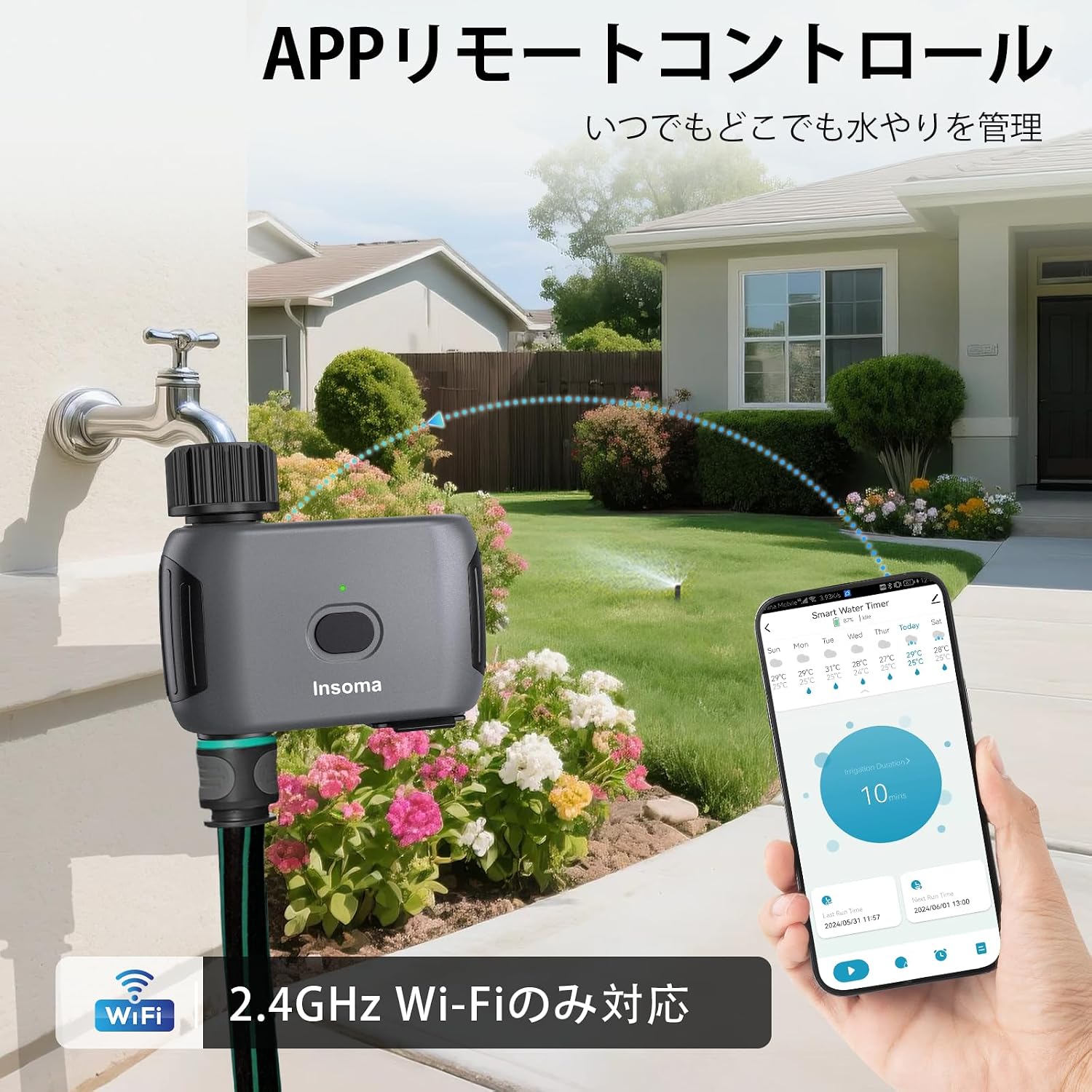
3.1 pav.: Programėlės nuotolinio valdymo sąsaja.
3.4 Balso asistento integracija
- Išmaniajame telefone atidarykite programėlę „Alexa“ arba „Google Home“.
- Enable the "Smart Life" skill/service.
- Link your Smart Life account with your voice assistant account.
- Discover devices. Your Insoma Wi-Fi Water Timer should appear.
- You can now use voice commands such as "Alexa, turn on the water timer" or "Hey Google, turn off the garden sprinkler."

Figure 3.2: Voice control integration.
4. Naudojimo instrukcijos
4.1 Scheduling Watering Programs
The Smart Life app allows you to set up to 20 different watering schedules.
- Įprastas tvarkaraštis: Set specific start times, watering durations (1 minute to 24 hours), and days of the week for regular irrigation.
- Cycle/Soak Schedule: Ideal for efficient watering, this mode allows you to set a cycle duration (e.g., water for 10 minutes, then pause for 20 minutes) within a specified start and end time, and on selected days. This helps water penetrate the soil better and reduces runoff.
Norėdami sukurti tvarkaraštį:
- Open the Smart Life app and select your water timer.
- Eikite į planavimo skyrių.
- Choose "Normal Schedule" or "Cycle/Soak Schedule."
- Configure the start time, duration, frequency, and other parameters as needed.
- Išsaugoti tvarkaraštį.

Figure 4.1: Schedule setting options in the app.
4.2 Rankinis laistymas
You can initiate manual watering at any time, overriding current schedules temporarily.
- Per programą: In the Smart Life app, select your water timer and choose the manual watering option. Set the desired duration (1 minute to 24 hours) and start watering.
- Per įrenginio mygtuką: Press the button on the water timer to initiate manual watering. The default duration can often be configured in the app.
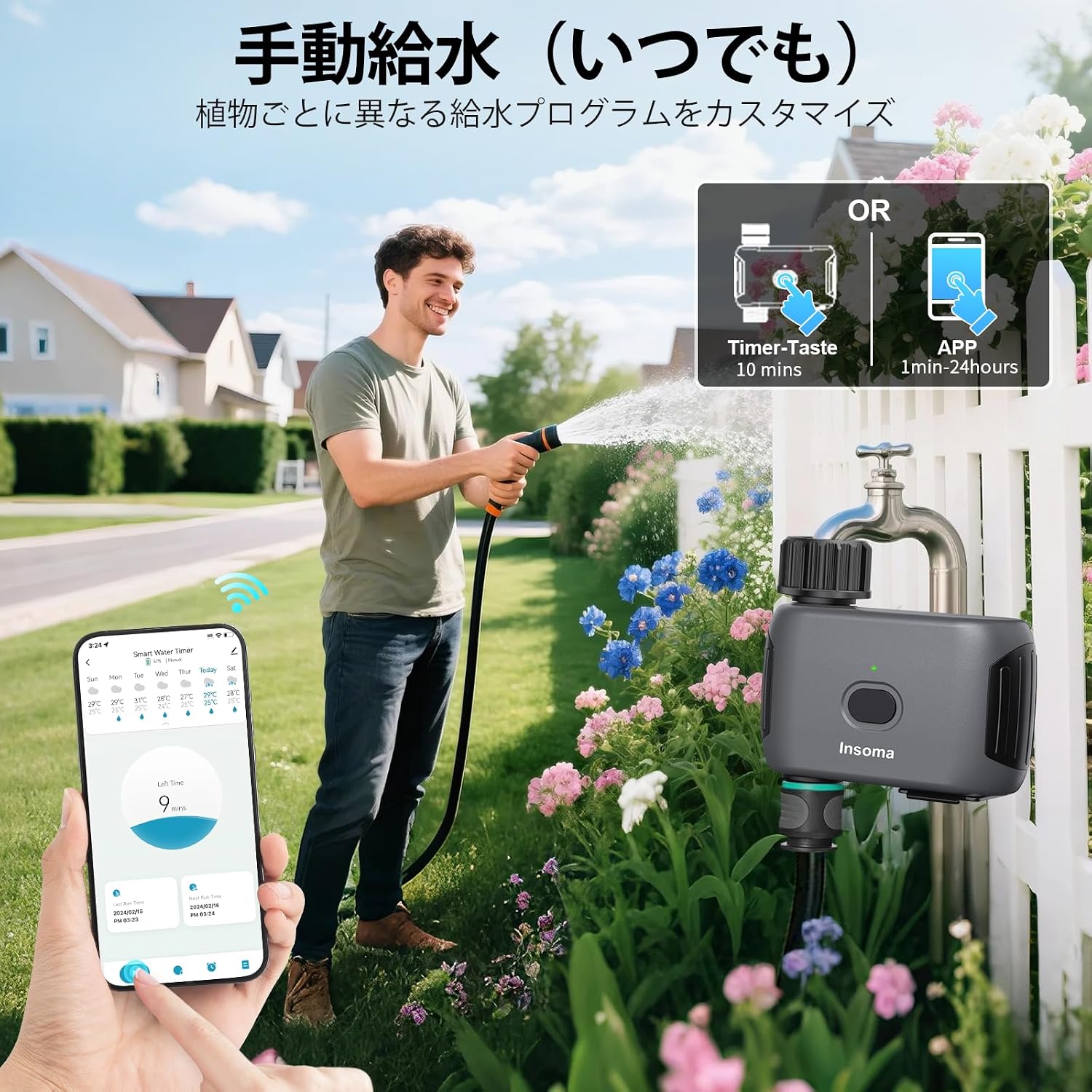
Figure 4.2: Manual watering options.
4.3 Weather Delay Function
To prevent overwatering during rain, use the weather delay function. This feature temporarily pauses all programmed schedules.
- In the Smart Life app, navigate to the weather delay settings for your water timer.
- Select a delay period: 24 hours, 48 hours, or 72 hours.
- Confirm the delay. Schedules will automatically resume after the selected period.

Figure 4.3: Weather delay function.
5. Priežiūra
5.1 Valymas
- Periodically check the water inlet filter for debris. If clogged, remove and rinse it under running water.
- Nuvalykite laikmačio išorę reklaminiu valikliuamp Nenaudokite abrazyvinių valiklių ir nemerkite įrenginio į vandenį.
5.2 Akumuliatoriaus keitimas
The timer uses 4 AA alkaline batteries, which can last up to 1 year under normal use. Replace batteries when the low battery indicator appears in the app or on the device, or if the device becomes unresponsive. Follow the battery installation steps in Section 3.1.
5.3 Žieminimas
Before the first frost, disconnect the water timer from the faucet and hose. Remove the batteries. Store the unit indoors in a dry, protected area to prevent damage from freezing temperatures.
6. Problemų sprendimas
| Problema | Galima priežastis | Sprendimas |
|---|---|---|
| Device won't connect to Wi-Fi. | Neteisingas „Wi-Fi“ diapazonas (ne 2.4 GHz), silpnas signalas, neteisingas slaptažodis. | Ensure your router is broadcasting a 2.4GHz signal. Move the timer closer to the router. Double-check Wi-Fi password. Reset the timer and try pairing again. |
| Nėra vandens srauto. | Faucet off, low water pressure, clogged filter, dead batteries. | Ensure the faucet is fully open. Check water pressure (operating pressure: 7.26-116 PSI). Clean the inlet filter. Replace batteries. |
| Schedules not running. | Weather delay active, incorrect schedule settings, low batteries. | Check if weather delay is active in the app. Verify schedule times and days. Replace batteries. |
| Vandens nutekėjimas. | Atsilaisvinusios jungtys, pažeisti O formos žiedai. | Ensure all connections are tightened. Check O-rings for damage and replace if necessary. |
7. Specifikacijos
- Prekinis ženklas: Insoma
- Modelio numeris: SGW03WF-G-JP
- Spalva: Juoda
- Matmenys (D x P x A): 115 mm x 45 mm x 115 mm
- Baterijos tipas: 4 x AA šarminės baterijos (nepridedamos)
- Darbinis vandens slėgis: 7.26–116 PSI
- Atsparumo vandeniui įvertinimas: IP55
- „Wi-Fi“ dažnis: Tik 2.4 GHz
- Max Schedules: 20 (10 Normal, 10 Cycle/Soak)
- Kilmės šalis: Kinija
8. Garantija ir palaikymas
For product support, troubleshooting assistance, or warranty inquiries, please contact Insoma customer service through the retailer where you purchased the product or visit the official Insoma websvetainėje. Prašome išsaugoti pirkimo įrodymą garantiniams reikalavimams.