
1. Įvadas
This manual provides essential information for setting up, operating, maintaining, and troubleshooting your TCL 43T6D 4K UHD Smart QLED Google TV. Please read this manual thoroughly before using your television to ensure proper and safe operation. Keep this manual for future reference.

Priekyje view of the TCL 43T6D 4K UHD Smart QLED Google TV.
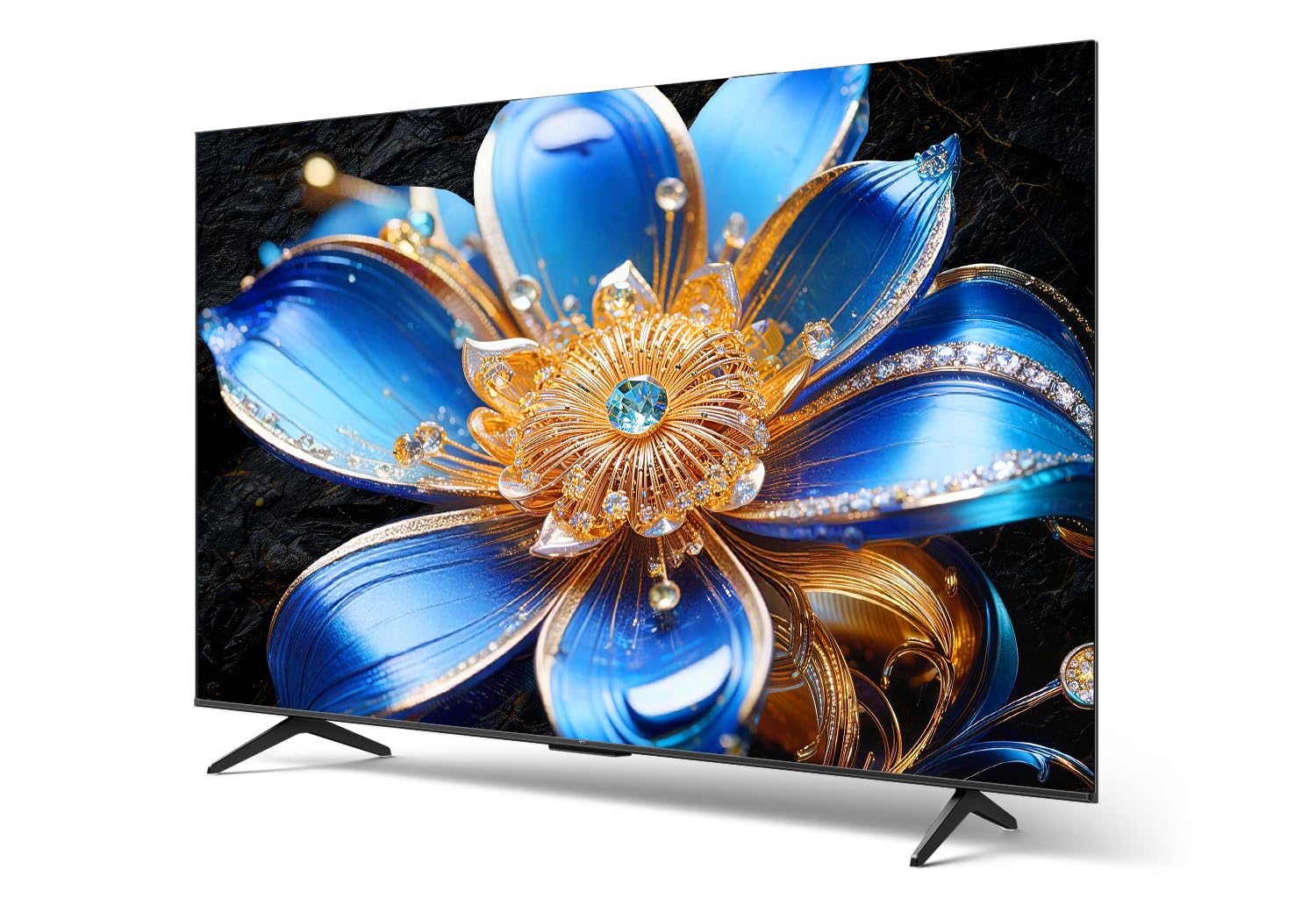
Šoninis profesionalasfile of the TCL 43T6D 4K UHD Smart QLED Google TV, highlighting its slim design.
2. Kas yra dėžutėje
Patikrinkite, ar pakuotėje yra visi komponentai:
- 1N LED televizorius
- 1N Stand (Table Top Stand)
- 1N nuotolinio valdymo pultas
- 2N AAA baterijos

Illustration of the items included in the TV packaging. Note that a fixed wall mount is not included.
3. Sąranka
3.1 Fizinis įrengimas
Your TCL 43T6D TV can be installed using the included table-top stand or a compatible wall mount (sold separately).
Stalo stovo montavimas:
- Atsargiai padėkite televizorių ekranu žemyn ant minkšto, lygaus paviršiaus, kad nepažeistumėte.
- Attach the stand bases to the designated slots at the bottom of the TV, ensuring they are securely fastened with the provided screws.
- Pastatykite televizorių ant stabilaus, lygaus paviršiaus.
Montavimas ant sienos:
If you choose to wall-mount your TV, please consult a professional installer or refer to the wall mount's instructions for proper installation. Ensure the wall mount is compatible with the VESA mounting pattern of your TV.
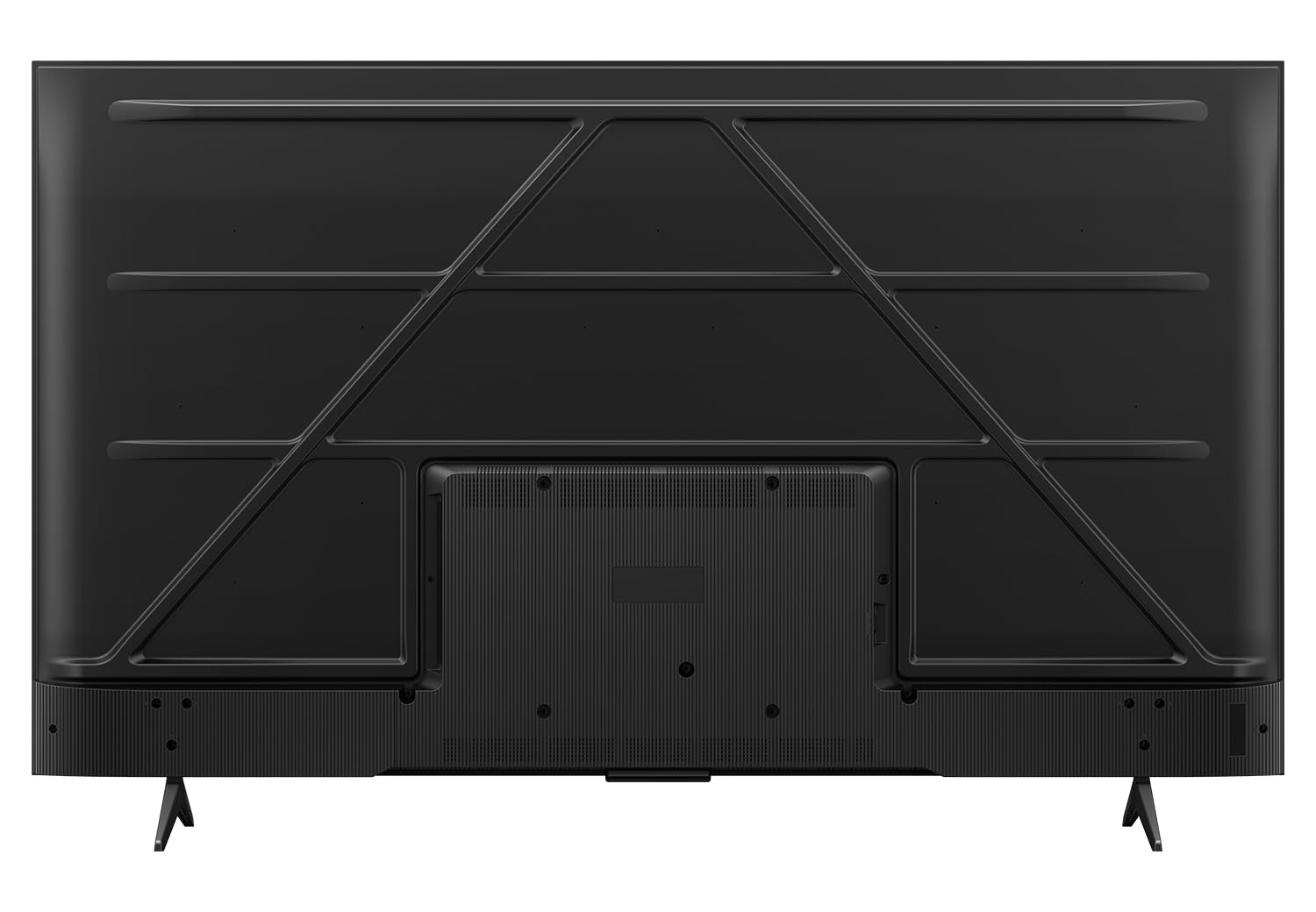
Galinis view of the television, indicating potential wall mount attachment points.
3.2 Įrenginių prijungimas
Connect your external devices such as set-top boxes, gaming consoles, and sound systems to the appropriate ports on your TV.

Išsamus view televizoriaus jungčių prievadų.
- HDMI prievadai (HDMI 1, HDMI 2, HDMI 3): Connect high-definition devices like Blu-ray players, gaming consoles, and set-top boxes. HDMI 2 supports eARC for enhanced audio return channel functionality.
- USB 3.0 prievadas: Prijunkite USB atmintines, kad galėtumėte atkurti medijos failus.
- Antena / kabelis IN: Prijunkite anteną arba kabelinės televizijos signalą.
- Palydovinė įvestis: Connect a satellite dish for satellite TV reception.
- AV įvesties adapteris: Skirta senesniems įrenginiams prijungti naudojant kompozicinį vaizdo ir stereo garso kabelius.
- Ethernet (LAN): Prisijunkite prie laidinio tinklo, kad galėtumėte naudotis internetu.
- Optinė garso išvestis: Prijunkite prie garso juostos arba garso imtuvo, kad gautumėte skaitmeninę garso išvestį.
3.3 Pradinis įjungimo ir sąrankos vedlys
- Prijunkite maitinimo laidą prie televizoriaus, o tada – prie sieninio lizdo.
- Paspauskite maitinimo mygtuką nuotolinio valdymo pulte arba televizoriuje.
- Vykdykite ekrane pateikiamus nurodymus, kad atliktumėte pradinę sąranką, įskaitant kalbos pasirinkimą, tinklo ryšį („Wi-Fi“ arba eterneto) ir prisijungimą prie „Google“ paskyros.
4. Televizoriaus valdymas
4.1 Nuotolinis valdymas
The included remote control allows you to navigate the TV's features. Insert the two AAA batteries into the remote control, ensuring correct polarity.

Nuotolinio valdymo pulte yra specialūs mygtukai, skirti populiarioms transliacijos paslaugoms ir „Google Assistant“.
- Maitinimo mygtukas: Įjungia arba išjungia televizorių.
- Skaičių mygtukai: Pasirinkite kanalus tiesiogiai.
- Navigacijos skydelis (aukštyn / žemyn / kairėn / dešinėn / gerai): Naršyti meniu ir patvirtinti pasirinkimus.
- Atgal mygtukas: Grįžta į ankstesnį ekraną.
- Namų mygtukas: Pasiekia „Google TV“ pagrindinį ekraną.
- „Google“ asistento mygtukas: Įjungia balso komandas paieškai ir valdymui.
- Garsumo didinimas / sumažinimas: Reguliuoja garsumą.
- Kanalas aukštyn/žemyn: Keičia kanalus.
- Greitos prieigos mygtukai: Tiesioginė prieiga prie „Netflix“, „Prime Video“, „YouTube“ ir kitų paslaugų.
4.2 „Google TV“ sąsaja
Jūsų televizorius veikia „Google TV“ operacinėje sistemoje, kuri užtikrina suasmenintą ir intuityvią naudotojo patirtį.

The Google TV home screen with various streaming applications.
- Pagrindinis ekranas: Displays personalized content recommendations, installed apps, and quick access to settings.
- Programos: Atsisiųskite ir tvarkykite programas iš „Google Play“ parduotuvės.
- „Google“ padėjėjas: Naudokite balso komandas turiniui ieškoti, išmaniųjų namų įrenginiams valdyti ir informacijai gauti.
- Ekrano dubliavimas: Transliuokite turinį iš savo išmaniojo telefono ar planšetinio kompiuterio į televizorių.
4.3 Vaizdo nustatymai ir technologijos
The TCL 43T6D incorporates advanced display technologies for an enhanced viewpatirtį.

Baigėsiview of key display and audio technologies.
- 4K UHD QLED ekranas: Quantum Dot technology delivers over a billion hues of vivid color for a rich and accurate picture.
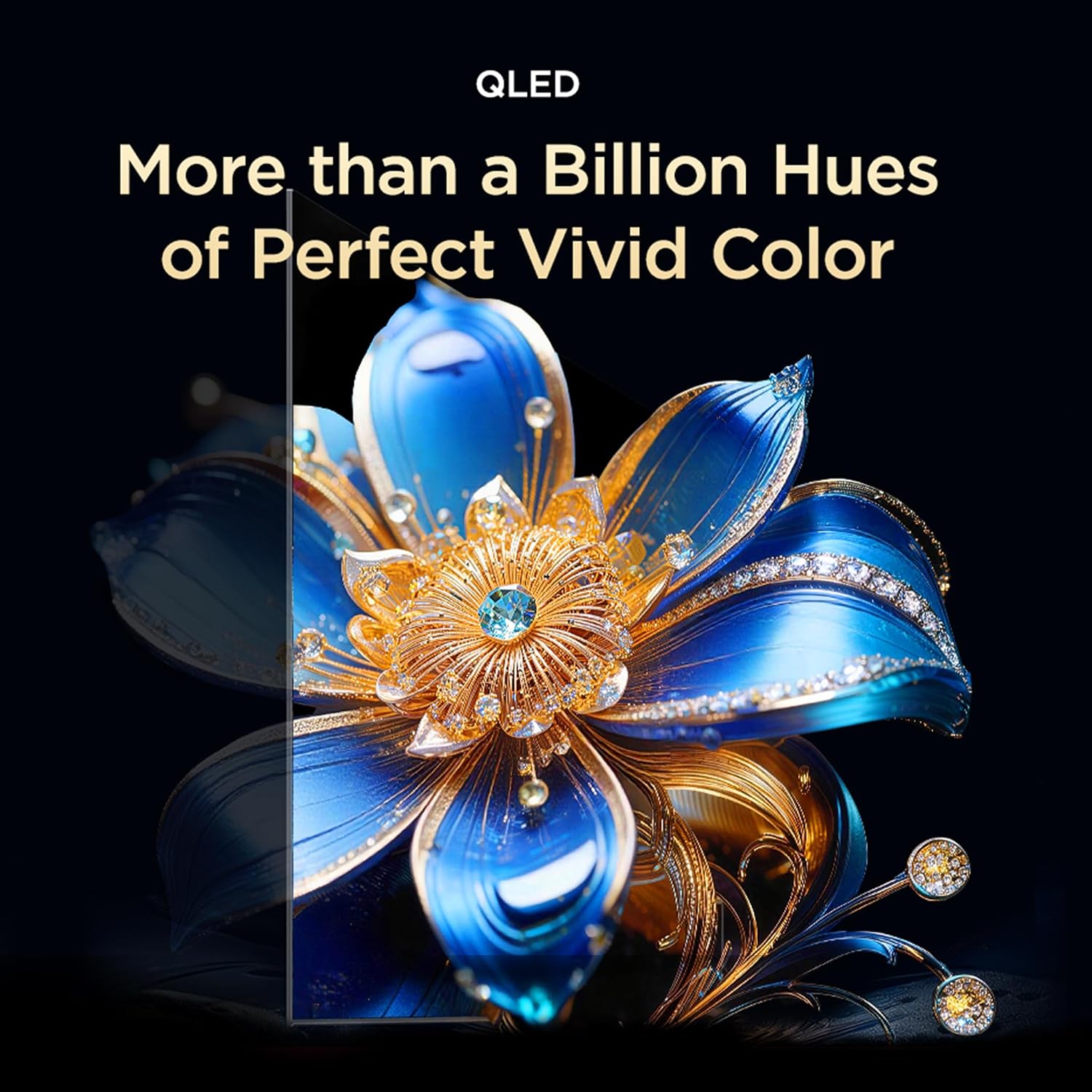
QLED technology provides a wide color gamut for vibrant images.

TCL's expertise in Quantum Dot Technology.

Colorful Quantum Crystal for enhanced optical and color properties.

The TV supports an ultra-high color gamut, providing vibrant and precise colors.
- HVA skydas: Provides higher contrast and more detailed images.

HVA Panel technology enhances contrast and detail.
- HDR 10+ & Dolby Vision: High Dynamic Range support delivers superior brightness, shadow details, and vivid colors.

HDR 10+ reveals fine details in both bright and dark scenes.

Dolby Vision provides an immersive scene with enhanced color and contrast.
- AiPQ procesorius: TCL's self-developed processor optimizes picture quality through various AI algorithms.

The AiPQ Processor intelligently enhances picture quality.

The AiPQ Processor utilizes AI for scene, contrast, color, clarity, motion, and HDR optimization.
- Dinaminis spalvų paryškinimas: Automatically optimizes color vibrancy.

Dynamic Color Enhancement adjusts colors for optimal vibrancy.
- AI Picture Optimization (Ai-Clarity, Ai-Colour, Ai-Contrast, Ai-HDR): These AI features work together to refine image details, color accuracy, contrast levels, and HDR decoding.

AI-powered features enhance various aspects of picture quality.
- Bionic Color Optimization Technology: Adjusts colors to your viewing needs, enhancing scene colors and preserving skin tones.

Bionic Color Optimization intelligently adjusts colors for realism and immersion.
4.4 Garso nustatymai ir technologijos
Experience immersive audio with advanced sound features.
- Dolby Atmos: Delivers three-dimensional audio that moves around you, creating a theatrical sound experience.

Dolby Atmos provides immersive, three-dimensional sound.

Dolby Atmos transcends channel limits for clear, immersive 3D sound.
- DTS virtualus:X: Virtualized 3D sound places audio naturally throughout your space for a lifelike, multi-dimensional experience.

DTS Virtual:X provides virtualized 3D sound for an immersive experience.
4.5 Žaidimų funkcijos
- Žaidimo meistras: Experience next-level gaming with optimized settings and features.

Game Master optimizes the TV for a superior gaming experience.
- Gamebar: An adaptive game screen for major consoles, offering customized screen designs for immersive gaming.

Gamebar provides an optimized interface for gaming consoles.
4.6 Akių priežiūros funkcijos
- Daugiafunkcinė akių priežiūra: Features low blue light and natural light protection technology to reduce eye strain during extended viewing.

Multiple Eye Care technologies protect your eyes during viewing.
4.7 Papildomos išmaniosios funkcijos
- TCL AI: A wisdom core that enhances multi-scenario experiences, integrating image quality, sound quality, interaction, and content generation.

TCL AI enhances various aspects of your TV experience.
- AI Cinema Agent, AI Office Agent, AI Gaming Agent: Specialized AI agents for optimized cinema, office, and gaming experiences.

Specialized AI agents for different usage scenarios.
- AI Art Gallery & Digital Art: Display artworks when not watching TV, turning your home into a personal gallery. Explore over 100,000 pre-generated AI artworks.

The AI Art Gallery transforms your TV into a digital art display.

Explore various digital art styles to personalize your screen.
- Private Bluetooth Listening: Connect Bluetooth headphones for private audio, allowing others to rest undisturbed.

Enjoy private listening via Bluetooth headphones.
5. Priežiūra
5.1 Ekrano valymas
Norėdami išvalyti ekraną, švelniai nuvalykite jį minkštu, nepūkuotu skudurėliu. Jei dėmės sunkiai pašalinamos, lengvai nuvalykiteampNuvalykite šluostę vandeniu arba specializuotu ekrano valikliu. Venkite naudoti stiprias chemines medžiagas, abrazyvines medžiagas ir nepurkškite tiesiai ant ekrano.
5.2 Televizoriaus korpuso valymas
Wipe the TV body and stand with a soft, dry cloth. Do not use liquid cleaners directly on the TV body.
5.3 Maitinimo laido priežiūra
Regularly check the power cord for any damage. Do not place heavy objects on the cord or expose it to excessive heat. Always grasp the plug, not the cord, when disconnecting from the power outlet.
6. Problemų sprendimas
Prieš kreipdamiesi į klientų aptarnavimo tarnybą, išbandykite šiuos dažniausiai pasitaikančių problemų sprendimus:
| Problema | Galimas sprendimas |
|---|---|
| Nėra galios | Įsitikinkite, kad maitinimo laidas yra tvirtai prijungtas ir prie televizoriaus, ir prie veikiančio elektros lizdo. Išbandykite kitą lizdą. |
| Nėra vaizdo, bet yra garsas | Patikrinkite įvesties šaltinį. Įsitikinkite, kad išoriniai įrenginiai yra įjungti ir tinkamai prijungti. |
| Nėra garso, bet vaizdas yra | Check the volume level and mute settings. Ensure external audio devices are connected and configured correctly. |
| Nuotolinio valdymo pultas neveikia | Pakeiskite baterijas. Įsitikinkite, kad tarp nuotolinio valdymo pulto ir televizoriaus IR jutiklio nėra jokių kliūčių. |
| Nepavyksta prisijungti prie „Wi-Fi“. | Įsitikinkite, kad jūsų maršrutizatorius įjungtas ir veikia. Iš naujo įveskite „Wi-Fi“ slaptažodį. Pabandykite iš naujo paleisti televizorių ir maršrutizatorių. |
| Vaizdo kokybės problemos (pvz., neryškus, iškraipytas) | Check the cable connections. Adjust picture settings (brightness, contrast, sharpness). Ensure the input source is providing a high-quality signal. |
7. Specifikacijos
Detailed technical specifications for the TCL 43T6D 4K UHD Smart QLED Google TV:
| Funkcija | Detalė |
|---|---|
| Modelio pavadinimas | 43T6D |
| Ekrano dydis | 43 colių (108 cm) |
| Ekrano technologija | QLED |
| Rezoliucija | 4K UHD (3840 2160 x XNUMX XNUMX) |
| Atnaujinimo dažnis | 60 Hz |
| Operacinė sistema | Google TV |
| Procesorius | 64 bitų keturių branduolių procesorius (AiPQ procesorius) |
| RAM | 2 GB |
| Vidinė saugykla | 16 GB |
| Ryšys | Wi-Fi 5, Bluetooth 5.0, Ethernet |
| HDMI prievadai | 3 (including eARC) |
| USB prievadai | 1 3.0 (USB XNUMX) |
| Garso išvestis | 28 Watts Maximum Speaker Output, Dolby Atmos, DTS Virtual:X |
| HDR palaikymas | HDR10+, Dolby Vision |
| Viewing kampas | 178 laipsnių |
| Gaminio matmenys (D x P x A) | 18.5D x 95.7W x 60.3H Centimeters (with stand) |
| Prekės svoris | 5.6 Kilograms (with stand) |
| Metinis energijos suvartojimas | 141 kilovatvalandžių per metus |
| Energijos įvertinimas | 2 žvaigždutė |

Energy rating label for the TCL 43T6D TV.

Dimensions and weight of the TCL 43T6D TV with and without stand.
8. Garantija ir palaikymas
8.1 Informacija apie garantiją
Your TCL 43T6D TV comes with a 2 metų garantija provided by the manufacturer from the date of purchase. The remote control has a 6 mėnesių garantija.
To avail warranty services, you will need your purchase invoice. Warranty claims can be processed using the Amazon e-invoice.
8.2 Pagalba klientams
For assistance, contact TCL customer support:
- Nemokami numeriai: 180-0102-0622 / 180-0419-0622
- El. paštas: indiasupport@tcl.com
When contacting support, please provide your product's model name (43T6D) and the seller's details as mentioned on your invoice. The service center will schedule a convenient slot for service.


