
Įvadas ir daugiauview
This manual provides essential instructions for the safe and efficient operation of your BLACK+DECKER EM9P02P9 Countertop Microwave Oven. Please read all instructions carefully before use and retain this manual for future reference.
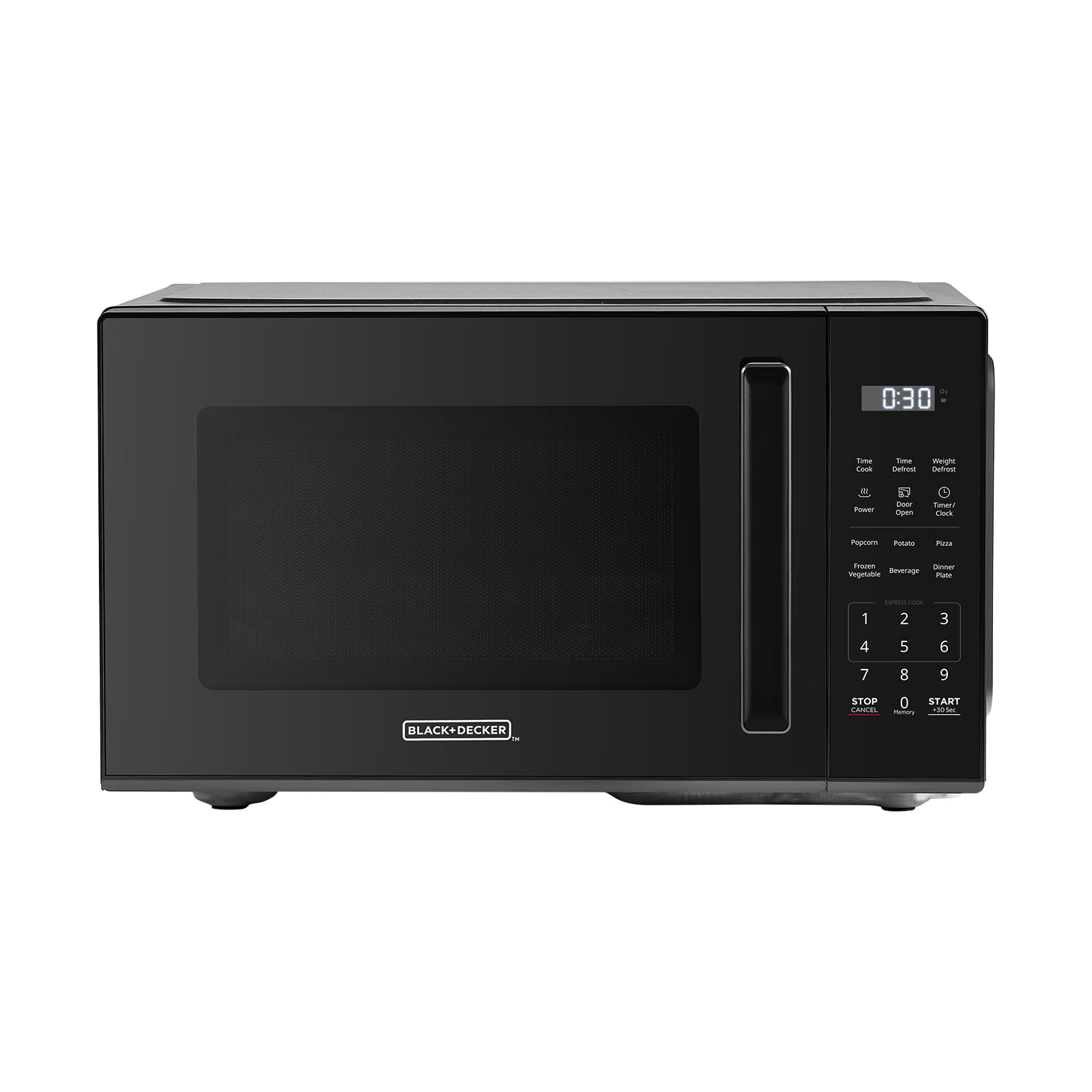
Vaizdas: priekis view of the BLACK+DECKER EM9P02P9 Countertop Microwave Oven.
The BLACK+DECKER EM9P02P9 is a 0.9 cubic foot, 900-watt countertop microwave oven designed for residential use. It features 6 one-touch preset menus, 10 power levels, express cooking functions, and a child safety lock for enhanced convenience and safety.
Sąrankos instrukcijos
- Išpakavimas: Carefully remove the microwave oven and all packing materials from the carton. Check for any damage. Do not operate if damaged.
- Vieta: Place the microwave on a flat, stable surface, such as a countertop, that is strong enough to hold its weight. Ensure adequate ventilation by leaving at least 3 inches of space around the sides, back, and top of the oven. Do not block air vents.
- Maitinimo jungtis: Prijunkite maitinimo laidą prie įžeminto elektros lizdo. Įsitikinkite, kad įtampatage matches the rating label on the microwave. Do not use extension cords.
- Patefono montavimas: Place the roller ring in the center of the microwave oven cavity. Place the glass turntable on top of the roller ring, ensuring it sits securely.

Image: Dimensions of the microwave oven, showing its compact size suitable for countertops.
Naudojimo instrukcijos
Pagrindinė operacija
- Kepimo laiko nustatymas: Enter the desired cooking time using the number pads. The maximum cooking time is 99 minutes and 99 seconds.
- Galios lygio reguliavimas: Press the 'Power' button, then use the number pads to select a power level from 1 (lowest) to 10 (highest).
- Pradėti virti: Norėdami pradėti gaminti, paspauskite mygtuką „Pradėti“.
- Sustabdymas / atšaukimas: Press the 'Stop/Cancel' button once to pause cooking, or twice to cancel the program and clear the display.
Greitas maisto gaminimas
For quick heating, simply press the 'Start' button. Each press adds 30 seconds of cooking time at 100% power. You can press 'Start' multiple times to increase the cooking duration.
One-Touch Preset Menus
The microwave features 6 convenient one-touch preset menus for common food items:
- Popkornas: For standard microwave popcorn bags.
- Bulvės: Bulvių kepimui.
- Pica: Picos riekelių pašildymui.
- Šaldytos daržovės: Šaldytoms daržovėms kepti.
- Gėrimas: Gėrimų šildymui.
- Vakarienės lėkštė: Pilnos vakarienės lėkštės pašildymui.

Image: Visual representation of the six one-touch cooking presets.

Vaizdas: Išsamus view of the control panel with express cooking and preset options.
Atitirpinimo funkcija
The microwave offers both time defrost and weight defrost options:
- Atšildymo laikas: Įveskite norimą atitirpinimo laiką.
- Svorio atšildymas: Enter the weight of the food in pounds. The microwave will automatically calculate the defrosting time.
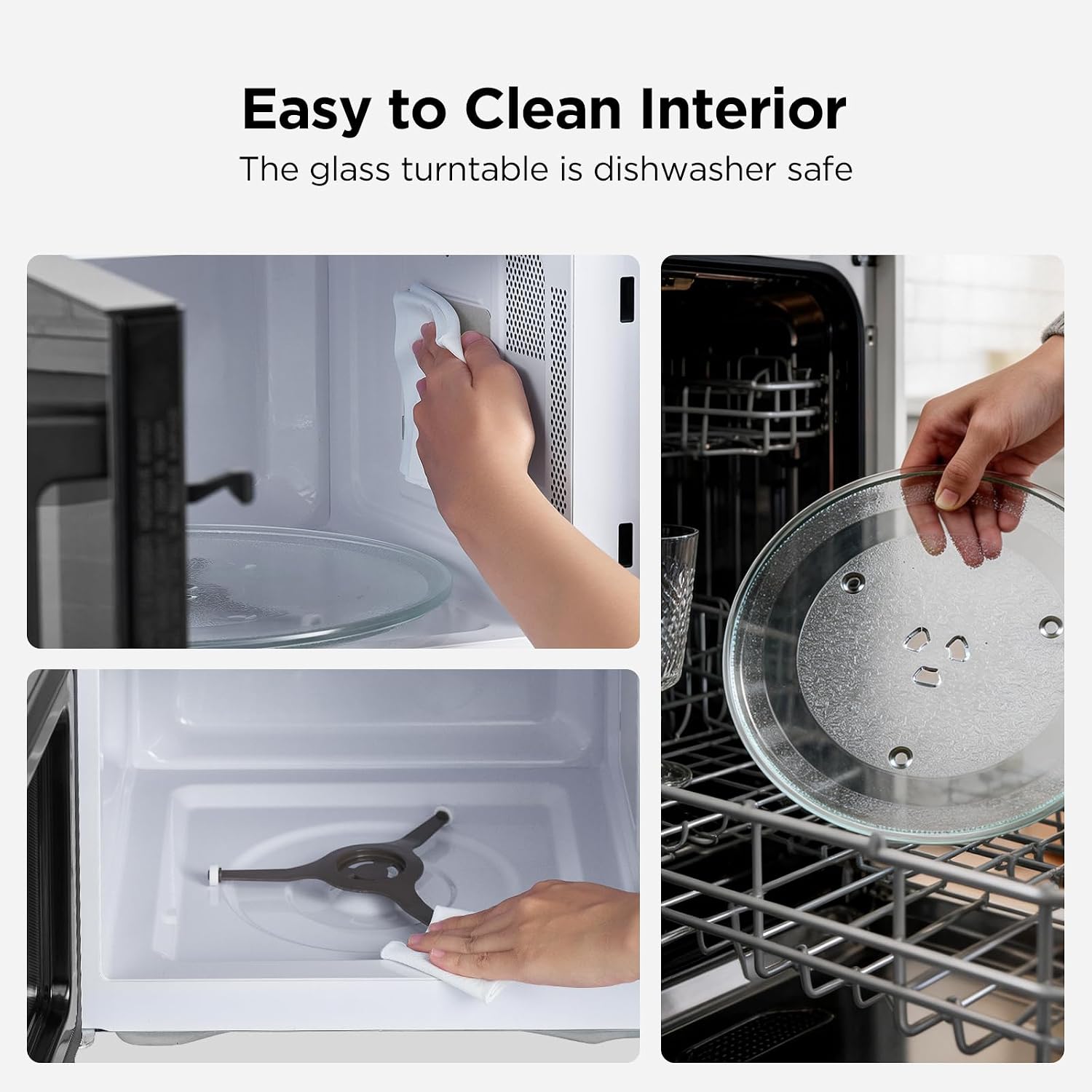
Image: Illustration of the defrosting process, demonstrating even defrosting by time or weight.
Vaikų saugos užraktas
To activate the child safety lock, press and hold the 'Stop/Cancel' button for 5 seconds. The display will indicate that the lock is active. To deactivate, press and hold the 'Stop/Cancel' button again for 5 seconds.
Priežiūra
Mikrobangų krosnelės valymas
- Interjeras: Po kiekvieno naudojimo išvalykite vidinę ertmę specialiu valikliu.amp cloth and mild detergent. For stubborn stains, a microwave-safe cleaner can be used. Ensure the interior is dry before next use.
- Išorė: Išorinius paviršius nuvalykite minkšta, damp skudurėliu. Venkite abrazyvinių valiklių ar šiurkščių kempinių.
- Stiklinis besisukantis padėklas ir ritininis žiedas: The glass turntable and roller ring can be removed for cleaning. They are dishwasher safe. Ensure they are dry and correctly positioned before operating the microwave.

Image: Steps for cleaning the microwave interior and the removable glass turntable.
Trikčių šalinimas
| Problema | Galima priežastis | Sprendimas |
|---|---|---|
| Mikrobangų krosnelė neįsijungia. | Power cord not plugged in; Door not closed properly; Child safety lock active. | Ensure power cord is securely plugged in. Close the door firmly. Deactivate child safety lock (press and hold 'Stop/Cancel' for 5 seconds). |
| Maistas nešildomas. | Neteisingas gaminimo laikas / galios lygis; netinkamai uždarytos durelės. | Verify cooking time and power level settings. Ensure the door is completely closed. |
| Sukamoji lėkštė nesisuka. | Turntable or roller ring not positioned correctly; Obstruction. | Check that the turntable and roller ring are correctly seated. Remove any obstructions. |
| Neįprastas triukšmas veikimo metu. | Maisto indas liečiasi su vidinėmis sienelėmis; Sukamoji lėkštė netinkamai įdėta. | Ensure dishes are not touching the microwave interior. Re-seat the turntable and roller ring. |
Specifikacijos
| Funkcija | Detalė |
|---|---|
| Prekės ženklas | BLACK+DECKER |
| Modelio pavadinimas | EM9P02P9 |
| Talpa | 0.9 kubinių pėdų |
| Vattage | 900 vatų |
| Galios lygiai | 10 |
| Gaminio matmenys (D x P x A) | 15.1" x 18.6" x 10.7" |
| Spalva | Juoda |
| Diegimo tipas | Stalviršis |
| Valdiklio tipas | Palieskite |
| Ypatingos savybės | 6 One-Touch Presets, Express Cooking, Child Safety Lock, Timer Function |
Informacija apie garantiją
This BLACK+DECKER EM9P02P9 Countertop Microwave Oven comes with a 1 metų ribota garantija from the date of purchase. This warranty covers defects in materials and workmanship under normal household use. It does not cover damage resulting from misuse, accident, alteration, or commercial use. Please retain your proof of purchase for warranty claims.
Pagalba klientams
For technical assistance, warranty service, or to order replacement parts, please contact BLACK+DECKER customer support. Refer to the contact information provided in your product packaging or visit the official BLACK+DECKER websvetainę, kurioje rasite naujausią pagalbos informaciją.
- Palaikymas internetu: Apsilankykite oficialioje BLACK+DECKER svetainėje websvetainę.
- Pagalba telefonu: Regioninių kontaktinių numerių ieškokite savo produkto dokumentacijoje.