
Įvadas
Thank you for choosing the OLIXIS Tower Fan. This manual provides essential information for the safe operation, installation, and maintenance of your new fan. Please read it thoroughly before use and retain it for future reference.
Saugos instrukcijos
- Visada įsitikinkite, kad ventiliatorius pastatytas ant stabilaus, lygaus paviršiaus, kad jis neapvirstų.
- Do not insert fingers or objects into the fan grille. The fan features a finger-pinch resistant grille for safety.
- Keep the power cord away from heated surfaces and do not run it under carpets.
- Atjunkite ventiliatorių nuo elektros lizdo, kai jo nenaudojate, prieš valydami arba perkeldami.
- Šis prietaisas turi poliarizuotą kištuką (viena mentė platesnė už kitą). Siekiant sumažinti elektros smūgio pavojų, šis kištukas skirtas tik vienu būdu tilpti į poliarizuotą lizdą. Jei kištukas iki galo netelpa į lizdą, apverskite kištuką. Jei jis vis tiek netelpa, kreipkitės į kvalifikuotą elektriką. Nebandykite nugalėti šios saugos funkcijos.
- The fan includes built-in circuit protection and a fuse plug for enhanced safety. Do not operate the fan with a damaged cord or plug.
- Nenaudokite ventiliatoriaus šlapioje arba damp vietose, pavyzdžiui, vonios kambariuose.
- The child lock feature helps prevent unintended operation by children.

Vaizdas: Viršview of OLIXIS Tower Fan safety features.
Pakuotės turinys
Atidarius pakuotę, patikrinkite, ar yra visi komponentai ir ar jie nepažeisti:
- OLIXIS Tower Fan Unit
- Nuotolinio valdymo pultas
- Base (two halves)
- Screws for Base Assembly
- Vartotojo vadovas (šis dokumentas)
Produkto diagrama
Familiarize yourself with the main parts of your OLIXIS Tower Fan:
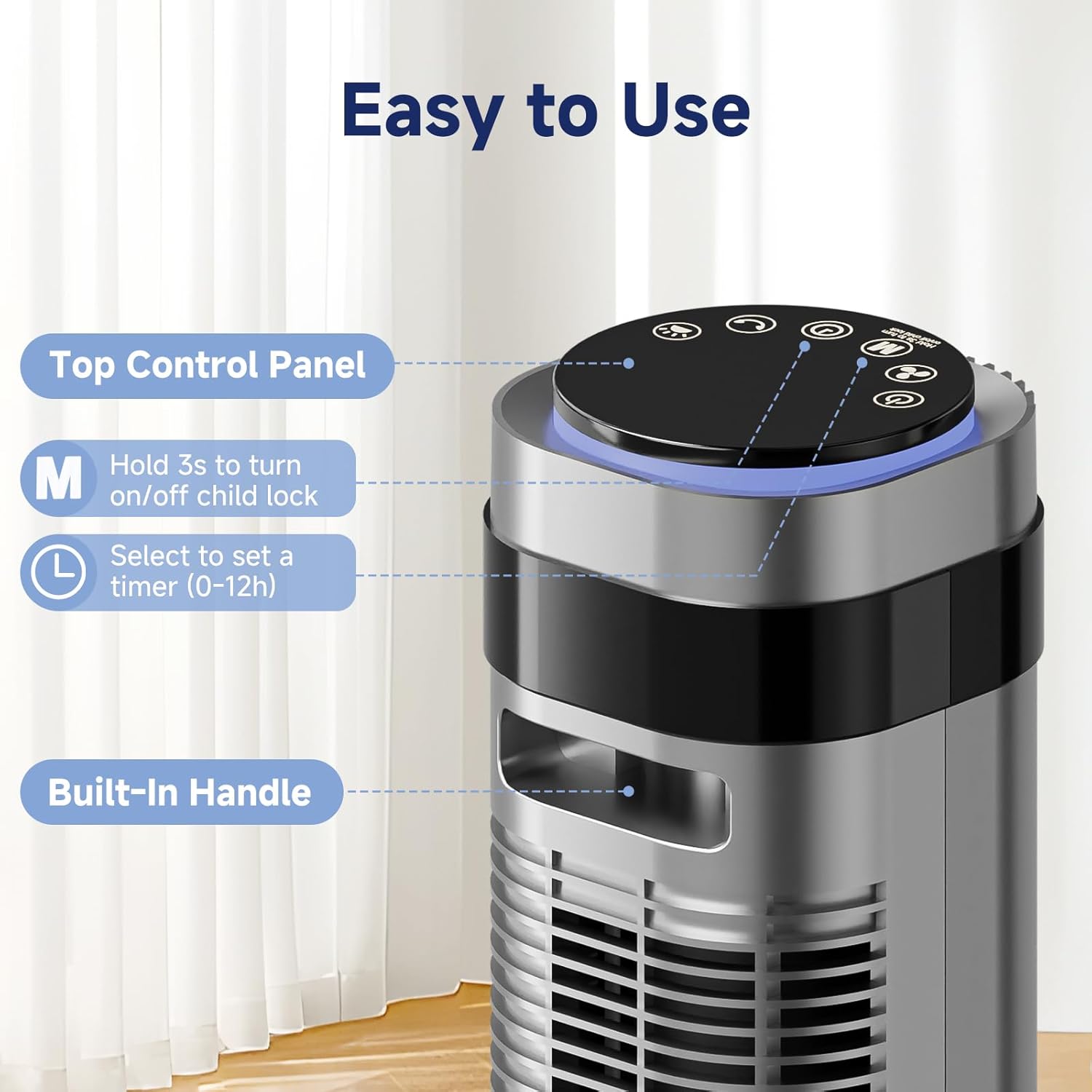
Image: Key features of the OLIXIS Tower Fan, including the top control panel and built-in handle.
- Viršutinis valdymo skydelis: For manual operation and settings adjustment.
- Skystųjų kristalų ekranas: Rodo dabartinius nustatymus, tokius kaip greitis, režimas ir laikmatis.
- Oro išleidimo anga: Kur išpučiamas atvėsęs oras.
- Integruota rankena: Kad būtų lengviau pernešti.
- Bazė: Užtikrina ventiliatoriaus bloko stabilumą.
Sąranka ir surinkimas
Follow these steps to assemble your OLIXIS Tower Fan:
- Take the two base halves and position them in a crossed manner.
- Insert the pegs on one half into the corresponding slots on the other half.
- Press down on the edges to securely click the two base halves together.
- Attach the assembled base to the main fan unit.
- Secure the base to the fan unit using the provided screws.
- Thread the power cord through all cord keepers before placing the fan upright.

Image: Visual guide for assembling the fan base.
Surinkimo vaizdo vadovas
Video: This video demonstrates the step-by-step process for installing the OLIXIS Tower Fan, including base assembly and initial setup.
Naudojimo instrukcijos
Valdymo skydelis ir nuotolinio valdymo pultas
The fan can be operated using the touch control panel on top of the unit or the included remote control. The remote control offers convenient operation from a distance.

Image: Control panel and remote control layout with various mode options.
Funkcijos:
- Maitinimo mygtukas: Įjungia arba išjungia ventiliatorių.
- Greičio reguliavimas: Cycle through 5 fan speeds (Lv.1 to Lv.5).
- Režimo pasirinkimas: Choose from 4 operating modes: Normal, Natural, Auto, and Sleep.
- Svyravimas: Activates or deactivates the 64° wide oscillation feature.
- Laikmatis: Set the fan to automatically turn off after 1 to 12 hours.
- Užraktas nuo vaikų: Press and hold the 'M' button for 3 seconds on the control panel to activate/deactivate.
Veikimo režimai
- Įprastas režimas: Užtikrina pastovų oro srautą pasirinktu greičiu.
- Natūralus režimas: Imituoja natūralų vėjelį, periodiškai keisdamas ventiliatoriaus greitį.
- Automatinis režimas: Adjusts fan speed automatically based on the room's ambient temperature. Higher temperatures result in higher fan speeds.
- Miegojimo rezimas: Gradually reduces fan speed every 30 minutes and dims the LED display for a quieter and less disruptive environment, ideal for sleeping.

Image: Auto Mode functionality, showing fan speed adjustment based on room temperature.
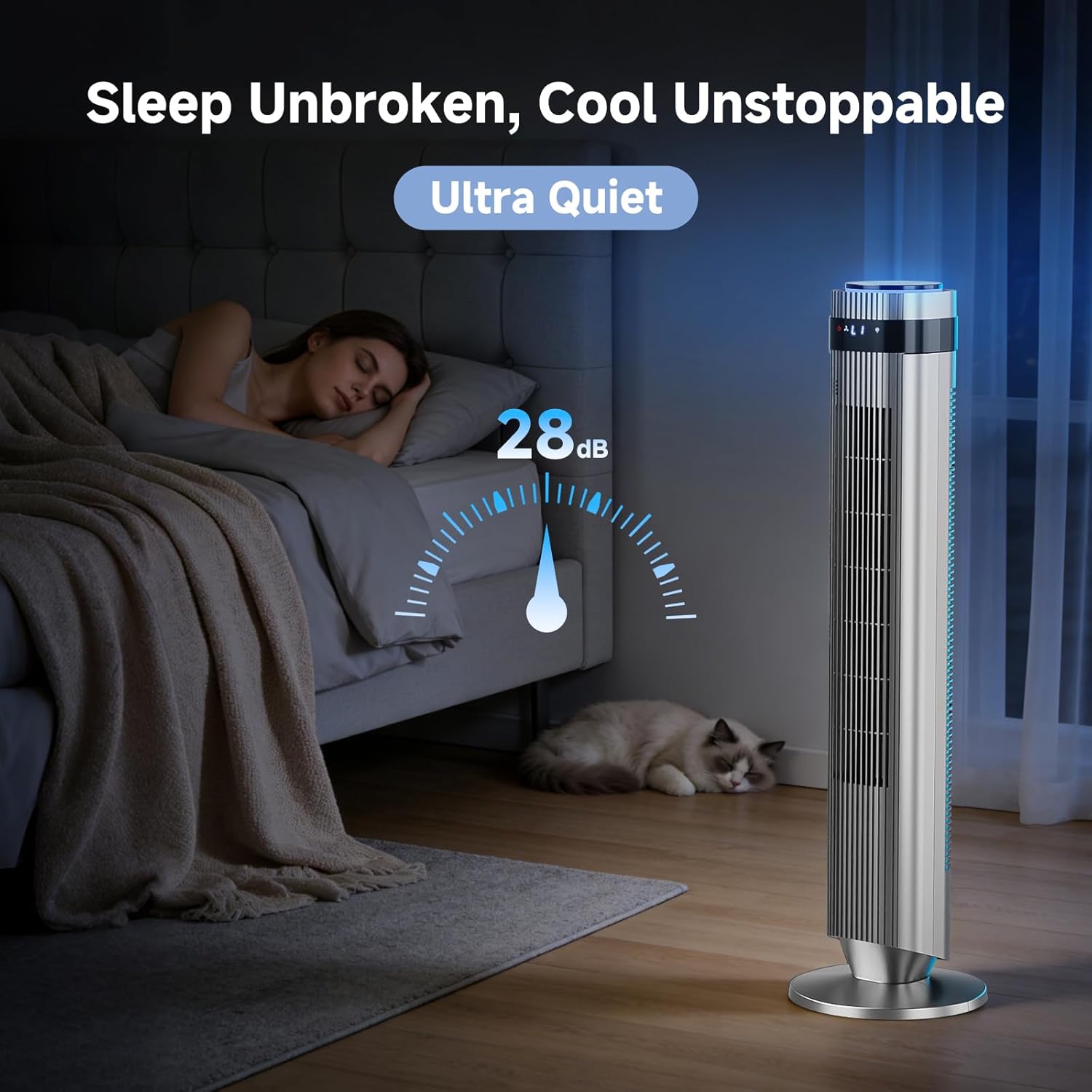
Image: Fan operating in Sleep Mode, highlighting its ultra-quiet 28dB operation.
Osciliacija
Activate the oscillation function to distribute airflow across a wider area (64°). This helps cool the room more efficiently.

Image: Fan demonstrating 64° oscillation for broad air distribution.
Produktas baigtasview Vaizdo įrašas
Vaizdo įrašas: šiame vaizdo įraše pateikiama trumpa apžvalgaview of the OLIXIS Tower Fan's features and operation.
Priežiūra
Reguliarus valymas užtikrina optimalų ventiliatoriaus veikimą ir pailgina jo tarnavimo laiką.
- Išorės valymas: Išorinius paviršius nuvalykite minkšta, damp audinys. Nenaudokite abrazyvinių valiklių ar tirpiklių.
- Oro įleidimo / išleidimo angos valymas: Švelniai pašalinkite dulkes nuo oro įleidimo ir išleidimo grotelių dulkių siurbliu su šepetėliu.
- Saugykla: When not in use for extended periods, unplug the fan, clean it, and store it in a cool, dry place.
- Ensure the fan is completely dry before plugging it back in or storing.
Trikčių šalinimas
If you encounter issues with your OLIXIS Tower Fan, refer to the following common problems and solutions:
| Problema | Galima priežastis | Sprendimas |
|---|---|---|
| Ventiliatorius neįsijungia. | No power, power cord not fully plugged in, fuse blown. | Check power outlet, ensure plug is fully inserted, check household circuit breaker, inspect fuse in the plug (if applicable). |
| Silpnas oro srautas. | Fan speed too low, air inlets/outlets blocked by dust. | Increase fan speed, clean air inlets and outlets as per maintenance instructions. |
| Ventiliatorius skleidžia neįprastą triukšmą. | Obstruction, fan not on a level surface. | Check for any foreign objects near the fan grilles, ensure fan is on a stable, level surface. |
| Nuotolinio valdymo pultas neveikia. | Batteries depleted, remote not aimed at sensor. | Replace remote control batteries, ensure clear line of sight to the fan's sensor. |
If the problem persists after attempting these solutions, please contact OLIXIS customer support.
Specifikacijos
| Funkcija | Detalė |
|---|---|
| Modelio pavadinimas | AC-DSV25TS-35D5 |
| Matmenys (G x P x A) | 9.84 "D x 9.84" P x 35.43" A |
| Prekės svoris | 7.4 svaro |
| Maitinimo šaltinis | AC |
| Vattage | 50 vatų |
| ttage | 120 voltų |
| Greičių skaičius | 5 |
| Režimų skaičius | 4 (Normal, Natural, Auto, Sleep) |
| Triukšmo lygis | 28 decibelų |
| Virpesių kampas | 64° |
| Laikmatis | 1-12 valandos |
| Oro srauto talpa | Iki 22.3 pėdų/s |
| Oro pristatymo atstumas | Iki 26.52 pėdų |
| Kontrolės metodas | Nuotolinis, jutiklinis |
| Medžiaga | Akrilnitrilo butadieno stirenas, plastikas, polikarbonatas |
| Sertifikatai | ETL, FCC, UL |
| Naudojimas viduje / lauke | Vidinis |
Garantija ir palaikymas
Gamintojo garantija
The OLIXIS Tower Fan (Model: AC-DSV25TS-35D5) is covered by a 1 metų gamintojo garantija nuo pirkimo datos. Ši garantija apima medžiagų ir gamybos defektus normaliai naudojant.
Garantija neapima žalos, atsiradusios dėl:
- Nelaimingas atsitikimas, netinkamas naudojimas, piktnaudžiavimas ar pakeitimas.
- Neleistinas remontas ar modifikavimas.
- Naudojimo instrukcijų nesilaikymas.
- Normalus nusidėvėjimas.
Pagalba klientams
For warranty claims, technical assistance, or any questions regarding your OLIXIS Tower Fan, please contact OLIXIS customer support through the retailer's platform or the official OLIXIS website. Please have your model number (AC-DSV25TS-35D5) and proof of purchase ready when contacting support.