
Įvadas
Thank you for choosing the Gamrombo Wired Controller. This manual provides detailed instructions for setting up, operating, and maintaining your controller. This controller is designed for use with Xbox Series X/S, Xbox One, and PC, offering a stable and responsive gaming experience with features like programmable macro functions, turbo mode, and a 3.5mm headphone jack.
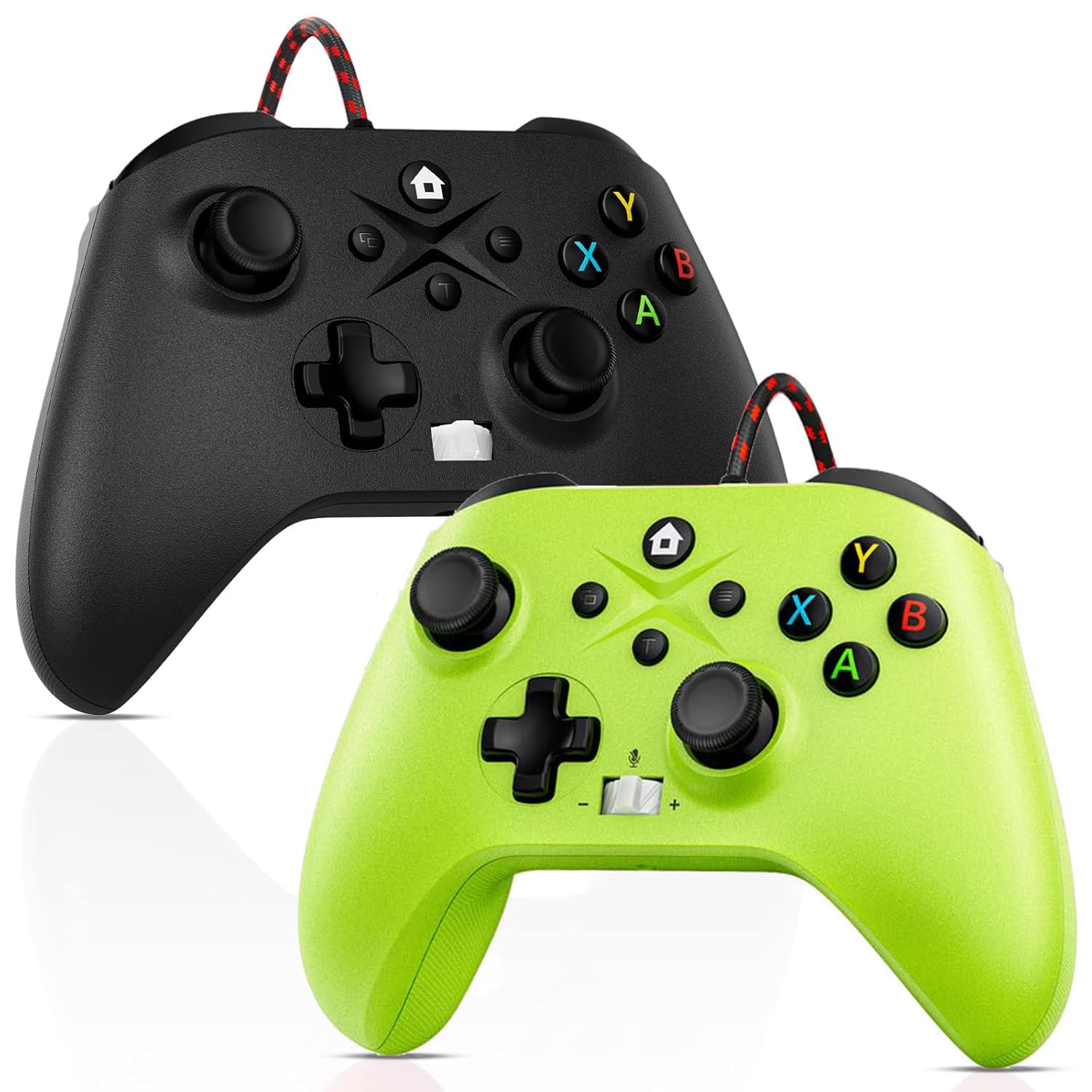
Image: Gamrombo Wired Controller in Black and Green.
Produkto savybės
- Universalus suderinamumas: Compatible with Xbox Series X/S, Xbox One (including One S/One X), and PC.
- Laidinis ryšys: Provides a stable, low-latency gaming experience with a 10-foot (3-meter) durable, tangle-free cable. No batteries required.
- Programmable Macro Function: Two back mappable buttons (PR/PL) allow programming up to 16 button inputs for complex actions.
- Turbo funkcija: Enables rapid-fire for selected buttons.
- 3.5 mm ausinių lizdas: Supports audio output and microphone input for clear in-game communication.
- One-Touch Mic Mute: Quickly mute your microphone directly from the controller.
- Asymmetric Vibration Motors: Built-in motors provide varied vibration feedback for an immersive gaming experience.
- Precise 3D Gaming Joysticks: Offers 360-degree response with zero delay for accurate control.
- Ergonomiškas dizainas: Patogi rankena ilgiems žaidimų seansams.

Image: Diagram illustrating the wide compatibility of the Gamrombo Wired Controller with Xbox consoles and PC.

Image: The Gamrombo Wired Controller showcasing its 10-foot long braided cable for extended reach.
Pakuotės turinys
Į paketą paprastai įeina:
- 2 x Gamrombo Wired Controllers
- 1 x Vartotojo vadovas
Sąranka
- Connect to Xbox Console: Plug the USB connector of the controller into an available USB port on your Xbox Series X/S or Xbox One console. The controller will automatically be recognized and ready for use.
- Prisijunkite prie kompiuterio: Plug the USB connector of the controller into an available USB port on your PC. The operating system (Windows 10/11 recommended) will typically install the necessary drivers automatically. The controller will be recognized as an Xbox controller.
- Pradinis prisijungimas: Once connected, the controller's indicator light will illuminate, signifying a successful connection.
Naudojimo instrukcijos
Valdiklio išdėstymas

Image: Detailed diagram of the Gamrombo Wired Controller showing all buttons and their labels, including Home, View, Menu, A/B/X/Y, D-pad, Joysticks (L3/R3), Bumpers (L1/R1), Triggers (L2/R2), Turbo, Programming Function Keys (PR/PL, Set), Adjustable Volume, and Headphone Jack.
Pagrindiniai valdikliai
- Namų mygtukas: Powers on/off the console (Xbox) or opens the Xbox Game Bar (PC).
- View Mygtukas: Provides additional context-sensitive options in games or apps.
- Meniu mygtukas: Opens in-game menus or system settings.
- A/B/X/Y mygtukai: Standartiniai veiksmų mygtukai.
- D-Pad: Kryptinis įvedimas.
- Left/Right Joysticks (L3/R3): Analog movement and camera control. Pressing them down activates L3/R3 buttons.
- L1/R1 (Bumpers): Shoulder buttons for various in-game actions.
- L2/R2 (Triggers): Analog triggers for precise control, often used for acceleration/braking or aiming/firing.
Turbo funkcija
Turbo funkcija leidžia mygtuką spausti pakartotinai, kol jis laikomas nuspaustas.
- Įjunkite turbo režimą: Paspauskite ir palaikykite Turbo button, then press the desired action button (e.g., A, B, X, Y, L1, R1, L2, R2, D-pad directions). The button will now have Turbo functionality.
- Išjungti turbo režimą: To remove Turbo from a specific button, press and hold the Turbo button again, then press the button with active Turbo.
Macro Function (Programmable Back Buttons)
The two back buttons (PR and PL) can be programmed to execute a sequence of up to 16 button presses.
- Įeikite į programavimo režimą: Paspauskite NUSTATYTI button. The indicator light will start blinking.
- Pasirinkite makrokomandos mygtuką: Paspauskite arba PR or PL mygtuką.
- Įrašyti makrokomandą: Input the desired sequence of up to 16 button presses (e.g., A, B, X, Y, L1, R1, D-pad, etc.).
- Išsaugoti makrokomandą: Paspauskite NUSTATYTI Dar kartą paspauskite mygtuką, kad išsaugotumėte makrokomandą. Indikatoriaus lemputė nustos mirksėti.
- Naudokite makrokomandą: Paspauskite užprogramuotą PR or PL button to execute the recorded sequence.
- Išvalyti makrokomandą: To clear a macro, enter programming mode (press NUSTATYTI), tada paspauskite PR or PL button you wish to clear, and then press NUSTATYTI again without inputting any sequence.
3.5mm Headphone Jack and Mic Mute
- Prijungti ausines: Plug any standard 3.5mm gaming headset into the headphone jack located at the bottom of the controller.
- Reguliuoti garsumą: Use the volume control buttons (+/-) on the controller to adjust headset audio levels.
- Mikrofono nutildymas: Press the dedicated mic mute button to toggle your microphone on or off. An indicator light may show the mute status.
Atsiliepimai apie vibraciją
The controller features asymmetric vibration motors in the grips, providing varied haptic feedback based on in-game events for enhanced immersion.

Image: Illustration of the asymmetric vibration motors within the grips of the Gamrombo Wired Controller.

Image: Depiction of the adjustable vibration feature and 6-axis gyro sensor in the Gamrombo Wired Controller.
3D Gaming Joysticks and Linear Triggers
The controller is equipped with high-precision 3D joysticks for accurate 360-degree movement and Hall Effect linear triggers that offer responsive and immersive control.

Vaizdas: Stambus planas view of the 3D gaming joystick on the Gamrombo Wired Controller, highlighting its precision.

Image: Visual representation of the precise 360-degree joystick and E-Sports level linear triggers with vibration function.
Priežiūra
- Valymas: Valdiklį nuvalykite minkšta, sausa šluoste. Jei nešvarumai sunkiai įveikiami, šiek tiek nuvalykite.ampNuvalykite šluostę vandeniu. Venkite naudoti stiprias chemines medžiagas ar abrazyvines medžiagas.
- Saugykla: Laikykite valdiklį vėsioje, sausoje vietoje, apsaugotoje nuo tiesioginių saulės spindulių ir ekstremalių temperatūrų.
- Kabelio priežiūra: Avoid sharply bending or twisting the cable. Do not pull the controller by its cable.
- Venkite skysčių: Keep the controller away from liquids to prevent damage to internal components.
Trikčių šalinimas
- Valdiklis neatsako:
- Įsitikinkite, kad USB laidas yra tvirtai prijungtas prie valdiklio ir konsolės / kompiuterio.
- Pabandykite prijungti valdiklį prie kito USB prievado.
- Iš naujo paleiskite konsolę arba kompiuterį.
- Ausinių garsas neveikia:
- Check if the headset is fully plugged into the 3.5mm jack.
- Verify that the volume is not muted or set too low using the controller's volume controls and system settings.
- Test the headset with another device to ensure it is functioning correctly.
- Macro/Turbo Function Not Working:
- Review the programming steps in the 'Operating Instructions' section to ensure correct setup.
- Ensure no other conflicting software or settings are interfering.
- Vibracija neveikia:
- Patikrinkite žaidimo nustatymus, kad įsitikintumėte, jog įjungtas vibracijos grįžtamasis ryšys.
- Ensure the game supports vibration functionality.
Specifikacijos
| Funkcija | Aprašymas |
|---|---|
| Suderinami įrenginiai | Xbox Series X, Xbox Series S, Xbox One, Xbox One S, Xbox One X, PC (Windows) |
| Valdiklio tipas | Laidinis |
| Ryšio technologija | USB laidinis |
| Kabelio ilgis | 10 pėdos (maždaug 3 metrai) |
| Papildomos funkcijos | 3.5mm Headphone Jack, Turbo Function, Macro Function, Vibration Feedback, 6-Axis Gyro Sensor |
| Mygtukų kiekis | 21 |
| Aparatinės įrangos platforma | „Xbox“, asmeninis kompiuteris |
Informacija apie garantiją
Gamrombo products are manufactured to high-quality standards. For specific warranty details, please refer to the warranty card included with your purchase or contact Gamrombo customer support. Keep your proof of purchase for warranty claims.
Palaikymas
If you encounter any issues or have questions not covered in this manual, please contact Gamrombo customer support through the retailer's platform or the official Gamrombo webpagalbos svetainę.