
1. Įvadas
This manual provides essential information for the safe and efficient use of your TCL 55A400M 55-inch QLED Mini LED 4K Smart TV. Please read it thoroughly before operating the device and retain it for future reference. Your new television features advanced display technologies like QLED and Mini LED for superior picture quality, a 144Hz Variable Refresh Rate (VRR) for smooth motion, and the Google TV operating system for a smart and connected entertainment experience.
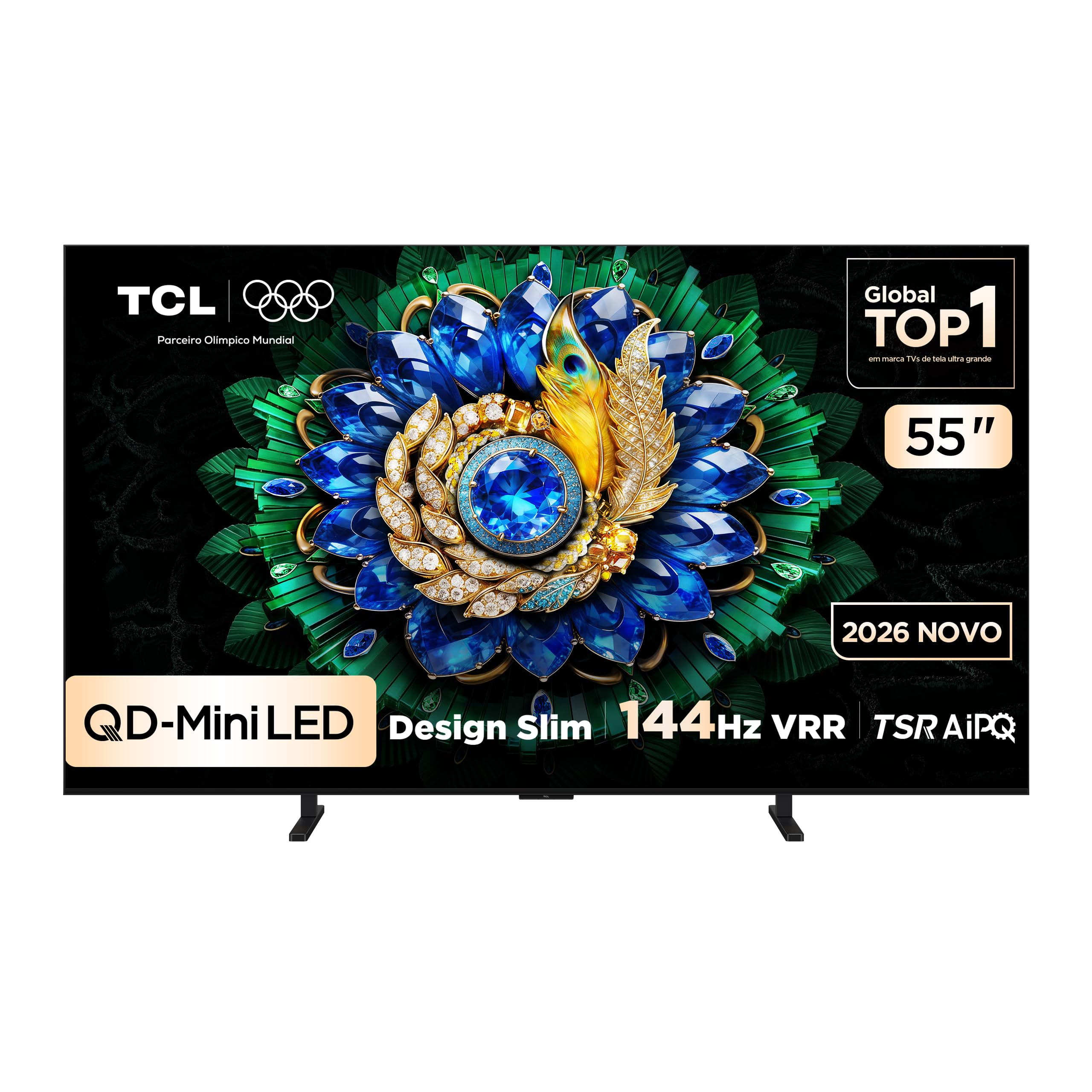
Vaizdas: priekis view of the TCL 55A400M Smart TV, showcasindėl savo ryškaus ekrano ir plonų rėmelių.
2. Saugos informacija
Visada laikykitės šių saugos priemonių, kad išvengtumėte gaisro, elektros smūgio ar sužalojimų:
- Saugokite televizorių nuo lietaus ar drėgmės.
- Neatidarykite televizoriaus korpusoasing; visus techninės priežiūros darbus patikėkite kvalifikuotiems darbuotojams.
- Užtikrinkite tinkamą vėdinimą aplink televizorių. Neužblokuokite ventiliacijos angų.
- Pastatykite televizorių ant stabilaus, lygaus paviršiaus arba tvirtai pritvirtinkite jį prie sienos.
- Laikykite televizorių atokiau nuo šilumos šaltinių ir tiesioginių saulės spindulių.
- Atjunkite maitinimo laidą žaibuojant arba kai prietaisas ilgą laiką nenaudojamas.
- Atsargiai elkitės su maitinimo laidu, kad nepažeistumėte.
3. Pakuotės turinys
Patikrinkite, ar pakuotėje yra visi reikalingi daiktai:
- TCL 55A400M 55-inch Smart TV
- Nuotolinio valdymo pultas
- Maitinimo kabelis
- TV stovas (2 vnt.)
- TV stovo varžtai
- Vartotojo vadovas (šis dokumentas)
- Greitos pradžios vadovas

Image: The remote control included with the TCL 55A400M Smart TV.
4. Sąranka
4.1. Fizinė konfigūracija
Stovo montavimas:
- Atsargiai padėkite televizorių ekranu žemyn ant minkšto, lygaus paviršiaus, kad nepažeistumėte ekrano.
- Sulygiuokite televizoriaus stovus su atitinkamais lizdais televizoriaus apačioje.
- Pritvirtinkite stovus naudodami pateiktus varžtus.
Montavimas ant sienos:
If you choose to wall-mount your TV, use a VESA-compatible wall mount kit (sold separately) and follow the instructions provided with the wall mount. Ensure the wall can support the weight of the TV. Professional installation is recommended.

Image: The TCL 55A400M TV mounted on a wall, showcasing its ability to display images with vibrant, contrasting colors.
4.2. Prietaisų prijungimas
Connect external devices to the appropriate ports on the back of your TV. Refer to the diagram below for port locations:
Vaizdas: Galinis view of the TCL 55A400M Smart TV, detailing the various input and output ports.
- HDMI (1–4): Connect Blu-ray players, game consoles, cable/satellite boxes. HDMI 1 and 2 support 4K@144Hz. HDMI 1 supports eARC/ARC.
- USB (1-2): Connect USB storage devices for media playback. USB 1 is 3.0, USB 2 is 2.0.
- LAN: Prijunkite Ethernet kabelį laidiniam interneto ryšiui.
- Kabelinė / antenos įvestis: Prijunkite anteną arba kabelinės televizijos signalą.
- Skaitmeninė garso išvestis (optinė): Prijunkite prie išorinio garso imtuvo arba garso juostos.
4.3. Įjunkite maitinimą
After connecting all devices, plug the power cable into an electrical outlet. Press the power button on the remote control or on the TV to turn it on.
5. Naudojimo instrukcijos
5.1. Nuotolinio valdymo pultasview
Susipažinkite su nuotolinio valdymo pulto mygtukais, kad galėtumėte lengvai naršyti ir valdyti televizoriaus funkcijas.
5.2. Pradinė sąranka („Google TV“)
Pirmą kartą įjungus televizorių, jis padės atlikti pradinį nustatymą:
- Pasirinkite savo kalbą.
- Connect to a Wi-Fi network or use a wired LAN connection.
- Prisijunkite naudodami „Google“ paskyrą, kad galėtumėte pasiekti „Google TV“ funkcijas, programas ir suasmenintas rekomendacijas.
- Follow on-screen prompts to complete channel scanning and other settings.

Image: A screenshot of the Google TV interface, showing various streaming applications and content recommendations.
5.3. Pagrindinės funkcijos
- Galia: Turn the TV on/off or to standby mode.
- Apimtis: Sureguliuokite garso lygį.
- Kanalas: Change TV channels (if connected to an antenna/cable).
- Įvestis: Select the desired input source (HDMI 1, HDMI 2, etc.).
5.4. Išmaniojo televizoriaus funkcijos
Your TCL 55A400M TV runs on Google TV, offering a wide range of smart features:
- Google TV: Access a personalized home screen with content recommendations from your streaming services.
- Padėjėjas balsu: Use the built-in Google Assistant via the remote control to search for content, control smart home devices, and get information.
- Programos: Download and install various applications from the Google Play Store.
- Google Meet: Conduct video calls directly from your TV (requires compatible USB camera, sold separately).

Image: A TV screen displaying a Google Meet video call, illustrating the TV's capability for video conferencing.
5.5. Vaizdo ir garso nustatymai
Access the TV's settings menu to customize picture and sound:
- Vaizdo režimai: Choose from various presets (Standard, Dynamic, Movie, Game) or customize brightness, contrast, color, and sharpness.
- HDR palaikymas: Enjoy enhanced contrast and color with HDR10+ and Dolby Vision content.
- Garso režimai: Select audio presets (Standard, Music, Movie) or adjust equalizer settings.
- ONKYO Audio: Benefit from the integrated ONKYO sound system for a high-quality audio experience.

Image: A living room scene with sound waves emanating from the TV, emphasizing the immersive audio experience provided by the ONKYO sound system.
5.6. Žaidimų funkcijos
The TCL 55A400M is designed for an optimal gaming experience:
- 144 Hz VRR: Enjoy ultra-smooth gameplay with a native 144Hz refresh rate and Variable Refresh Rate (VRR) support, reducing screen tearing and stuttering.
- Game Accelerator 288Hz: Experience even smoother motion with 1080p content at 288Hz.
- Maža įvesties delsa: Optimized for responsive gaming.

Image: A dynamic image of a sports car with a '288Hz' overlay, illustrating the TV's high refresh rate capabilities for gaming.
6. Priežiūra
6.1. Valymas
Norėdami išvalyti televizorių:
- Atjunkite televizorių nuo maitinimo lizdo.
- Ekraną ir korpusą nuvalykite minkštu, sausu, nepūkuotu skudurėliu.
- Įsisenėjusioms dėmėms lengvai nuvalykiteampNuvalykite šluostę vandeniu arba švelniu, neabrazyviniu ekrano valikliu.
- Niekada nepurkškite valiklio tiesiai ant ekrano.
6.2. Programinės įrangos atnaujinimai
Your TV may receive software updates automatically via the internet. You can also manually check for updates in the TV's settings menu to ensure optimal performance and access to the latest features.
7. Problemų sprendimas
Jei kyla problemų, išbandykite šiuos sprendimus:
| Problema | Sprendimas |
|---|---|
| Nėra galios | Patikrinkite, ar maitinimo laidas tvirtai prijungtas prie televizoriaus ir lizdo. Išbandykite kitą lizdą. |
| Nėra vaizdo, bet yra garsas | Įsitikinkite, kad pasirinktas teisingas įvesties šaltinis. Patikrinkite kabelio jungtis su išoriniais įrenginiais. |
| Nėra garso, bet vaizdas yra | Patikrinkite garsumo lygį ir nutildymo būseną. Patikrinkite garso kabelio jungtis. Patikrinkite televizoriaus garso išvesties nustatymus. |
| Nuotolinio valdymo pultas neveikia | Replace batteries. Ensure no obstructions between the remote and the TV. Re-pair Bluetooth remote if applicable. |
| Tinklo ryšio problemos | Paleiskite maršrutizatorių / modemą iš naujo. Patikrinkite „Wi-Fi“ slaptažodį. Pabandykite laidinį Ethernet ryšį. |
8. Specifikacijos
Key technical specifications for the TCL 55A400M Smart TV:
| Funkcija | Detalė |
|---|---|
| Modelio pavadinimas | 55A400M |
| Ekrano dydis | 55 colių |
| Ekrano technologija | Mini LED, QLED |
| Rezoliucija | 4K (3840 x 2160) |
| Atnaujinimo dažnis | 144 Hz |
| HDR formato palaikymas | Dolby Vision, HDR10+ |
| Operacinė sistema | Google TV |
| Ryšys | Bluetooth, HDMI (4 ports), USB (2 ports), Wi-Fi, LAN |
| Garso sistema | ONKYO |
| Ypatingos savybės | Gemini, Google Assistant, Game Accelerator 288Hz |
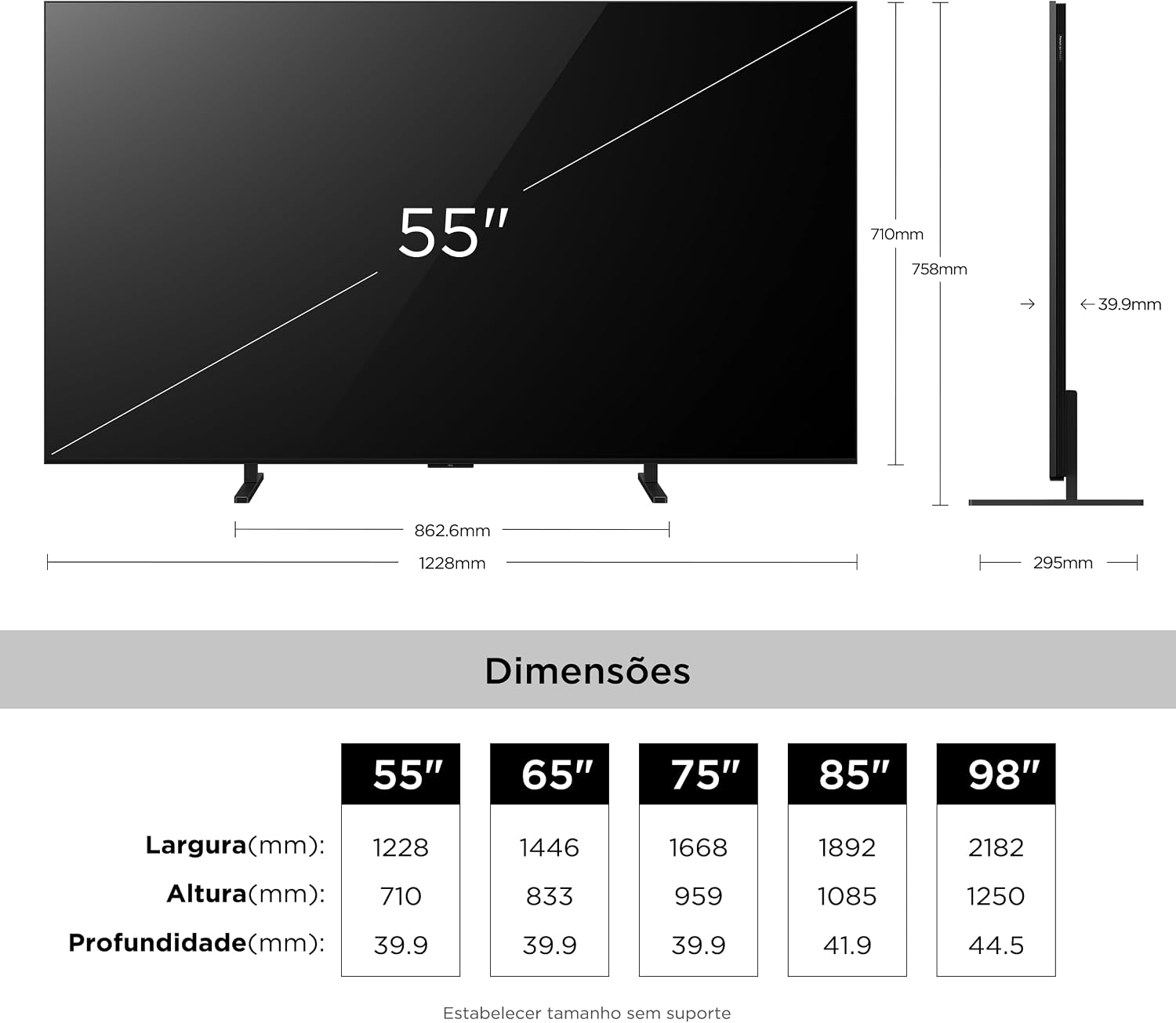
| Dimensions (P x L x A) | 4P x 122.8L x 71A centimeters (without stand) |
| Prekės svoris | 16.4 kilogramo |
| ttage | 110-220 Volts (Auto-sensing) |
9. Informacija apie garantiją
Your TCL 55A400M Smart TV comes with a 1 metų ribota garantija from the date of purchase. This warranty covers manufacturing defects in materials and workmanship under normal use. It does not cover damage caused by misuse, accidents, unauthorized modifications, or external factors. Please retain your proof of purchase for warranty claims.
For detailed warranty terms and conditions, please refer to the warranty card included in your product packaging or visit the official TCL support websvetainę.
10. Parama
If you require further assistance or have questions not covered in this manual, please contact TCL Customer Support:
- Apsilankykite oficialioje TCL palaikymo svetainėje websvetainė, kurioje rasite DUK, programinės įrangos atsisiuntimus ir kontaktinę informaciją.
- Refer to the contact details provided in your product's quick start guide or warranty card.