
Įvadas
This manual provides comprehensive instructions for the setup, operation, and maintenance of your BLAUPUNKT 24WGC5501S 24-inch HD Ready Smart TV. This compact television features Google TV with integrated Chromecast, a clear 1366x768 LED display, Dolby Audio, Wi-Fi, Bluetooth 5.0, and various connectivity options. Please read this manual thoroughly before using your TV to ensure proper functionality and safety.
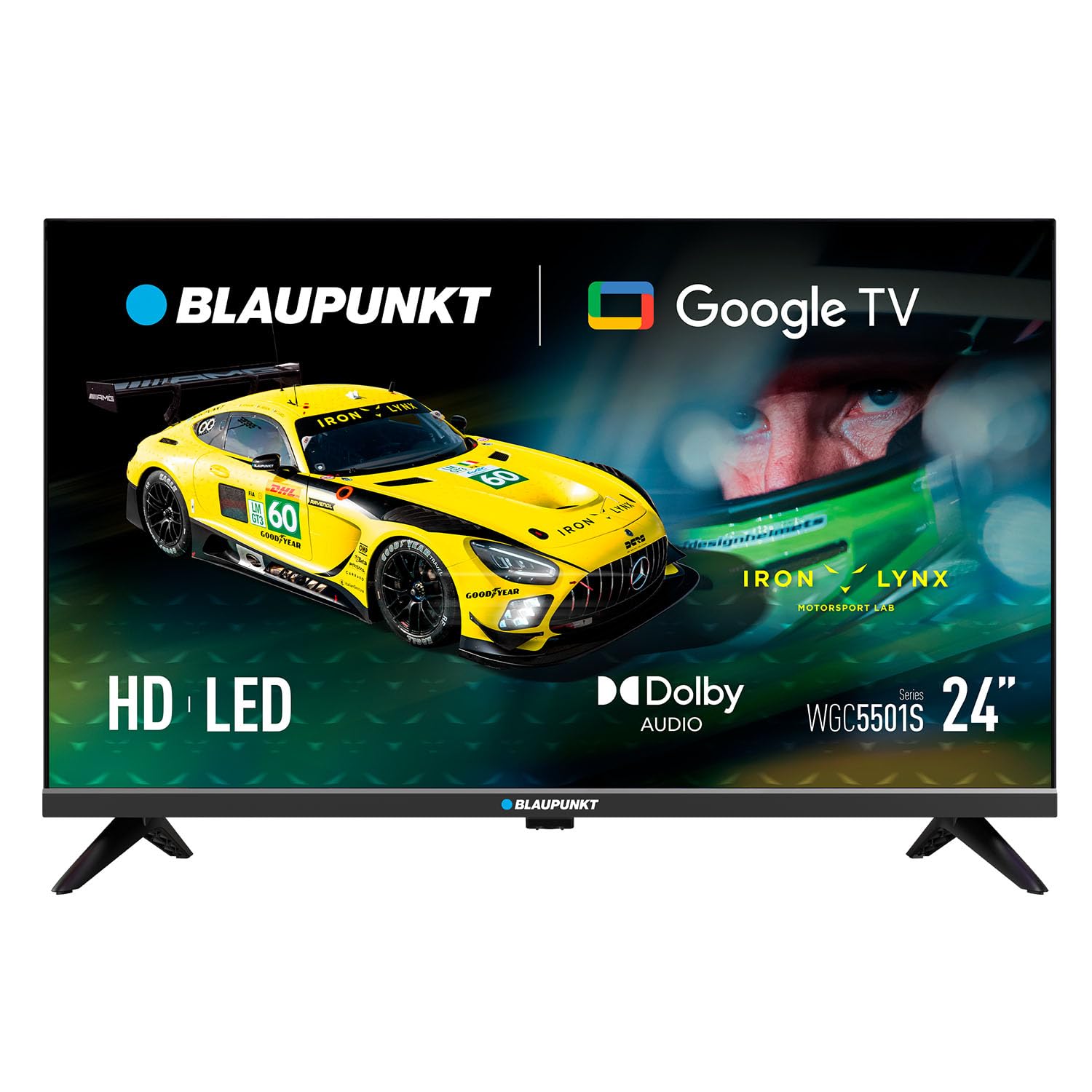
Vaizdas: priekis view of the BLAUPUNKT 24WGC5501S 24-inch Smart TV, showcasindėl savo elegantiško dizaino ir ekrano.
Saugos informacija
Always follow basic safety precautions when using this television to reduce the risk of fire, electric shock, and injury. Keep the TV away from water and moisture. Do not block ventilation openings. Use only attachments/accessories specified by the manufacturer. Unplug the TV during lightning storms or when unused for long periods. Refer to the full safety guidelines in the included printed manual.
Pagrindinės savybės
The BLAUPUNKT 24WGC5501S Smart TV offers a range of features designed for a comprehensive entertainment experience:
- HD Ready ekranas: 24-inch LED LCD screen with 1366 x 768 pixel resolution for clear visuals.
- Google TV 5.0: Intuitive smart TV platform with access to a wide array of streaming applications.
- Įtaisytasis „Chromecast“: Easily cast content from your mobile devices directly to the TV.
- Dolby Audio: Enhanced sound quality with 8W (2x4W) stereo speakers.
- Universalus ryšys: Includes Wi-Fi, Bluetooth 5.0, 2 HDMI ports, 1 USB port, Ethernet, AV Mini, and SPDIF Optical Out.
- Integruotas imtuvas: Supports DVB-T/T2/C/S/S2 for various digital broadcasting standards.
- Praktinės funkcijos: Features like EPG, Teletext, PVR recording, HDMI-ARC, and HDMI-CEC for convenience.
- Kompaktiškas dizainas: Lightweight and VESA compatible (200 x 100 mm) for flexible placement.
Kas yra dėžutėje
Išpakuodami patikrinkite, ar yra visi komponentai:
- BLAUPUNKT 24WGC5501S Smart TV
- Nuotolinio valdymo pultas
- Maitinimo kabelis
- User manual (printed version)
- Stovas (2 vnt.)
Sąranka
1. Stovo pritvirtinimas
- Atsargiai padėkite televizorių ekranu žemyn ant minkšto, lygaus paviršiaus, kad nepažeistumėte ekrano.
- Sulygiuokite kiekvieną stovo dalį su atitinkamais lizdais televizoriaus apačioje.
- Secure the stands using the screws provided (typically included with the stand pieces).

Vaizdas: Galinis view of the TV, illustrating the VESA mounting points and the areas where the stand legs attach.
2. Tvirtinimas prie sienos (neprivaloma)
This TV supports VESA standard 200 x 100 mm wall mounts. Ensure you use a compatible wall mount bracket and follow the instructions provided with the mount. Disconnect the stand before wall mounting.
3. Išorinių įrenginių prijungimas
Televizorius turi įvairius prievadus išoriniams įrenginiams prijungti:
- HDMI (x2): Prijunkite „Blu-ray“ grotuvus, žaidimų konsoles arba priedėlius.
- USB 2.0 (x1): Skirta medijos atkūrimui iš USB atmintinių.
- LAN (RJ45): Laidinio interneto ryšiui.
- AV Mini: Senesniems analoginiams įrenginiams.
- SPDIF Optical Out: Skaitmeniniam garso išvedimui į garso juostas arba namų kino sistemas.
- CI+ lizdas: Sąlyginės prieigos moduliams (CAM) užšifruotiems kanalams.
- Antenos / palydovo įvestis: For DVB-T/T2/C/S/S2 tuner connection.

Vaizdas: Kairė pusė view of the TV, detailing the HDMI, USB, and CI+ ports for various connections.

Vaizdas: Dešinė pusė view of the TV, showing the power input connection.
4. Maitinimo prijungimas
Connect the power cable to the TV's AC input and then plug it into a suitable wall outlet (100–240 V AC).
5. Pradinė sąranka
Pirmą kartą įjungus televizorių, jis padės atlikti pradinį nustatymą:
- Kalbos pasirinkimas: Pasirinkite pageidaujamą kalbą.
- Tinklo prisijungimas: Prisijunkite prie „Wi-Fi“ tinklo arba naudokite eterneto kabelį.
- Prisijungimas prie „Google“ paskyros: Prisijunkite naudodami „Google“ paskyrą, kad galėtumėte pasiekti „Google TV“ funkcijas ir programas.
- Kanalo nuskaitymas: The TV will scan for available digital channels via the connected antenna or satellite.
Naudojimo instrukcijos
1. Nuotolinio valdymo pultas
Use the provided remote control to navigate the TV's functions. Insert two AAA batteries (not included) into the remote control, observing polarity.
- Maitinimo mygtukas: Įjungia arba išjungia televizorių.
- Tūris +/-: Reguliuoja garsumo lygį.
- Kanalas +/-: Keičia televizijos kanalus.
- Naršymo mygtukai: Naudojamas meniu naršymui ir parinkčių pasirinkimui.
- Namų mygtukas: Pasiekia „Google TV“ pagrindinį ekraną.
- Programėlės mygtukai: Direct access to popular streaming services like Netflix, YouTube, Prime Video, Disney Plus.
2. „Google TV“ sąsaja
The Google TV interface provides a personalized experience with recommendations based on your viewing habits. From the home screen, you can access:
- Programos: Download and manage your favorite streaming applications.
- Tiesioginė TV: Access broadcast channels.
- Biblioteka: Your purchased or rented content.
- Jums: Suasmeninto turinio rekomendacijos.

Image: The Google TV 5.0 interface, showing various streaming app icons and content recommendations.
3. Įmontuota „Chromecast“
With Chromecast built-in, you can cast content from your compatible smartphone, tablet, or computer directly to your TV. Look for the Cast icon (a rectangle with three curved lines in the bottom-left corner) within supported apps on your mobile device.
4. Tuner Functions
- DVB-T/T2/C/S/S2: Supports various digital terrestrial, cable, and satellite broadcasting standards.
- EPG (elektroninis programų vadovas): View upcoming program schedules.
- Teletekstas: Pasiekite teksto pagrindu teikiamas informacijos paslaugas.
- PVR (asmeninis vaizdo įrašymo įrenginys): Įrašykite televizijos programas į prijungtą USB atmintinę.
5. Garso ir vaizdo funkcijos
The TV features Dolby Audio for enhanced sound quality. The integrated stereo speakers provide 2 x 4 W (8 W total) output. It also supports HDR for improved contrast and color depth.

Image: Visual representation of Dolby Audio, emphasizing balanced and harmonious sound.

Image: Visual representation of HDR technology, highlighting enhanced detail in both bright and dark scenes.
Priežiūra
1. Valymas
- Ekranas: Švelniai nuvalykite ekraną minkšta, nepūkuota šluoste. Įsisenėjusioms dėmėms valyti naudokite specialiai ekranui skirtą valymo tirpalą, užteptą ant šluostės, o ne tiesiai ant ekrano.
- Televizoriaus korpusas: Wipe with a soft, dry cloth. Avoid using abrasive cleaners or solvents.
- Prieš valydami visada atjunkite televizorių nuo elektros tinklo.
2. Programinės įrangos atnaujinimai
The TV may receive software updates to improve performance and add new features. Ensure your TV is connected to the internet to receive these updates. You can usually check for updates in the TV's settings menu. Guaranteed software updates are not specified beyond the initial purchase.
Trikčių šalinimas
Jei kyla problemų dėl televizoriaus, žr. šiuos dažniausiai pasitaikančius sprendimus:
- Nėra galios: Patikrinkite, ar maitinimo laidas tvirtai prijungtas prie televizoriaus ir sieninio lizdo. Išbandykite kitą lizdą.
- Nėra vaizdo / garso: Įsitikinkite, kad pasirinktas teisingas įvesties šaltinis. Patikrinkite visas laidų jungtis su išoriniais įrenginiais.
- Nėra interneto ryšio: Verify your Wi-Fi password. Restart your router and the TV. If using Ethernet, check the cable connection.
- Nuotolinio valdymo pultas neveikia: Pakeiskite baterijas. Įsitikinkite, kad tarp nuotolinio valdymo pulto ir televizoriaus IR jutiklio nėra jokių kliūčių.
- Programos problemos: Try restarting the app or clearing its cache in the TV's settings.
For more detailed troubleshooting, consult the full user manual (PDF) or contact customer support.
Specifikacijos
| Funkcija | Detalė |
|---|---|
| Modelio pavadinimas | 24WGC5501S |
| Ekrano technologija | LED LCD HD Ready |
| Rezoliucija | 1366 x 768 px |
| Ekrano dydis | 24 colio (59.9 cm) |
| Krašto santykis | 16:9 |
| Typical Contrast | 2250:1 |
| Ryškumas | 150–180 nits |
| Atnaujinimo dažnis | 60 Hz |
| Viewing kampas | 178° (H) / 178° (V) |
| Reagavimo laikas | 9.5 ms |
| Spalvos | 16.7 mln |
| Garso galia | 2 × 4 W (8 W total) |
| Garso technologija | Dolby Audio |
| Tuner Support | DVB-T/T2/C/S/S2 |
| CI+ lizdas | 1 |
| Smart TV OS | „Google TV 5.0“ |
| CPU | ARM Cortex-A55 Quad Core 1.45 GHz |
| GPU | G31MP2 Dual Core |
| RAM | 1 GB |
| Flash atmintis | 8 GB |
| Chromecast | Integruota |
| Wi-Fi | 2T2R Integrated |
| Bluetooth | 5.0 versija |
| HDMI prievadai | 2 |
| USB 2.0 prievadas | 1 |
| LAN (RJ45) | 1 |
| AV Mini Input | 1 |
| SPDIF Optical Out | 1 |
| Maitinimo šaltinis | 100–240 V kintamoji srovė |
| Eksploatacinis suvartojimas | 17 W |
| Budėjimo režimo suvartojimas | ≤ 0.5 W |
| Tinklo budėjimo režimo suvartojimas | 2 W |
| Energy Class SDR/HDR | E |
| Dimensions with Stand (L×W×H) | 536 × 156 × 360 mm |
| Dimensions without Stand (L×W×H) | 536 × 77 × 330 mm |
| Grynasis svoris su stovu | 2.25 kg |
| VESA montavimas | 200 × 100 mm |
| EAN | 8594213441658 |
| Kilmės šalis | Čekijos Respublika |

Image: The energy efficiency label for the 24WGC5501S model, showing its Class E rating and power consumption.
For more details on energy efficiency, scan the QR code or visit: https://eprel.ec.europa.eu/qr/2522775
Garantija
This BLAUPUNKT television comes with a two-year manufacturer's warranty. Please retain your proof of purchase for warranty claims. The warranty covers manufacturing defects under normal use. It does not cover damage caused by misuse, accidents, unauthorized modifications, or normal wear and tear. For specific terms and conditions, refer to the warranty documentation included with your product or contact BLAUPUNKT customer service.
Palaikymas
For technical assistance, product inquiries, or warranty support, please contact BLAUPUNKT customer service. Contact information can typically be found on the manufacturer's official website or in the printed user manual. Ensure you have your model number (24WGC5501S) and serial number ready when contacting support.