Įvadas
Ačiū, kad pirkoteasing the Thomson CS500 Compact System. This micro audio system offers a versatile listening experience with its 5-CD changer, FM radio, Bluetooth connectivity, and multiple input options including USB, SD card, and docking for various Apple and Android devices. Please read this manual carefully to ensure proper setup, operation, and maintenance of your new system.
Pakuotės turinys
- Thomson CS500 Compact System Unit
- Garsiakalbiai (2 vnt.)
- Nuotolinio valdymo pultas
- Maitinimo laidas (220 V kintamoji srovė)
- FM antena
- Vartotojo vadovas (šis dokumentas)
Sąranka
1. Išpakavimas ir įdėjimas
Carefully remove all components from the packaging. Place the main unit and speakers on a stable, flat surface. Ensure adequate ventilation around the unit to prevent overheating. Keep the unit away from direct sunlight, heat sources, and moisture.
2. Garsiakalbių prijungimas
Connect the speaker wires from the main unit to the corresponding terminals on the back of each speaker. Ensure correct polarity (positive to positive, negative to negative) for optimal sound quality. The system features 2-way bass reflex speakers with titanium bass boomers.
3. FM antenos prijungimas
Connect the supplied FM antenna to the FM antenna input on the rear of the main unit. Extend the antenna fully and position it for best reception.
4. Maitinimo prijungimas
Plug the power cable into the AC IN socket on the rear of the main unit, then plug the other end into a standard AC 220V wall outlet.
5. Nuotolinio valdymo pulto baterijos įdėjimas
Open the battery compartment on the back of the remote control and insert the required batteries (not included), observing the correct polarity markings.
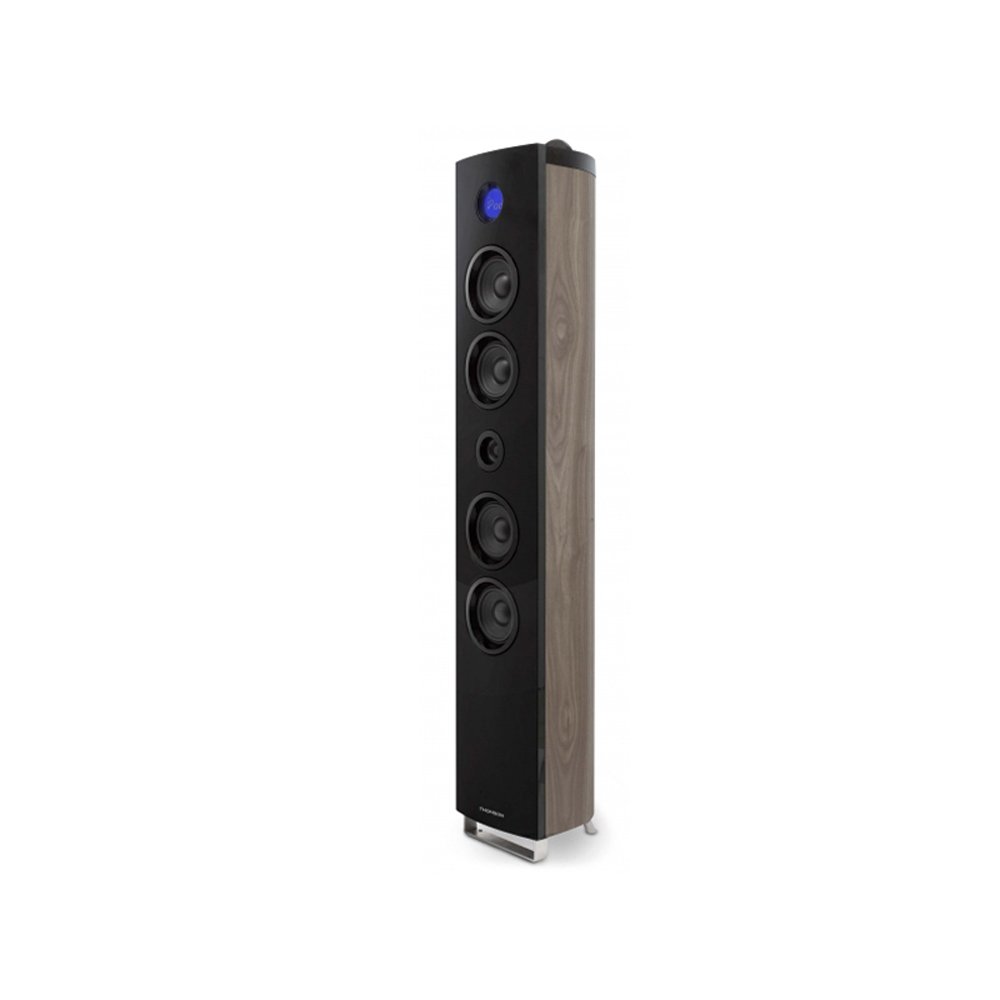
Image: The Thomson CS500 Compact System, showing the main unit and two speakers. This illustrates the primary components after initial setup.
Naudojimo instrukcijos
1. Maitinimo įjungimas/išjungimas
Paspauskite GALIA mygtuką priekiniame skydelyje arba nuotolinio valdymo pulte, kad įjungtumėte arba išjungtumėte sistemą.
2. Šaltinio pasirinkimas
Paspauskite ŠALTINIS button repeatedly to cycle through available input modes: CD, FM Radio, Bluetooth, USB, SD, AUX, iPod/iPhone/iPad Dock, Micro USB.
3. Garsumo valdymas
Reguliuokite garsumą naudodami TŪRIS +/- mygtukai ant įrenginio arba nuotolinio valdymo pulto.
4. CD grotuvo valdymas
- Paspauskite CD mygtuką, norėdami pasirinkti CD režimą.
- Open the CD tray and place up to 5 CDs.
- Paspauskite PALEISTI / PAUZĖ norėdami pradėti atkūrimą.
- Naudokite PRALEISTI mygtukus, kad galėtumėte naršyti takelius.
- The system is compatible with CD-R and CD-RW discs.
5. FM radijo veikimas
- Paspauskite FM mygtuką, kad pasirinktumėte FM radijo režimą.
- Naudokite TUNE +/- mygtukais, kad rankiniu būdu nustatytumėte stotį.
- Paspauskite ir palaikykite TUNE +/- automatiniam stočių nuskaitymui.
- The system supports RDS (Radio Data System) for displaying station information.
- Save your favorite stations using the preset functions (refer to the remote control section for details).
6. Bluetooth ryšys
- Paspauskite BLUETOOTH mygtuką, kad pasirinktumėte „Bluetooth“ režimą. Ekrane bus rodoma „PAIRING“ (liet. SUSIEJIMAS).
- Enable Bluetooth on your mobile device and search for "Thomson CS500".
- Pasirinkite įrenginį, kurį norite susieti. Prijungę galėsite transliuoti garsą belaidžiu būdu.
7. USB and SD Card Playback
Insert a USB drive into the USB port or an SD card into the SD card slot. The system will automatically switch to the respective mode and begin playback of compatible audio files.
8. Device Docking (iPod, iPhone, iPad, Micro USB)
The vertical speaker features docking for iPod, iPhone, and iPad devices. Additionally, a Micro USB port is available for Android/Samsung devices. Carefully dock your device into the appropriate connector. The system will automatically switch to the docking input mode.
9. AUX įvestis
Connect an external audio device (e.g., MP3 player) to the 3.5mm AUX input using a stereo audio cable (not supplied). Select AUX mode to listen to audio from the connected device.
10. Garso nustatymai
- Ekvalaizeris: The system includes an equalizer with 5 sound presets. Press the EQ button on the remote control to cycle through these presets (e.g., Flat, Rock, Pop, Jazz, Classic).
- Bosas Ampgyvybingesnis: Activate the bass amplifier function for enhanced low-frequency sound. Refer to the remote control for the specific button.
11. Clock and Sleep Timer
The LCD display with blue backlight shows the current time. Use the remote control to set the clock and activate the sleep timer function, which automatically turns off the system after a set period.
Priežiūra
1. Įrenginio valymas
Wipe the exterior of the unit with a soft, dry cloth. Do not use abrasive cleaners, waxes, or solvents as they may damage the finish. Ensure the unit is unplugged before cleaning.
2. CD grotuvo priežiūra
Handle CDs by their edges to avoid fingerprints and scratches. If a CD is dirty, wipe it gently with a soft, lint-free cloth from the center outwards. Do not use solvents or abrasive cleaners on CDs.
3. Bendras tvarkymas
Avoid placing heavy objects on the unit. Do not block ventilation openings. If the unit will not be used for an extended period, unplug it from the power outlet.
Trikčių šalinimas
-
Nėra galios:
Ensure the power cable is securely connected to both the unit and the wall outlet. Check if the outlet is functional by plugging in another device.
-
Nėra garso:
Check speaker connections for correct polarity. Ensure the volume is not set to minimum or muted. Verify the correct input source is selected. If using an external device via AUX, ensure its volume is also up.
-
Nuotolinio valdymo pultas neveikia:
Check and replace batteries if necessary. Ensure there are no obstructions between the remote and the unit's sensor. Point the remote directly at the unit.
-
CD negrojamas:
Ensure the CD is clean and free of scratches. Check that the CD is inserted correctly with the label side up. Try a different CD to rule out disc issues.
-
„Bluetooth“ ryšio problemos:
Ensure the unit is in Bluetooth pairing mode. Delete "Thomson CS500" from your device's Bluetooth list and try pairing again. Move your device closer to the system.
-
Prastas radijo ryšys:
Adjust the position of the FM antenna. Move the unit away from other electronic devices that may cause interference.
Specifikacijos
| Modelis: | CS 500 |
| Prekinis ženklas: | Tomsonas |
| Galia: | 2 x 45 Watts (speakers) + 90 Watts (subwoofer) = 200 Watts Total Music Performance |
| Erdvinio garso kanalo konfigūracija: | 2 (Stereo) |
| Ryšio technologija: | Bluetooth, USB, SD Card, AUX (3.5mm), iPod/iPhone/iPad Dock, Micro USB |
| Palaikomi medijos tipai: | CD, CD-R, CD-RW |
| Palaikomos radijo juostos: | FM (su RDS) |
| Garsiakalbiai: | 2-way Bass Reflex with Titanium Bass Boomers, Subwoofer |
| Kontrolės metodas: | Nuotoliniu būdu valdomas |
| Maitinimo šaltinis: | AC 220V |
| Gaminio matmenys (pagrindinis įrenginys): | 30 x 30 x 120 cm |
| Prekės svoris: | 1 kilogramai |
| Spalva: | Tamsiai ruda |
| Įtraukti komponentai: | Nuotolinio valdymo pultas |
Garantija ir palaikymas
Informacija apie garantiją
The Thomson CS500 Compact System comes with a limited warranty. Please retain your proof of purchase for any warranty claims. For specific terms and conditions of the warranty, refer to the documentation provided at the time of purchase or contact Thomson customer support.
Pagalba klientams
For technical assistance, troubleshooting beyond this manual, or warranty inquiries, please contact Thomson customer support. Contact details can typically be found on the official Thomson websvetainėje arba ant produkto pakuotės.


