Įvadas
This manual provides essential instructions for the safe and efficient operation of your NEC VT670 Value LCD Video Projector. Please read this manual thoroughly before using the projector and keep it for future reference. The NEC VT670 is designed for clear image projection with a native resolution of 1024 x 768 and a brightness of up to 2,100 ANSI lumens.
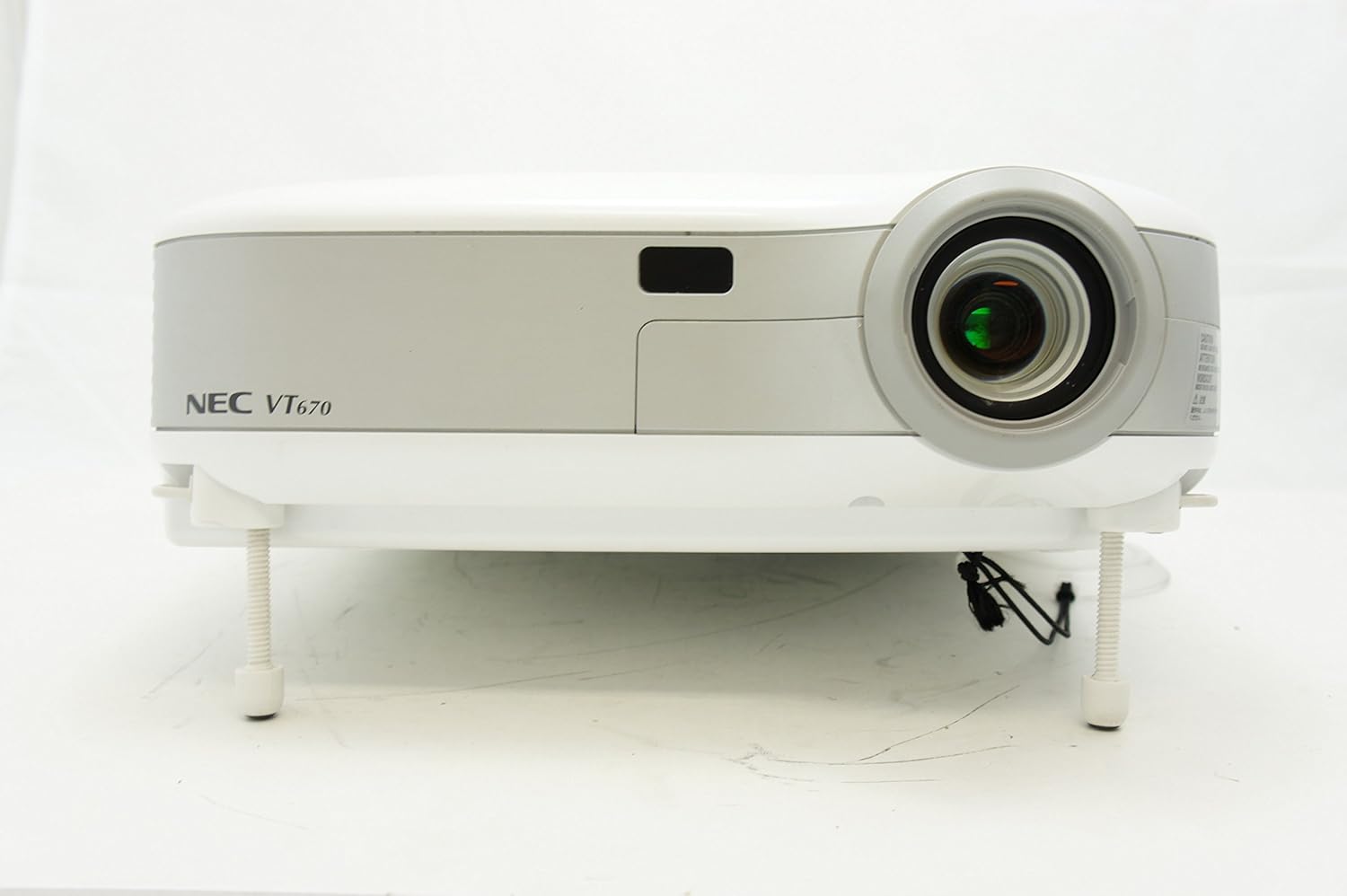
1 paveikslas: Priekyje view of the NEC VT670 projector, showing the lens and front panel.
Sąranka
Follow these steps to set up your NEC VT670 projector:
- Vieta: Position the projector on a stable, flat surface or mount it according to the instructions for your specific mounting solution. Ensure adequate ventilation around the unit. The projector is designed for tabletop mounting.
- Maitinimo jungtis: Prijunkite maitinimo laidą prie projektoriaus maitinimo įvado, o tada – prie įžeminto elektros lizdo.
- Šaltinio jungtis: Connect your video source (e.g., computer, DVD player) to the appropriate input port on the projector. The VT670 supports VGA (D-Sub), S-Video, and composite video inputs. Use the color-coded connections for ease of setup.
- Kabelių jungtys: Ensure all necessary cables, such as the VGA cable for computer input, are securely connected to both the projector and the source device.
- Garso jungtis: If your source provides audio, connect it to the projector's audio input ports. The projector features built-in speakers.
- Pradinis įjungimas: Norėdami įjungti įrenginį, paspauskite projektoriaus arba nuotolinio valdymo pulto maitinimo mygtuką.

2 paveikslas: Rear panel of the NEC VT670 projector, illustrating various input and output ports including VGA, S-Video, and audio connections.

3 paveikslas: Example of a VGA cable (left) and a power cable (right) used for connecting the projector.
Naudojimo instrukcijos
This section details the basic operation of your projector.
Maitinimo įjungimas/išjungimas
- Norėdami įjungti, paspauskite GALIA button once. The power indicator will illuminate.
- Norėdami išjungti, paspauskite GALIA button twice. The projector will enter a cooling cycle before shutting down completely.
Įvesties šaltinio pasirinkimas
- Naudokite ĮVESTIS or dedicated source buttons (e.g., KOMPIUTERIS 1, VIDEO) on the control panel or remote to cycle through available input sources.

4 paveikslas: Top control panel of the NEC VT670 projector, showing power, input selection, and navigation buttons.
Fokusavimo ir mastelio reguliavimas
- Sureguliuokite DĖMESIO ring on the lens until the image is sharp and clear.
- Naudokite MODYTI lever on the lens to adjust the image size to fit your screen.
Meniu naršymas
- Paspauskite MENIU button to access the on-screen display (OSD) menu.
- Naudokite rodyklių mygtukus (UP, ŽEMYN, KAIRĖ, TEISINGAI), kad galėtumėte naršyti meniu parinktis.
- Paspauskite ENTER or PASIRINKTI patvirtinti pasirinkimą.
- Paspauskite EXIT or MENIU again to close the OSD menu.
Priežiūra
Reguliarus techninis aptarnavimas užtikrina optimalų veikimą ir pailgina projektoriaus tarnavimo laiką.
Lamp Pakeitimas
Projektorius lamp turi ribotą tarnavimo laiką. Kai lamp indikatorius užsidega arba vaizdas tampa blankus, lamp gali tekti pakeisti. Išsamesnės informacijos ieškokite išsamiame techninės priežiūros vadove.amp keitimo procedūras. Prieš bandydami atlikti pakeitimus, visada leiskite projektoriui visiškai atvėsti.amp pakeitimas.
Oro filtro valymas
Dust accumulation on the air filter can reduce cooling efficiency and affect projector performance. Clean the air filter regularly (e.g., every 100 hours of operation) by removing it and gently brushing off dust or using a vacuum cleaner. Replace the filter if it is damaged.
Objektyvo valymas
Švelniai nuvalykite projektoriaus objektyvą minkštu, nepūkuotu audiniu, specialiai skirtu optiniams paviršiams. Nenaudokite abrazyvinių valiklių ar per didelės jėgos.
Trikčių šalinimas
Šiame skyriuje pateikiami dažniausiai pasitaikančių problemų, su kuriomis galite susidurti, sprendimai.
| Problema | Galima priežastis | Sprendimas |
|---|---|---|
| Vaizdas nerodomas |
|
|
| Vaizdas neryškus |
|
|
| Nėra garso |
|
|
Specifikacijos
Key technical specifications for the NEC VT670 Value LCD Video Projector:
- Modelio pavadinimas: VT670
- Ekrano tipas: LCD
- Vietinė skiriamoji geba: 1024 x 768 (XGA)
- Maksimalus ryškumas: 2,100 ANSI liumenai
- Kontrasto santykis: 400:1
- Ryšio technologija: VGA (D-Sub), S-Video, Composite Video
- Aparatinės įrangos jungtys: D-Sub, VGA
- Maksimalus vaizdo dydis: 300 colių
- Formos faktorius: Nešiojami
- Montavimo tipas: Stalviršio laikiklis
- Valdiklio tipas: Mygtukų valdymas
- Prekės svoris: 9.2 svaro
- Papildomos funkcijos: Integruoti garsiakalbiai
- Palaikomi signalai: PC, NTSC, PAL, SECAM, HDTV
Informacija apie garantiją
The NEC VT670 Value LCD Video Projector comes with a 2 metų garantija. This warranty covers defects in materials and workmanship under normal use. For specific terms and conditions, please refer to the warranty card included with your product or contact NEC customer support.
Palaikymas
For further assistance, technical support, or service inquiries regarding your NEC VT670 projector, please visit the official NEC website or contact their customer service department. Keep your product model number (VT670) and serial number ready when contacting support.
Internetiniai ištekliai: www.nec.com


