Įvadas
The SanDisk ImageMate 12-in-1 Card Reader/Writer is a high-speed USB 2.0 multi-card reader/writer designed for efficient data transfer between various flash memory cards and your computer. It connects to your computer's USB 2.0 port, offering superior performance. This device is also backwards compatible with USB 1.1 ports, ensuring compatibility with older systems. The ImageMate allows you to read and write data to and from flash memory cards without needing to connect your digital device (such as a digital camera or music player) directly to a computer.
Pagrindinės savybės
- Suderinamumas su 12 viename: Supports a wide range of memory card formats.
- Didelės spartos USB 2.0: Provides fast data transfer rates.
- USB 1.1 Backwards Compatibility: Works with all existing USB ports.
- Direct Data Transfer: Enables transfer of pictures, music, video, and other data without connecting the original device.
- No Additional Adapters Needed: Designed to accept various card types directly.
- Separate Docking Station: Includes a stand for convenient upright placement and connectivity.
Sistemos reikalavimai
- Pentium PC or Macintosh computer with USB support
- Operating Systems: Windows 98SE, ME, 2000, XP; Mac OS 9.2+, OS X v10.12+
- CD-ROM drive (for optional software installation)
- USB 2.0 port required for Hi-Speed data transfer (compatible with USB 1.1)
Sąranka
Skaitytojo prijungimas
To set up your SanDisk ImageMate 12-in-1 Card Reader, connect the provided USB cable to the reader and then to an available USB port on your computer. The reader can be used flat on a surface or placed upright in its included docking stand for convenient access and organization. The reader features a rubberized grip on its base for stability when placed flat.

Figure 1: SanDisk ImageMate 12-in-1 Card Reader with its docking stand and USB cable connected.
Naudojimo instrukcijos
Atminties kortelių įdėjimas
Identify the correct slot for your memory card type. The reader supports various formats including CompactFlash (Type I & II), SD (SecureDigital, SDHC, miniSD), MultiMediaCard (MMC, RS-MMC), Memory Stick (MS, MS PRO, MS Duo, MS PRO Duo), SmartMedia, and xD-PictureCard (Type M). Gently insert the memory card into the corresponding slot until it is fully seated. Ensure the card is inserted in the correct orientation to avoid damage.
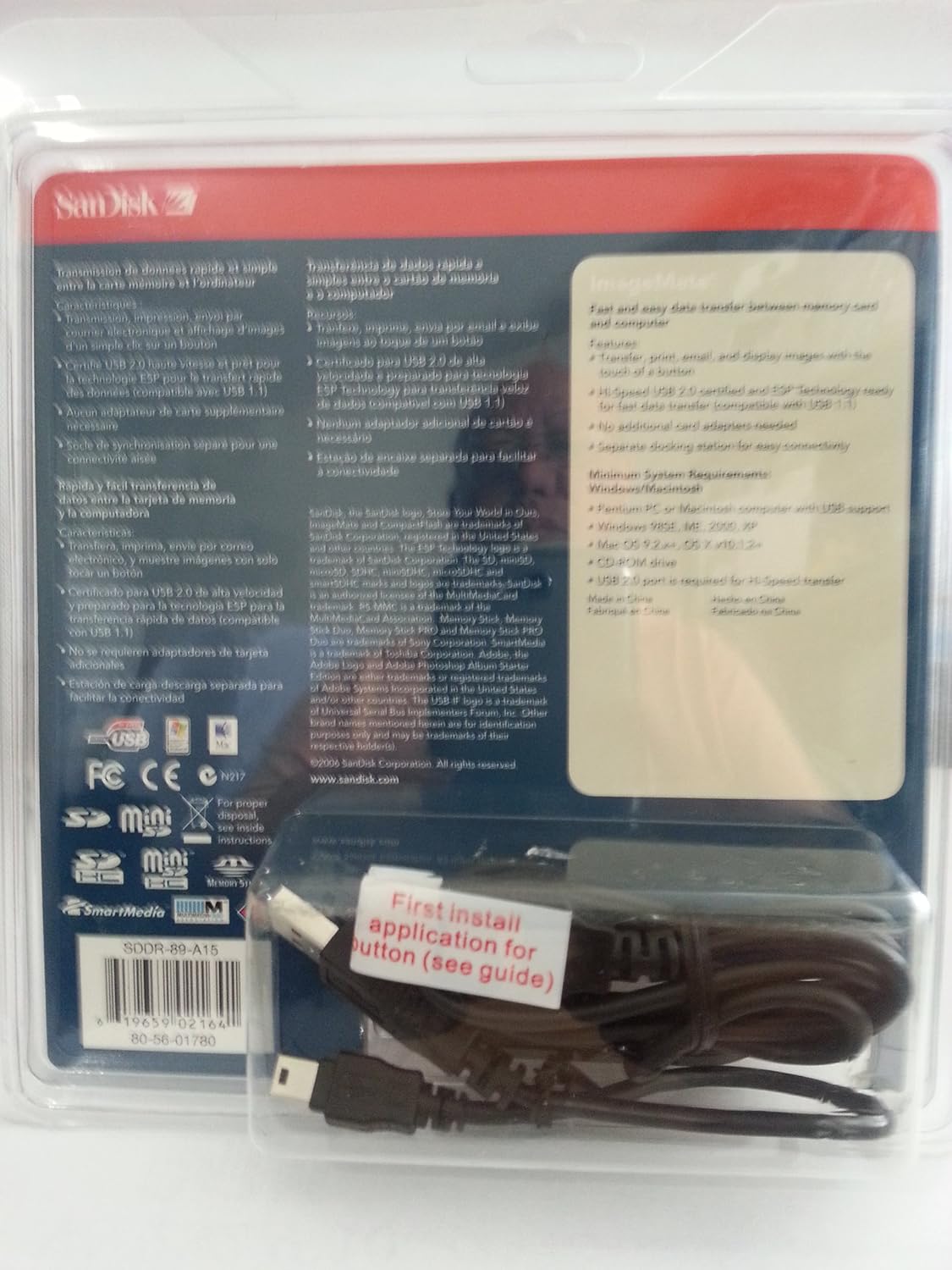
Figure 2: Close-up of the card reader displaying its multiple memory card slots.
Duomenų perkėlimas
Once a memory card is inserted, your computer's operating system should recognize it as a removable drive. You can then access the card's contents through your file explorer (Windows) or Finder (Mac). Drag and drop files to and from the memory card, or use copy/paste functions to transfer data. Always safely eject the removable drive from your computer before removing the memory card to prevent data corruption.
Priežiūra
To ensure optimal performance and longevity of your SanDisk ImageMate card reader, keep it clean and free from dust. Use a soft, dry cloth to wipe the exterior. Avoid using liquid cleaners or solvents. Do not insert foreign objects into the card slots. Store the reader in a cool, dry place when not in use.
Trikčių šalinimas
- Kortelė neatpažinta: Ensure the card is fully and correctly inserted into the appropriate slot. Try inserting a different card to verify reader functionality.
- High-Capacity Cards (e.g., 2GB CF) Not Working with Laptop PC Card Adapters: Some laptop PC card adapters may not supply sufficient power for high-capacity cards. If your PC card adapter came with a supplementary USB power cord, connect it to provide additional power.
- Lexar Memory Stick Pro Cards Not Readable: Some users have reported compatibility issues with certain Lexar Memory Stick Pro cards. If you encounter this, try a different brand of Memory Stick Pro or verify compatibility with your specific card model.
- SD Slot Malfunction: If the SD slot specifically is not functioning, ensure no debris is obstructing the slot. If the issue persists with multiple SD cards, the slot may be faulty.
- Programinės įrangos problemos: The included ArcSoft button software may cause system instability on some Windows XP systems. The card reader typically functions as a plug-and-play device without requiring additional drivers for basic operation. Consider using the reader without installing the bundled software if you experience issues.
Techninės specifikacijos
| Modelio numeris | SDDR-89-A15 |
| Gaminio matmenys | 3.94 x 2.05 x 5.91 colio |
| Prekės svoris | 4.8 uncijos |
| Gamintojas | SanDisk |
| Ryšio technologija | A tipo USB |
| Palaikomi laikmenų tipai | CompactFlash (Type I & II), MMC, Memory Stick (MS, MS Duo, MS PRO, MS PRO Duo), RS-MMC, SD Card (SD, SDHC, miniSD), xD Picture Card (Type M) |
| Ypatinga funkcija | Kompaktiškas dizainas |
| Spalva | Juoda, pilka |
| Pasiekiama pirmoji data | 15 m. lapkričio 2005 d |
Informacija apie garantiją
Specific warranty details for the SanDisk ImageMate 12-in-1 USB 2.0 Flash Memory Card Reader (Model SDDR-89-A15) are not provided in this manual. For information regarding warranty coverage, terms, and conditions, please refer to the documentation included with your purchase or visit the official SanDisk websvetainę.
Palaikymas
For further assistance, technical support, or to access additional resources for your SanDisk ImageMate card reader, please visit the official SanDisk websvetainė:


