Įvadas
This manual provides detailed instructions for the setup, operation, and maintenance of your Altec Lansing M604 Powered Audio System. Designed to enhance your Zune audio experience, this system delivers clear, high-definition sound in various home environments.
The M604 features a built-in docking station for Zune players, allowing for audio playback, charging, and data transfer. It also includes an auxiliary input for compatibility with other audio devices and a composite video output for Zune video playback on a television.
Kas yra dėžutėje
Atsargiai išpakuokite visus komponentus ir įsitikinkite, kad yra šie daiktai:
- M604 Speaker System
- Belaidis nuotolinio valdymo pultas
- Universal MP3 Cradle
- 3.5 mm Stereo Cable
- Maitinimo šaltinis
- Greito prisijungimo instrukcijos
- Naudotojo vadovas (šis dokumentas)
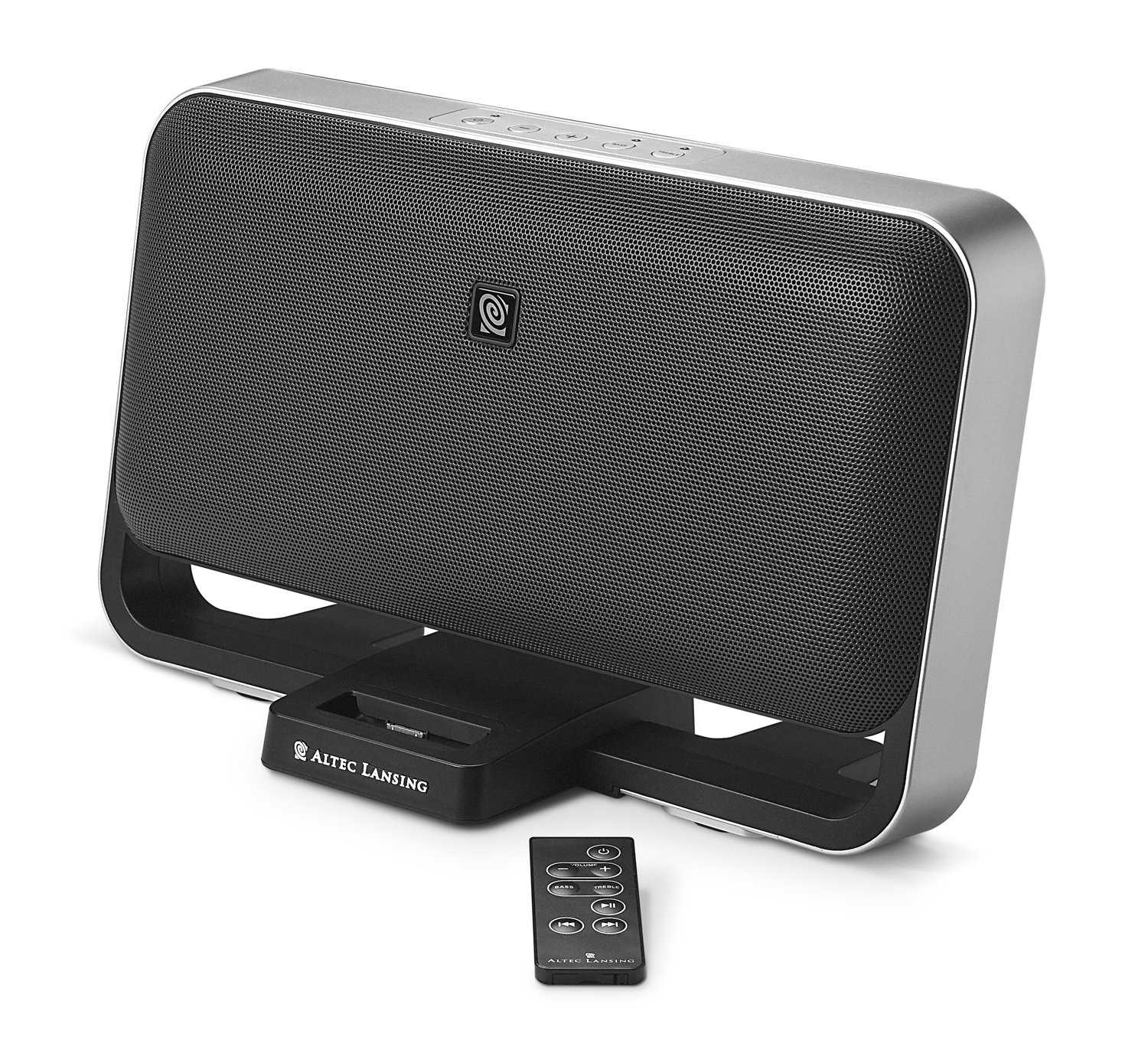
Image: The Altec Lansing M604 speaker system, featuring a Zune player docked in the center and the wireless remote control placed in front. This image illustrates the main components of the system.
Sąranka
- Vieta: Position the M604 speaker system on a stable, flat surface. The system is designed for tabletop use and can also be wall-mounted (mounting hardware not included). Ensure adequate ventilation around the unit.
- Prijunkite maitinimą: Connect the power supply to the DC input port on the back of the M604 system, then plug the power supply into a standard electrical outlet.
- Docking Your Zune:
- Gently place your Zune player into the built-in docking cradle located at the front of the M604. Ensure it is seated firmly. The Zune will begin charging automatically.
- Pastaba: Some Zune models, such as the Zune 80GB, may not fit the dock connector directly. In such cases, use the auxiliary input for audio playback.
- Connecting Other Audio Devices (Auxiliary Input):
- For MP3 players, iPods (non-Zune), or other audio sources, use the provided 3.5 mm stereo cable.
- Connect one end of the 3.5 mm stereo cable to the headphone jack or line-out port of your external audio device.
- Connect the other end of the cable to the AUX IN port on the M604 system.
- If using a non-Zune device, you may use the universal MP3 cradle to support it, though it will not charge the device.
- Connecting to a Television (Composite Video Output):
- If your Zune supports video output, you can connect the M604 to a television to view vaizdo įrašus.
- Connect a composite video cable (not included) from the VIDEO OUT port on the M604 to the video input port on your television.
- Select the appropriate video input channel on your television.
Naudojimo instrukcijos
Maitinimo įjungimas/išjungimas
- Paspauskite Galia button on the M604 unit or the wireless remote control to turn the system on or off.
Zune Playback
- Once your Zune is docked, it will automatically switch audio output to the M604 system.
- Use the controls on your Zune or the wireless remote control to manage playback:
- Leisti / pristabdyti: Paspauskite paleidimo/pauzės mygtuką.
- Praleisti takelius: Use the Forward/Back buttons to navigate between songs.
- Apimtis: Adjust the volume using the Volume Up/Down buttons.
- Žemieji / aukštieji dažniai: The remote control allows for fine-tuning of bass and treble levels.
- Pastaba: The remote control is designed for basic playback functions and volume/tone adjustments. Navigating Zune menus must be done directly on the Zune device.
Auxiliary Input Playback
- Įsitikinkite, kad išorinis garso įrenginys prijungtas prie AUX IN prievado.
- Select the auxiliary input source on the M604 (refer to the unit's controls if available, or it may auto-detect).
- Control playback (play, pause, skip) directly from your external audio device. Volume can be adjusted on both the external device and the M604.
Ausinių lizdas
- For private listening, plug standard headphones into the headphone jack on the M604. This will mute the main speakers.
Priežiūra
- Valymas: Disconnect the power before cleaning. Use a soft, dry cloth to wipe the exterior surfaces of the M604. Do not use liquid cleaners or abrasive materials, as they may damage the finish.
- Saugykla: Jei įrenginį ilgesnį laiką sandėliuosite, atjunkite jį nuo maitinimo šaltinio ir laikykite vėsioje, sausoje vietoje, apsaugotoje nuo tiesioginių saulės spindulių ir ekstremalių temperatūrų.
Trikčių šalinimas
| Problema | Galima priežastis | Sprendimas |
|---|---|---|
| Nėra galios | Power supply not connected or outlet not active. | Ensure the power supply is securely connected to both the M604 and a working electrical outlet. |
| No sound from Zune | Zune not properly docked; Zune volume too low; M604 volume too low; Zune model incompatibility. |
|
| No sound from auxiliary device | Auxiliary cable not connected; device volume too low; incorrect input selected. |
|
| Nuotolinio valdymo pultas neveikia | Batteries depleted; obstruction between remote and unit; remote too far away. |
|
Specifikacijos
| Modelio pavadinimas | M604 |
| Prekės ženklas | Altec Lansing |
| Garsiakalbio tipas | Powered Audio System (with 2x 3-inch full-range neodymium drivers and 2x 1-inch silk-dome tweeters) |
| Ryšio technologija | Docking Station, Remote Control, 3.5mm Auxiliary Input |
| Didžiausia garsiakalbio išėjimo galia | 60 vatų |
| Garso išvesties režimas | Stereo |
| Signalo ir triukšmo santykis | 70 dB |
| Maitinimo šaltinis | Su laidu elektra |
| Kontrolės metodas | Nuotolinis |
| Produkto matmenys (P x A x G) | 13.94 x 8.19 x 5.39 colio (apytiksliai) |
| Prekės svoris | 1 pound (approximately) |
| UPC | 021986953845 |
Garantija ir palaikymas
The Altec Lansing M604 Powered Audio System is backed by a limited warranty. Please refer to the warranty card included with your product for specific terms and conditions.
For technical support, troubleshooting assistance, or warranty claims, please contact Altec Lansing customer service. Contact information can typically be found on the manufacturer's official websvetainėje arba ant produkto pakuotės.


