1. Įvadas
This manual provides detailed instructions for the assembly, operation, and maintenance of your Sauder Beginnings Collection Computer Desk. Designed for residential use, this desk offers a functional workspace with an elevated monitor/printing shelf, a slide-out keyboard/mouse shelf, and dedicated storage for a vertical CPU tower and other office supplies. Please read this manual thoroughly before beginning assembly or use to ensure proper setup and longevity of your product.
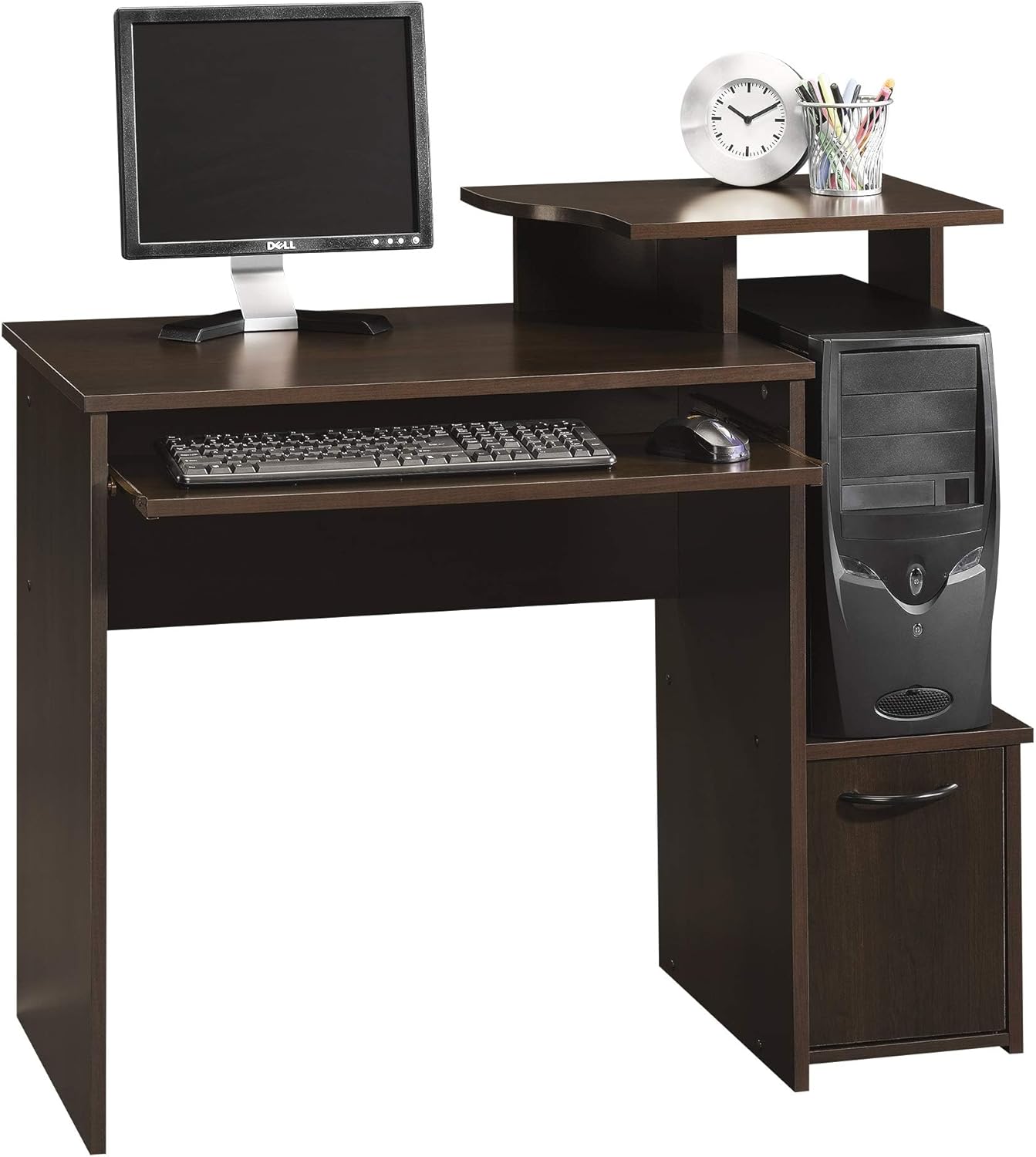
Figure 1.1: The Sauder Beginnings Collection Computer Desk, showcasindėl savo kompaktiško dizaino ir integruotų funkcijų.
2. Saugos informacija
Šių saugos nurodymų laikymasis yra labai svarbus siekiant išvengti sužalojimų ir gaminio sugadinimo.
- Always follow the assembly instructions carefully. Incorrect assembly can lead to instability and potential hazards.
- Use appropriate tools as specified in the assembly guide. Do not use power tools unless explicitly instructed, as this may overtighten fasteners and damage components.
- Ensure the desk is properly anchored to the floor if recommended by the assembly instructions, especially in households with children or pets, to prevent tipping.
- Neviršykite rekomenduojamo maksimalaus svorio 330 svaro for the working surface. Overloading can cause structural failure.
- Laikykite smulkias dalis ir surinkimo įrangą vaikams nepasiekiamoje vietoje, kad išvengtumėte užspringimo pavojaus.
- Assemble the desk on a soft, clean surface (e.g., carpet or a blanket) to prevent scratching the finish.
- Periodiškai patikrinkite visus tvirtinimo elementus, kad jie būtų tvirtai priveržti. Priveržkite pagal poreikį.
3. Sąranka ir surinkimas
This section outlines the steps required to assemble your computer desk. It is recommended that du žmonės atlikti surinkimą.
3.1. Išpakavimas ir inventorizacija
- Atsargiai išpakuokite visus komponentus iš pakuotės.
- Verify all parts are present against the included parts list. If any parts are missing or damaged, contact Sauder customer support immediately.
- Organize hardware by type to simplify the assembly process.
3.2. Surinkimo žingsniai
Follow the step-by-step instructions provided in the manufacturer's assembly manual included with your product. General steps typically include:
- Attaching the side panels to the main desktop.
- Installing the elevated monitor/printer shelf.
- Assembling and installing the slide-out keyboard/mouse shelf.
- Constructing and integrating the CPU tower compartment and lower storage cabinet with its door.
- Securing all connections and ensuring the desk is stable.

Figure 3.1: An assembled Sauder Beginnings Collection Computer Desk, ready for use.
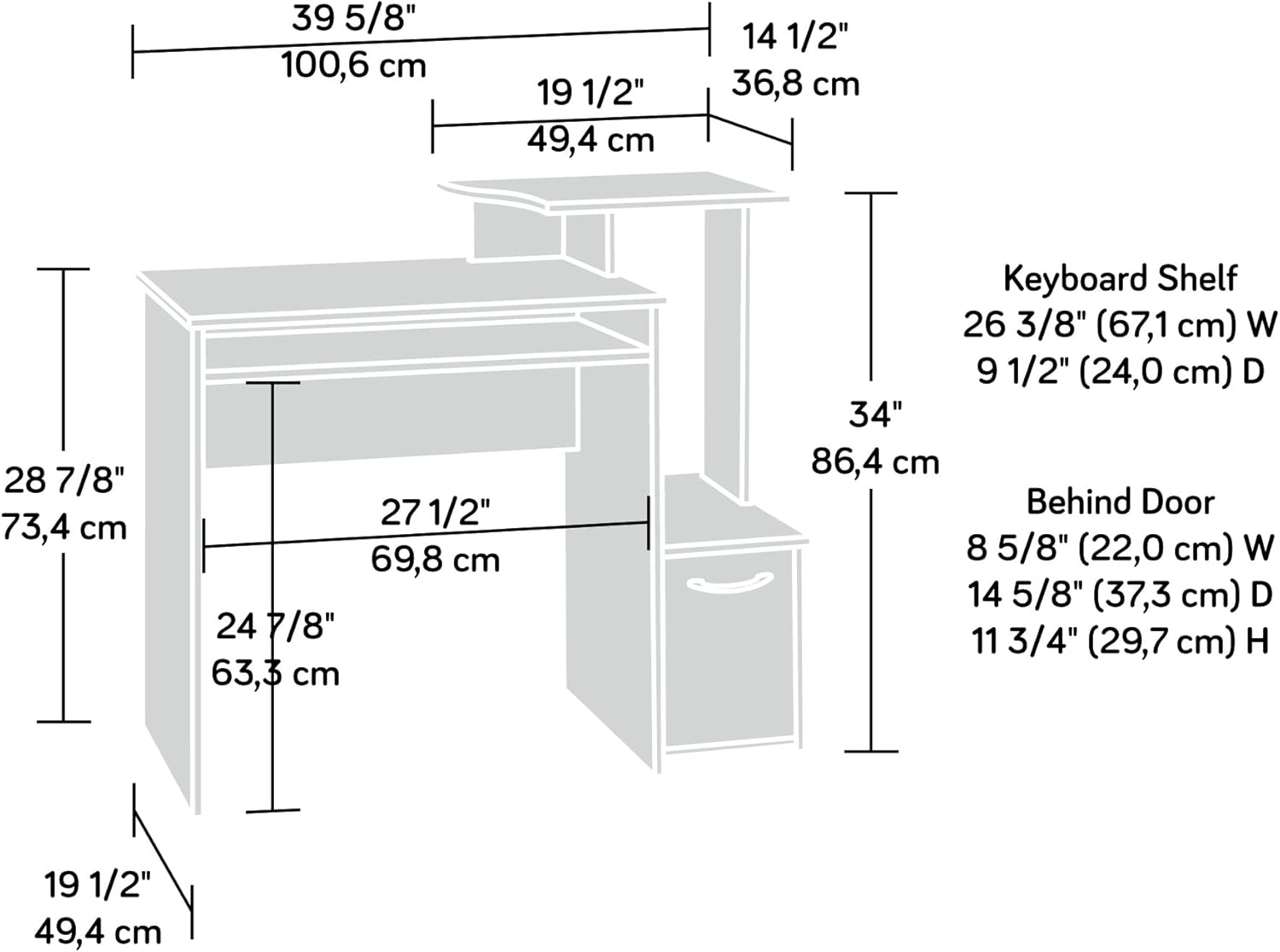
Figure 3.2: Dimensional diagram of the desk, useful for planning your space and understanding component sizes.

Figure 3.3: Detail of the slide-out keyboard and mouse shelf.
4. Naudojimo instrukcijos
Your Sauder Beginnings Collection Computer Desk is designed for efficient and comfortable use. Here's how to best utilize its features:
4.1. Darbo vietos panaudojimas
- Main Desktop Surface: Use this area for your primary monitor, writing, or other tasks. Ensure the monitor is placed centrally for ergonomic viewing.
- Elevated Monitor/Printer Shelf: This shelf is ideal for raising your monitor to an ergonomic height or for placing a small printer or other peripherals.
- Slide-Out Keyboard/Mouse Shelf: Pull out this shelf for comfortable typing and mouse operation. When not in use, it can be pushed in to save space.
- Vertical CPU Tower Compartment: This dedicated space is designed to house your computer's CPU tower, keeping it off the floor and neatly integrated into the desk structure.
- Apatinė sandėliavimo spintelė: The cabinet behind the lower door provides enclosed storage for books, binders, office supplies, or other items you wish to keep out of sight.
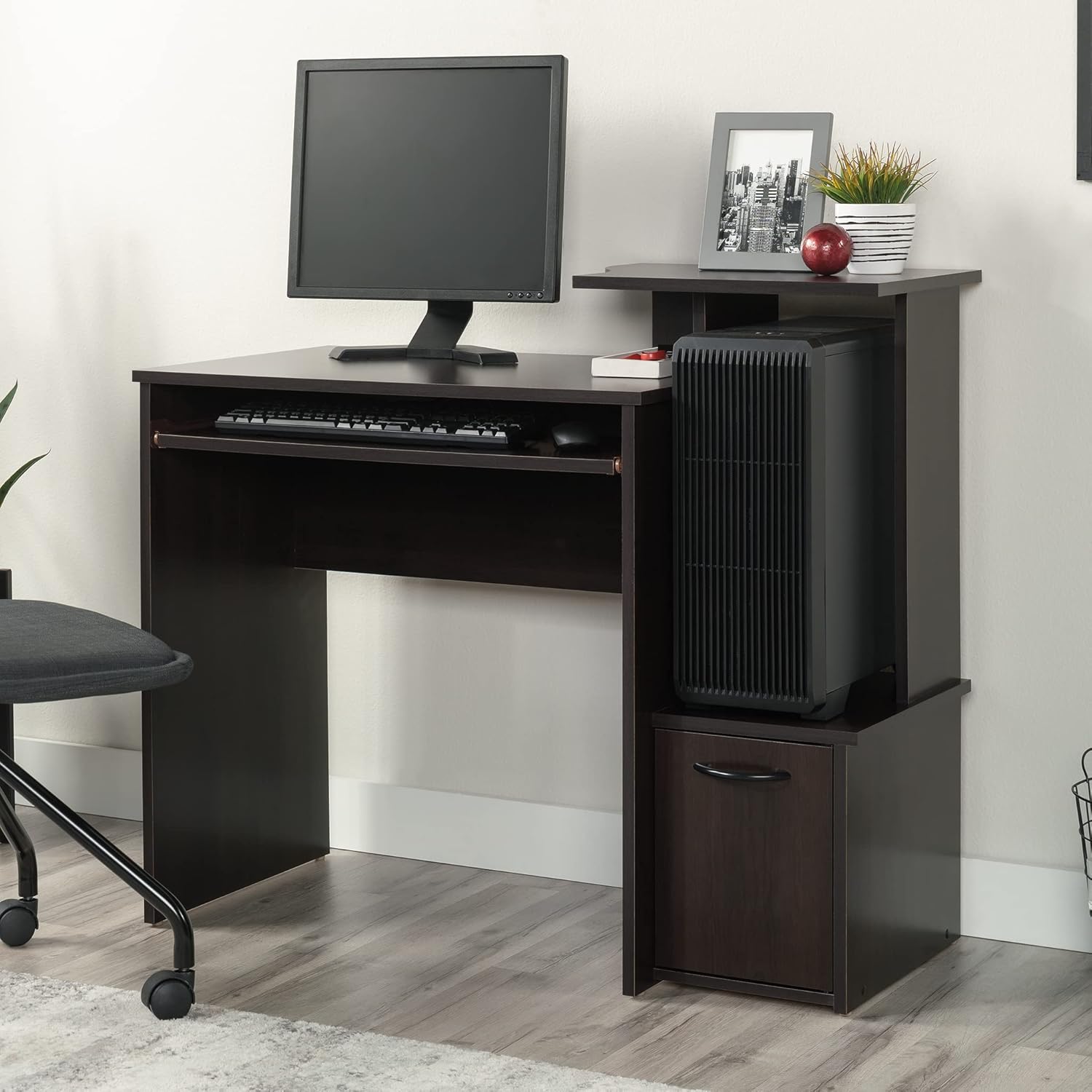
Figure 4.1: The desk with a CPU tower in its designated compartment, illustrating efficient space usage.

Figure 4.2: The lower storage cabinet with its door open, demonstrating its capacity for books and other items.
5. Priežiūra
Proper care and maintenance will extend the life and appearance of your Sauder Beginnings Collection Computer Desk.
- Valymas: Paviršius nuvalykite minkšta, damp cloth. Avoid using harsh chemicals, abrasive cleaners, or polishes that may damage the Cinnamon Cherry finish.
- Išsiliejimai: Nedelsdami nuvalykite išsiliejusius skysčius, kad išvengtumėte drėgmės ar dėmių.
- Šiluma ir drėgmė: Avoid placing hot items directly on the surface. Use coasters or protective pads. Keep the desk away from direct sunlight and excessive humidity to prevent warping or fading.
- Tvirtinimo detalės: Periodically check all screws, bolts, and other fasteners to ensure they are tight. Loose fasteners can compromise the desk's stability.
- Rašomojo stalo perkėlimas: When moving the desk, always lift it rather than dragging it to prevent damage to the legs and joints. If possible, empty the desk of all contents before moving.

Figure 5.1: Detail of the Cinnamon Cherry finish, highlighting its texture and color.
6. Problemų sprendimas
This section addresses common issues you might encounter with your computer desk.
| Problema | Galima priežastis | Sprendimas |
|---|---|---|
| Stalas nestabilus arba nestabilus. | Atsilaisvinusios tvirtinimo detalės; nelygios grindys; neteisingas surinkimas. | Check and tighten all screws and bolts. Ensure the desk is on a level surface; use shims if necessary. Review surinkimo instrukcijas, kad įsitikintumėte, jog visi veiksmai atlikti teisingai. |
| Klaviatūros dėklas neslysta sklandžiai. | Dust or debris in glides; misaligned glides; damaged glides. | Clean the glides with a dry cloth. Check for proper alignment and ensure no obstructions. If damaged, contact customer support for replacement parts. |
| Door on lower cabinet does not close properly. | Misaligned hinges; obstruction; warped door. | Adjust the hinges as per assembly instructions. Check for any items obstructing the door's path. If the door is warped, contact customer support. |
| Paviršiaus įbrėžimai arba nedideli pažeidimai. | Smūgis nuo objektų; abrazyvinis valymas. | For minor scratches, a furniture repair marker matching the Cinnamon Cherry finish may be used. Prevent future damage by using protective pads. |
7. Specifikacijos
Detailed specifications for the Sauder Beginnings Collection Computer Desk, Model 408726.
| Funkcija | Detalė |
|---|---|
| Prekės ženklas | Sauderis |
| Modelio numeris | 408726 |
| Modelio pavadinimas | Beginnings |
| Matmenys (I x P x A) | 39.61 colio x 19.45 colio x 34.02 colio (100.6 cm x 49.4 cm x 86.4 cm) |
| Spalva | Cinnamon Cherry Finish |
| Stilius | Pereinamasis |
| Bazinė medžiaga | Mediena |
| Aukščiausias medžiagos tipas | Inžinierinė mediena |
| Prekės svoris | 52 svaro |
| Didžiausio svorio rekomendacija | 330 Pounds (working surface) |
| Reikalingas surinkimas | Taip |
| Rekomenduojamas žmonių skaičius surinkimui | 2 |
| Ypatingos savybės | Elevated monitor/printer shelf, Slide-out keyboard/mouse shelf, Dedicated CPU tower space, Lower storage cabinet. |
8. Garantija ir palaikymas
8.1. Informacija apie garantiją
Your Sauder Beginnings Collection Computer Desk is backed by a 5 metų ribota garantija. This warranty covers defects in materials and workmanship under normal residential use. For specific details regarding coverage and exclusions, please refer to the warranty documentation included with your product or visit the official Sauder websvetainę.
Additionally, the manufacturer provides a 1 metų dalių garantija ir a 2 metų gamintojo garantija (Mfg Warranty Type).
8.2. Pagalba klientams
For assistance with assembly, missing parts, or any other inquiries, please contact Sauder customer support:
- Palaikymas internetu: Visit the official Sauder website for FAQs, assembly videos, and live chat support.
- Atsarginės dalys: Sauder offers quick shipping for replacement parts.
- Domestic Call Center: A dedicated call center is available to assist you.
Daugiau informacijos ir palaikymo išteklių galite rasti adresu Sauder Brand Store on Amazon.


