Įvadas
The Logitech B100 Wired Mouse is a reliable and essential peripheral designed for comfortable and efficient computer use. This optical mouse features an ambidextrous design, making it suitable for both right and left-handed users. With its 800 DPI sensitivity, it provides precise cursor control for various tasks, from document editing to web navigation. Its plug-and-play functionality ensures immediate usability without complex setup.
This manual provides detailed instructions for setting up, operating, maintaining, and troubleshooting your Logitech B100 mouse.
Pakuotės turinys
Prieš pradėdami, įsitikinkite, kad pakuotėje yra visi reikalingi daiktai:
- Logitech B100 Wired Mouse
- Quick Start User Guide (this document)
Sąranka
The Logitech B100 mouse is designed for simple plug-and-play installation. No additional software or drivers are typically required for basic functionality.
Pelės prijungimas
- Raskite laisvą USB prievadą savo kompiuteryje arba nešiojamajame kompiuteryje.
- Insert the USB connector of the Logitech B100 mouse firmly into the USB port.
- Your operating system should automatically detect and install the necessary drivers. This process usually takes a few seconds.
- Once installed, the mouse cursor should appear on your screen and respond to movement.

Image: The Logitech B100 mouse showing its USB connector, ready for plug-and-play setup.
Pelės valdymas
The B100 mouse offers standard three-button functionality with a scroll wheel for intuitive navigation.
Pagrindinės funkcijos
- Kairysis spustelėjimas: Naudojamas elementams pasirinkti, atidaryti fileir aktyvuojant nuorodas.
- Dešiniuoju pelės mygtuku spustelėkite: Atidaro kontekstinius meniu, kuriuose pateikiamos papildomos pasirinktų elementų parinktys.
- Slinkties ratukas: Used to scroll up and down through documents and web puslapių.
- Vidurinis spustelėjimas (slinkties ratuko mygtukas): Can be pressed to open links in new tabs or activate auto-scrolling in some applications.
Dvipusis dizainas
The symmetrical design of the Logitech B100 allows for comfortable use by both right-handed and left-handed individuals. Simply position the mouse as preferred for your dominant hand.

Image: A hand demonstrating comfortable use of the Logitech B100 mouse, highlighting its ergonomic design.
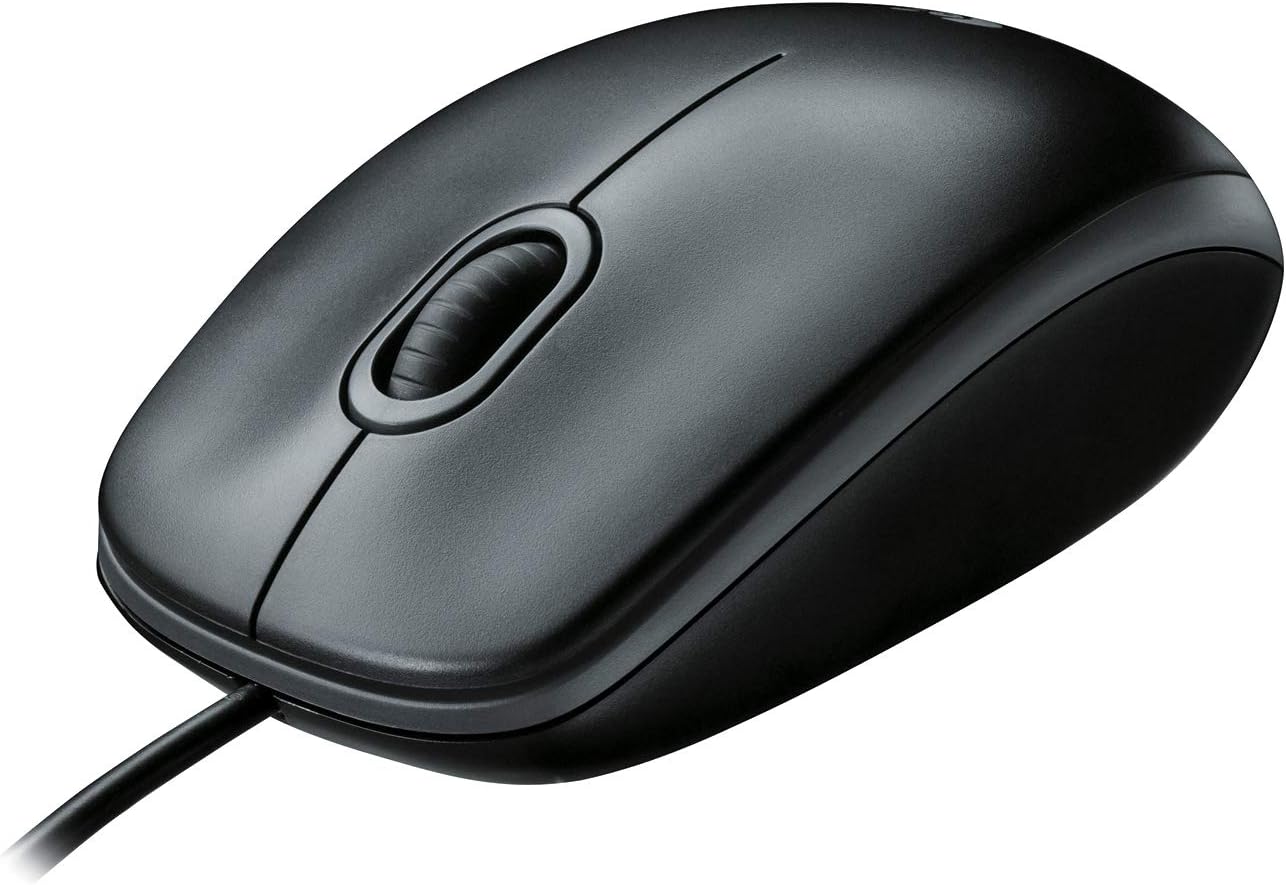
Paveikslėlis: aiškus vaizdas iš viršaus į apačią view of the Logitech B100 wired mouse, showcasing its classic design.
Priežiūra
To ensure optimal performance and longevity of your Logitech B100 mouse, follow these simple maintenance guidelines:
- Valymas: Šiek tiek naudokite minkštą, be pūkelių šluostę dampPelės paviršių nuvalykite vandeniu arba švelniu valymo tirpalu. Venkite stiprių cheminių medžiagų ar abrazyvinių medžiagų.
- Optinis jutiklis: Periodically check the optical sensor on the bottom of the mouse for dust or debris. Gently clean it with a cotton swab if necessary.
- Kabelio priežiūra: Kad nepažeistumėte USB kabelio, venkite staigių lenkimų ar per didelio tempimo.
- Saugykla: Kai nenaudojate, laikykite pelę švarioje, sausoje vietoje, toliau nuo ekstremalių temperatūrų.

Image: The underside of the Logitech B100 mouse, showing the optical sensor and product labeling.
Trikčių šalinimas
If you encounter issues with your Logitech B100 mouse, try the following troubleshooting steps:
- Pelė nereaguoja:
- Įsitikinkite, kad USB laidas tvirtai prijungtas prie veikiančio USB prievado. Išbandykite kitą USB prievadą.
- Iš naujo paleiskite kompiuterį.
- Check if the optical sensor on the bottom of the mouse is clean and unobstructed.
- Nereguliarus žymeklio judėjimas:
- Išvalykite optinį jutiklį.
- Įsitikinkite, kad pelę naudojate ant švaraus, neatspindinčio ir lygaus paviršiaus. Rekomenduojama naudoti pelės kilimėlius.
- Mygtukai arba slinkties ratukas neveikia:
- Iš naujo paleiskite kompiuterį.
- Try connecting the mouse to a different computer to determine if the issue is with the mouse or the computer's software/drivers.
For more detailed troubleshooting, you may refer to the official Trikčių šalinimo vadovas (PDF) pateikė Logitech.
Specifikacijos
| Funkcija | Detalė |
|---|---|
| Modelio numeris | 910-001439 |
| Ryšys | USB (laidinis) |
| Judesio aptikimo technologija | Optinis |
| DPI jautrumas | 800 DPI |
| Spalva | Juoda |
| Matmenys (IxPxH) | 1.49 x 2.44 x 4.44 colio (37.8 x 62 x 112.8 mm) |
| Svoris | 3.84 uncijos (108.86 gramų) |
| Kabelio ilgis | Nenurodyta |
| Operacinės sistemos suderinamumas | Windows 10, 11 or later, Linux, Chrome OS, macOS 10.5 or later |
| Ypatingos savybės | Ambidextrous design, Plug-and-Play |

Image: A diagram illustrating the physical dimensions (length, width, height) of the Logitech B100 mouse.
Garantija ir palaikymas
The Logitech B100 Wired Mouse is engineered by Logitech, a leader in computer peripherals. This product is serviced and supported exclusively by Logitech in accordance with their terms and conditions.
For warranty information, technical support, or customer service, please contact Logitech directly through their official support channels. You can typically find support contact details on the Logitech websvetainėje arba produkto pakuotėje.
For general information about Logitech products, you can visit the „Logitech“ parduotuvė „Amazon“ svetainėje.


