Įvadas
This manual provides comprehensive instructions for the Verbatim 2.4G Wireless Mini Travel Optical Mouse, Model 97471. It covers setup, operation, maintenance, and troubleshooting to ensure optimal performance and longevity of your device. This ultra-compact wireless mouse is designed for portability and ease of use with notebooks and netbooks.

Image: The Verbatim 2.4G Wireless Mini Travel Optical Mouse in blue, shown with its compact Nano receiver.
Pakuotės turinys
Patikrinkite, ar pakuotėje yra visi reikalingi daiktai:
- Verbatim 2.4G Wireless Mini Travel Optical Mouse
- „Nano“ USB imtuvas
- 1x AAA baterija
- Greitos pradžios vadovas
Sistemos reikalavimai
The Verbatim 2.4G Wireless Mini Travel Optical Mouse is compatible with the following operating systems:
- Windows XP, Vista, Windows 7, and higher
- „Mac OS X 10.1“ ir naujesnės versijos
- „Linux“ branduolys 2.6 ir naujesnės versijos
A free USB 1.1 or 2.0 port is required for the Nano USB Receiver.
Sąrankos instrukcijos
1. Įdėkite bateriją
- Raskite baterijų skyriaus dangtelį pelės apačioje.
- Švelniai pastumkite arba pakelkite dangtelį, kad atidarytumėte skyrių.
- Insert the included AAA battery, ensuring the positive (+) and negative (-) terminals align correctly with the markings inside the compartment.
- Uždėkite baterijų skyriaus dangtelį, kol jis spragtelėdamas tvirtai užsifiksuos.

Image: The underside of the mouse with the battery compartment open, showing the AAA battery and the Nano receiver stored inside.
2. Connect the Nano USB Receiver
- Remove the Nano USB receiver from its storage slot within the mouse's battery compartment (if stored there).
- Prijunkite „Nano USB“ imtuvą prie laisvo kompiuterio USB prievado.
- Jūsų kompiuteris turėtų automatiškai aptikti ir įdiegti reikiamas tvarkykles. Šis procesas gali užtrukti kelias akimirkas.
Naudojimo instrukcijos
Maitinimo įjungimas/išjungimas
The mouse typically powers on automatically when the receiver is connected and the mouse is moved. To conserve battery life, ensure the mouse is turned off when not in use. A power switch is usually located on the underside of the mouse.
Pagrindinis naudojimas
- Kairysis mygtukas: Primary click function, used for selecting items, opening links, etc.
- Dešinysis mygtukas: Antrinė spustelėjimo funkcija, paprastai atidaro kontekstinius meniu.
- Slinkties ratukas: Norėdami naršyti dokumentuose, braukite aukštyn arba žemyn web pages. The scroll wheel may also function as a middle button when pressed.
Priežiūra
Baterijos keitimas
When the mouse performance degrades or stops responding, it is likely time to replace the AAA battery. Follow the battery installation steps outlined in the Setup section.
Valymas
Pelę valykite minkšta, sausa, nepūkuota šluoste. Jei nešvarumai sunkiai įveikiami, šiek tiek nuvalykite.ampen the cloth with water. Avoid using harsh chemicals, solvents, or abrasive cleaners, as these can damage the mouse's surface or internal components.
Trikčių šalinimas
| Problema | Sprendimas |
|---|---|
| Pelė nereaguoja |
|
| Žymeklio judėjimas yra netolygus arba trūkčiojantis |
|
| Receiver not detected by computer |
|
Specifikacijos
| Funkcija | Detalė |
|---|---|
| Modelio numeris | 97471 |
| Gaminio matmenys | 3 x 2 x 1.25 colio (I x P x A) |
| Prekės svoris | 2.4 uncijos |
| Ryšio technologija | 2.4GHz bevielis ryšys |
| Judesio aptikimo technologija | Optinis |
| Baterijos tipas | 1 AAA baterijos (pridedamos) |
| Sąsaja | USB 2.0 (suderinamas su USB 1.1) |

Vaizdas: Iš viršaus į apačią view of the Verbatim Mini Travel Mouse showing its approximate dimensions of 3 inches length and 2 inches width.
Informacija apie garantiją
Šiam „Verbatim“ produktui taikoma 1 metų ribota garantija from the date of purchase. This warranty covers defects in materials and workmanship under normal use. For full terms and conditions, please refer to the official Verbatim warranty documentation or contact customer support.
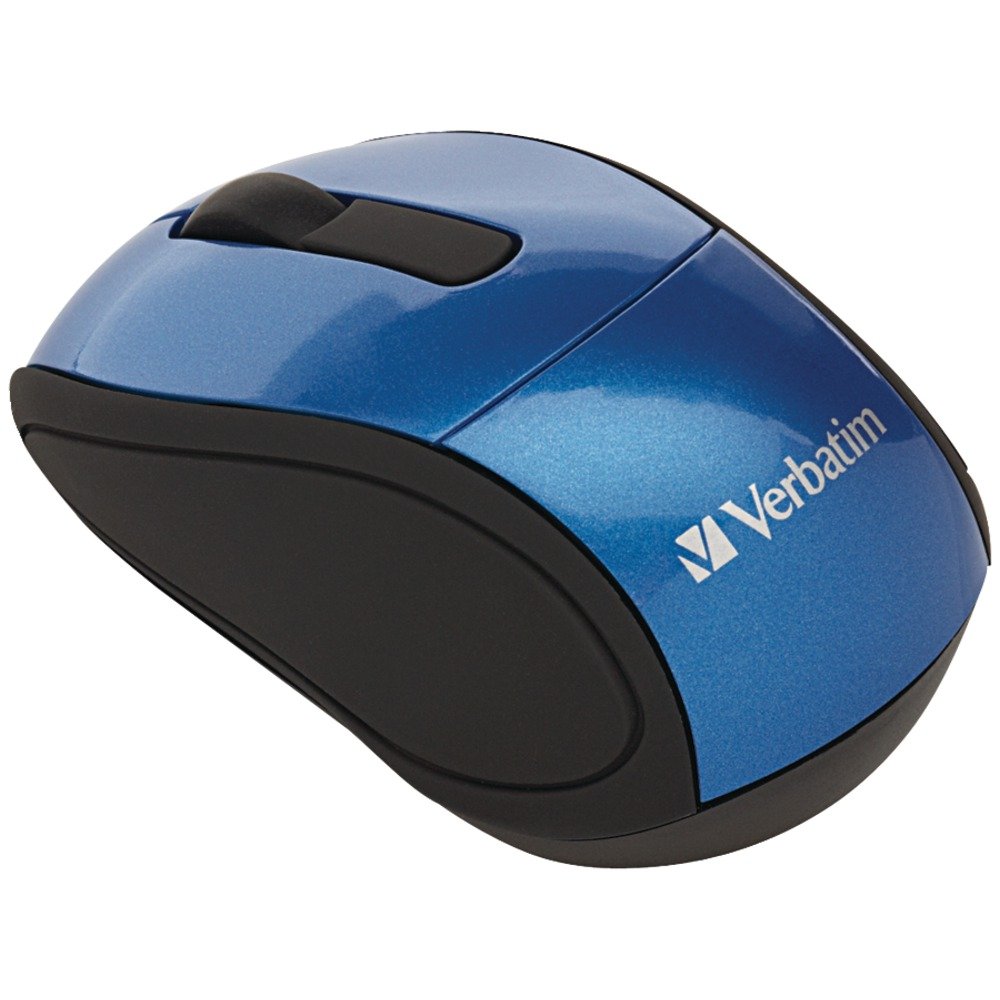
Image: A blue circular badge indicating a "1-Year Limited Warranty".
Palaikymas
For further assistance, technical support, or warranty claims, please visit the official Verbatim websvetainėje arba susisiekite su jų klientų aptarnavimo skyriumi. Kontaktinę informaciją paprastai galite rasti „Verbatim“ svetainėje. websvetainėje arba prie jūsų produkto pridėtame greitojo paleidimo vadove.


