1. Įvadas
Welcome to the Mobo SmartWatch Knock user manual. This guide provides essential information for setting up, operating, and maintaining your new smartwatch. Please read these instructions carefully to ensure optimal performance and longevity of your device.
2. Pakuotės turinys
Įsitikinkite, kad jūsų siuntinyje yra visi daiktai:
- Mobo SmartWatch Knock
- Charging Cable (USB magnetic type)
- Vartotojo vadovas (šis dokumentas)
3. Sąrankos vadovas
3.1 Charging the SmartWatch
Before first use, fully charge your Mobo SmartWatch Knock.
- Prijunkite įkrovimo laido USB galą prie maitinimo adapterio (nepridedamas) arba kompiuterio USB prievado.
- Align the magnetic end of the charging cable with the charging contacts on the back of your smartwatch. The watch will vibrate and display a charging indicator.
- Leiskite įrenginiui krautis, kol akumuliatoriaus indikatorius rodys 100 %.
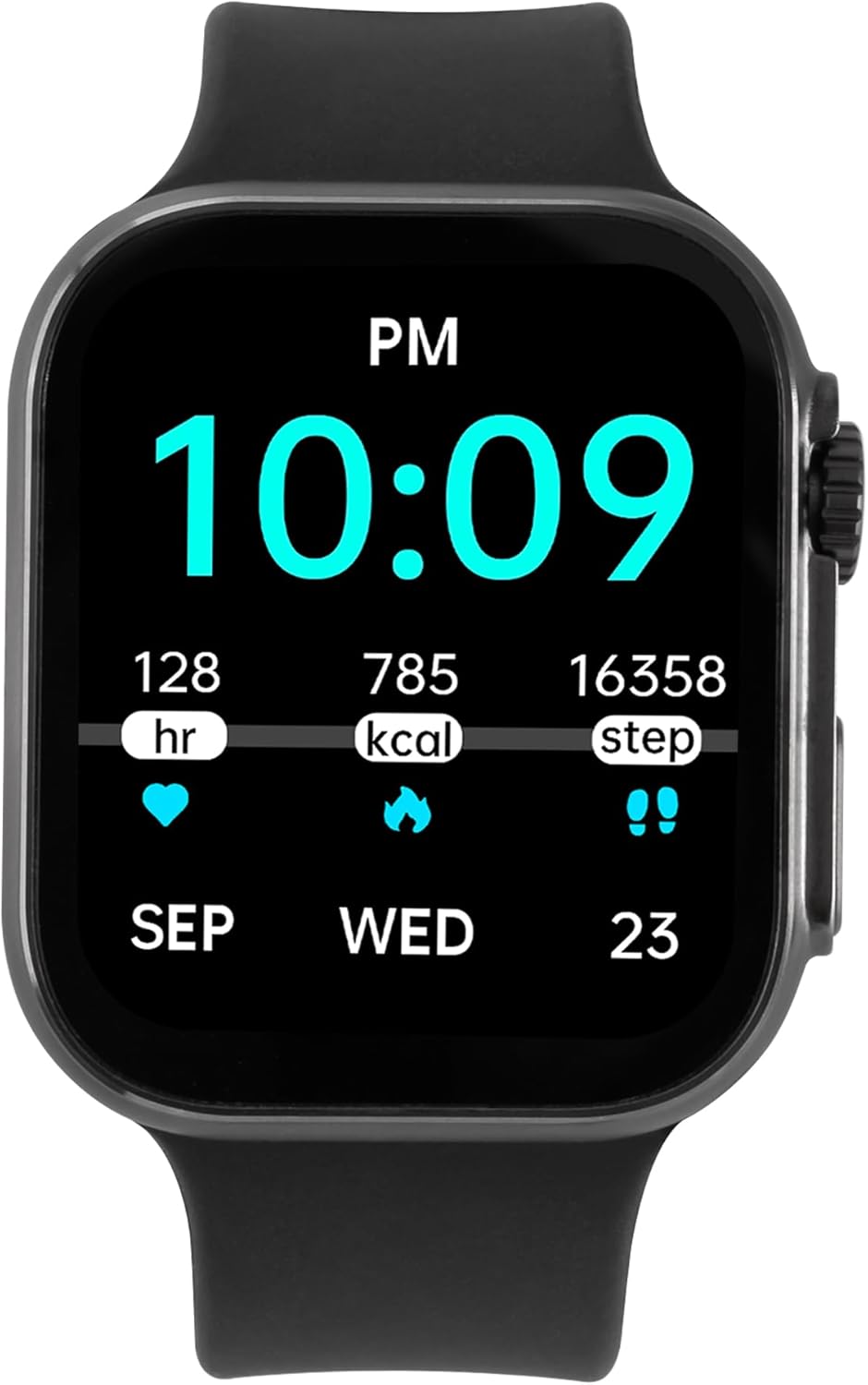
Image: The Mobo SmartWatch Knock displaying time and health metrics, indicating its readiness for use after charging.
3.2 Papildomos programėlės diegimas
To unlock all features and synchronize data, download the recommended companion application on your smartphone.
- Scan the QR code provided in the watch interface or the quick start guide (if available) to download the app.
- Alternatively, search for "Da Fit" (or specified app name) in your smartphone's app store (Google Play Store for Android, Apple App Store for iOS).
- Įdiekite programėlę ir vykdykite ekrane pateikiamus nurodymus, kad sukurtumėte paskyrą ir nustatytumėte savo profesionalą.file.
3.3 Susiejimas su išmaniuoju telefonu
After installing the app, pair your smartwatch with your phone via Bluetooth.
- Įsitikinkite, kad jūsų išmaniajame telefone įjungtas „Bluetooth“.
- Open the companion app and navigate to the device pairing section.
- The app will search for available devices. Select "Mobo SmartWatch Knock" from the list.
- Patvirtinkite susiejimo užklausą ir išmaniajame telefone, ir išmaniajame laikrodyje.
4. Naudojimo instrukcijos
4.1 Pagrindinė navigacija
- Jutiklinis ekranas: Braukite kairėn, dešinėn, aukštyn arba žemyn, kad naršytumėte meniu ir ekranus. Palieskite, kad pasirinktumėte parinktį.
- Šoninis mygtukas / karūnėlė: Paspauskite, kad pažadintumėte ekraną, grįžtumėte į pradinį ekraną arba atidarytumėte programėlės meniu. Pasukite karūnėlę (jei taikoma), kad slinktumėte per sąrašus arba koreguotumėte nustatymus.
4.2 Sveikatos stebėjimas
The Mobo SmartWatch Knock offers various health tracking features:
- Širdies ritmas: Stebėkite savo širdies ritmą visą dieną.
- Kraujo spaudimas: Pamatuokite kraujospūdį (tik informaciniais tikslais, ne medicininės konsultacijos tikslais).
- Kraujo deguonis (SpO2): Patikrinkite deguonies kiekį kraujyje.
- Miego stebėjimas: Analyze your sleep patterns, including deep and light sleep.
- Žingsniai ir kalorijos: Stebėkite savo dienos žingsnius, atstumą ir sudegintas kalorijas.

Image: The smartwatch screen showing daily steps, calories burned, and heart rate data.
4.3 sporto režimų
Select from a variety of sports modes to track your workouts accurately. The watch supports tracking for activities such as running, cycling, and alpinism.
4.4 Pranešimai ir skambučiai
- Skambučių valdymas: Answer or reject incoming calls directly from your smartwatch when connected via Bluetooth.
- Pranešimų įspėjimai: Receive notifications for messages, emails, and app alerts from your paired smartphone.
4.5 Papildomos funkcijos
- Muzikos valdymas: Valdykite muzikos atkūrimą išmaniajame telefone (groti, pristabdyti, praleisti takelius).
- Žadintuvas: Nustatykite žadintuvus tiesiai savo laikrodyje.
- Pritaikomi laikrodžių ciferblatai: Personalize your watch face through the companion app.
5. Priežiūra
5.1 Cleaning Your SmartWatch
Reguliarus valymas padeda išlaikyti jūsų įrenginio išvaizdą ir funkcionalumą.
- Nuvalykite ekraną ir korpusą minkštu, nepūkuotu skudurėliu.
- Esant sunkiai įsisenėjusioms dėmėms, šiek tiek dampNuvalykite šluostę vandeniu. Venkite naudoti stiprias chemines medžiagas ar abrazyvines medžiagas.
- Reguliariai valykite įkrovimo kontaktus, kad užtikrintumėte tinkamą įkrovimą.
5.2 Dirželio priežiūra
The Mobo SmartWatch Knock features interchangeable straps. To change the strap, locate the quick-release pins on the underside of the strap and slide them to detach. Attach a new strap by reversing the process.

Paveikslėlis: Pilno ūgio view of the Mobo SmartWatch Knock, highlighting its design and strap attachment mechanism.
6. Problemų sprendimas
If you encounter issues with your Mobo SmartWatch Knock, try the following solutions:
- Įrenginys neįsijungia: Įsitikinkite, kad laikrodis yra visiškai įkrautas. Prijunkite jį prie įkroviklio ir palaukite kelias minutes prieš bandydami jį įjungti.
- Nepavyksta susieti su išmaniuoju telefonu:
- Įsitikinkite, kad jūsų telefone įjungtas „Bluetooth“ ryšys ir laikrodis yra ryšio diapazone.
- Perkraukite ir išmanųjį telefoną, ir išmanųjį laikrodį.
- Patikrinkite, ar papildoma programėlė atnaujinta į naujausią versiją.
- Pamirškite įrenginį telefono „Bluetooth“ nustatymuose ir bandykite dar kartą susieti per programėlę.
- Netikslūs sveikatos duomenys: Įsitikinkite, kad laikrodis tvirtai uždėtas ant riešo – ne per stipriai ar per laisvai. Nuvalykite jutiklius laikrodžio gale.
- Pranešimai negauti: Check app notification settings on your smartphone and within the companion app to ensure they are enabled for the smartwatch.
7. Specifikacijos
| Prekės ženklas | Mobo |
| Modelis | Trankyti |
| Ekrano dydis | 1.3 colių |
| Ekrano tipas | OLED |
| Ryšys | Bluetooth |
| Suderinami įrenginiai | Išmanusis telefonas, planšetinis kompiuteris, asmeninis kompiuteris |
| Ypatinga funkcija | Lengvas |
| Pridedami priedai | Įkrovimo kabelis |
| Matmenys | 22.6 x 10.3 x 4.9 cm; 140 g |
8. Garantija ir palaikymas
8.1 Informacija apie garantiją
For detailed warranty information, please refer to the warranty card included with your product or visit the official Mobo websvetainėje. Išsaugokite pirkimo įrodymą, jei prireiktų pateikti garantinį ieškinį.
8.2 Pagalba klientams
If you require further assistance or have questions not covered in this manual, please contact Mobo customer support through their official websvetainėje arba kontaktinę informaciją, pateiktą jūsų produkto pakuotėje.


