1. Įvadas
Ačiū, kad pirkoteasing the RCA DHT235A 3.5-Inch LED-lit 720p 60Hz TV. This portable television is designed to provide digital television viewing on a compact screen. This manual provides instructions for the proper setup, operation, and maintenance of your device.
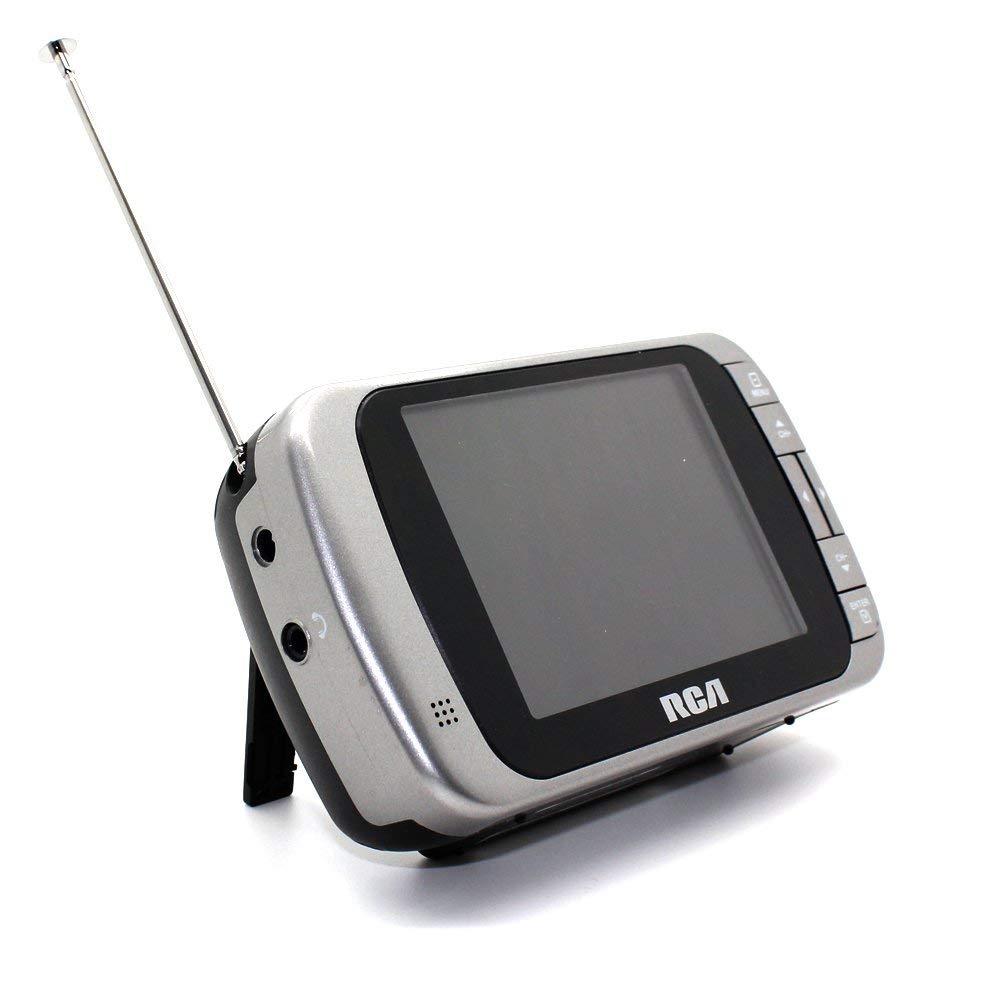
Image 1.1: The RCA DHT235A portable television, featuring its 3.5-inch screen and compact design.
2. Saugos informacija
- Prieš naudodami įrenginį, perskaitykite visas instrukcijas.
- Saugokite įrenginį nuo lietaus ar drėgmės, kad išvengtumėte gaisro ar elektros smūgio.
- Neužblokuokite ventiliacijos angų. Užtikrinkite pakankamai vietos aplink įrenginį tinkamam oro cirkuliavimui.
- Use only specified power sources (4 AA batteries or compatible AC adapter).
- Venkite įrenginio numetimo ar stiprių smūgių.
- Nemėginkite patys aptarnauti šio gaminio. Visą techninę priežiūrą patikėkite kvalifikuotam aptarnavimo personalui.
- Tinkamai išmeskite baterijas laikydamiesi vietinių taisyklių.
3. Pakuotės turinys
Patikrinkite, ar pakuotėje yra visi reikalingi daiktai:
- RCA DHT235A Portable TV Unit
- Stovi
- Quick Guide (refer to this manual for detailed instructions)
- Naudotojo vadovas (šis dokumentas)
4. Produktas baigtasview
The RCA DHT235A features a 3.5-inch LED-lit display, designed for portable digital television reception. Key components include:
- 3.5-Inch LED Backlit LCD Display: Provides clear visual output.
- Integruotas garsiakalbis: Dėl garso išvesties.
- Ausinių lizdas: Privačiam pasiklausymui.
- Embedded Monopole Antenna: For receiving terrestrial ATSC and NTSC signals.
- Baterijų skyrius: 4 AA baterijoms.
- AC Adapter Input (9-24VDC): For external power.
- Valdymo mygtukai: For power, channel, volume, and menu navigation.
5. Sąranka
5.1 Powering the TV
The TV can be powered by 4 AA batteries or an optional AC adapter.
Baterijų naudojimas:
- Locate the battery compartment on the back of the TV.
- Atidarykite akumuliatoriaus skyriaus dangtelį.
- Įdėkite 4 AA baterijas, užtikrindami teisingą poliškumą (+/-).
- Saugiai uždarykite akumuliatoriaus skyriaus dangtelį.
Using AC Adapter (Optional):
- Connect a compatible 9-24VDC AC adapter (not included) to the DC input jack on the TV.
- Įjunkite kintamosios srovės adapterį į standartinį sieninį lizdą.
5.2 Antenos sąranka
Extend the embedded monopole antenna fully for optimal signal reception. For improved reception, especially in areas with weak signals, an external antenna may be connected to the dedicated RCA connector input.
6. Naudojimo instrukcijos
6.1 Maitinimo įjungimas/išjungimas
Paspauskite GALIA mygtuką, kad įjungtumėte arba išjungtumėte televizorių.
6.2 Pradinis kanalų nuskaitymas
Upon first use or after moving to a new location, perform an auto channel scan to find available digital and analog channels.
- Paspauskite MENIU mygtuką.
- Navigate to the "Channel" or "Setup" menu using the arrow buttons.
- Select "Auto Scan" or "Auto Program" and confirm.
- The TV will scan for available channels. This process may take several minutes.
6.3 Kanalo pasirinkimas
- Naudokite CH+ ir CH- buttons to cycle through available channels.
- For direct channel input, use the numeric keypad (if available on your model) or the "Direct Channel Changing" option in the menu.
6.4 Garsumo reguliavimas
Naudokite VOL+ ir VOL- mygtukai garso garsumui reguliuoti.
6.5 Meniu naršymas
Paspauskite MENIU button to access settings. Use the arrow buttons to navigate and the OK or ENTER mygtuką, kad patvirtintumėte pasirinkimus. Paspauskite MENIU again or an EXIT button to leave the menu.
Available menu options include:
- Vaizdo nustatymai: Adjust brightness, contrast, color.
- Garso nustatymai: Adjust audio mode, balance.
- Kanalo nustatymai: Auto scan, manual scan, channel editing.
- Laiko nustatymai: Auto time setting, time zone.
- Kalba: Select menu language (English, Spanish).
- Subtitrai: Enable/disable digital closed captioning (E1A-708B compliant).
7. Priežiūra
7.1 Valymas
- Before cleaning, ensure the TV is powered off and disconnected from any external power source.
- Ekraną ir išorinius paviršius valykite minkštu, sausu skudurėliu.
- Įsisenėjusioms dėmėms lengvai nuvalykiteampNuvalykite šluostę vandeniu. Nenaudokite abrazyvinių valiklių, vaško ar tirpiklių.
- Venkite purkšti skysčius tiesiai ant ekrano ar į bet kokias angas.
7.2 Saugykla
When storing the TV for an extended period, remove the batteries to prevent leakage. Store the unit in a cool, dry place away from direct sunlight and extreme temperatures.
8. Problemų sprendimas
| Problema | Galimas sprendimas |
|---|---|
| Nėra galios | Ensure batteries are correctly inserted and not depleted. If using AC adapter, verify it is properly connected and the outlet is functional. |
| No Picture/Weak Signal | Extend the antenna fully. Perform an auto channel scan. Try repositioning the TV or antenna. Consider using an external antenna for better reception. Check signal strength display in the menu. |
| Nėra garso | Increase the volume. Check if headphones are plugged in. Ensure the Mute function is not active. |
| Mygtukai nereaguoja | Turn the TV off and then on again. If the issue persists, remove and reinsert batteries or disconnect/reconnect the AC adapter. |
| Screen Scratches Easily | Handle the screen with care. Use a screen protector if desired (not included). |
| Trumpas baterijos veikimo laikas | Use fresh, high-quality alkaline or rechargeable batteries. Consider using the AC adapter for extended viewing. |
| Mažas garso lygis | Ensure volume is set to maximum. For better audio, consider connecting external speakers to the headphone jack. |
9. Specifikacijos
- Modelis: DHT235A
- Ekrano dydis: 3.5 colių (įstrižainė)
- Ekrano tipas: LED apšvietimas LCD
- Rezoliucija: 320 x 240 digital RGB (720p compatible)
- Atnaujinimo dažnis: 60 Hz
- Vaizdo įrašo dekodavimas: MPEG-2 (MP at ML, MP at HL)
- Garso dekodavimas: Dolby Digital Audio, Digital multi-lingual
- Derintuvas: Terrestrial ATSC 8VSB, Terrestrial NTSC CH2 - CH69
- Maitinimo šaltinis: 4 AA Batteries or 9-24VDC AC Adapter (optional)
- Baterijos veikimo laikas: Approximately 2+ hours of DTV playback on 4 AA batteries
- Garso išvestis: Headphone jack, Built-in speaker
- Papildomos funkcijos: Real-time signal strength display, On-screen program information, Direct channel changing, Channel editing, Time zone setting, Auto channel scan, Digital Closed Captioning (E1A-708B compliant), Menu languages (English, Spanish).
- Matmenys: Maždaug 4.84 x 1.34 x 2.83 colio
- Svoris: Maždaug 5.6 uncijos
10. Informacija apie garantiją
This product is covered by a limited warranty. For detailed warranty terms and conditions, please refer to the warranty card included with your purchase or visit the official RCA websvetainėje. Išsaugokite pirkimo įrodymą garantiniams reikalavimams.
11. Pagalba klientams
If you encounter any issues or have questions not covered in this manual, please contact RCA customer support. You can find contact information on the official RCA websvetainėje arba per dokumentaciją, pateiktą kartu su jūsų produktu.
Palaikymas internetu: Apsilankykite oficialioje RCA svetainėje webDUK ir pagalbos išteklių svetainė.
Pagalba telefonu: Refer to your product packaging or the RCA websvetainė, kurioje pateikiami dabartiniai kontaktiniai numeriai.


