1. Įvadas
The ZIPRO Boost Gold stationary exercise bike is designed to provide perfect conditions for an effective home workout. This ergometer bike allows you to enthusiastically work towards your fitness goals. Its magnetic resistance system enables precise adjustment of workout intensity, helping you track and achieve satisfying progress.
2. Saugos informacija
- Prieš pradėdami bet kokią mankštos programą, pasitarkite su gydytoju.
- Naudojimo metu laikykite vaikus ir gyvūnus toliau nuo įrangos.
- Pastatykite treniruoklį ant lygaus, stabilaus paviršiaus, palikdami pakankamai vietos aplink jį.
- Dėvėkite tinkamą sportinę aprangą ir avalynę.
- Neviršykite maksimalaus naudotojo svorio 120 kg.
- Inspect the bike for loose or worn parts before each use.
- Nedelsdami nutraukite pratimą, jei jaučiate silpnumą, galvos svaigimą ar skausmą.
3. Pakuotės turinys
Prieš surinkdami patikrinkite, ar yra visi komponentai:
- Pagrindinio rėmo surinkimas
- Vairo kolonėlė ir vairas
- Balnelio atrama ir sėdynė
- Pedalai (kairėn ir dešinėn)
- Priekiniai ir galiniai stabilizatoriai
- Digital Computer Console
- Vandens butelio laikiklis
- Assembly Hardware Kit (bolts, washers, nuts, tools)
- Vartotojo vadovas
4. Sąranka ir surinkimas
Follow these general steps for assembly. Refer to the included assembly diagram for detailed instructions.
- Pritvirtinkite stabilizatorius: Pritvirtinkite priekinį ir galinį stabilizatorius prie pagrindinio rėmo naudodami pateiktus varžtus ir poveržles. Įsitikinkite, kad jie tvirtai priveržti, kad būtų užtikrintas stabilumas.
- Įdiekite pedalus: Attach the left and right pedals to the crank arms. Note that the left pedal is reverse-threaded. Tighten securely.
- Balnelio atramos ir sėdynės tvirtinimas: Insert the seat post into the main frame and secure it at the desired height. Attach the seat to the seat post and adjust its position.
- Vairo kolonėlės ir vairo montavimas: Insert the handlebar post into the main frame. Attach the handlebars to the post and secure them.
- Connect Computer Console: Connect the sensor wires from the main frame and handlebars to the back of the computer console. Mount the console onto the handlebar post.
- Pritvirtinkite vandens butelio laikiklį: Pritvirtinkite vandens butelio laikiklį prie tam skirtos vietos ant pagrindinio rėmo.
- Galutinis patikrinimas: Ensure all bolts and nuts are tightened and the bike is stable before first use.

The Zipro Boost Gold Exercise Bike, showcasing its sleek black and gold design, adjustable seat, handlebars, and integrated water bottle holder.

This image illustrates the compact dimensions of the Zipro Boost Gold Exercise Bike, measuring 107 cm in length, 47 cm in width, and 141 cm in height, making it suitable for home use.
5. Naudojimo instrukcijos
5.1 Pasipriešinimo reguliavimas
The Zipro Boost Gold features an 8-step magnetic resistance system. To adjust the resistance, turn the knob located on the main frame below the handlebars. Turn clockwise to increase resistance and counter-clockwise to decrease it. Levels 1-3 are for easy workouts, 4-6 for medium intensity, and 7-8 for hard, challenging sessions.

Detail of the magnetic resistance adjustment knob, offering 8 distinct levels from 1-3 (easy), 4-6 (medium), to 7-8 (hard), allowing users to customize their workout intensity.
5.2 Sėdynės ir vairo reguliavimas
For optimal comfort and effective training, adjust the seat height, horizontal position, and handlebar angle to fit your body. Loosen the adjustment knobs, set to your preferred position, and tighten securely.
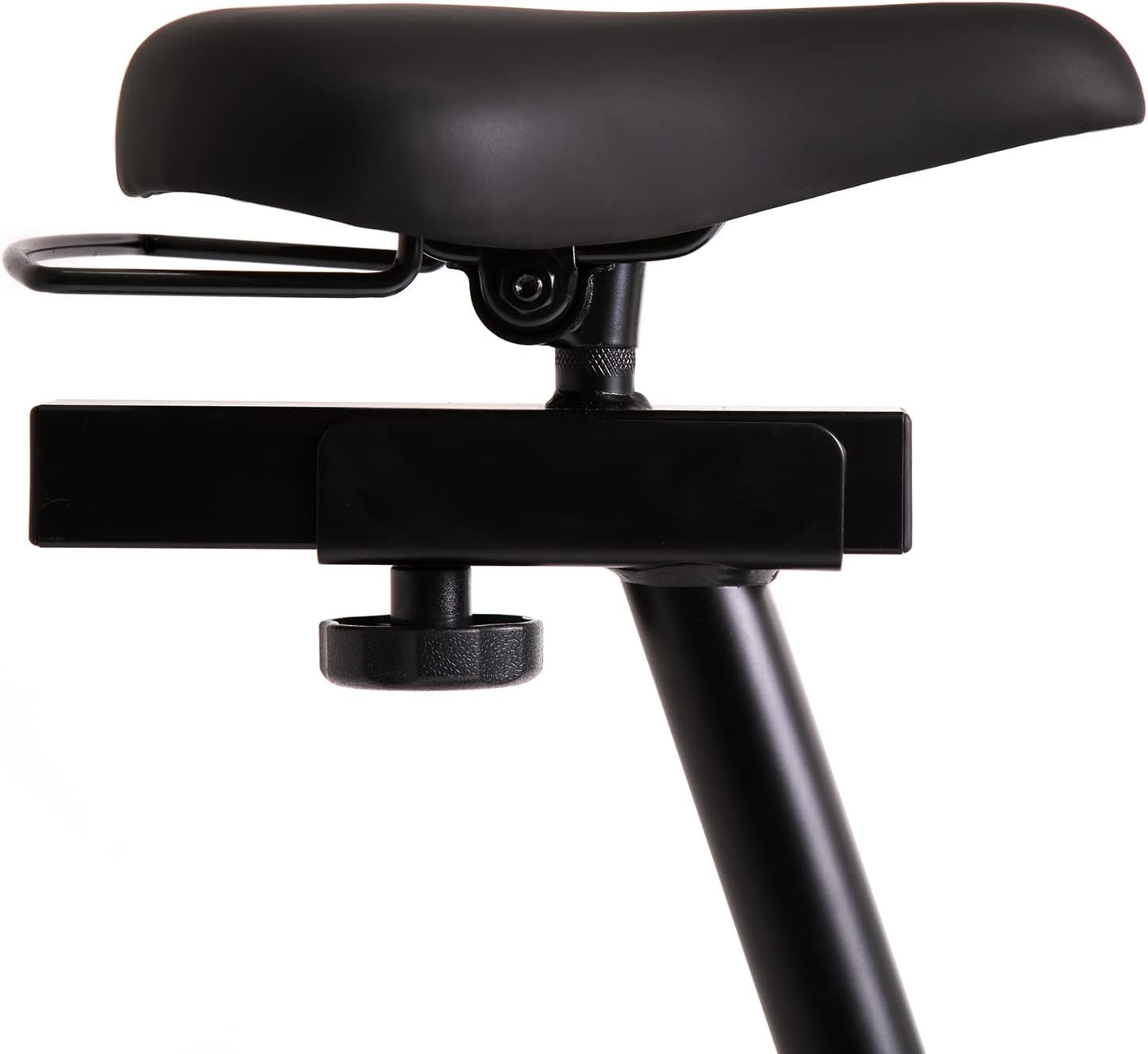
This image highlights the robust adjustment mechanism for the seat, allowing for precise positioning to optimize comfort and biomechanics during exercise.
5.3 Using the Computer Console
The modern computer console tracks your workout data. It typically displays:
- LAIKAS: Jūsų treniruotės trukmė.
- KALORIJOS: Apskaičiuotos sudegintos kalorijos.
- GREITIS: Your current speed.
- PULSAS: Your heart rate (measured via handlebar sensors).
Use the 'MODE' button to cycle through display functions, 'RESET' to clear data, and 'SET' for specific settings if available.

The modern computer display provides essential workout data, including elapsed time, calories burned, current speed, and pulse rate, to help track progress.
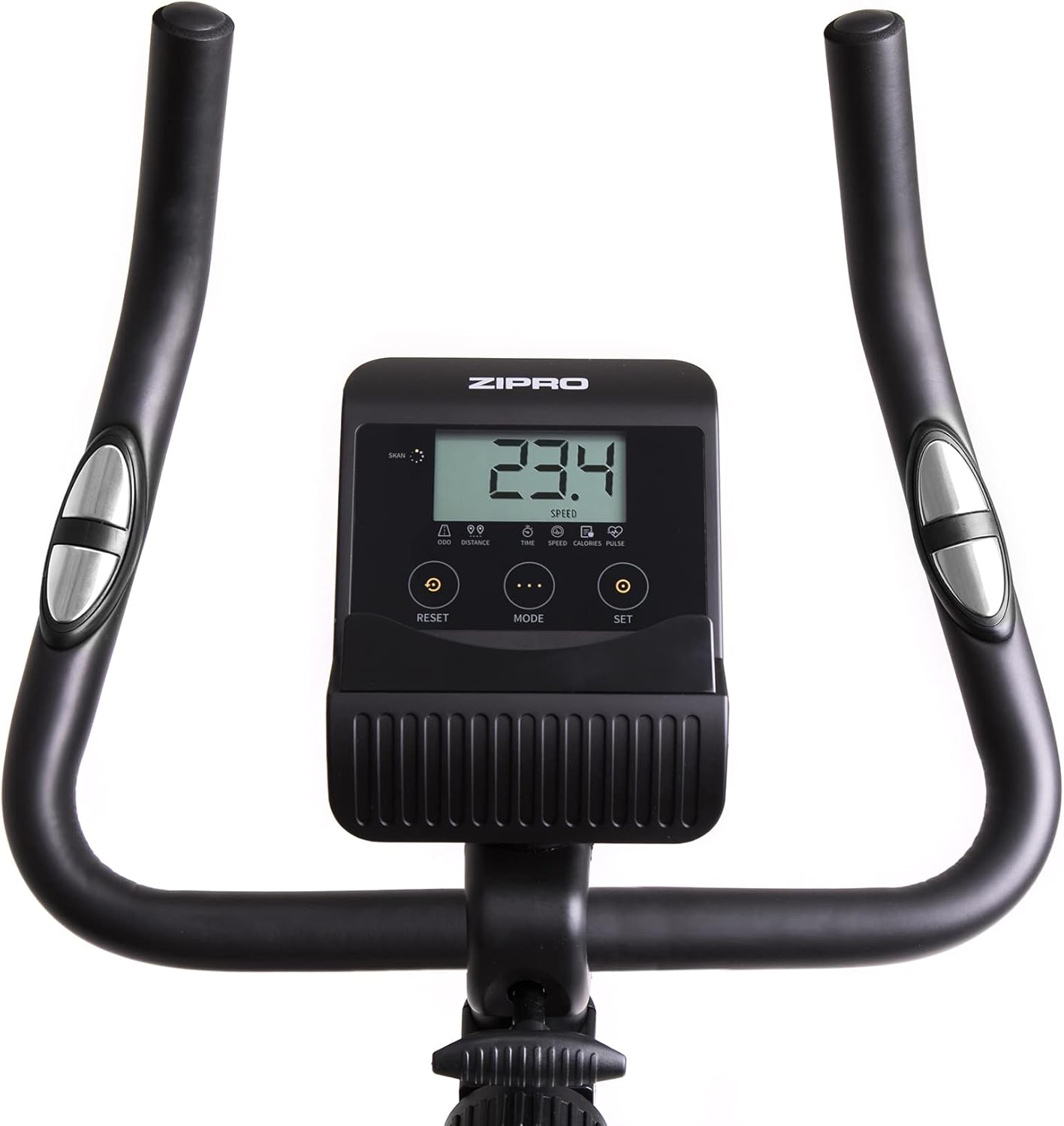
A closer look at the exercise bike's computer, displaying various metrics and featuring intuitive buttons for 'RESET', 'MODE', and 'SET' to navigate and control workout data.
5.4 Smartphone/Tablet Holder
The integrated holder allows you to place your smartphone or tablet for entertainment or to follow fitness apps during your workout.

A convenient stand for mobile devices is integrated into the handlebars, enabling users to enjoy their favorite digital content, such as music or videos, while exercising.
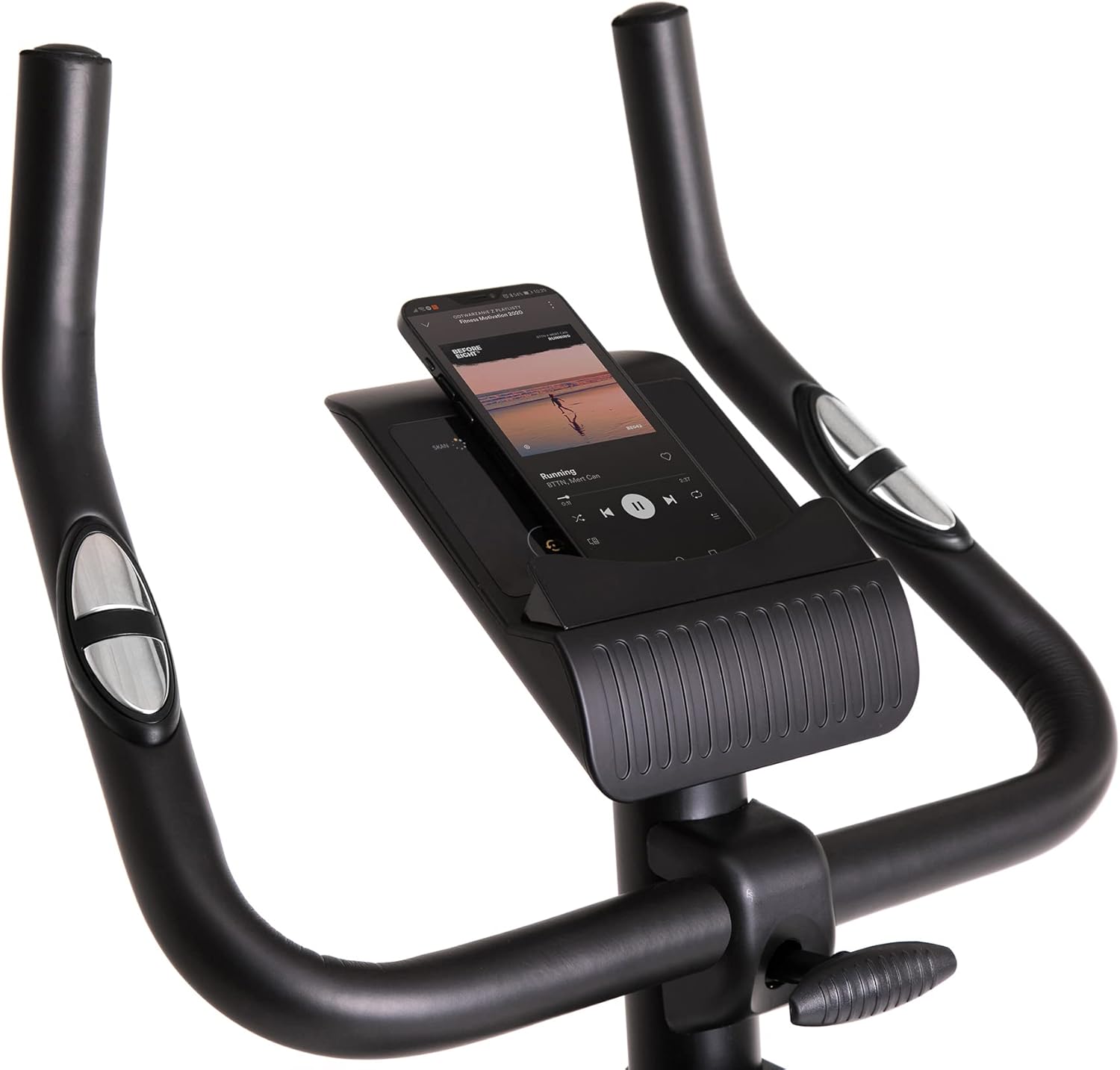
Demonstrates a smartphone securely placed in the integrated holder, ready for entertainment or fitness app use during a workout session.
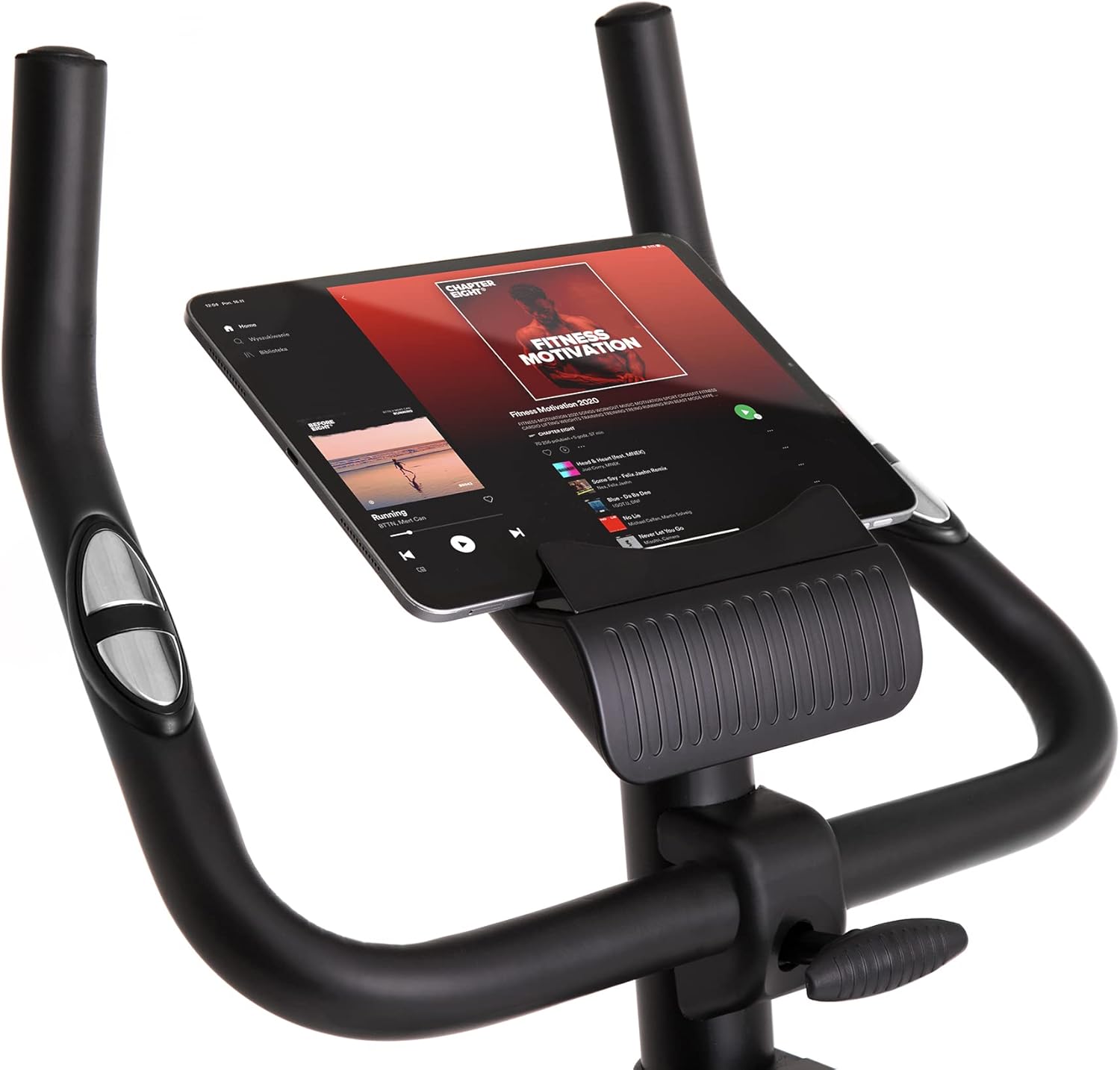
Shows a larger tablet device fitting comfortably in the holder, providing a wider screen for viewing media or following guided workouts.
6. Priežiūra
- Valymas: Nuvalykite dviratį su skelbimuamp Po kiekvieno naudojimo nuvalykite prakaitą ir dulkes šluoste. Nenaudokite abrazyvinių valiklių.
- Tepimas: Periodically check and lubricate moving parts as recommended in the full manual (if applicable).
- Patikra: Reguliariai tikrinkite visus varžtus, veržles ir judančias dalis, ar jos nėra priveržtos ir ar jos nėra susidėvėjusios. Priveržkite visas atsilaisvinusias tvirtinimo detales.
- Saugykla: Store the bike in a dry, cool place away from direct sunlight and extreme temperatures. Use the transport wheels for easy relocation.
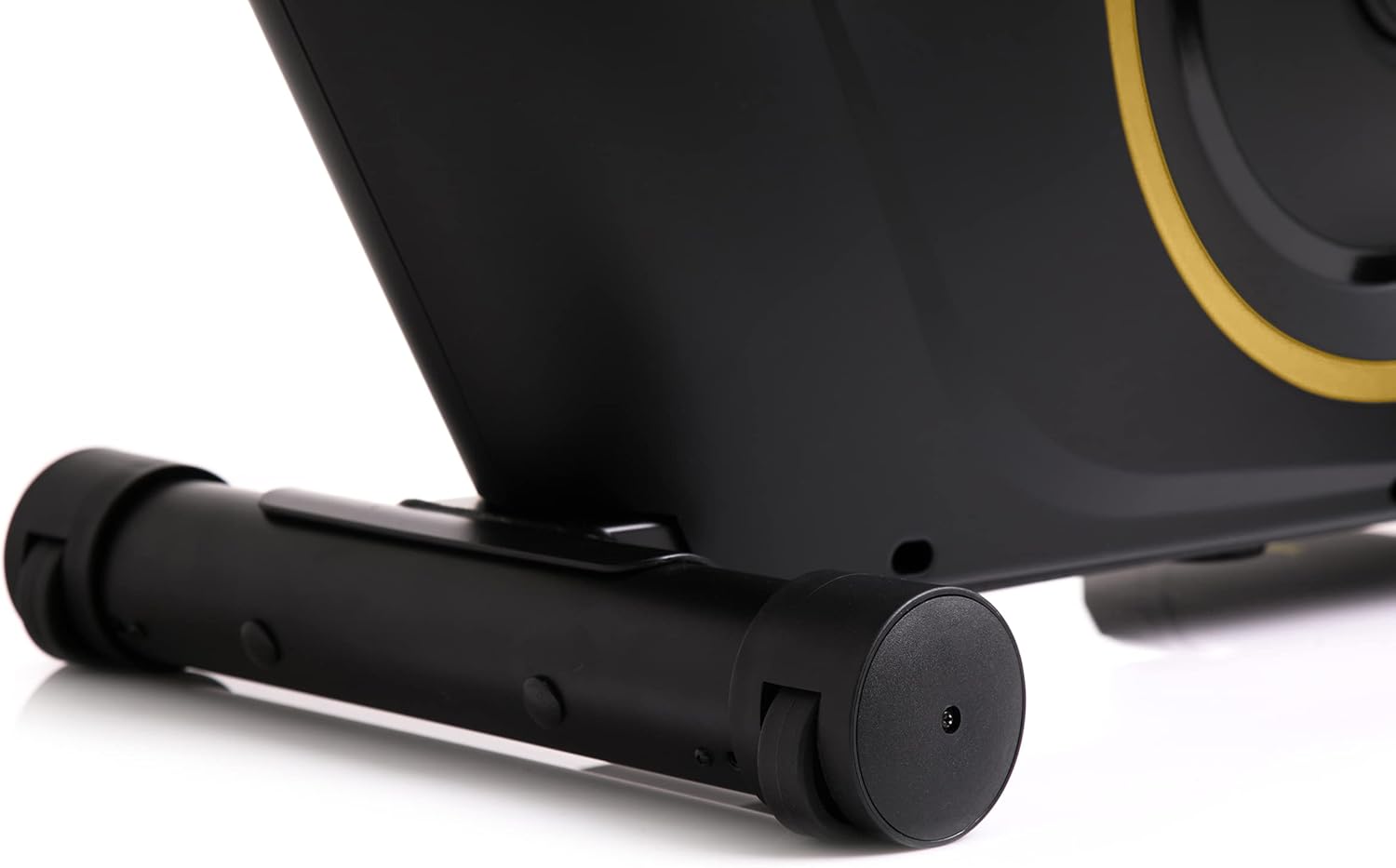
The front stabilizer features integrated transport wheels, making it easy to move the exercise bike around your home for convenient storage or placement.

A practical water bottle holder is positioned on the main frame, ensuring hydration is always within reach during your workout.
7. Problemų sprendimas
| Problema | Galima priežastis | Sprendimas |
|---|---|---|
| Kompiuterio ekranas neveikia | Atsilaisvinęs kabelis, išsikrovusios baterijos | Check all cable connections. Replace batteries in the computer console. |
| Neįprastas triukšmas veikimo metu | Atsilaisvinusios dalys, trintis | Check all bolts and nuts for tightness. Ensure no parts are rubbing against each other. |
| Dviratis jaučiasi nestabilus | Nelygus paviršius, atsilaisvinę stabilizatoriai | Place the bike on a flat, level surface. Tighten bolts on front and rear stabilizers. |
| Pasipriešinimas nesikeičia | Resistance mechanism issue | Įsitikinkite, kad pasipriešinimo rankenėlė sukasi laisvai. Jei problema išlieka, susisiekite su klientų aptarnavimo tarnyba. |
8. Specifikacijos
| Funkcija | Detalė |
|---|---|
| Modelio spalva | Juoda/auksinė |
| Stilius | Boost Gold |
| Vairavimo sistema | Diržas |
| Pagrindinė medžiaga | Plastic, Metal, Polyethylene |
| Maitinimo šaltinis | Maitinamas baterijomis |
| Maksimali svorio talpa | 120 kilogramo |
| Gamintojas | Morele.net Sp. z oo |
| Prekės modelio numeris | 5944584 |
| Gaminio matmenys (I x P x A) | 107 x 47 x 141 cm |
| Prekės svoris | 23 kilogramo |
| Atsparumo mechanizmas | Magnetinis |
| Rekomenduojami naudojimo būdai | Home, Gym, Studio, Indoor |
9. Produkto vaizdo įrašas
This video provides a general presentation of the ZIPRO product range, showcasing various fitness equipment designed for home use. While not specific to the Boost Gold model, it highlights the brand's commitment to quality and home fitness solutions.
10. Garantija ir palaikymas
For warranty information and customer support, please refer to the documentation included with your purchase or visit the official ZIPRO websvetainėje. Išsaugokite pirkimo įrodymą, jei prireiktų pateikti garantinį ieškinį.


