1. Svarbios saugos instrukcijos
Please read these safety instructions carefully before operating your monitor. Keep this manual for future reference.
- Nestatykite monitoriaus ant nestabilaus vežimėlio, stovo ar stalo.
- Neuždenkite vėdinimo angų.
- Nenaudokite šalia vandens.
- Valykite tik sausa šluoste.
- Atjunkite monitorių nuo elektros tinklo žaibuojant arba kai jis ilgą laiką nenaudojamas.
- Visus techninės priežiūros darbus patikėkite kvalifikuotam techninės priežiūros personalui.
2. Pakuotės turinys
Patikrinkite, ar pakuotėje yra visi reikalingi daiktai:
- AOC E2060 Monitor
- Maitinimo kabelis
- VGA laidas
- Vartotojo vadovas (šis dokumentas)
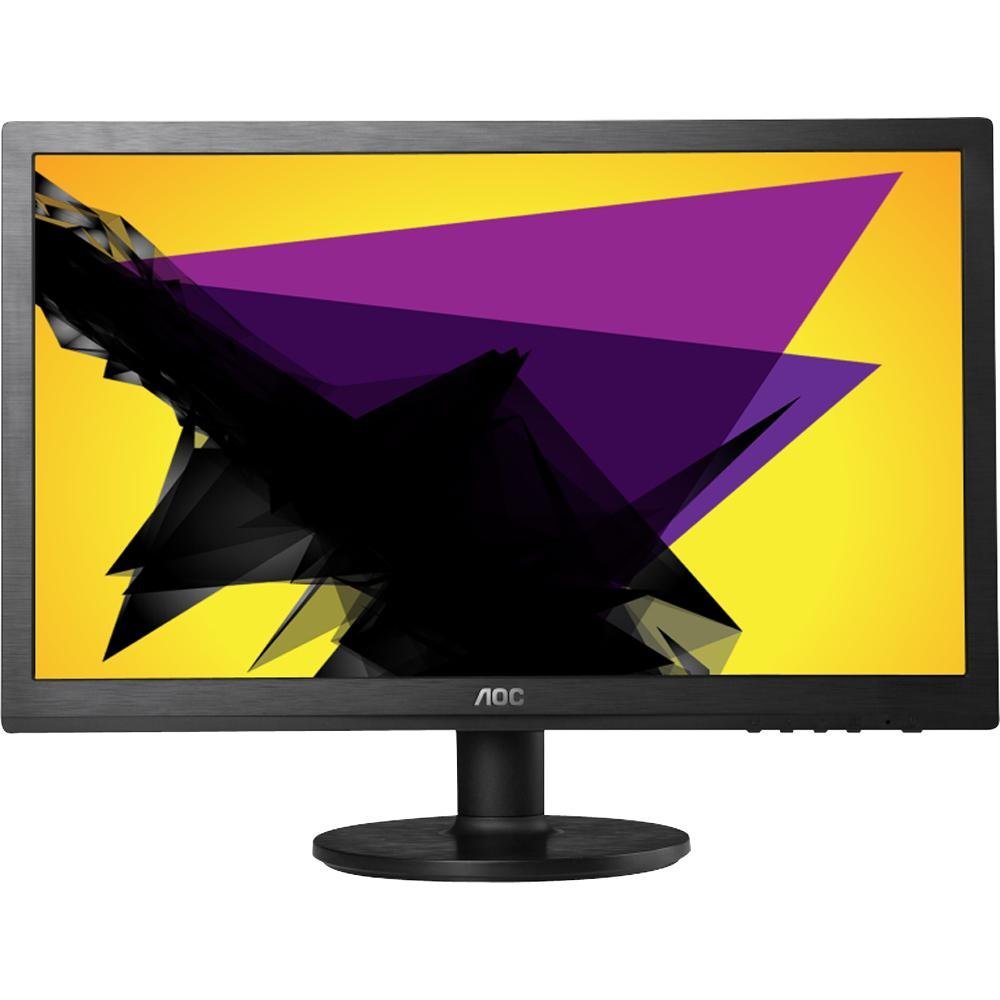
Image: The AOC E2060 20-inch LED Backlit Computer Monitor, showcasindėl plono rėmelio ir stovo.
3. Sąranka
3.1 Stovo surinkimas
- Atsargiai išimkite monitorių iš pakuotės, padėkite jį ekranu žemyn ant minkšto, švaraus paviršiaus, kad nesubraižytumėte.
- Pritvirtinkite stovo pagrindą prie stovo kaklelio, užtikrindami, kad jis tvirtai užsifiksuotų arba būtų pritvirtintas pateiktu varžtu.
- Connect the assembled stand to the back of the monitor until it locks securely.
3.2 Jungiamieji kabeliai
Prieš jungdami bet kokius įrenginius, įsitikinkite, kad kompiuteris ir monitorius yra išjungti.
- Maitinimo jungtis: Prijunkite vieną maitinimo laido galą prie monitoriaus maitinimo įvesties, o kitą galą – prie įžeminto elektros lizdo.
- Video Connection (VGA): Connect the VGA cable from your computer's VGA output port to the VGA input port on the monitor. Tighten the screws on the VGA connector to secure the connection.
4. Monitoriaus valdymas
4.1 Maitinimo įjungimas/išjungimas
Press the power button located on the front or bottom bezel of the monitor to turn it on or off. The power indicator light will illuminate when the monitor is on.
4.2 Ekrano meniu (OSD)
OSD meniu leidžia reguliuoti įvairius monitoriaus nustatymus. Norėdami naršyti ir pasirinkti parinktis, naudokite monitoriaus rėmelyje esančius mygtukus.
- Meniu mygtukas: Paspauskite, kad atidarytumėte OSD meniu.
- Mygtukai aukštyn / žemyn arba kairėn / dešinėn: Naudokite naršyti meniu parinktis.
- Pasirinkimo / įvedimo mygtukas: Paspauskite, kad patvirtintumėte pasirinkimą arba atidarytumėte submeniu.
- Išėjimo mygtukas: Paspauskite, kad visiškai išeitumėte iš dabartinio meniu arba OSD.
4.3 Vaizdo nustatymų reguliavimas
OSD meniu galite reguliuoti tokius nustatymus kaip:
- Ryškumas: Reguliuoja bendrą ekrano šviesumą.
- Kontrastas: Reguliuoja skirtumą tarp šviesių ir tamsių sričių.
- Spalvos temperatūra: Changes the color balance (e.g., Warm, Cool, sRGB).
- Automatinis reguliavimas: Optimizes the image automatically for analog (VGA) input.
5. Priežiūra
5.1 Monitoriaus valymas
To ensure a long lifespan and optimal performance, clean your monitor regularly.
- Prieš valydami visada atjunkite monitorių nuo maitinimo lizdo.
- Lengvai naudokite minkštą, nepūkuotą audinį dampnuplaukite vandeniu arba švelniu, neabrazyviniu ekrano valikliu.
- Nepurkškite valiklio tiesiai ant ekrano.
- Venkite naudoti benzeną, skiediklį, amoniako pagrindu pagamintus valiklius ar abrazyvines medžiagas.
5.2 Saugykla
If storing the monitor for an extended period, ensure it is powered off, unplugged, and stored in a cool, dry place away from direct sunlight and extreme temperatures. Use original packaging if available.
6. Problemų sprendimas
Jei kyla problemų dėl monitoriaus, žr. šias dažniausiai pasitaikančias problemas ir sprendimus:
- Nėra galios: Ensure the power cable is securely connected to both the monitor and the electrical outlet. Check if the power outlet is functional.
- Nėra signalo / tuščias ekranas: Verify that the video cable (VGA) is correctly connected to both the monitor and the computer. Ensure the computer is powered on and not in sleep mode. Try restarting the computer.
- Image is Fuzzy/Distorted: For VGA connections, use the 'Auto Adjust' function in the OSD menu. Ensure the display resolution on your computer is set to the monitor's native resolution (1600x900).
- Spalvos neteisingos: Adjust color settings in the OSD menu, or reset to factory defaults. Check your computer's display settings.
- Mygtukai nereaguoja: Unplug the monitor's power cable, wait 30 seconds, then plug it back in and try again.
Jei problema išlieka ir išbandžius šiuos veiksmus, susisiekite su AOC klientų aptarnavimo tarnyba.
7. Specifikacijos
| Funkcija | Specifikacija |
|---|---|
| Prekės ženklas | AOC |
| Modelio pavadinimas | E2060 |
| Ekrano dydis | 20 colių |
| Ekrano raiška | 1600 x 900 pikselių |
| Ekrano technologija | LED apšvietimas |
| Ryšio technologija | VGA |
| Spalva | Juoda |
| Prekės svoris | 0.28 g (approx. 0.01 Ounces) |
| Prekės modelio numeris | e2060Sn |
| UPC | 685417047789 |
8. Garantija ir palaikymas
Dėl garantijos informacijos ir techninės pagalbos žr. prie gaminio pridėtą garantinę kortelę arba apsilankykite oficialioje AOC svetainėje. website. You can typically find support resources, FAQs, and contact information for your region there.
Please have your monitor's model number (E2060) and serial number ready when contacting support.


