Įvadas
This manual provides comprehensive instructions for the operation and maintenance of your new Sharp Aquos LCD TV Remote Control, model RRMCGA535WJSA. This genuine Sharp remote transmitter is designed to provide seamless control over your compatible Sharp Aquos LCD TV models. Please read this manual thoroughly before use to ensure proper functionality and to maximize your viewpatirtį.
Saugos informacija
Prašome laikytis šių saugos priemonių:
- Nelaikykite nuotolinio valdymo pulto tiesioginiuose saulės spinduliuose, didelėje drėgmėje ar ekstremaliose temperatūrose.
- Venkite nuotolinio valdymo pulto numetimo ir stiprių smūgių.
- Do not attempt to disassemble or modify the remote control. This may void the warranty and cause damage.
- Baterijas laikykite vaikams nepasiekiamoje vietoje. Prarijus, nedelsiant kreipkitės medicininės pagalbos.
- Panaudotas baterijas išmeskite pagal vietinius reikalavimus. Nedeginkite.
Pakuotės turinys
Patikrinkite, ar pakuotėje yra visi reikalingi daiktai:
- Sharp Aquos LCD TV Remote Control (Model: RRMCGA535WJSA)
- Instrukcijų vadovas (šis dokumentas)
Pastaba: Baterijos paprastai neįeina į komplektą ir turi būti įsigytos atskirai.
Produktas baigtasview
Familiarize yourself with the buttons and features of your remote control.

1 pav.: priekis View nuotolinio valdymo pulto
This image displays the front of the Sharp Aquos remote control, showing all primary buttons including power, input selection, channel, volume, numeric keypad, and navigation controls. The Sharp and Aquos logos are visible at the bottom.
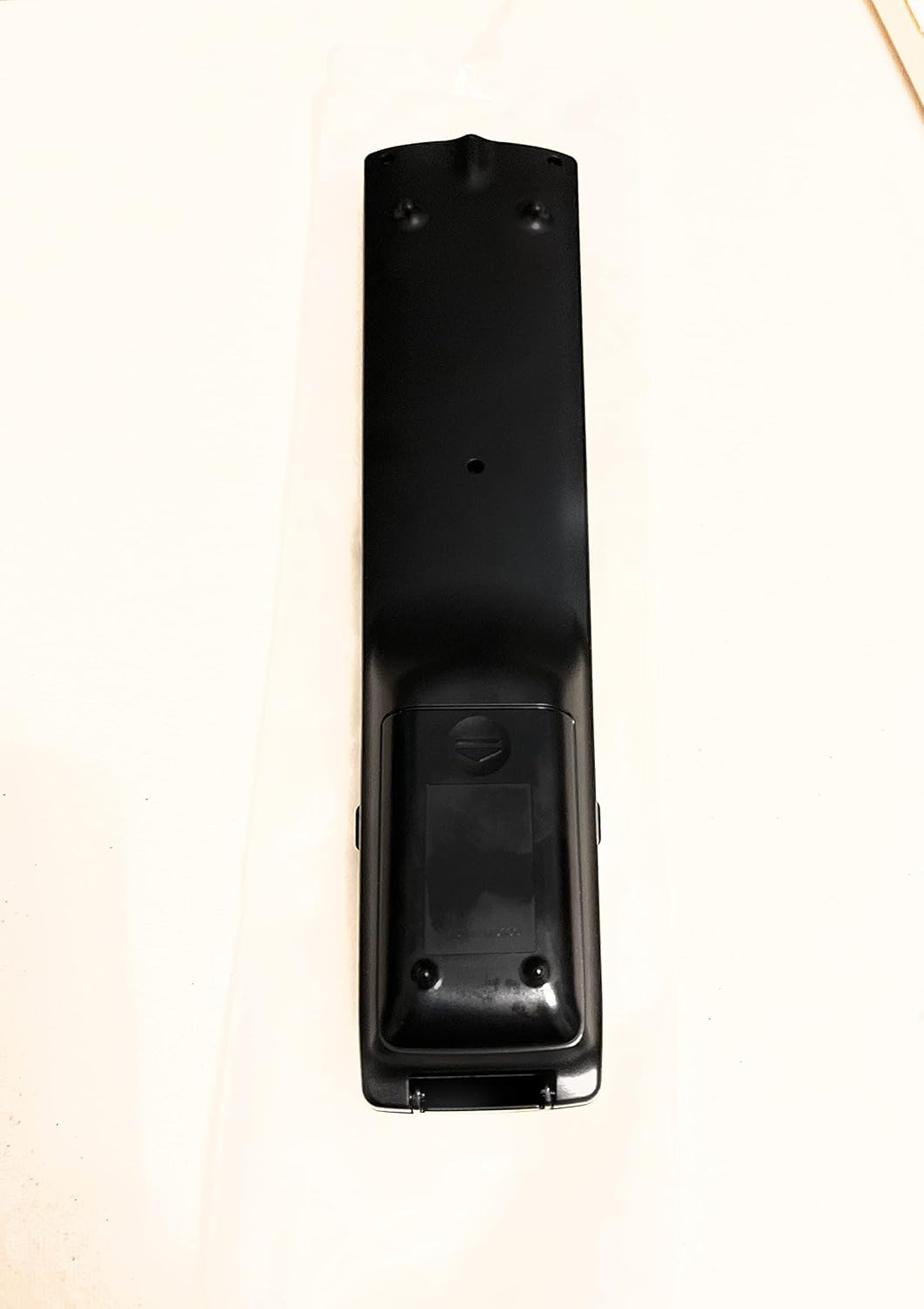
2 pav.: Nugara View nuotolinio valdymo pulto
This image shows the rear side of the Sharp Aquos remote control, highlighting the smooth, ergonomic design and the battery compartment cover.

Figure 3: Remote Control with Battery Compartment Open
This image illustrates the Sharp Aquos remote control with its battery compartment cover slid open, revealing the space for battery insertion.

Figure 4: Close-up of Hidden Panel
This close-up image shows the lower section of the Sharp Aquos remote control with its hinged panel opened, revealing additional function buttons such as SLEEP, AUDIO, AV MODE, and CC (Closed Caption).
Mygtukų funkcijos:
| Mygtukas | Funkcija |
|---|---|
| GALIA | Įjungia arba išjungia televizorių. |
| ĮVESTIS / ŠALTINIS | Selects the input source (e.g., HDMI, AV, Component). |
| CH +/- | Perjungia televizijos kanalą aukštyn arba žemyn. |
| VOL +/- | Reguliuoja garsumo lygį. |
| Nutildyti | Išjungia arba įjungia televizoriaus garsą. |
| MENIU | Opens the TV's on-screen menu. |
| ENTER | Confirms selections within the menu. |
| Navigacijos rodyklės (aukštyn / žemyn / kairėn / dešinėn) | Naršo meniu parinktis. |
| EXIT / RETURN | Išeina iš dabartinio meniu arba grįžta į ankstesnį ekraną. |
| Skaitinė klaviatūra (0–9) | Tiesiogiai įvedami kanalų numeriai. |
| MIEGAS (under hidden panel) | Sets the TV to turn off automatically after a set period. |
| GARSO (under hidden panel) | Selects audio modes or tracks. |
| AV REŽIMAS (under hidden panel) | Adjusts picture and sound settings for different content types. |
| Uždarieji subtitrai (CC) (under hidden panel) | Turns closed captions on or off. |
Sąranka
Akumuliatoriaus montavimas:
- Nuotolinio valdymo pulto gale raskite baterijų skyrių (žr. 2 pav.).
- Slide the battery compartment cover downwards to open it (refer to Figure 3).
- Įdėkite dvi (2) AAA baterijas (nepridedamos), užtikrindami, kad teigiamas (+) ir neigiamas (-) poliai teisingai sutaptų su indikatoriais skyriaus viduje.
- Stumkite baterijų skyriaus dangtelį atgal į vietą, kol jis tvirtai spragtelės.
Pastaba: Visada naudokite naujas to paties tipo baterijas. Nemaišykite senų ir naujų arba skirtingų tipų baterijų.
Naudojimo instrukcijos
Pagrindinė operacija:
- Maitinimo įjungimas/išjungimas: Paspauskite GALIA button to turn your Sharp Aquos TV on or off.
- Garsumo valdymas: Paspauskite VOL+ mygtukas garsumui padidinti ir TŪRIS - norėdami sumažinti garsumą.
- Kanalo pasirinkimas: Naudokite CH + or CH - buttons to change channels sequentially. Alternatively, use the numeric keypad to directly enter a channel number.
- Įvesties šaltinio pasirinkimas: Paspauskite ĮVESTIS or ŠALTINIS button to cycle through available input sources (e.g., HDMI 1, HDMI 2, AV, Component).
- Nutildyti: Paspauskite Nutildyti button to temporarily silence the TV audio. Press again to restore sound.
Meniu naršymas:
- Paspauskite MENIU button to display the TV's on-screen menu.
- Naudokite Naršymo rodyklės (Up, Down, Left, Right) to move through menu options.
- Paspauskite ENTER button to select a highlighted option or confirm a setting.
- Paspauskite EXIT or GRĄŽINTI button to close the menu or go back to the previous menu level.
Advanced Functions (Hidden Panel):
Some advanced functions are located under a hinged panel at the bottom of the remote control (refer to Figure 4). Gently open this panel to access buttons such as:
- MIEGAS: Nustato laikmatį, kada televizorius automatiškai išsijungs.
- GARSO: Reguliuoja garso nustatymus arba pasirenka garso takelius.
- AV REŽIMAS: Cycles through preset picture and sound modes (e.g., Standard, Movie, Game).
- Uždarieji subtitrai (CC): Įjungia arba išjungia subtitrus.
Priežiūra
Valymas:
To clean the remote control, wipe it gently with a soft, dry cloth. Do not use liquid cleaners, abrasive cleaners, or chemical solvents, as these may damage the surface or internal components.
Baterijos keitimas:
Replace batteries when the remote control's response becomes sluggish or stops working. Follow the battery installation steps outlined in the "Setup" section. Always replace both batteries at the same time.
Trikčių šalinimas
| Problema | Galima priežastis | Sprendimas |
|---|---|---|
| Nuotolinio valdymo pultas neveikia. | Išsikrovusios arba neteisingai įdėtos baterijos. | Pakeiskite baterijas naujomis, užtikrindami teisingą poliškumą (+/-). |
| Nuotolinio valdymo pulto veikimo nuotolis yra prastas. | Weak batteries; obstruction between remote and TV; infrared sensor on TV is blocked. | Replace batteries. Ensure no objects are blocking the line of sight between the remote and the TV's IR sensor. |
| Nereaguoja tam tikri mygtukai. | Nešvarumai ar šiukšlės po mygtuku; vidinis gedimas. | Išvalykite nuotolinio valdymo pultą. Jei problema išlieka, gali tekti pakeisti nuotolinio valdymo pultą. |
| Televizorius nereaguoja į jokias nuotolinio valdymo pulto komandas. | TV is unplugged or turned off; TV's IR sensor is faulty. | Ensure the TV is powered on and plugged in. Test with another remote if available. Consult TV's manual for IR sensor location. |
Specifikacijos
| Funkcija | Detalė |
|---|---|
| Modelio numeris | RRMCGA535WJSA |
| Prekės ženklas | Aštrus |
| Suderinami įrenginiai | Sharp Aquos LCD Televisions (various models, see product title for list) |
| Ryšio technologija | Infraraudonųjų spindulių (IR) |
| Maitinimo šaltinis | 2 x AAA baterijos (į komplektą neįeina) |
| Matmenys (apytiksliai) | 8.8 x 2.4 x 0.9 colio (paketo matmenys) |
| Svoris (apytiksliai) | 4 uncijos |
| Ypatinga funkcija | Ergonomic design, Hidden function panel |
Garantija ir palaikymas
Teisinis atsisakymas:
This item is provided in new condition. Please note that this item is offered "as is" as it is past its original manufacturer's warranty period. Any implied warranties are disclaimed to the fullest extent permitted by law.
Klientų aptarnavimas:
For further assistance or inquiries regarding your Sharp Aquos LCD TV, please refer to your television's original instruction manual or visit the official Sharp support website. For issues specifically with this replacement remote control, please contact the seller from whom it was purchased.


