1. Įvadas
This manual provides instructions for the setup, operation, and maintenance of your ViewSonic VX2770SMH-LED 27-inch IPS 1080p Frameless LED Monitor. This monitor features a sleek design, Full HD 1920x1080 resolution, and an IPS panel for wide viewing angles and accurate color reproduction. It includes HDMI, DVI, and VGA inputs, along with integrated speakers.
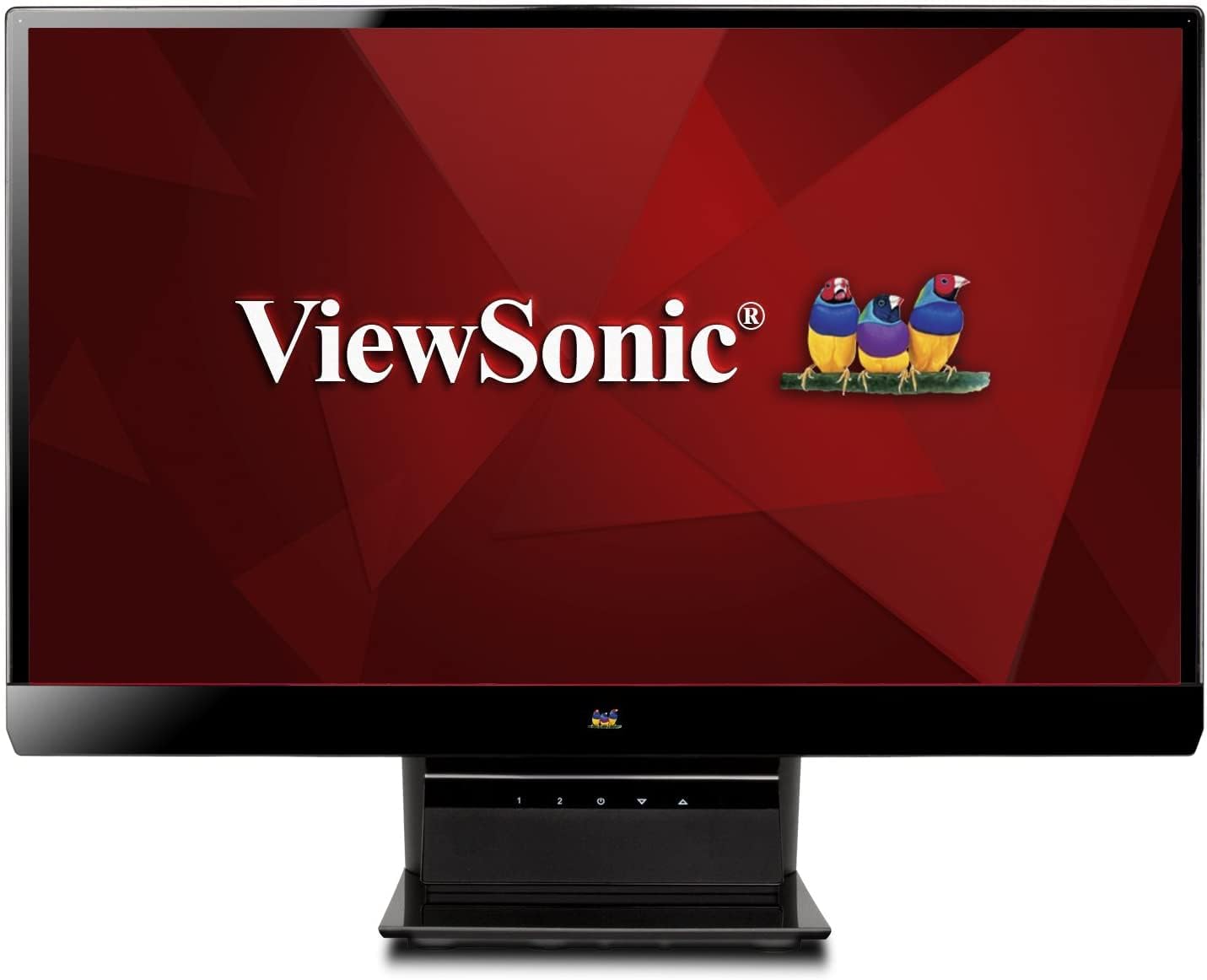
1 paveikslas: ViewSonic VX2770SMH-LED 27-inch monitor displaying a tropical beach scene.
2. Pakuotės turinys
Patikrinkite, ar jūsų prekės pakuotėje yra visi šie daiktai:
- VX2770Smh-LED display
- Maitinimo kabelis
- AC/DC adapteris
- VGA kabelis
- HDMI kabelis
- Greitos pradžios vadovas
- ViewSonic Wizard CD
3. Sąranka
Atlikite šiuos veiksmus, kad nustatytumėte monitorių:
- Surinkite stovą: Carefully attach the monitor panel to the stand base according to the Quick Start Guide. Ensure it is securely fastened.
- Prijunkite maitinimą: Connect the AC/DC adapter to the monitor's power input, then plug the power cable into the adapter and a power outlet.
- Prijunkite vaizdo kabelį: Connect one end of the appropriate video cable (HDMI, DVI, or VGA) to the corresponding port on the back of the monitor and the other end to your computer's video output port.
- Maitinimas: Norėdami įjungti monitorių, paspauskite maitinimo mygtuką.

2 pav.: galinis view of the monitor, illustrating the stand attachment area and overall design.
4. Monitoriaus valdymas
The monitor features capacitive control buttons located on the stand for easy access to settings and power functions.

3 pav.: priekis view of the monitor, showing the control buttons on the stand.
Maitinimo įjungimas/išjungimas
Press the power button (usually indicated by a power symbol) to turn the monitor on or off.
Ekrano ekrano (OSD) meniu
Use the control buttons to navigate the OSD menu. This menu allows you to adjust various display settings such as brightness, contrast, color temperature, input source, and more. Refer to the digital manual on the ViewSonic Wizard CD for detailed OSD navigation.
5. Ryšys
The ViewSonic VX2770SMH-LED monitor offers multiple input options for versatile connectivity:
- HDMI: Didelės raiškos skaitmeniniam vaizdui ir garsui.
- DVI-D: For digital video input.
- VGA: Analoginiam vaizdo įėjimui.
The monitor also features integrated speakers with SRS Premium Sound for audio output.

4 pav. Iš arti view of the HDMI, DVI, and VGA input ports on the monitor's rear panel.
Video 1: Official product video demonstrating the features and design of the ViewSonic VX2770SMH-LED monitor, including its frameless design, IPS panel technology, connectivity options, and energy efficiency.
6. Ekrano funkcijos
- IPS skydelio technologija: Provides consistent and accurate colors with wide 178/178-degree viewing angles, ensuring clear images from nearly any perspective.
- Full HD 1080p raiška: Delivers sharp and detailed images (1920x1080) for an enhanced viewpatirtį.
- Dizainas be rėmelio: The ultra-thin bezel creates a seamless visual experience, ideal for multi-monitor setups.
- MEGA Dynamic Contrast Ratio: A 30,000,000:1 dynamic contrast ratio enhances image depth and detail.
- LED foninis apšvietimas: Energy-efficient LED backlighting contributes to lower power consumption.
- Ekologinis režimas: Further reduces power consumption and extends the monitor's lifespan.
- sRGB Color Correction: Ensures accurate color reproduction for various applications.
7. Priežiūra
Norėdami užtikrinti monitoriaus ilgaamžiškumą ir optimalų veikimą, laikykitės šių priežiūros nurodymų:
- Ekrano valymas: Švelniai nuvalykite ekraną minkštu, nepūkuotu skudurėliu. Jei dėmės sunkiai įveikiamos, švelniai nuvalykiteampNuvalykite šluostę vandeniu arba švelniu, neabrazyviniu ekrano valikliu. Venkite purkšti skysčio tiesiai ant ekrano.
- C valymasasing: Monitoriaus korpusą valykite minkštu, sausu skudurėliu.asing.
- Vėdinimas: Įsitikinkite, kad monitoriaus ventiliacijos angos nėra užblokuotos, kad jis neperkaistų.
- Išjunkite, kai nenaudojate: Turn off the monitor when not in use to save energy and prolong its life.
8. Problemų sprendimas
Jei kyla problemų dėl monitoriaus, žr. šiuos įprastus trikčių šalinimo veiksmus:
- Nėra galios: Check if the power cable and AC/DC adapter are securely connected to the monitor and a working power outlet.
- Nėra signalo: Verify that the video cable is correctly connected to both the monitor and your computer. Ensure the correct input source is selected via the OSD menu.
- Vaizdo problemos (neryškus, iškraipytas, neteisingos spalvos): Adjust the display settings through the OSD menu. Ensure your computer's display resolution is set to the monitor's native resolution (1920x1080).
- Nėra garso: Check the audio cable connection (if using VGA) or ensure HDMI audio is selected. Adjust the volume settings on both the monitor and your computer.
For more detailed troubleshooting, consult the digital manual on the ViewSonic Wizard CD.
9. Specifikacijos
| Funkcija | Specifikacija |
|---|---|
| Nuolatinio ekrano ekrano dydis | 27 colių |
| Ekrano raiška | 1920x1080 |
| Maksimali ekrano skiriamoji geba | 1920 x 1080 |
| Serija | Viewsonic VX2770SMH-LED |
| Prekės modelio numeris | VX2770SMH-LED |
| Prekės svoris | 11 svaro |
| Gaminio matmenys | 7.6 x 24.5 x 18.1 colio |
| Spalva | Juoda |
| Ekrano dydis | 27 colių |
| Rezoliucija | FHD 1080p |
| Krašto santykis | 1.78:1 |
| Ekrano paviršiaus aprašymas | Blizgus |

Figure 5: Monitor dimensions for planning your workspace.
10. Garantija ir palaikymas
Tai ViewSonic monitor is covered by a 3 metų ribota garantija. For warranty claims or technical support, please refer to the contact information provided in your Quick Start Guide or visit the official ViewGarso palaikymas websvetainę.