1. Įvadas
This manual provides instructions for the DYMO 45113 D1 Standard Labeling Tape. This tape is designed for use with compatible DYMO label makers, offering a durable and clear labeling solution for various applications. The tape features black print on a white background and measures 12mm in width and 7 meters in length (1/2 inch x 23 feet).
The DYMO D1 labeling tape is suitable for both indoor and outdoor use, resisting water, UV light, and temperature extremes. Its removable adhesive allows for repositioning without leaving residue on most surfaces.
2. Produktas baigtasview
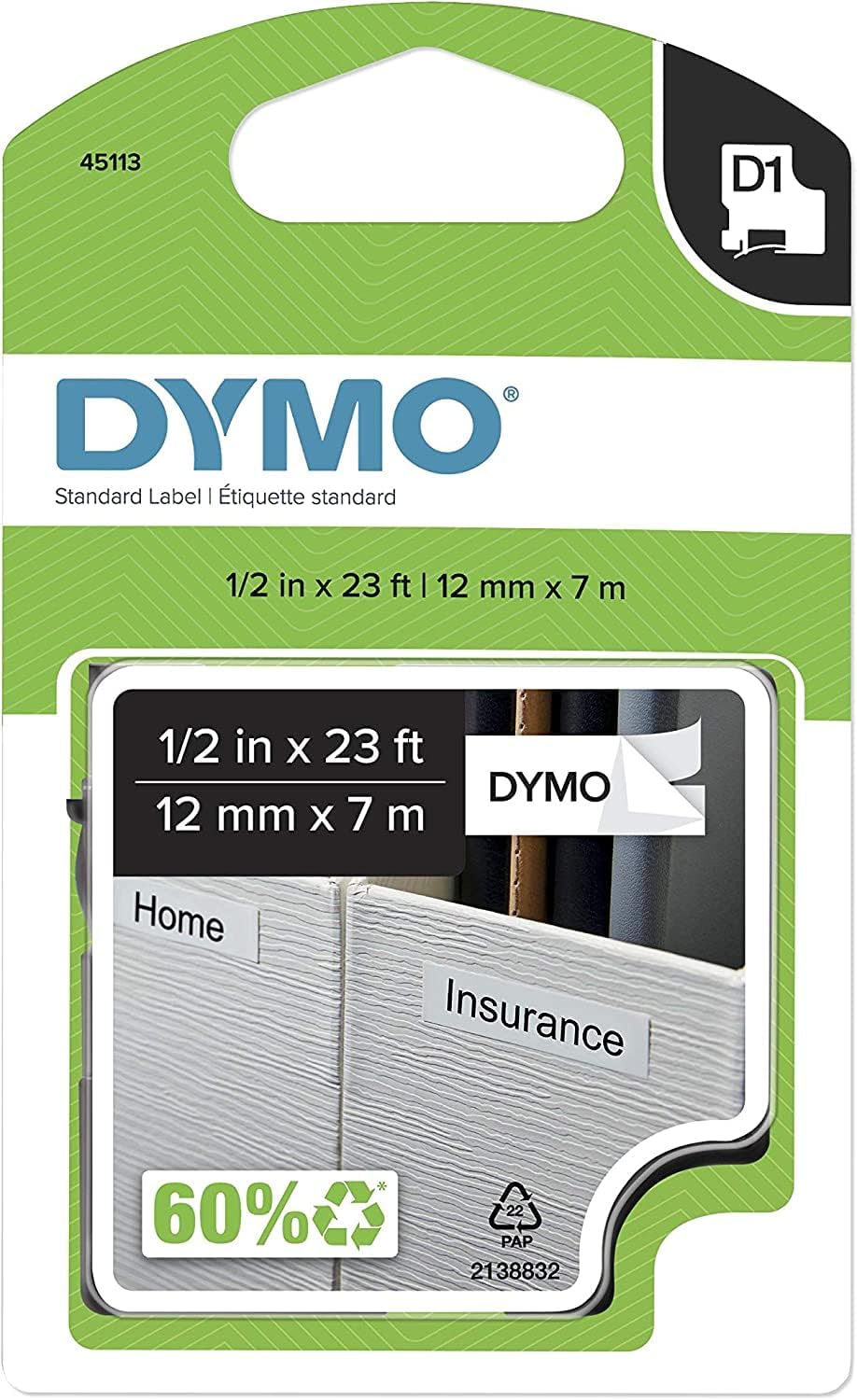
Figure 1: Packaging for DYMO 45113 D1 Standard Labeling Tape. The packaging indicates the model number "45113", the DYMO brand logo, "Standard Label", and the dimensions "1/2 in x 23 ft | 12 mm x 7 m". A visual representation of the tape applied to "Home" and "Insurance" labels is also visible, along with a "60% recycled" symbol and a "D1" cartridge icon.
3. Sąranka ir diegimas
To install the DYMO 45113 D1 Labeling Tape into your compatible DYMO label maker, follow these general steps:
- Išjungti: Ensure your label maker is turned off before attempting to install or remove the tape cartridge.
- Open Tape Compartment: Locate and open the tape compartment cover on your label maker. This is typically on the back or top of the device.
- Išimkite seną kasetę (jei taikoma): If an old cartridge is present, gently pull it out.
- Įdėkite naują kasetę: Insert the new DYMO 45113 D1 tape cartridge into the compartment. Ensure it clicks firmly into place. The tape should feed smoothly into the label maker's print head mechanism.
- Uždaryti skyrių: Tvirtai uždarykite kasečių skyriaus dangtelį.
- Initial Feed: Some label makers may require an initial tape feed to properly align the tape. Refer to your specific label maker's manual for details.
Note: Always refer to the instruction manual of your specific DYMO label maker for precise installation steps, as procedures may vary between models.
4. Naudojimo instrukcijos
Once the DYMO 45113 D1 tape cartridge is installed, you can begin creating labels. The operation of the label maker itself will dictate the exact steps, but generally involves:
- Maitinimas: Turn on your DYMO label maker.
- Įveskite tekstą: Norimą etiketės tekstą įveskite etikečių kūrėjo klaviatūra.
- Format Label: Utilize the label maker's functions to select font styles, sizes, borders, and other formatting options.
- Spausdinti: Press the print button. The label maker will print the label and cut it (if equipped with an automatic cutter) or indicate where to cut manually.
- Taikyti etiketę: Peel the backing from the printed label and apply it to a clean, dry surface. The removable adhesive allows for repositioning if needed.
For detailed instructions on specific label maker features, consult your label maker's user manual.
5. Priežiūra
Proper maintenance ensures optimal performance and longevity of your labeling tape and label maker:
- Saugykla: Store unused tape cartridges in a cool, dry place away from direct sunlight and extreme temperatures.
- Valymas: If print quality degrades, the print head of your label maker may need cleaning. Refer to your label maker's manual for cleaning instructions. Do not attempt to clean the tape itself.
- Tvarkymas: Avoid touching the adhesive side of the tape or the print surface to prevent smudges or reduced adhesion.
6. Problemų sprendimas
If you encounter issues while using your DYMO 45113 D1 labeling tape, consider the following common troubleshooting steps:
- Prasta spausdinimo kokybė:
- Ensure the tape cartridge is correctly seated in the label maker.
- Clean the print head of your label maker as per its manual.
- Check if the tape is old or expired; replace if necessary.
- Tape Jams:
- Turn off the label maker and carefully open the tape compartment.
- Gently remove any jammed tape. Do not pull forcefully.
- Reinsert the cartridge, ensuring it is properly aligned.
- Etiketės neprilimpa:
- Įsitikinkite, kad tepamas paviršius yra švarus, sausas ir lygus.
- Avoid touching the adhesive side of the label.
- Verify the tape is not expired or stored in extreme conditions.
If problems persist, consult the user manual for your specific DYMO label maker or contact DYMO customer support.
7. Specifikacijos
| Modelio numeris | 45113 |
| Prekės ženklas | DYMO |
| Produkto tipas | D1 Standard Labeling Tape |
| Spalva | Black print on White tape |
| Matmenys | 12 mm (1/2 inch) width x 7 m (23 ft) length |
| Ypatinga funkcija | Nuimami klijai |
| Suderinamumas | Compatible with DYMO D1 label makers |
| Prekės svoris | 0.353 uncijos |
| Gaminio matmenys (pakuotė) | 5.5 x 3.1 x 0.6 colio |
| UPC | 071701451132 |
8. Garantija ir palaikymas
For information regarding product warranty, technical support, or to purchase additional supplies, please visit the official DYMO website or contact DYMO customer service directly. Specific warranty terms may vary by region and product.
Palaikymas internetu: www.dymo.com/support


