1. Įvadas
The Vivitek D519 is a versatile and portable digital projector designed to deliver high-quality presentations and media experiences. Featuring 3000 lumens of brightness, XGA (1024x768) native resolution, and a 15,000:1 contrast ratio, it ensures clear and vibrant images. This manual will guide you through the setup, operation, and maintenance of your D519 projector.
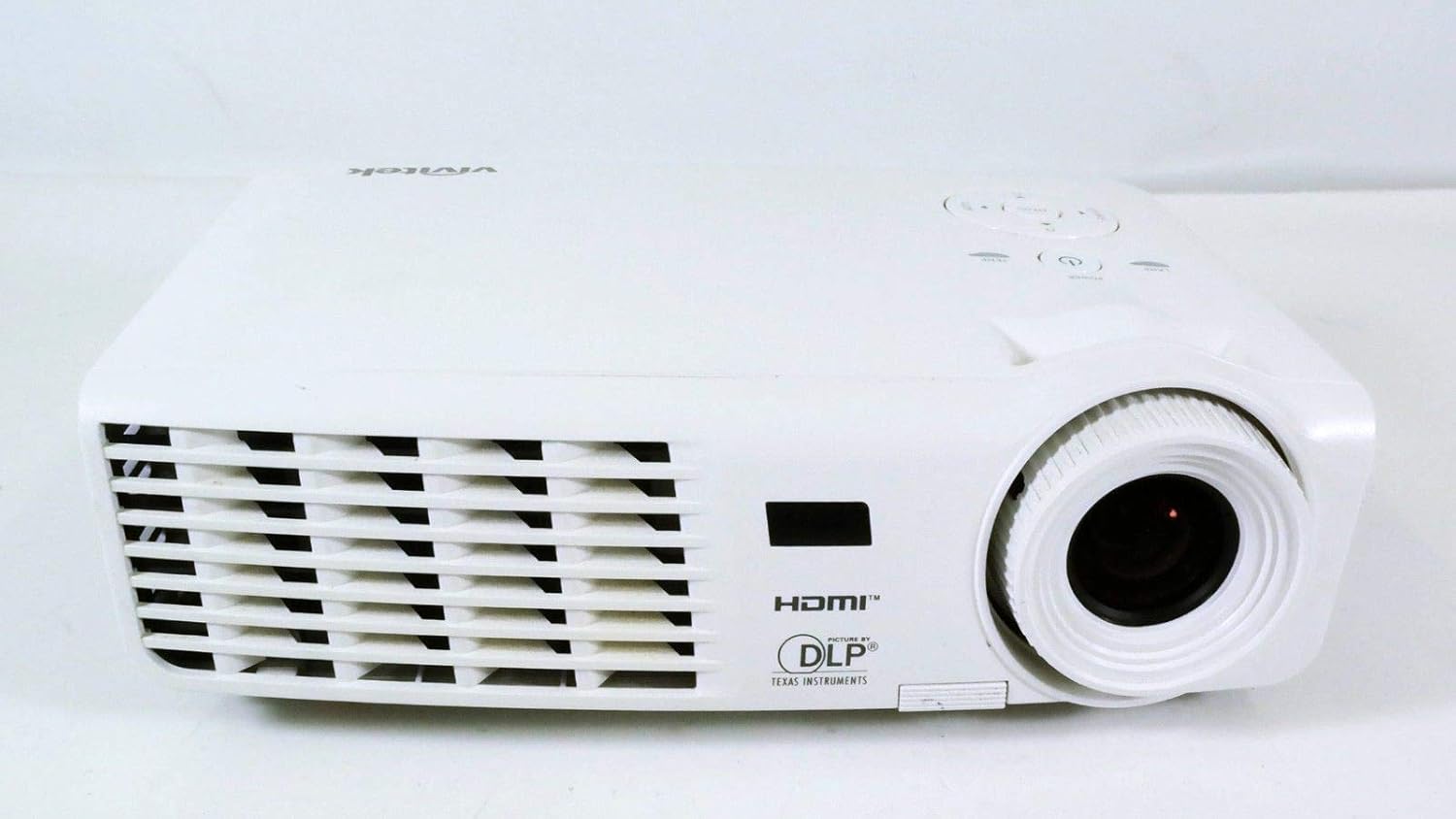
1.1 pav.: priekis view of the Vivitek D519 Projector, showing the lens and ventilation.
2. Sąranka
2.1 Projektoriaus išpakavimas
Atsargiai išimkite visus komponentus iš pakuotės. Įsitikinkite, kad yra visi toliau išvardyti daiktai:
- Vivitek D519 Projector
- Kintamosios srovės maitinimo laidas
- VGA laidas
- Nuotolinio valdymo pultas (su baterijomis)
- Dėklas nešiojimui
- User's Manual (CD)
- Objektyvo dangtelis
- Garantijos kortelė
2.2 Fizinis išdėstymas
Place the projector on a stable, flat surface or mount it securely. Ensure adequate ventilation around the projector to prevent overheating. Avoid placing it near heat sources or in direct sunlight.
2.3 Įrenginių prijungimas
The D519 offers various connectivity options. Connect your source device (e.g., laptop, DVD player) to the appropriate input port on the projector.

2.1 pav.: galinis view of the Vivitek D519 Projector, highlighting the HDMI, VGA, S-Video, and audio input ports.
- HDMI: For high-definition digital video and audio. Connect an HDMI cable from your source to the projector's HDMI port.
- VGA: For analog computer video. Connect a VGA cable from your computer to the projector's VGA port.
- Garso įvestis: For analog audio input. Connect audio cables to the L-AUDIO-R or AUDIO IN ports as needed.
- „S-Video“: Standartinės raiškos vaizdo įrašams.
- RS-232: Projektoriaus valdymui kompiuteriu arba valdymo sistema.
2.4 Įjungimas
Connect the AC power cord to the projector's power inlet and then to a power outlet. Press the Galia button on the projector's control panel or the remote control to turn on the projector. The power indicator light will illuminate.
3. Projektoriaus valdymas
3.1 Valdymo skydas baigtasview
Projektoriaus viršuje esantis valdymo pultas leidžia atlikti pagrindinius veiksmus be nuotolinio valdymo pulto.

3.1 paveikslas: viršuje view of the Vivitek D519 Projector, showing the control panel with power, menu, source, and navigation buttons.
- Maitinimo mygtukas: Įjungia arba išjungia projektorių.
- Šaltinio mygtukas: Cycles through available input sources (HDMI, VGA, S-Video, etc.).
- Meniu mygtukas: Atidaro ekrano rodinio (OSD) meniu, skirtą išplėstiniams nustatymams.
- Naršymo mygtukai (aukštyn / žemyn / kairėn / dešinėn): Used to navigate through menu options and adjust settings.
- Automatinis mygtukas: Automatically adjusts the image for optimal display.
3.2 Vaizdo reguliavimas
Once the projector is powered on and an input source is selected, you may need to adjust the image for clarity and size.
- Fokusavimo žiedas: Pasukite fokusavimo žiedą aplink objektyvą, kad vaizdas būtų ryškesnis.
- Mastelio keitimo žiedas: Rotate the zoom ring to adjust the image size without moving the projector. The D519 has a 1.1:1 zoom ratio.
- Keystone korekcija: If the image appears trapezoidal, use the keystone correction feature (accessible via the OSD menu) to square the image.
3.3 Using the On-Screen Display (OSD) Menu
Paspauskite Meniu button on the projector or remote to access the OSD. Use the navigation buttons to browse categories such as Picture, Display, Setup, and Information. Press Įeikite (or the center button on the navigation pad) to select an option and adjust settings.
4. Priežiūra
4.1 Lamp Gyvenimas ir pakeitimas
Projektorius lamp has a rated life of 4000 hours in Standard mode and up to 6000 hours in Economy mode. When the lamp pasiekia savo gyvavimo pabaigą, lamp indicator light will illuminate, and a message may appear on screen. Refer to the detailed user manual (on CD) for lamp pakeitimo instrukcijos.
4.2 Projektoriaus valymas
- Objektyvas: Naudokite minkštą, nepūkuotą šluostę, specialiai skirtą optiniams lęšiams. Nenaudokite abrazyvinių valiklių.
- Casing: Nuvalykite projektorių casing su minkštu, damp audinys. Venkite naudoti stiprių cheminių medžiagų ar tirpiklių.
- Oro angos: Regularly check and clean the air vents to ensure proper airflow and prevent dust buildup, which can lead to overheating. Use a soft brush or compressed air.
5. Problemų sprendimas
This section addresses common issues you might encounter with your Vivitek D519 projector.
| Problema | Galima priežastis | Sprendimas |
|---|---|---|
| Ekrane nėra vaizdo | Atjungtas maitinimo laidas; Neteisingas įvesties šaltinis; Šaltinio įrenginys išjungtas. | Check power connection; Press 'Source' button to select correct input; Ensure source device is on. |
| Vaizdas neryškus | Objektyvas nesufokusuotas; projektorius per arti/toli nuo ekrano. | Adjust the focus ring; Adjust projector distance or use zoom ring. |
| Vaizdas yra trapecijos formos | Projektorius nėra statmenas ekranui. | Adjust keystone correction via OSD menu. |
| Projector shuts down unexpectedly | Overheating; Lamp artėjant gyvenimo pabaigai. | Ensure vents are clear; Allow projector to cool; Consider lamp replacement if indicator light is on. |
| Distorted image on startup | Software glitch; Connection issue. | Restart the projector; Check all cable connections; If persistent, consult Vivitek support. |
6. Specifikacijos
Key technical specifications for the Vivitek D519 Projector:
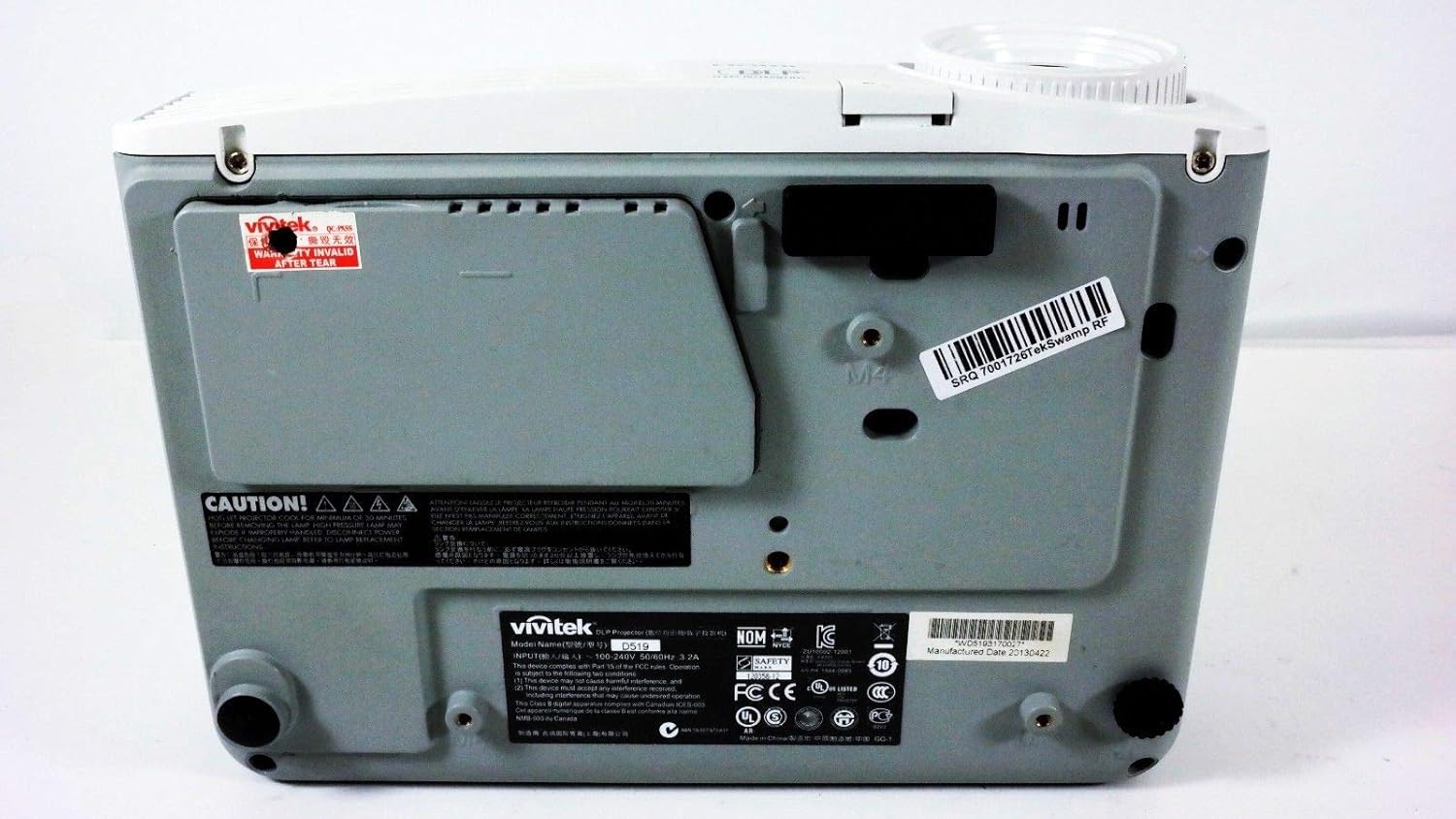
6.1 pav. Apačia view of the Vivitek D519 Projector, showing the product label with model and serial information.
| Funkcija | Detalė |
|---|---|
| Modelio numeris | DPU35-262VVUA |
| Ekrano technologija | Single 0.55” DLP Display Technology by Texas Instruments |
| Gimtoji raiška | XGA (1024 x 768) |
| Ryškumas | 3000 liumenų |
| Kontrasto santykis | 15,000:1 |
| Lamp Gyvenimas | 4000 hours (Standard) / 6000 hours (Economy) |
| Mastelio santykis | 1.1:1 (Manual Zoom and Focus) |
| Ryšys | HDMI v1.3, VGA, S-Video, L-Audio-R, Audio In, RS-232 |
| Ypatingos savybės | HD Compatible, 3D-Ready, Screen Size compatibility: 40 - 300 inches |
| Gaminio matmenys | 7.5 x 10.3 x 3.1 colio |
| Prekės svoris | 4.35 svaro |
7. Garantija ir palaikymas
Your Vivitek D519 projector comes with a limited warranty. Please refer to the Warranty Card included in your product packaging for detailed terms and conditions. For technical support, service, or warranty claims, please contact Vivitek customer service through their official websvetainėje arba kontaktinę informaciją, pateiktą jūsų garantijos dokumentuose.
Rekomenduojama užregistruoti savo produktą internetu, kad gautumėte atnaujinimus ir pagalbą.


