1. Įvadas
This manual provides essential information for the safe and efficient operation of your Keystone KSTAD70B 70-Pint Dehumidifier. This unit is designed to remove up to 70 pints of moisture from the air daily, suitable for rooms up to 4500 square feet. Key features include electronic controls with an LED display, a 24-hour timer, a transparent water level indicator, and a full bucket alert with automatic shutoff. It also offers a continuous draining option and a removable, easy-to-clean dust filter with a clean-filter alert. The auto-restart function preserves your settings after a power outage, and rolling casters facilitate easy movement.
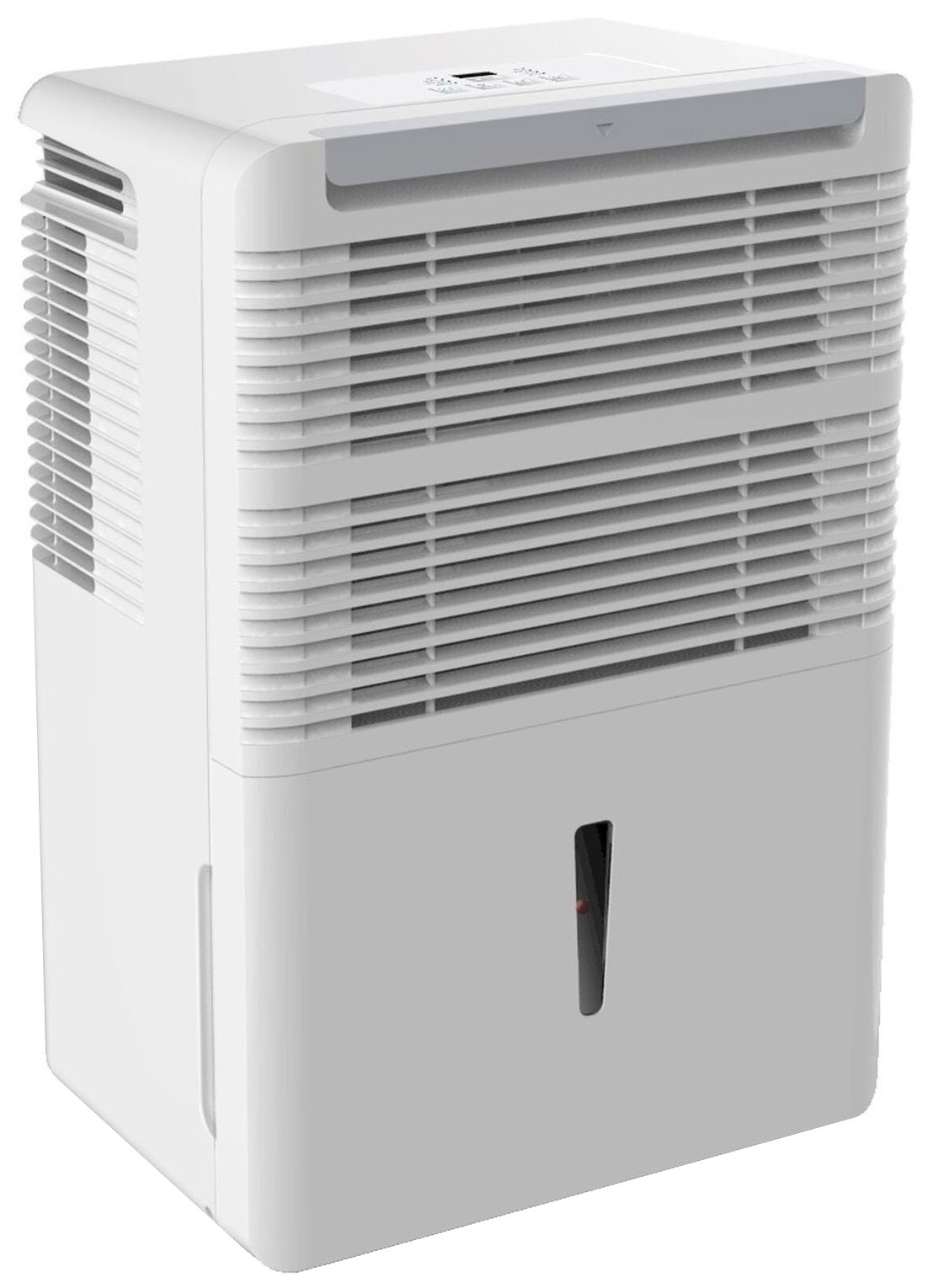
1 pav.: priekis view of the Keystone KSTAD70B Dehumidifier.
2. Saugos informacija
Please read all safety instructions before operating the dehumidifier to prevent injury or damage. Keep this manual for future reference.
- Always connect the unit to a properly grounded electrical outlet of the correct voltage.
- Nenaudokite įrenginio su pažeistu maitinimo laidu arba kištuku.
- Ensure adequate clearance (at least 12-18 inches) around the air intake and outlet to prevent overheating and ensure efficient operation.
- Neužstokite oro angų.
- Do not use the dehumidifier near water or in excessively wet environments.
- Prieš valydami ar atlikdami bet kokią techninę priežiūrą, atjunkite įrenginį nuo elektros tinklo.
- Šis prietaisas nėra skirtas naudoti asmenims (įskaitant vaikus), kurių fizinės, jutimo ar psichikos negalios arba neturintys patirties ir žinių, nebent už jų saugumą atsakingas asmuo juos prižiūrėtų arba instruktuotų, kaip naudoti prietaisą.
- Do not use chemical solvents or abrasive cleaners on the unit.
3. Sąranka ir išdėstymas
3.1 Išpakavimas
Carefully remove the dehumidifier from its packaging. Retain the packaging materials for future storage or transport. Inspect the unit for any shipping damage.
3.2 Įdėjimas
For optimal performance, place the dehumidifier in a location where air can circulate freely around it. The unit circulates air from the sides, not the top. Therefore, avoid placing it directly in a corner or against walls. Maintain a minimum clearance of 12-18 inches (30-45 cm) on all sides to ensure proper airflow.
3.3 Pradinis įjungimas
Prijunkite maitinimo laidą į įžemintą elektros lizdą. Įrenginys dabar paruoštas naudoti.
4. Naudojimo instrukcijos
4.1 Valdymo skydas baigtasview

Figure 2: Control panel of the Keystone KSTAD70B Dehumidifier.
The control panel features an LED display and various buttons for setting the dehumidifier's functions:
- Maitinimo mygtukas: Įjungia arba išjungia įrenginį.
- Ventiliatoriaus mygtukas: Adjusts fan speed (typically Low, Medium, High).
- Laikmačio mygtukas: Nustato 24 valandų įjungimo / išjungimo laikmatį.
- Rodyklės aukštyn/žemyn: Adjust humidity level settings or timer duration.
- Filtro indikatorius: Šviečia, kai reikia valyti oro filtrą.
- Visas indikatorius: Illuminates when the water bucket is full and needs emptying.
- Cont. (Continuous) Indicator: Illuminates when the unit is set for continuous operation.
- Turbo režimas: Activates maximum dehumidification.
- Įprastas režimas: Standard dehumidification operation.
- Automatinis atšildymas: Automatically defrosts the coils if ice builds up.
4.2 Norimo drėgmės lygio nustatymas
Press the Up or Down arrow buttons to set your desired humidity level. The unit will operate until the set humidity is reached, then cycle on and off to maintain it. The recommended humidity range for comfort is typically between 45% and 55%.
4.3 Nuolatinis veikimas
To run the dehumidifier continuously, select the 'Cont.' setting. In this mode, the unit will operate regardless of the ambient humidity level. Note that when continuous operation is selected, the humidity setpoint buttons will not respond.
4.4 Laikmačio funkcija
Use the Timer button to program the unit to turn on or off automatically after a set number of hours (up to 24 hours).
4.5 Auto-Restart
The unit features an auto-restart function that saves your settings. In the event of a power outage, the dehumidifier will automatically resume operation with the last settings once power is restored.
5. Priežiūra
Reguliarus drėkintuvo techninis aptarnavimas užtikrina optimalų veikimą ir ilgaamžiškumą.
5.1 Vandens kibiro ištuštinimas
When the water bucket is full, the 'Full' indicator light will illuminate, and the unit will automatically shut off. Carefully remove the bucket and empty the collected water. Reinsert the bucket firmly until it clicks into place to resume operation.

3 pav.: Vandens surinkimo kibiro išėmimas.

Figure 4: Transparent water level indicator.
5.2 Continuous Draining Option
For continuous operation without emptying the bucket, you can connect a standard garden hose (not included) to the unit's low-level drain. The unit includes an adapter with a clear hose that pushes onto a smooth plastic fitting inside the unit. This adapter has male hose threads for attaching a garden hose. Ensure the hose is routed downwards to a suitable drain to allow gravity to remove the water.
5.3 Oro filtro valymas
The 'Filter' indicator light will remind you when it's time to clean the air filter. A clean filter ensures efficient operation and better air quality. To clean, lift the filter straight up from the top at the front corner of the unit and slide it out. Wash the filter with warm, soapy water, rinse thoroughly, and allow it to air dry completely before reinserting.

5 pav.: Oro filtro išėmimas valymui.
6. Problemų sprendimas
Prieš kreipdamiesi į palaikymo tarnybą, išbandykite šiuos įprastus trikčių šalinimo veiksmus:
| Problema | Galima priežastis | Sprendimas |
|---|---|---|
| Oro sausintuvas neįsijungia. | No power; power cord loose; 'Full' indicator on. | Check power supply; ensure cord is plugged in; empty water bucket. |
| Įrenginys veikia, bet nedžiovina. | Air filter clogged; room temperature too low; unit size too small for area. | Clean air filter; ensure room temperature is above 41°F (5°C); consider unit placement. |
| Įrenginys triukšmingas. | Įrenginys nelygus; ventiliatorius užstringa. | Place on a flat, stable surface; check for obstructions in fan area. |
| Vanduo nuteka iš įrenginio. | Water bucket not properly seated; continuous drain hose loose or clogged. | Ensure bucket is fully inserted; check continuous drain hose connection and clear any blockages. |
7. Specifikacijos
| Funkcija | Detalė |
|---|---|
| Prekės ženklas | Keystone |
| Modelio pavadinimas | KSTAD70B |
| Sausinimo galimybė | 70 pintų per dieną |
| Rekomenduojamas kambario dydis | Iki 4500 kvadratinių pėdų |
| Spalva | Baltas |
| Ypatingos savybės | Automatic Restart, Automatic Shutoff |
| Greičių skaičius | 3 |
| Veikimo režimas | Normal, Turbo, Auto-Defrost |
| Vattage | 720 vatų |
| Prekės svoris | 40 svaro |
| Gaminio matmenys (I x P x A) | 11.25 x 15.5 x 23.25 colio |
| Rekomenduojami naudojimo būdai | Gyvenamieji |
8. Informacija apie garantiją
The Keystone KSTAD70B Dehumidifier comes with a 1 metų garantija dėl dalių ir darbo, ir a ribota 5 metų garantija on the sealed system. Please refer to the physical warranty card included with your product for full terms and conditions.
9. Pagalba klientams
For product registration, warranty claims, or technical assistance, please refer to the contact information provided in the physical instruction manual that came with your dehumidifier. Online registration or direct manufacturer contact information may not be readily available; therefore, retaining your original manual is important for support inquiries.


