1. Įvadas
This manual provides detailed instructions for the proper setup, operation, and maintenance of your Grundig 72847 Azerty USB Keyboard. Please read this manual thoroughly before using the product to ensure optimal performance and longevity.
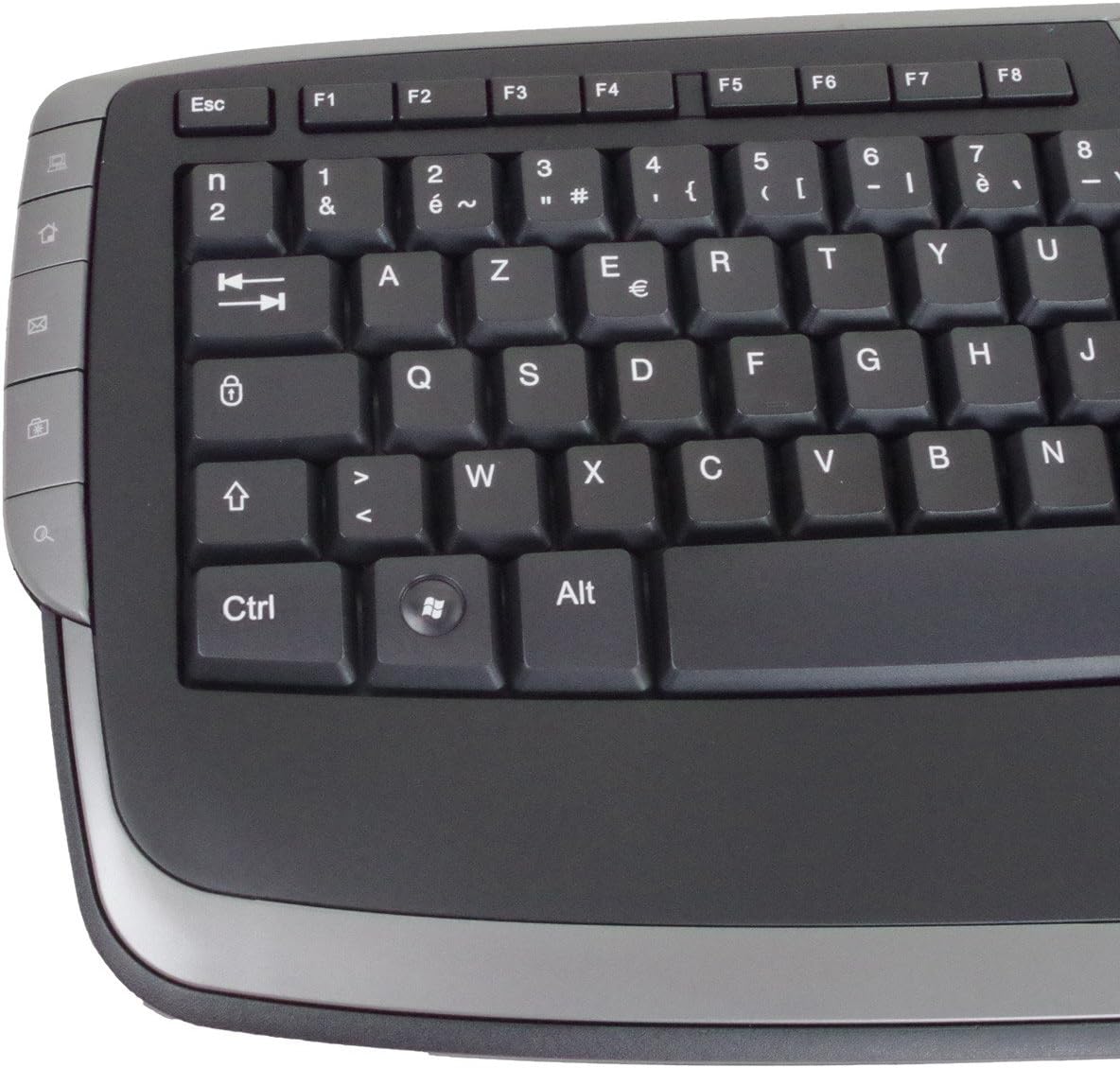
The Grundig 72847 keyboard features an Azerty layout, a wired USB connection, and an ergonomic design. It includes dedicated multimedia and office direct keys for enhanced functionality and supports both Windows and Mac operating systems.
2. Produktas baigtasview
The Grundig 72847 keyboard is designed for comfortable and efficient typing. It features a standard Azerty key layout, along with additional function keys.
2.1 Pagrindinės savybės
- Azerty Layout: Standard key arrangement primarily used in French-speaking regions.
- Laidinis USB ryšys: Ensures stable and reliable connectivity.
- Ergonomiškas dizainas: Contoured shape for comfortable use and reduced strain.
- Multimedijos klavišai: 8 dedicated keys for quick access to media controls (volume, play/pause, etc.).
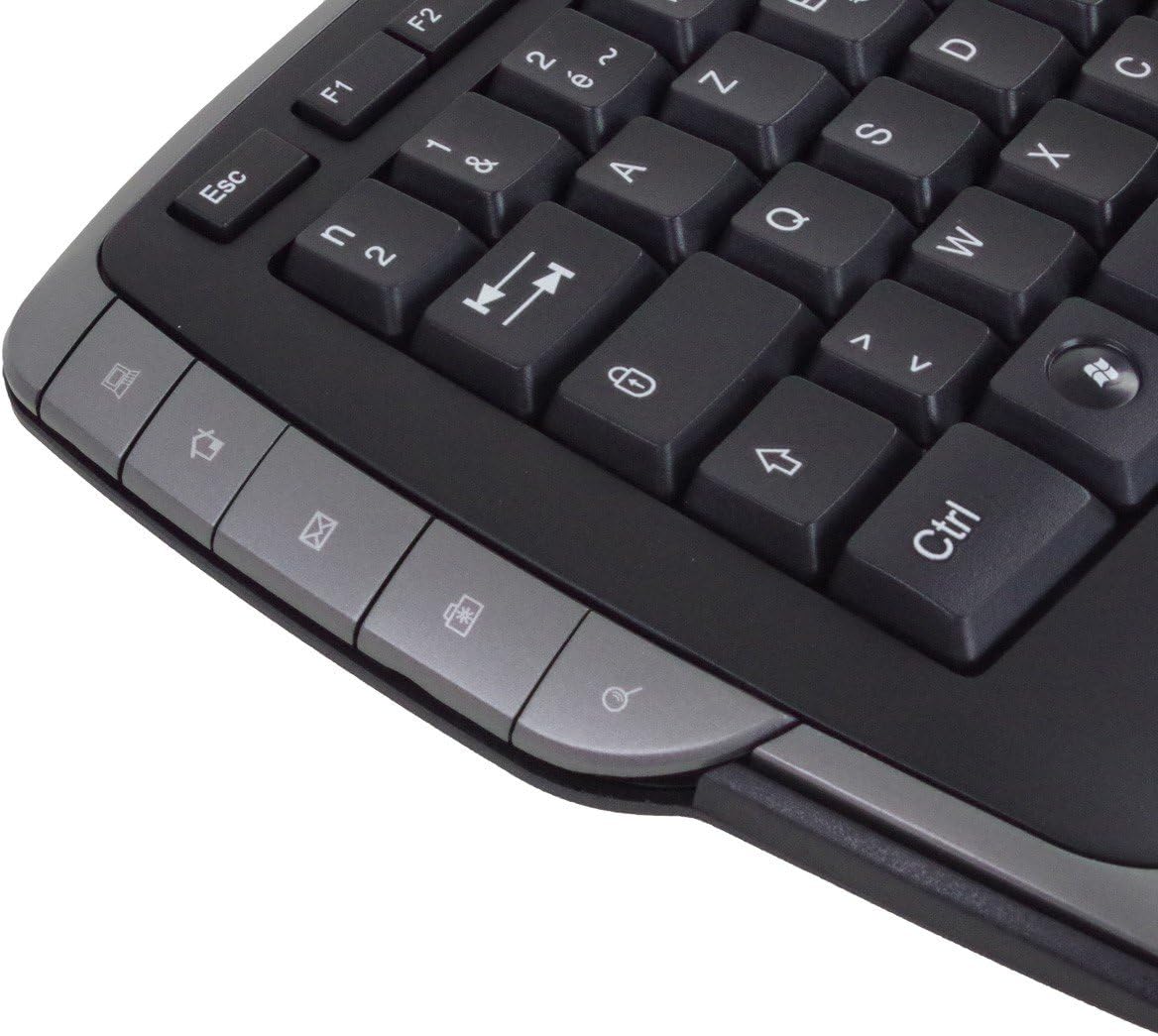
- Office Direct Keys: 17 additional keys for common office functions, enhancing productivity.
- Mėlyni LED indikatoriai: Signal illumination for various functions.
- Platus suderinamumas: Palaiko „Windows“ ir „Mac“ operacines sistemas.
2.2 Keyboard Components
Familiarize yourself with the main components of your Grundig 72847 keyboard:

- Standard Azerty Keys: Alphanumeric, symbol, and function keys (F1-F12).
- Skaitmeninė klaviatūra: Located on the right side for data entry.
- Multimedia Control Keys: Located above the function keys and on the left/right sides.
- Office Direct Keys: Additional shortcut keys for common office applications.
- USB kabelis: For connecting the keyboard to your computer.

3. Sąranka
Follow these steps to connect your Grundig 72847 keyboard to your computer.
- Išpakuokite klaviatūrą: Atsargiai išimkite klaviatūrą iš pakuotės.
- Raskite USB prievadą: Identify an available USB port on your computer (PC or Mac).
- Prijunkite USB kabelį: Įkiškite klaviatūros USB kabelio jungtį į kompiuterio USB prievadą.
- Tvarkyklės diegimas (automatinis): Your operating system (Windows or Mac) should automatically detect and install the necessary drivers. This process may take a few moments.
- Patikrinkite funkcionalumą: Once installed, test the keyboard by typing in a text editor or browser to ensure all keys are responsive.
Pagrindinėms funkcijoms paprastai nereikia jokios papildomos programinės įrangos ar tvarkyklių.
4. Naudojimo instrukcijos
The Grundig 72847 keyboard offers standard typing functionality along with convenient multimedia and office shortcut keys.
4.1 Standartinis spausdinimas
Use the alphanumeric and symbol keys for text input. The Azerty layout is standard for regions like France and Belgium.
4.2 Daugialypės terpės klavišai
The keyboard includes 8 dedicated multimedia keys for quick control of media playback and volume. These are typically located above the function keys (F1-F12) or on the side bezels.
- Garsumo didinimas / mažinimas / nutildymas: Sureguliuokite garso lygius.
- Leisti / pristabdyti: Valdykite medijos atkūrimą.
- Ankstesnis / kitas takelis: Naršyti medijoje files.
- Sustabdyti: Halt media playback.
4.3 Office Direct Keys
The 17 office direct keys provide shortcuts to frequently used functions, improving workflow efficiency. Refer to the key labels for specific functions, which may include:
- El. paštas: Open your default email client.
- Web Naršyklė: Launch your default web naršyklė.
- Mano kompiuteris: Atidaryti file tyrinėtojas.
- Paieška: Activate the system search function.
- Skaičiuotuvas: Open the calculator application.
- Miegas: Put the computer into sleep mode.
The exact functionality of these keys may depend on your operating system and installed software.
5. Priežiūra
Proper care and maintenance will help extend the life of your keyboard.
- Valymas:
- Prieš valydami atjunkite klaviatūrą nuo kompiuterio.
- Šiek tiek naudokite minkštą, be pūkelių šluostę damppaviršių nuvalykite vandeniu arba švelniu valymo tirpalu.
- Venkite naudoti stiprias chemines medžiagas, abrazyvinius valiklius ar tirpiklius.
- Norėdami pašalinti dulkes ir šiukšles iš tarpų tarp klavišų, naudokite suslėgtą orą.
- Saugykla: Klaviatūrą laikykite švarioje, sausoje vietoje, toliau nuo ekstremalių temperatūrų ir tiesioginių saulės spindulių.
- Venkite išsiliejimo: Laikykite skysčius atokiai nuo klaviatūros, kad nepažeistumėte vidinių komponentų.
6. Problemų sprendimas
If you encounter issues with your Grundig 72847 keyboard, try the following solutions:
- Klaviatūra nereaguoja:
- Įsitikinkite, kad USB laidas yra tvirtai prijungtas prie klaviatūros ir kompiuterio.
- Pabandykite prijungti klaviatūrą prie kito kompiuterio USB prievado.
- Iš naujo paleiskite kompiuterį.
- Išbandykite klaviatūrą kitame kompiuteryje, kad nustatytumėte, ar problema susijusi su klaviatūra, ar su originaliu kompiuteriu.
- Neveikia tam tikri klavišai:
- Check for any physical obstructions or debris under the key.
- Išvalykite klaviatūrą, kaip aprašyta skyriuje „Priežiūra“.
- Multimedia/Office Keys Not Functioning:
- Ensure your operating system and applications are up to date.
- Some functions may require specific software or settings within your operating system.
Jei problema išlieka ir išbandžius šiuos veiksmus, susisiekite su klientų aptarnavimo tarnyba.
7. Specifikacijos
| Funkcija | Detalė |
|---|---|
| Modelio numeris | 72847 |
| Dizainas | Azerty |
| Spalva | Matinė juoda |
| Ryšio tipas | USB (laidinis) |
| Kabelio ilgis | apytiksliai 1.4 m |
| Matmenys (P x G x A) | Approx. 47.5 x 19.5 x 2.7 / 3.8 cm |
| Svoris | apytiksliai 910 g |
| Raktinis gyvenimas | 8,000,000 paleidimai |
| Perjungti gyvenimą | 8,000,000 paleidimai |
| Darbinė temperatūra | -5 iki 40 °C |
| Darbinė drėgmė | nuo 20% iki 90% |
| LED indikatoriai | Mėlyna |
| Suderinamos sistemos | Windows, Mac |
| Daugialypės terpės klavišų skaičius | 8 |
| Number of Office Direct Keys | 17 |
8. Garantija ir palaikymas
For warranty information and customer support, please refer to the documentation provided with your purchase or contact your retailer. You may also visit the official Grundig webSvetainė, kurioje rasite tolesnę pagalbą.
Išsaugokite pirkimo įrodymą, kad galėtumėte kreiptis dėl garantijos.


