1. Įvadas
This manual provides comprehensive instructions for the proper use and maintenance of your Horizon SF-400D Digital Precision Scale. Please read this manual thoroughly before operating the device to ensure accurate measurements and prolong its lifespan.
The Horizon SF-400D is a versatile digital precision scale designed for various weighing applications, including jewelry, coins, herbs, spices, and medication. It offers high accuracy and multiple weighing modes, along with a convenient counting function.

1 paveikslas: Horizon SF-400D Digital Precision Scale. This image shows the overall design of the scale, featuring a black body, a stainless steel weighing platform, and a blue backlit LCD display with control buttons.
2. Saugos priemonės
- Neperkraukite svarstyklių, viršydami maksimalią 500 g talpą.
- Venkite svarstyklių veikimo esant ekstremalioms temperatūroms, drėgmei ar tiesioginiams saulės spinduliams.
- Svarstykles laikykite atokiau nuo stiprių elektromagnetinių laukų.
- Nuvalykite svarstykles minkšta, damp Nenaudokite abrazyvinių valiklių ir nemerkite įrenginio į vandenį.
- Ensure the scale is placed on a stable, level surface during operation to ensure accuracy.
3. Gaminio komponentai
Familiarize yourself with the main parts of your SF-400D scale:
- Svėrimo platforma: Stainless steel surface for placing items.
- LCD ekranas: Backlit screen showing weight, units, and other indicators.
- ĮJUNGIMO/IŠJUNGIMO mygtukas: Įjungia arba išjungia svarstykles.
- MODE mygtukas: Changes weighing units (g, oz, ct, dwt, gn, T).
- TARE mygtukas: Grąžina ekraną į nulį, naudinga sveriant daiktus konteineryje.
- PCS Button: Įjungia vienetų skaičiavimo funkciją.
- KALIBRAVIMO mygtukas: Used for calibration.
- Reguliuojamos kojos: Located on the bottom for leveling the scale.
- Burbulo lygis: Integrated on the scale to assist with leveling.
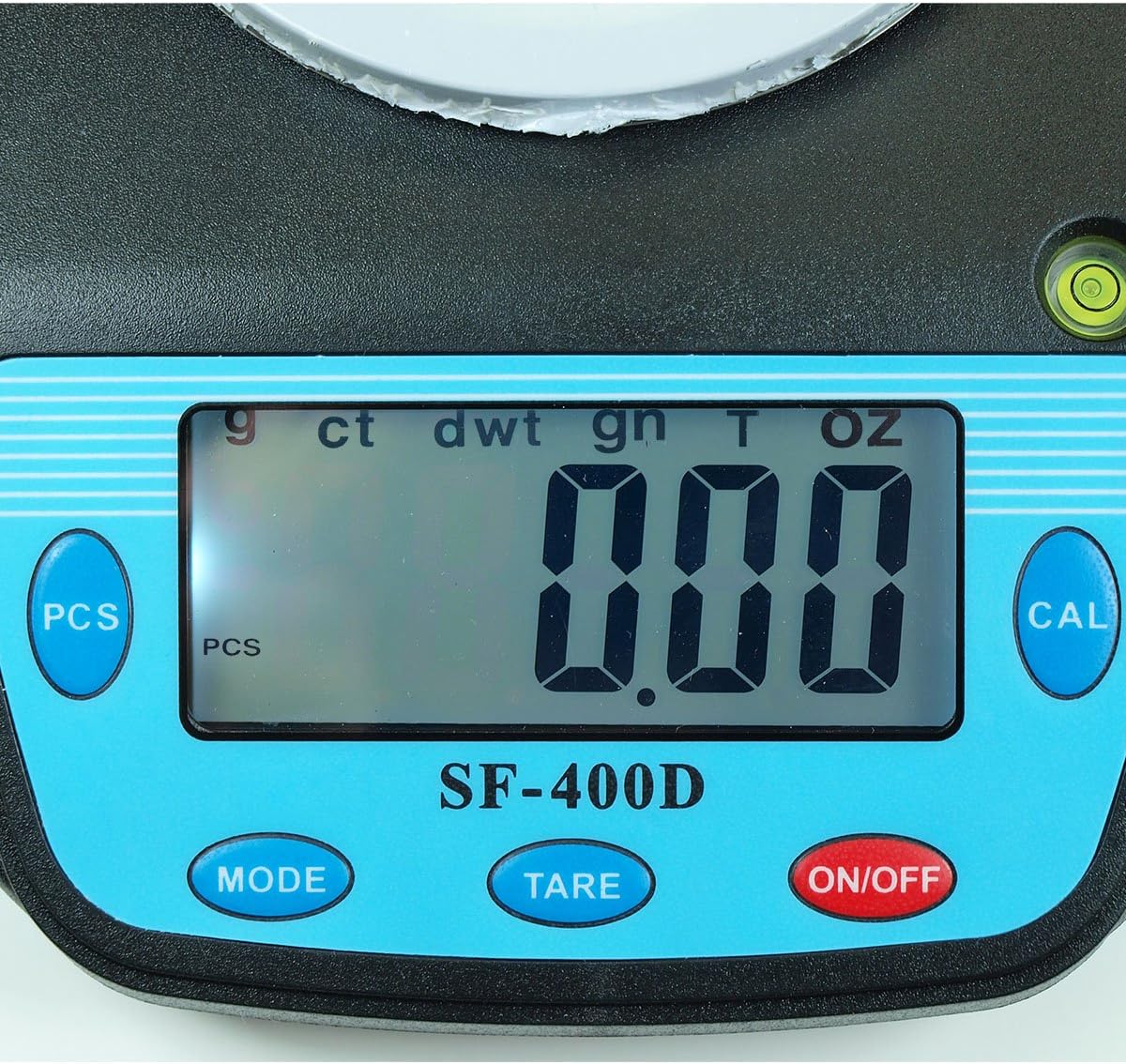
2 paveikslas: Close-up of the SF-400D display and control buttons. This image highlights the LCD screen, showing various unit indicators (g, ct, dwt, gn, T, oz), and the function buttons: PCS, MODE, TARE, ON/OFF, and CAL.

3 paveikslas: Underside of the SF-400D scale showing adjustable legs. Green arrows indicate the location of the four adjustable feet, which are used to level the scale for accurate measurements.
4. Sąranka
4.1. Maitinimo šaltinis
The SF-400D scale operates on two AA batteries (included) or an optional AC power adapter (not included).
- Atidarykite baterijų skyriaus dangtelį, esantį svarstyklių apačioje.
- Įdėkite dvi AA tipo baterijas, užtikrindami teisingą poliškumą (+/-).
- Uždarykite akumuliatoriaus skyrių.
- Alternatively, connect a compatible AC power adapter (6V, amperage not specified in product details, consult manufacturer if needed) to the power port.
4.2. Išdėstymas ir išlyginimas
For optimal accuracy, the scale must be placed on a stable, flat, and level surface.
- Place the scale on your desired weighing surface.
- Observe the integrated bubble level.
- Adjust the four adjustable legs on the bottom of the scale by rotating them until the bubble is centered within the level indicator.
5. Naudojimo instrukcijos
5.1. Pagrindinis svėrimas
- Paspauskite ĮJUNGTA/IŠJUNGTA button to turn on the scale. The display will show "88888" and then "0.00" (or "0.0" depending on the unit).
- If the display does not show zero, press the TARĖ mygtuką, kad nulinėtumėte skalę.
- Paspauskite REŽIMAS button to select your desired weighing unit (g, oz, ct, dwt, gn, T).
- Gently place the item(s) to be weighed on the center of the stainless steel platform.
- Nuskaitykite stabilų svorį, rodomą LCD ekrane.
- Norėdami išjungti svarstykles, paspauskite ir palaikykite ĮJUNGTA/IŠJUNGTA button for a few seconds. The scale also features an auto shut-off function to conserve battery power.
5.2. Taros funkcija
The Tare function allows you to subtract the weight of a container, so only the contents are weighed.
- Padėkite tuščią indą ant svėrimo platformos.
- Palaukite, kol ekranas stabilizuosis ir bus rodomas konteinerio svoris.
- Paspauskite TARĖ mygtuką. Ekrane bus nustatyta „0.00“ (arba „0.0“).
- Į konteinerį sudėkite norimus pasverti daiktus. Ekrane bus rodomas tik grynasis daiktų svoris.
- Norėdami išvalyti tarą, nuimkite visus daiktus nuo platformos ir paspauskite TARĖ again if the display does not return to zero automatically.
5.3. Piece Counting Function (PCS)
This function is useful for counting multiple identical items.
- Turn on the scale and ensure it is zeroed.
- Paspauskite PCS button. The display will show "PCS" and a sample size (e.g., "25", "50", "75", "100").
- Paspauskite REŽIMAS button to cycle through the available sample sizes (25, 50, 75, 100 pieces). Select the sample size that matches the number of items you will place on the scale for sampmolva.
- Įrašykite tikslų skaičių sample items (e.g., 25 pieces) onto the weighing platform according to your selected sample dydis.
- Paspauskite PCS dar kartą paspauskite mygtuką, kad patvirtintumėteample. The display will now show the number of pieces.
- You can now add more items of the same type, and the scale will display the total count.
- To exit the counting mode, press the REŽIMAS mygtuką.
5.4. Kalibravimas
Calibration ensures the accuracy of your scale. It is recommended to calibrate the scale periodically or if you suspect inaccurate readings. You will need a known calibration weight (e.g., 500g) for this process.

4 paveikslas: SF-400D display showing "CAL" during calibration mode. This image illustrates the scale's screen indicating it is in calibration mode, prompting the user to place a calibration weight.
- Ensure the scale is on a stable, level surface and turned off.
- Paspauskite ir palaikykite CAL mygtuką, tada paspauskite ĮJUNGTA/IŠJUNGTA button simultaneously. Release both buttons when the display shows "CAL".
- The display will then show a flashing weight value (e.g., "500.00g"). This is the required calibration weight.
- Place the exact calibration weight (e.g., 500g) onto the center of the weighing platform.
- Wait for the display to stabilize and show "PASS" or return to normal weighing mode. This indicates successful calibration.
- Nuimkite kalibravimo svarelį. Svarstyklės dabar sukalibruotos ir paruoštos naudoti.
- If "FAIL" or an error message appears, repeat the calibration process.
6. Priežiūra
6.1. Valymas
- Svarstyklių paviršių nuvalykite minkšta, šiek tiek drėgna šluosteamp audinys.
- Nenaudokite stiprių cheminių medžiagų, abrazyvinių valiklių ir nemerkite svarstyklių į vandenį.
- Prieš padėdami svarstykles saugoti arba naudodami kitą kartą, įsitikinkite, kad jos yra visiškai sausos.
6.2. Sandėliavimas
- Svarstykles laikykite vėsioje, sausoje vietoje, toliau nuo tiesioginių saulės spindulių ir ekstremalių temperatūrų.
- Jei ilgesnį laiką sandėliuosite, išimkite baterijas, kad išvengtumėte jų ištekėjimo.
7. Problemų sprendimas
| Problema | Galima priežastis | Sprendimas |
|---|---|---|
| Svarstyklės neįsijungia. | Low or dead batteries; incorrect battery installation; no power from AC adapter. | Replace batteries; check battery polarity; ensure AC adapter is properly connected and functional. |
| Netikslūs rodmenys. | Scale not level; unstable surface; needs calibration; overloaded; strong air currents or vibrations. | Ensure scale is level using adjustable legs and bubble level; place on stable surface; perform calibration; do not exceed 500g capacity; operate in a stable environment. |
| Rodomas „O_Ld“ arba „EEEE“. | Svarstyklės perkrautos. | Nedelsdami pašalinkite svorio perteklių. Neviršykite 500 g talpos. |
| Display shows "UNST". | Unstable environment or surface. | Move the scale to a more stable location, away from vibrations or drafts. |
| Counting function not working correctly. | Neteisingi sample size selected; sample items not identical in weight. | Įsitikinkite, kad sample size matches the number of items placed for sampling; use identical items for accurate counting. |
8. Specifikacijos
| Funkcija | Detalė |
|---|---|
| Modelis | SF-400D |
| Talpa | 500 grams (g) / 17.5 ounces (oz) |
| Accuracy (Readability) | 0.01 grams (g) / 0.0005 ounces (oz) |
| Svėrimo režimai | g (grams), oz (ounces), ct (carats), dwt (pennyweights), gn (grains), T (troy ounces), pcs (pieces) |
| Platformos medžiaga | Nerūdijantis plienas |
| Platform Diameter | 4.2 colių |
| Ekranas | LCD su foniniu apšvietimu |
| Galia | 2 x AA batteries (included) or 6V AC adapter (not included) |
| Matmenys (I x P x A) | 8.25" x 6.0" x 1.75" |
| Savybės | Tare function, Piece Counting, Auto Shut-Off, Backlit Display, Adjustable Legs, Bubble Level |
9. Garantija ir palaikymas
For warranty information or technical support, please refer to the documentation included with your purchase or contact the retailer. Specific warranty terms may vary by region and retailer.
Jei turite bendrų klausimų arba norite peržiūrėti kitus produktus, galite apsilankyti Horizon Store on Amazon.


