Įvadas
Thank you for choosing the Baseus Encok True Wireless Earbuds W06. This manual provides detailed instructions on how to set up, operate, and maintain your earbuds to ensure optimal performance and longevity. Please read this manual thoroughly before using the product.
Pakuotės turinys
Išpakuodami patikrinkite pakuotės turinį. Jei trūksta kokių nors daiktų arba jie pažeisti, susisiekite su pardavėju.
- Baseus Encok True Wireless Earbuds (L/R)
- Įkrovimo dėklas
- USB-C įkrovimo laidas
- Silikoniniai ausų antgaliai (įvairių dydžių)
- Vartotojo vadovas
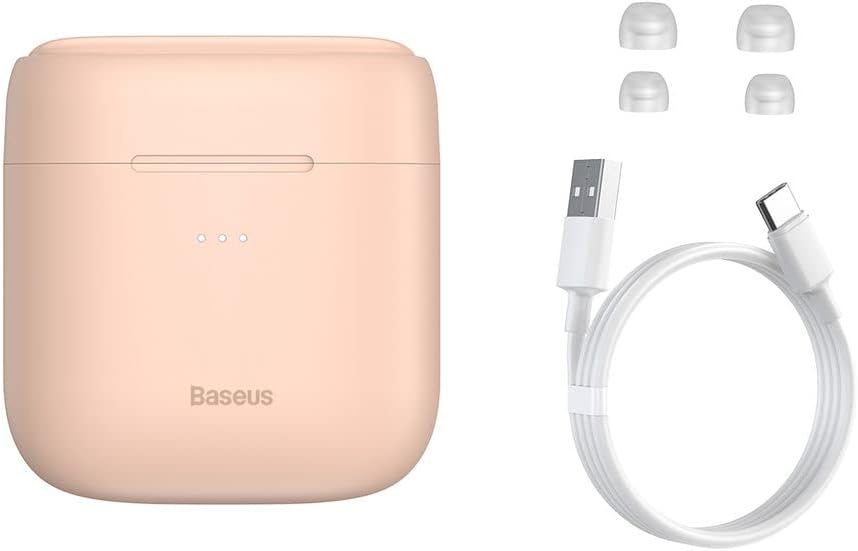
Image: The package contents, showing the charging case, two earbuds, a USB-C charging cable, and several pairs of silicone eartips.
Sąranka
1. Ausinių ir dėklo įkrovimas
Before first use, fully charge the earbuds and the charging case. Place the earbuds into the charging case. Connect the USB-C cable to the charging case and a power source, or place the charging case on a compatible wireless charging pad.
- Dėklo indikatoriaus lemputės rodys įkrovimo būseną.
- Pilnas įkrovimas paprastai trunka maždaug 1.5 valandas.
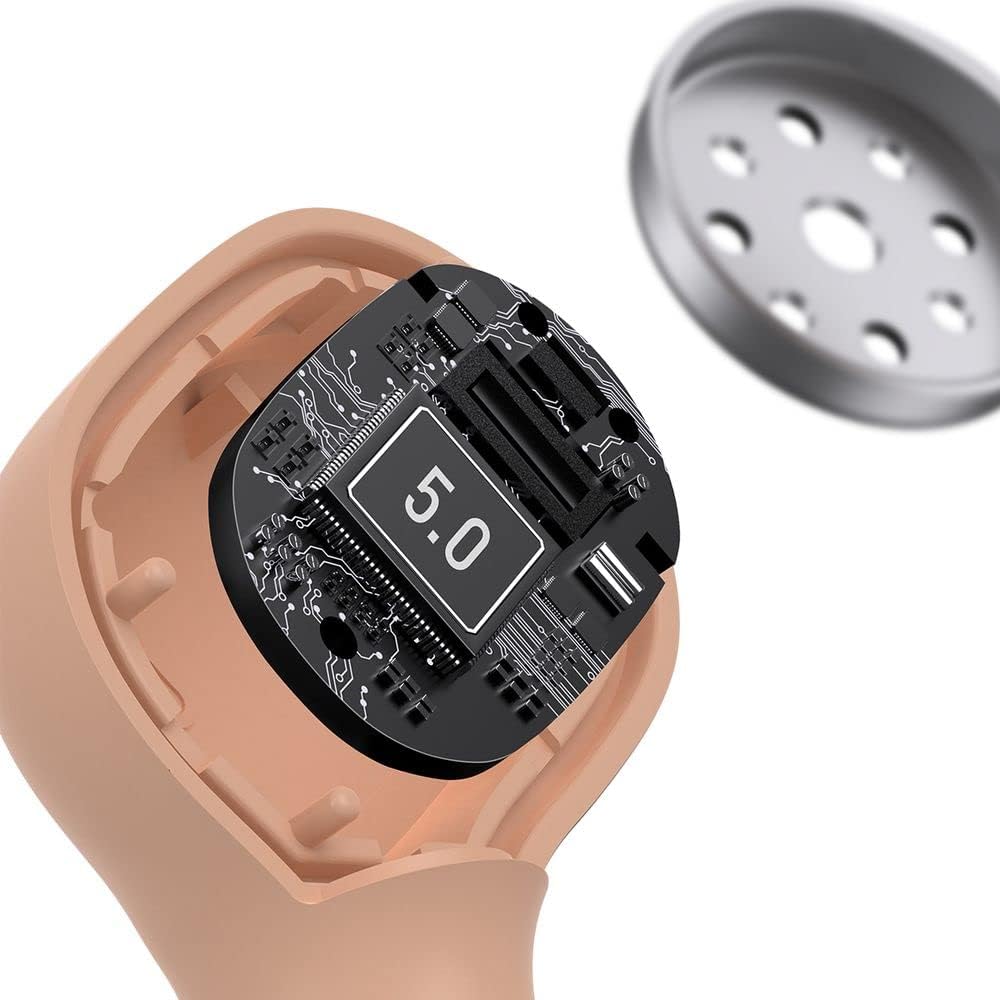
Image: The Baseus Encok W06 earbuds resting inside their open charging case, indicating they are ready for charging or use.

Image: Two Baseus Encok W06 charging cases, one connected via a USB-C cable and another placed on a wireless charging pad, demonstrating charging methods.
2. „Bluetooth“ poravimas
- Įsitikinkite, kad ausinės yra įkrautos.
- Atidarykite įkrovimo dėklą. Ausinės automatiškai įsijungs susiejimo režimą, tai nurodys mirksinti lemputė.
- Savo įrenginyje (išmaniajame telefone, planšetiniame kompiuteryje ir kt.) įjunkite „Bluetooth“.
- Ieškokite "Baseus Encok W06" in the list of available Bluetooth devices.
- Select it to connect. Once connected, the indicator light on the earbuds will stop flashing.
Ausinės automatiškai prisijungs prie paskutinio suporuoto įrenginio, kai bus išimtos iš dėklo, jei įrenginyje įjungtas „Bluetooth“.
3. Ausinių dėvėjimas
Choose the silicone eartips that provide the best fit and seal for your ears. Insert the earbuds gently into your ear canal and rotate them slightly until they feel secure and comfortable.

Image: A person wearing a Baseus Encok W06 earbud, illustrating how the earbud sits comfortably and securely in the ear.
Naudojimo instrukcijos
The Baseus Encok W06 earbuds feature touch controls for various functions.
- Maitinimas: Open the charging case, or press and hold the touch panel for 3 seconds if earbuds are out of case.
- Išjungti: Place earbuds back into the charging case and close the lid, or press and hold the touch panel for 5 seconds.
- Leisti / pristabdyti: Dukart palieskite bet kurios ausinės jutiklinį skydelį.
- Kitas takelis: Tris kartus bakstelėkite dešinę ausinę.
- Ankstesnis takelis: Tris kartus palieskite kairiąją ausinę.
- Atsiliepti / Baigti skambutį: Double-tap the touch panel on either earbud during an incoming call.
- Atmesti skambutį: Press and hold the touch panel on either earbud for 2 seconds during an incoming call.
- Suaktyvinti „Voice Assistant“: 3 sekundes palaikykite nuspaudę bet kurios ausinės jutiklinį skydelį.
Pagrindinės savybės
- Double-sided Wireless Charging: The charging case supports wireless charging from both sides, allowing flexible placement on a wireless charging pad.
- APT-X Audio Decoding: Provides high-quality audio transmission for a superior listening experience.
- CVC Noise Canceling: Clear Voice Capture technology reduces background noise during calls for clearer communication.
- Pailgintas akumuliatoriaus veikimo laikas: Offers up to 300 hours of standby time.
- "Bluetooth 5.0": Užtikrina stabilų ir efektyvų belaidį ryšį.

Image: A visual representation of the Baseus Encok W06 earbuds and charging case, accompanied by text detailing key features such as two-sided wireless charging, APT-X audio decoding, CVC noise canceling, and 300 hours of battery life.

Paveikslėlis: detalus view of the internal circuitry of a Baseus Encok W06 earbud, prominently displaying '5.0', signifying its Bluetooth 5.0 connectivity.
Priežiūra
Valymas
- Reguliariai valykite ausines ir įkrovimo dėklą minkštu, sausu, nepūkuotu skudurėliu.
- Nuimkite ausų antgalius ir nuvalykite juos švelniu muilu ir vandeniu, tada kruopščiai nusausinkite prieš vėl įdėdami.
- Nenaudokite abrazyvinių valiklių, alkoholio ar cheminių tirpiklių.
- Įsitikinkite, kad abiejų ausinių ir dėklo įkrovimo kontaktai yra švarūs ir be šiukšlių.
Sandėliavimas
- Kai nenaudojate, laikykite ausines įkrovimo dėkle, kad apsaugotumėte ir liktų įkrautos.
- Venkite laikyti ekstremaliose temperatūrose (karštyje arba šaltyje) arba didelės drėgmės vietose.
Akumuliatoriaus priežiūra
- Norėdami taupyti akumuliatoriaus veikimo laiką, reguliariai įkraukite ausines ir dėklą, net jei nenaudojate dažnai.
- Venkite ilgesnį laiką visiškai iškrauti bateriją.
Trikčių šalinimas
| Problema | Sprendimas |
|---|---|
| Ausinės nesusijungia su įrenginiu. |
|
| Nėra garso iš vienos arba abiejų ausinių. |
|
| Įkrovimo dėklas neįkraunamas. |
|
Specifikacijos
| Funkcija | Detalė |
|---|---|
| Prekės ženklas | Baseus |
| Modelio pavadinimas | NGJW06-04 (W06) |
| Prekės modelio numeris | B00F2ZIDTS |
| Ryšio technologija | Belaidis ryšys („Bluetooth 5.0“) |
| Ausinių formos faktorius | Į ausis |
| Kabelio funkcija | Bevielis |
| Prekės svoris | 50 gramų |
| Gaminio matmenys | 10 x 3 x 2 cm |
| Gamintojas | Baseus |
| Belaidis įkrovimas | Supported (Double-sided) |
| Garso dekodavimas | APT-X |
| Triukšmo panaikinimas | CVC (for calls) |
| Baterijos veikimo laikas (budėjimo režimas) | Iki 300 valandų |
Saugos informacija
- Neardykite, netaisykite ir nemodifikuokite gaminio.
- Saugokite gaminį nuo vandens, drėgmės ir ekstremalių temperatūrų.
- Venkite ilgalaikio didelio garsumo poveikio, kad nepažeistumėte klausos.
- Produktą ir jo bateriją utilizuokite atsakingai, laikydamiesi vietinių taisyklių.
- Laikyti vaikams ir naminiams gyvūnėliams nepasiekiamoje vietoje.
Garantija ir palaikymas
Baseus products typically come with a limited warranty. For specific warranty terms and conditions, please refer to the warranty card included in your package or visit the official Baseus website. For technical support, product inquiries, or warranty claims, please contact Baseus customer service or your local retailer.
You can visit the official Baseus store for more information: Baseus Store


