1. Įvadas
The Logitech Z150 Stereo PC Speakers are designed to deliver clear acoustic stereo sound for your computer, smartphone, tablet, or MP3 player. With 3 watts RMS power (6 watts peak), these compact speakers feature 5cm drivers, integrated controls for power and volume, a 3.5mm audio input for versatile connectivity, and a convenient headphone jack for private listening.

1 pav.: priekis view of the Logitech Z150 Stereo PC Speakers, showcasindėl jų kompaktiško dizaino.
2. Kas yra dėžutėje
Patikrinkite pakuotės turinį, kad įsitikintumėte, jog yra visi reikalingi daiktai:
- Two Logitech Z150 Speakers
- Power Adapter (UK plug)
- Vartotojo dokumentacija
3. Sąrankos vadovas
Follow these steps to set up your Logitech Z150 speakers:
- Išpakuokite garsiakalbius: Atsargiai išimkite visus komponentus iš pakuotės.
- Connect the Speakers: The two speakers are connected by a fixed cable. Position them on your desk or desired surface.
- Prijunkite maitinimo adapterį: Plug the power adapter into the power input port on the back of the main speaker (the one with controls). Then, plug the power adapter into a wall outlet.

Figure 2: The power adapter with a UK plug.
- Prisijunkite prie garso šaltinio: Plug the 3.5mm audio jack from the speaker cable into the headphone jack or audio output port of your computer, smartphone, tablet, or MP3 player.

Figure 3: The 3.5mm audio jack for connecting to your device.

4 pav.: galinis view of the speakers showing the audio input and power ports.
- Maitinimas: Turn the volume knob on the front of the main speaker clockwise to power on the speakers. A green indicator light will illuminate.
4. Naudojimo instrukcijos
Once set up, operating your Z150 speakers is straightforward:
- Maitinimo įjungimas / išjungimas ir garsumo valdymas: The large knob on the front of the right speaker controls both power and volume. Turn it clockwise to power on and increase volume, and counter-clockwise to decrease volume and power off.
- Garso įvestis: The speakers automatically play audio from the device connected via the 3.5mm audio jack. Ensure your audio source device's volume is also turned up.
- Ausinių lizdas: For private listening, plug your headphones into the 3.5mm headphone jack located on the front of the main speaker. This will mute the speakers and redirect audio to your headphones.
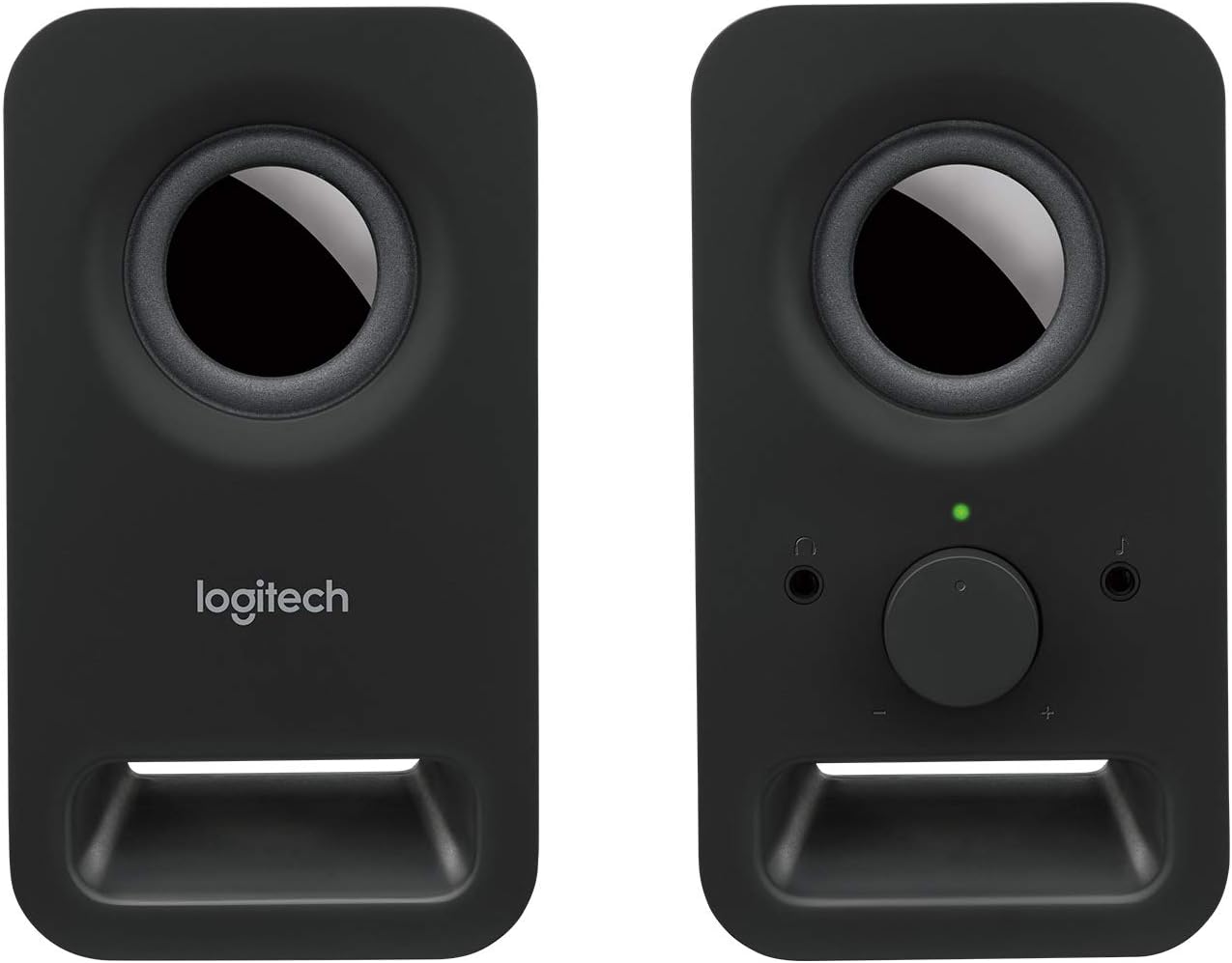
5 pav.: priekis view of the main speaker, highlighting the volume control and headphone jack.
5. Priežiūra
Norėdami užtikrinti „Logitech Z150“ garsiakalbių ilgaamžiškumą ir optimalų veikimą, laikykitės šių paprastų priežiūros nurodymų:
- Valymas: Use a soft, dry, lint-free cloth to clean the speaker surfaces. Do not use abrasive cleaners, waxes, or solvents.
- Venkite skysčių: Do not expose the speakers to water or other liquids. If liquid spills on the speakers, immediately disconnect them from power and allow them to dry completely before reconnecting.
- Vieta: Place the speakers on a stable, flat surface. Avoid placing them in direct sunlight, near heat sources, or in excessively humid environments.
- Saugykla: When not in use for extended periods, store the speakers in a cool, dry place.
6. Problemų sprendimas
Jei kyla problemų dėl „Logitech Z150“ garsiakalbių, žr. šias dažniausiai pasitaikančias problemas ir sprendimus:
| Problema | Galima priežastis | Sprendimas |
|---|---|---|
| Iš garsiakalbių nėra garso | Speakers are not powered on. | Turn the volume knob clockwise to power on the speakers. Check if the green indicator light is on. |
| Garsumas per mažas arba nutildytas. | Increase the volume using the knob on the speaker and on your audio source device. | |
| Netinkamai prijungtas garso kabelis. | Ensure the 3.5mm audio jack is fully inserted into both the speaker and your audio source device. | |
| Ausinės prijungtos. | Unplug headphones from the speaker's headphone jack. | |
| Garsas yra iškraipytas arba neaiškus | Garsas per didelis. | Reduce the volume on both the speakers and your audio source device. |
| Garso šaltinio kokybė prasta. | Pabandykite leisti garsą iš kito šaltinio arba file to determine if the issue is with the source. | |
| Only one speaker is working | Loose connection between speakers. | Ensure the fixed cable connecting the two speakers is not damaged. |
| Audio source output issue. | Test with another audio source or check your device's audio settings for balance. |
7. Specifikacijos
| Funkcija | Detalė |
|---|---|
| Modelio pavadinimas | Z150 |
| Prekės modelio numeris | 980-000816 |
| Garsiakalbio tipas | Multimedija |
| Garso išvesties režimas | Stereo (2.0 kanalai) |
| Maksimali garsiakalbio išvesties galia | 6 vatų piko / 3 vatų RMS |
| Garsiakalbio dydis | 5 Centimeters (drivers) |
| Ryšio technologija | AUX (3.5mm audio input) |
| Kontrolės metodas | Rotary Knob (Power/Volume) |
| Ypatingos savybės | Plug and Play, Volume Control, Headphone Jack |
| Suderinami įrenginiai | Desktop computer, MP3 player, Mac, Smartphone, Tablet |
| Gaminio matmenys (D x P x A) | 7.6 x 8.5 x 15.2 cm |
| Prekės svoris | 583 gramų |
| Spalva | Black (Night) |
| Įtraukti komponentai | Two speakers, Power adapter (UK plug), User documentation |
| Maitinimo šaltinis | Kintamos srovės adapteris |
| Montavimo tipas | Stalviršio laikiklis |
8. Garantija ir palaikymas
Your Logitech Z150 speakers come with a Ribota garantija. For specific details regarding the warranty period and terms, please refer to the user documentation included in the box or visit the official Logitech support websvetainę.
For technical support, troubleshooting beyond this manual, or warranty claims, please visit the Logitech support websvetainė adresu support.logi.com. You may need your product model number (980-000816) when contacting support.
Please note that return policies may vary based on your point of purchase. For purchases made on Amazon, a 30-day return period typically applies if you change your mind, and specific assistance is available for defective or damaged products.


