1. Įvadas
This manual provides comprehensive instructions for the Sony Cyber-shot DSC-W810 Digital Camera. It covers essential information for setting up, operating, maintaining, and troubleshooting your camera to ensure optimal performance and longevity. Please read this manual thoroughly before using your camera.
2. Produktas baigtasview
Familiarize yourself with the components and controls of your Sony Cyber-shot DSC-W810 camera.
2.1 Kameros komponentai
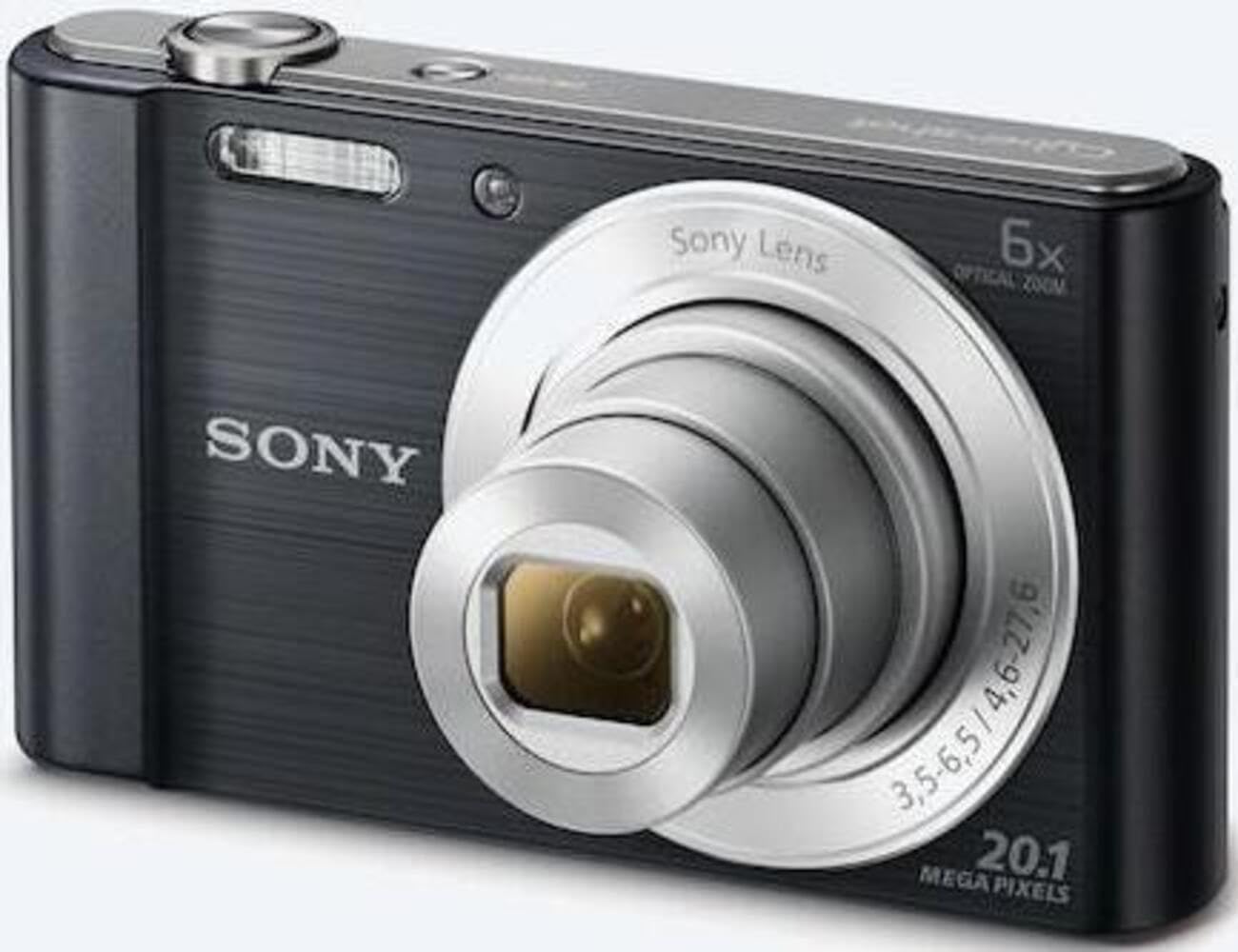
1 pav.: priekis view of the camera with the lens retracted. This shows the lens, flash, and shutter button.
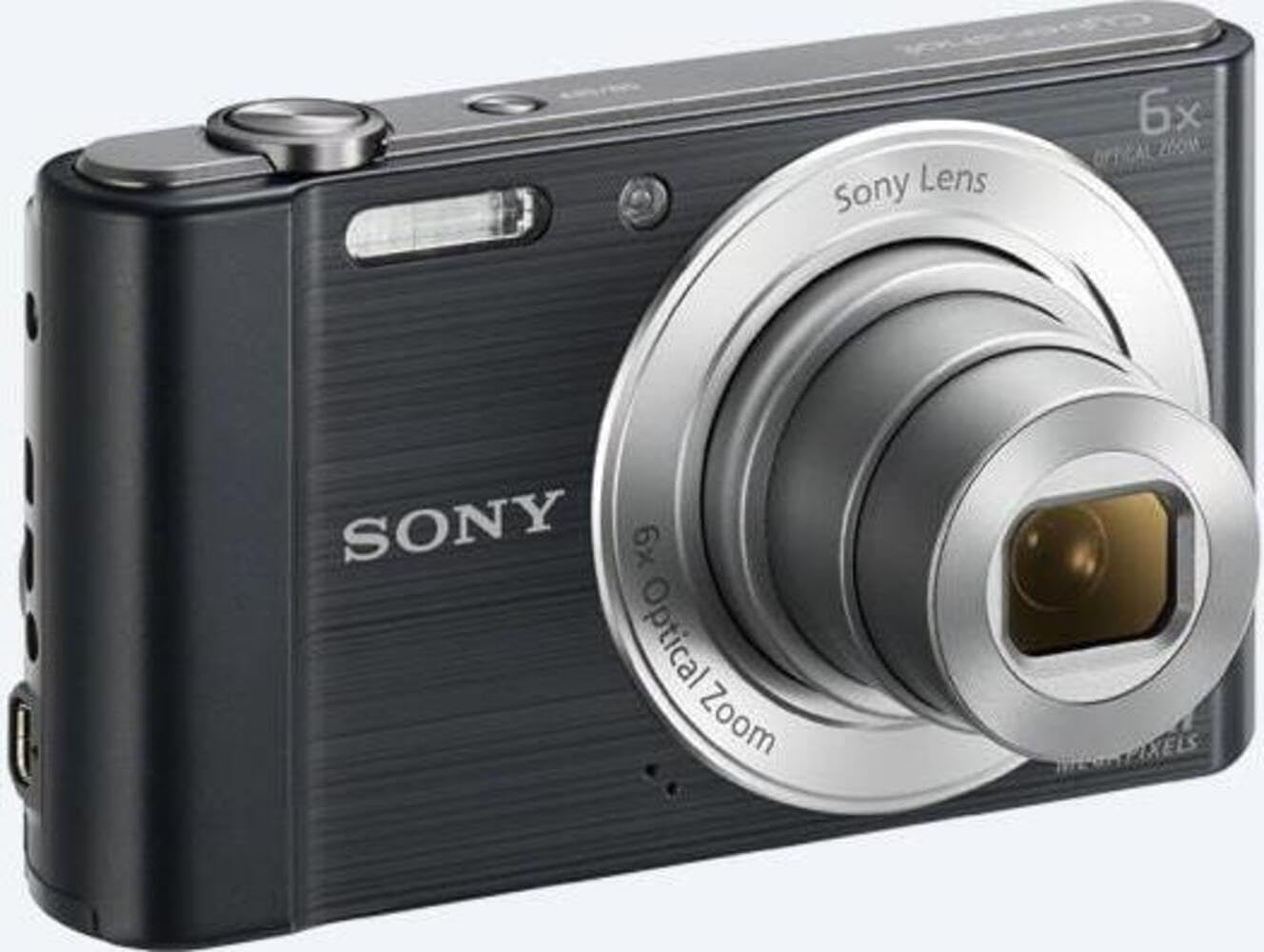
2 pav.: priekis view of the camera with the lens extended, ready for shooting. This illustrates the camera's compact design when in use.

3 pav.: galinis view of the camera, highlighting the 2.7-inch LCD screen, navigation buttons, movie record button, and menu button.

4 paveikslas: viršuje view of the camera, showing the power button, shutter button, and zoom lever.
2.2 Control Buttons and Functions
- Užrakto mygtukas: Norėdami sufokusuoti, paspauskite iki pusės, o norėdami užfiksuoti vaizdą – iki galo.
- Priartinimo svirtelė (platinimas/tolinimas): Adjusts optical and digital zoom. "W" for wide-angle, "T" for telephoto.
- Maitinimo mygtukas: Įjungia arba išjungia fotoaparatą.
- Filmo mygtukas: Pradedamas ir sustabdo vaizdo įrašymą.
- Atkūrimo mygtukas: Įjungiamas atkūrimo režimas, view nuotraukos ir vaizdo įrašai.
- Meniu mygtukas: Pasiekia fotoaparato nustatymus ir parinktis.
- Krypties mygtukai: Navigate menus and select options. Also used for flash settings, self-timer, and display options.
- Flash: Integruota blykstė, skirta fotografuoti esant prastam apšvietimui.
- LCD ekranas: 2.7-inch display for framing shots, viewvaizdų ir naršymo meniu.
3. Sąranka
Follow these steps to prepare your camera for first use.
3.1 Akumuliatoriaus įdėjimas
- Open the battery/memory card cover located on the bottom of the camera.
- Insert the battery with the correct orientation, ensuring the terminals align. Push until it clicks into place.
- Saugiai uždarykite dangtelį.
Note: The camera does not include batteries. Please use compatible Sony NP-BN or NP-BN1 batteries.
3.2 Atminties kortelės įdėjimas
The camera supports SDXC or SDHC memory cards.
- Atidarykite akumuliatoriaus / atminties kortelės dangtelį.
- Įkiškite atminties kortelę į lizdą tinkama kryptimi, kol pasigirs spragtelėjimas.
- Saugiai uždarykite dangtelį.
Note: A memory card is not included with the camera. Purchase a compatible SDXC or SDHC card separately.
3.3 Pradinis įjungimas ir nustatymai
- Paspauskite maitinimo mygtuką, kad įjungtumėte fotoaparatą.
- The initial setup screen will appear. Follow the on-screen prompts to set the language, date, and time.
- Ensure the date and time are accurate for proper photo organization.
4. Fotoaparato valdymas
Learn how to capture photos and videos with your DSC-W810.
4.1 Fotografavimas
- Įjunkite fotoaparatą.
- Kadruokite kadrą naudodami LCD ekraną.
- Norėdami reguliuoti 6 kartų optinį priartinimą, naudokite priartinimo svirtelę (W/T).
- Press the Shutter button halfway down to focus. The focus frame will turn green when focus is achieved.
- Press the Shutter button fully to take the picture.
4.2 Using Flash Modes
The camera features a built-in flash with various modes. Press the right directional button (flash icon) to cycle through modes:
- Automatinė blykstė: Fotoaparatas automatiškai nustato, ar reikia blykstės.
- Detalioji blykstė: Blykstė suveikia su kiekvienu kadru.
- Lėtas sinchronizavimas: Flash fires, and shutter speed is slowed to capture background light.
- Be blykstės: Blykstė išjungta.
Tip: For low-light environments, the "Party Mode" (accessible via the menu) can optimize settings for clearer images without harsh flash.
4.3 Vaizdo įrašų įrašymas
- Įjunkite fotoaparatą.
- Press the dedicated Movie button to start recording.
- Norėdami sustabdyti įrašymą, dar kartą paspauskite filmavimo mygtuką.
Note: Videos are recorded in 720p resolution in MP4 format.
4.4 Atkūrimo režimas
- Norėdami įjungti atkūrimo režimą, paspauskite atkūrimo mygtuką.
- Use the left/right directional buttons to browse through your photos and videos.
- Press the center button to play videos.
- Press the Playback button again to return to shooting mode.
5. Priežiūra
Tinkama priežiūra užtikrina jūsų fotoaparato ilgaamžiškumą ir našumą.
5.1 Kameros valymas
- Kameros korpusas: Nuvalykite minkšta, sausa šluoste. Įsisenėjusiam purvui lengvai nuvalykite šluoste.ampužpilama vandeniu.
- Objektyvas: Dulkėms pašalinti naudokite objektyvo šepetėlį, tada švelniai nuvalykite objektyvo valymo šluoste. Nelieskite objektyvo paviršiaus pirštais.
- LCD ekranas: Use a soft, dry cloth specifically designed for LCD screens.
Caution: Do not use organic solvents such as alcohol or thinner to clean the camera.
5.2 Akumuliatoriaus priežiūra
- Prieš pradėdami naudoti akumuliatorių, visiškai jį įkraukite.
- Išimkite bateriją, jei fotoaparato nenaudosite ilgesnį laiką.
- Baterijas laikykite vėsioje, sausoje vietoje.
5.3 Saugykla
When not in use, store the camera in a dry, well-ventilated area, away from direct sunlight, high temperatures, and humidity. Use a camera case for protection during transport.
6. Problemų sprendimas
Dažniausiai pasitaikančių problemų sprendimus rasite šiame skyriuje.
| Problema | Sprendimas |
|---|---|
| Kamera neįsijungia. |
|
| Vaizdai neryškūs. |
|
| Flash is too bright or too dim. |
|
| Atminties kortelės klaida. |
|
7. Specifikacijos
Key technical specifications for the Sony Cyber-shot DSC-W810 Digital Camera.
| Funkcija | Detalė |
|---|---|
| Modelio pavadinimas | DSCW810B.CE3 |
| Veiksminga nejudančioji raiška | 20.1 MP |
| Nuotraukų jutiklių technologija | CCD |
| Optinis priartinimas | 6x |
| Skaitmeninis priartinimas | 48x |
| Maksimalus židinio nuotolis | 27.6 mm |
| Minimalus židinio nuotolis | 4.6 mm |
| Vaizdo stabilizavimas | Skaitmeninis, optinis |
| Ekrano dydis | 2.7 colio LCD |
| Vaizdo raiška | 720p |
| Palaikoma File Formatai | JPEG, RAW (Still), MP4 (Video) |
| „Flash“ atminties tipas | SDXC or SDHC |
| Ryšys | USB, HDMI |
| Prekės svoris | 111 gramų |
| Spalva | Juoda |
8. Garantija ir palaikymas
8.1 Informacija apie garantiją
This product comes with a 90-day Limited Hardware Warranty. For full details, please refer to the official warranty document:
View 90 dienų ribota aparatinės įrangos garantija
Note: This is an international version of the camera and may have warranty limitations in certain regions.
8.2 Pagalba klientams
Dėl papildomos pagalbos, techninės pagalbos ar paslaugų užklausų apsilankykite oficialioje „Sony“ palaikymo svetainėje websvetainėje arba susisiekite su jų klientų aptarnavimo tarnyba.


