1. Įvadas
This manual provides essential information for the safe and efficient operation of your McGrey DJ-1022 Passive PA DJ Speakers. Please read it thoroughly before use and retain it for future reference. These speakers are designed for sound reinforcement applications, offering a robust and clear audio experience.
2. Saugos instrukcijos
- Prieš naudodami garsiakalbius, atidžiai perskaitykite visas instrukcijas.
- Laikykite šį vadovą saugioje vietoje, kad galėtumėte pasinaudoti ateityje.
- Saugokite garsiakalbius nuo lietaus, drėgmės ar ekstremalių temperatūrų.
- Užtikrinkite tinkamą vėdinimą aplink garsiakalbius, kad jie neperkaistų.
- Connect the speakers only to compatible amplifiers with appropriate power ratings and impedance.
- Avoid operating the speakers at excessive volume levels for prolonged periods to prevent hearing damage and speaker damage.
- Nebandykite patys atlikti garsiakalbių remonto. Visus techninės priežiūros darbus patikėkite kvalifikuotiems specialistams.
- Position speakers securely to prevent them from falling, especially when using pole mounts.
3. Pakuotės turinys
Pakuotėje turi būti šie elementai:
- 2 x McGrey DJ-1022 Passive PA DJ Speakers
- Vartotojo vadovas (šis dokumentas)
Inspect the package upon receipt to ensure all components are present and undamaged. Contact your retailer immediately if any items are missing or damaged.
4. Sąranka
4.1 Garsiakalbių išdėstymas
Place the speakers on a stable, level surface or mount them on suitable speaker stands using the integrated pole mount. Ensure the speakers are positioned to provide optimal sound coverage for your intended audience.

Vaizdas: Apačia view of the speaker, highlighting the integrated pole mount socket for stand placement.
4.2 Jungtys
Prieš atlikdami bet kokius sujungimus, įsitikinkite, kad jūsų amplifier is turned off and disconnected from the power supply. Connect the speakers to your amplifier using high-quality speaker cables. The McGrey DJ-1022 speakers feature a versatile connection panel.

Vaizdas: Išsamus view of the speaker's rear connection panel, showing two Speakon compatible connectors and two binding post terminals for ampkeltuvo jungtis.
- Speakon Compatible Connectors: Use these for secure and reliable connections with amplifiers equipped with Speakon outputs. You can use one for input and the other for daisy-chaining to another speaker if your ampliftas jį palaiko.
- Binding Post Terminals: These allow connection using bare wire, banana plugs, or spade connectors. Ensure correct polarity (+ to + and - to -) when connecting.
Always ensure a secure connection to prevent signal loss or damage to your equipment.
5. Naudojimo instrukcijos
5.1 Įjungimas / išjungimas
- Ensure all connections between the speakers and the amplifier are secure before powering on.
- Turn on your audio source (e.g., mixer, media player).
- Įjunkite savo amplifier. Start with the amplifier's volume at its lowest setting.
- When powering off, first turn down the amplifier volume, then turn off the amplifier, and finally turn off your audio source.
5.2 Garsumo valdymas
Palaipsniui didinkite amplifier's volume to the desired listening level. Avoid pushing the amplifier or speakers into distortion, as this can cause damage.
5.3 Varžos suderinimas
The McGrey DJ-1022 speakers have an impedance of 8 Ohms. Ensure your amplifier is rated to safely drive an 8 Ohm load. Mismatching impedance can lead to amplifier overheating or speaker damage.
6. Priežiūra
6.1 Valymas
Wipe the speaker cabinets with a dry, soft cloth. Do not use liquid cleaners, solvents, or abrasive materials, as these can damage the felt surface or other components.
6.2 Saugykla
When not in use, store the speakers in a dry, cool environment, away from direct sunlight and extreme temperature fluctuations.
6.3 Patikra
Periodically inspect speaker cables and connectors for any signs of wear or damage. Replace damaged cables immediately.
7. Problemų sprendimas
| Problema | Galima priežastis | Sprendimas |
|---|---|---|
| Iš garsiakalbių nėra garso |
|
|
| Iškraipytas garsas |
|
|
| Mažo garso išvestis |
|
|
8. Specifikacijos
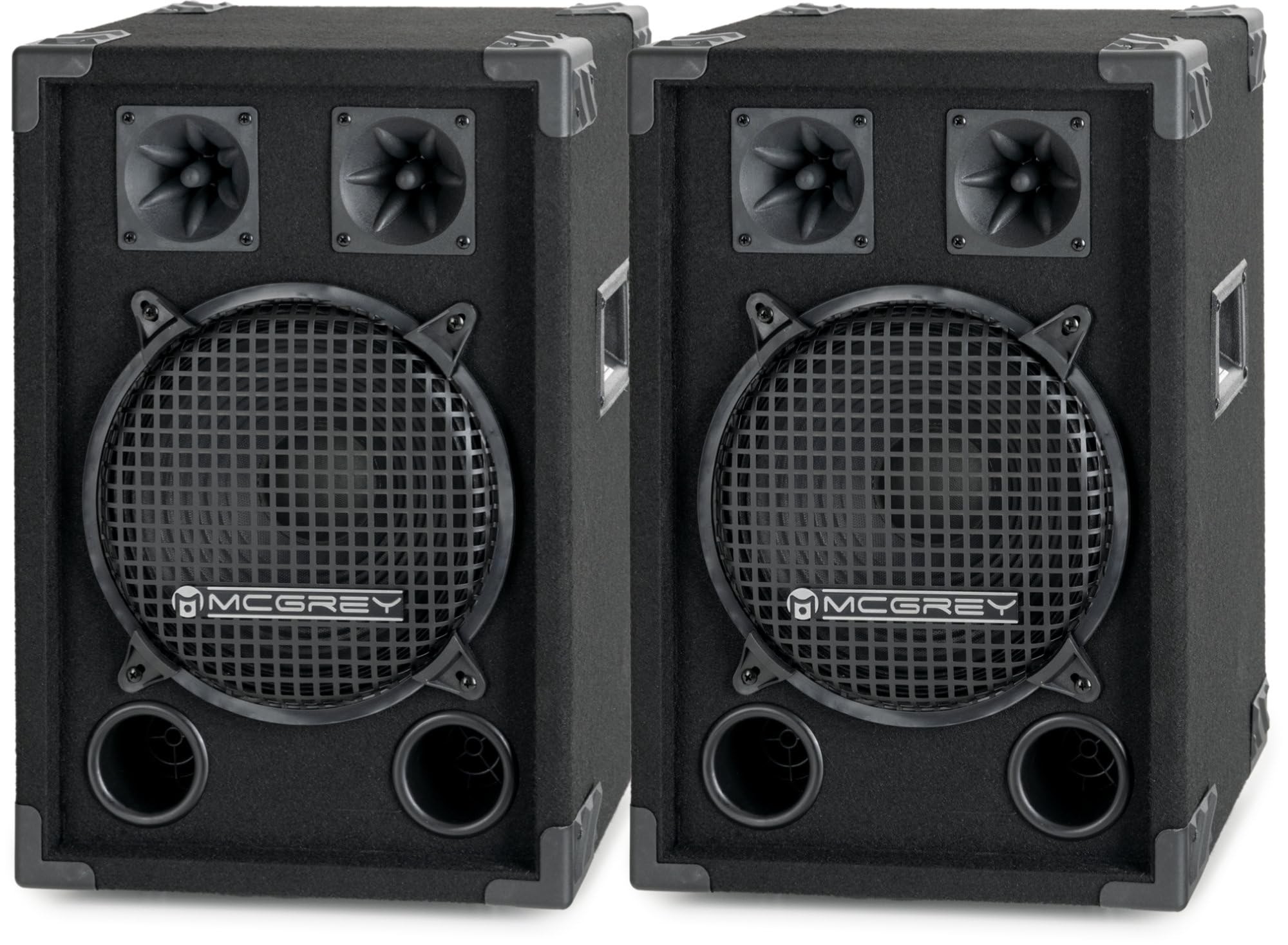
Vaizdas: Kombinezonas view of the McGrey DJ-1022 speaker, showcasing its robust design and components.
- Garsiakalbio tipas: 2-way passive PA DJ speaker
- Žemų dažnių garsiakalbis: 10 colių (25 cm)
- Tweeteriai: Two piezo tweeters
- RMS galia: 200W
- Maksimali galia: 400W
- Varža: 8 omų
- Jautrumas: 90 dB (+/- 2 dB)
- Dažnio atsakas: 55 Hz–18 kHz
- Matmenys (A x P x G): 49 x 33 x 30 cm
- Svoris: 6.2 kg vienam garsiakalbiui
- Spintelės medžiaga: Robust wood with felt surface
- Apsauga: Metal grille for subwoofer, protective corners
- Rankenos: Integrated side handles for transport
- Ryšio skydelis: Two Speakon compatible inputs/outputs, two binding post terminals
- Montavimas: Integrated pole mount socket
9. Garantija ir palaikymas
The McGrey DJ-1022 speakers come with a limited warranty. For specific details regarding warranty coverage, duration, and terms, please refer to the warranty card included with your product or contact your point of purchase.
For technical support, troubleshooting assistance, or warranty claims, please contact your retailer or the manufacturer, McGrey, directly. Have your product model number (DJ-1022) and proof of purchase ready when contacting support.