Įvadas
This manual provides detailed instructions for the setup, operation, and maintenance of your MARATHON Travel and Desktop Alarm Clock, Model CL030023. Please read this manual thoroughly before using the device to ensure proper function and longevity.

The MARATHON Travel Alarm Clock features an easy-to-read display with a backlight, designed for convenience during travel.
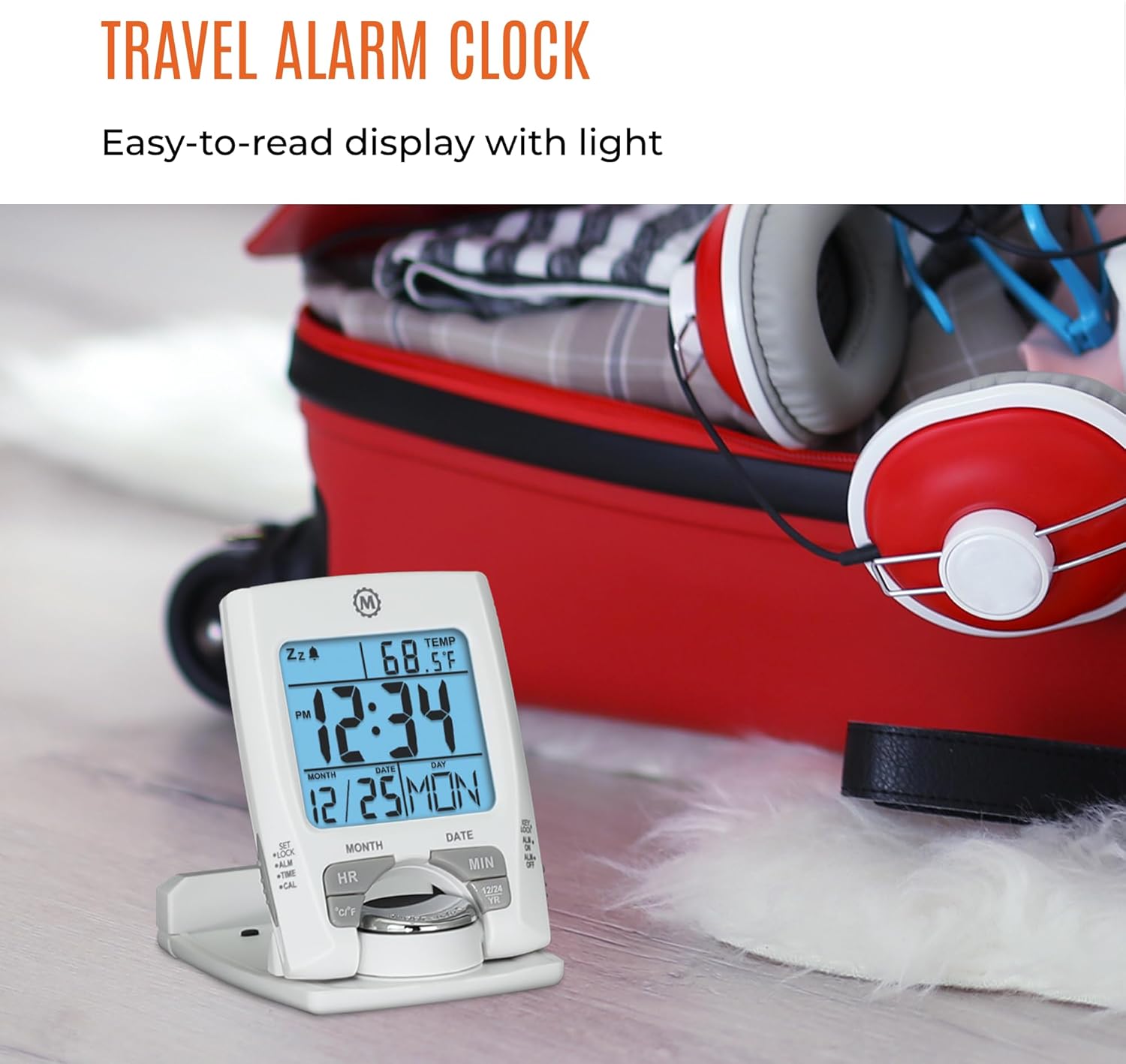
Priekyje view of the MARATHON Travel and Desktop Alarm Clock, displaying current time, date, and indoor temperature.
Controls and Display Overview
Familiarize yourself with the clock's buttons and display elements:
- SET/LOCK/ALM/TIME/CAL Button: Used to enter setting modes for time, alarm, and calendar, and to lock settings.
- HR (Hour) Button: Adjusts the hour in setting modes.
- MIN (Minute) Button: Adjusts the minute in setting modes.
- °C/°F mygtukas: Perjungia temperatūros rodymą pagal Celsijų ir Farenheitą.
- 12/24 YR Button: Toggles between 12-hour and 24-hour time format, and adjusts the year in calendar setting.
- Šviesos / snaudimo mygtukas: Activates the backlight and the snooze function when the alarm sounds.
- ALM ON/OFF Switch: Įjungia arba išjungia žadintuvą.

Close-up of the control buttons located on the front and side of the alarm clock.
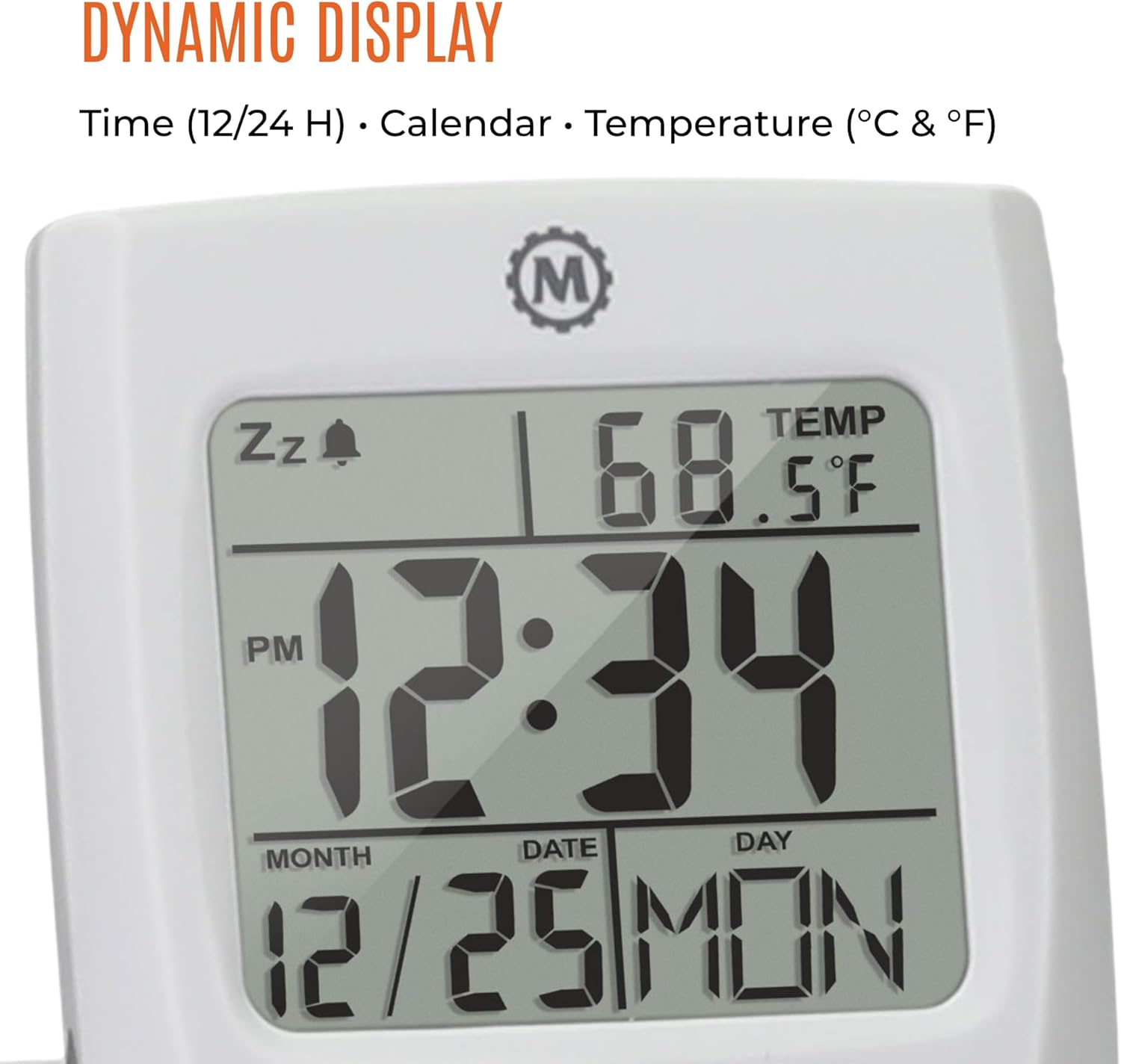
The dynamic display shows time, calendar information (month, date, day), and indoor temperature.
Sąranka
1. Akumuliatoriaus įdėjimas
- Laikrodžio gale suraskite akumuliatoriaus skyrių.
- Atidarykite akumuliatoriaus skyriaus dangtelį.
- Įdėkite vieną AAA bateriją, užtikrindami teisingą poliškumą (+/-).
- Saugiai uždarykite akumuliatoriaus skyriaus dangtelį.
2. Pradinis laiko ir datos nustatymas
- Paspauskite ir palaikykite NUSTATYTI mygtuką, kol pradės mirksėti laiko ekranas.
- Naudokite HR ir MIN mygtukais nustatykite dabartinę valandą ir minutę.
- Paspauskite NUSTATYTI again to move to the date setting. Use HR ir MIN to set the month, date, and year. The 12/24 YR button can be used to adjust the year.
- Paspauskite NUSTATYTI once more to confirm and exit the setting mode.
3. Setting 12/24-Hour Format and Temperature Unit
- To switch between 12-hour and 24-hour time display, press the 12/24 YR mygtuką, kai nėra nustatymo režime.
- To switch between Celsius (°C) and Fahrenheit (°F) temperature display, press the ° C / ° F mygtuką.
Naudojimo instrukcijos
1. Signalo nustatymas
- Stumkite Signalizacija įjungta/išjungta switch to the 'ON' position. An alarm icon will appear on the display.
- Paspauskite ir palaikykite ALM mygtuką, kol pradės mirksėti žadintuvo laikas.
- Naudokite HR ir MIN mygtukus, kad nustatytumėte norimą žadintuvo laiką.
- Paspauskite ALM again to confirm and exit the alarm setting mode.
2. Snaudimo funkcijos naudojimas
Kai suskamba žadintuvas, paspauskite didelį Apšvietimas / snaudimas button to activate the snooze function. The alarm will temporarily stop and sound again after a few minutes.
3. Foninio apšvietimo įjungimas
Paspauskite didelį Apšvietimas / snaudimas button to illuminate the display for approximately five seconds. This provides maximum illumination while being gentle on the eyes.
4. Folding and Positioning
The clock features a built-in stand. To position the clock, flip out the stand and rotate the clock face 180 degrees. This allows for stable placement on a desk or bedside table, and makes it compact for travel.

The compact design of the alarm clock makes it easy to hold and transport.
Priežiūra
Baterijos keitimas
When the display dims or the clock stops functioning, it is time to replace the AAA battery. Follow the battery installation steps in the Setup section. The clock's low power consumption ensures a maximum lifespan for the included AAA battery.
Valymas
Wipe the clock with a soft, dry cloth. Avoid using abrasive cleaners or solvents, as these may damage the display or casing.
Trikčių šalinimas
- Ekranas tuščias arba blankus: Pakeiskite AAA bateriją. Įsitikinkite, kad baterija įdėta teisingu poliškumu.
- Signalizacija neskamba: Patikrinkite, ar Signalizacija įjungta/išjungta switch is in the 'ON' position. Verify the alarm time is set correctly.
- Neteisingas laikas arba data: Re-enter the time and date settings as described in the Setup section.
- Temperature reading is inaccurate: Ensure the clock is placed in an area with stable ambient temperature, away from direct heat sources or drafts.
Specifikacijos
| Funkcija | Detalė |
|---|---|
| Prekės ženklas | MARATONAS |
| Modelio numeris | CL030023 |
| Spalva | Baltas |
| Ekrano tipas | Skaitmeninis |
| Ypatinga funkcija | Sulankstomas |
| Gaminio matmenys | 2.5 colio pločio x 4 colio aukščio |
| Maitinimo šaltinis | Maitinamas su baterijomis (pridedama 1 AAA baterija) |
| Kambario tipas | Miegamasis |
| Montavimo tipas | Stalviršis |
| Prekės svoris | 4 uncijos |
| Žadintuvas | Taip |
| Medžiaga | Plastikiniai |
Garantija ir palaikymas
This MARATHON product comes with a Ribota garantija. For specific details regarding warranty coverage, terms, and conditions, please refer to the warranty card included with your purchase or visit the official MARATHON websvetainę.
For technical support, troubleshooting assistance, or inquiries about your product, please contact MARATHON customer service through their official channels.
About MARATHON
MARATHON has been manufacturing precision timing instruments since 1941. The company continues its legacy by combining modern design with Swiss engineering and craftsmanship to produce high-quality products. MARATHON is a family-owned and operated business, committed to providing reliable tools.
Official video detailing the 80-year history of Marathon Watch Company, highlighting its Canadian roots, military supply, and Swiss craftsmanship in watchmaking.


