1. Įvadas
This manual provides essential instructions for the installation, operation, maintenance, and troubleshooting of your Antec TruePower Classic TP-750C 750W 80 PLUS GOLD Certified Power Supply. Please read this manual thoroughly before installation and retain it for future reference. This power supply is designed to provide stable and efficient power to your personal computer system.
2. Saugos informacija
- Prieš montuodami ar tvarkydami įsitikinkite, kad maitinimo šaltinis yra atjungtas nuo kintamosios srovės maitinimo lizdo.
- Neatidarykite maitinimo šaltinio c.asing. Didelis tūristagViduje esantys komponentai kelia elektros smūgio pavojų.
- Maitinimo šaltinį įrenkite gerai vėdinamoje vietoje, kad jis neperkaistų.
- Naudokite tik tuos laidus, kurie yra komplekte su maitinimo šaltiniu.
- Saugokite maitinimo šaltinį nuo drėgmės ar ekstremalių temperatūrų.
- Šis produktas skirtas naudoti tik asmeninių kompiuterių sistemose.
3. Pakuotės turinys
Prieš tęsdami montavimą, patikrinkite, ar pakuotėje yra visi reikalingi daiktai.
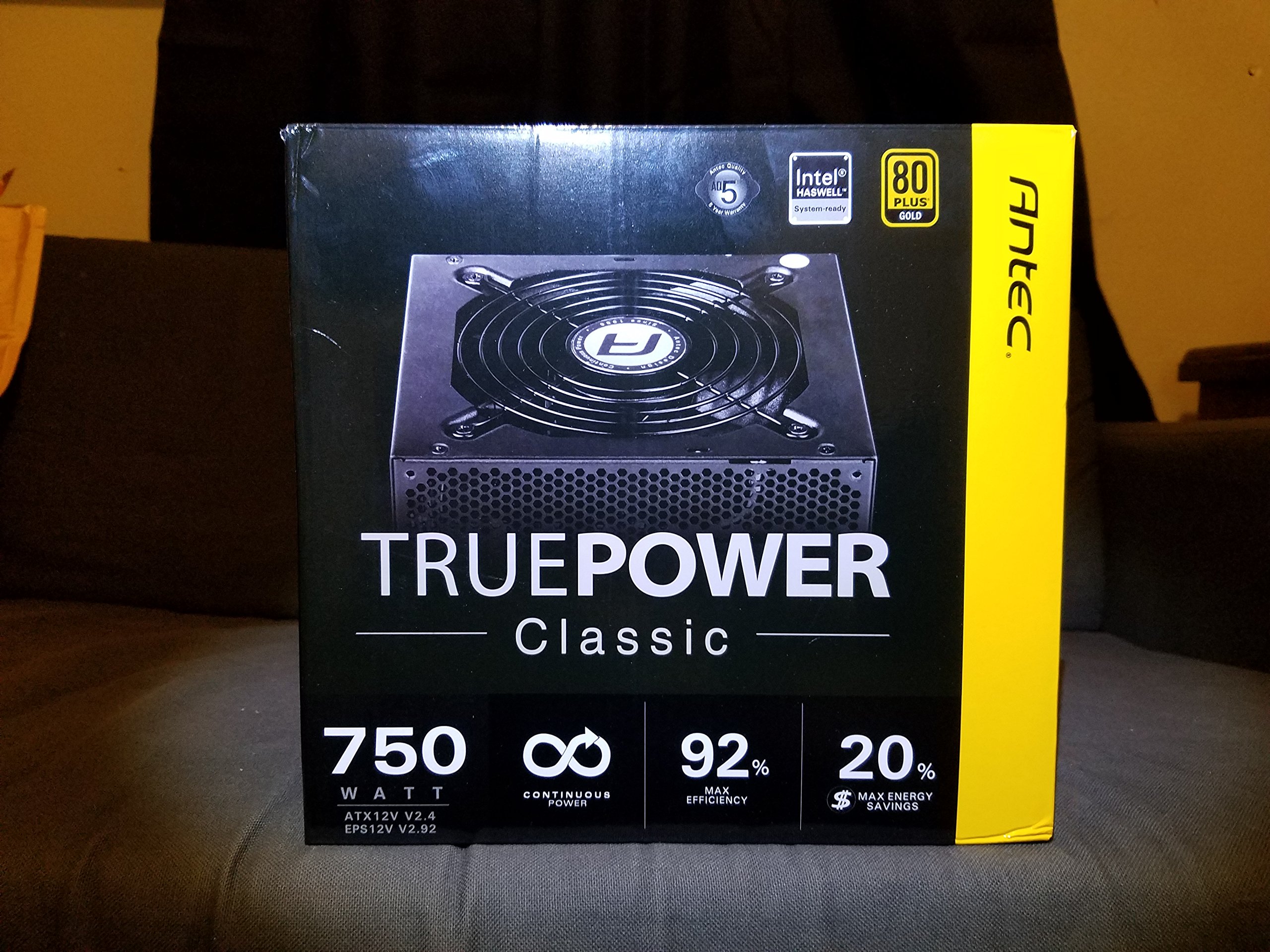
Image 1: Contents of the Antec TruePower Classic TP-750C package. The image displays the power supply unit, various power cables (including a main AC power cable), and user documentation neatly packed within a cardboard box.
- Antec TruePower Classic TP-750C Power Supply Unit
- Modular Cable Set (PCI-E, SATA, Molex, etc.)
- Kintamosios srovės maitinimo laidas
- Tvirtinimo varžtai
- Naudotojo vadovas / dokumentacija
4. Sąranka ir diegimas
Follow these steps to properly install your power supply into your computer chassis.
- Paruoškite važiuoklę: Ensure your computer chassis is powered off and disconnected from all power sources. Open the side panel of your computer case.
- Maitinimo šaltinio montavimas: Carefully slide the Antec TP-750C power supply into the designated power supply bay in your chassis. Align the screw holes on the power supply with those on the chassis. Secure the power supply using the provided mounting screws.
- Prijunkite pagrindinės plokštės maitinimą: Connect the 24-pin ATX main power connector from the power supply to the corresponding port on your motherboard. Ensure it clicks into place.
- Prijunkite procesoriaus maitinimą: Connect the 4+4-pin (or 8-pin) EPS12V CPU power connector to the CPU power socket on your motherboard.
- Connect Graphics Card Power (PCI-E): If your graphics card requires external power, connect the appropriate 6+2-pin PCI-E power cables from the power supply to your graphics card.
- Connect Peripheral Power (SATA/Molex): Connect SATA power cables to your storage drives (SSDs, HDDs) and optical drives. Use Molex connectors for other peripherals as needed.
- Kabelių valdymas: Route cables neatly to improve airflow and aesthetics within your chassis.
- Galutiniai patikrinimai: Double-check all connections to ensure they are secure. Close the chassis side panel.
- Prijunkite kintamosios srovės maitinimą: Prijunkite kintamosios srovės maitinimo laidą prie maitinimo šaltinio, o tada – prie sieninio lizdo arba viršįtampių apsaugos įrenginio.
5. Naudojimo instrukcijos
The Antec TP-750C power supply operates automatically once correctly installed and connected to an AC power source. It provides stable DC power to all connected components.
- Maitinimas: After connecting the AC power cord, flip the power switch on the back of the power supply to the "ON" (I) position.
- Sistemos paleidimas: Press the power button on your computer chassis to start your system.
- Išjungti: Shut down your computer through the operating system. For complete power disconnection, flip the power switch on the power supply to the "OFF" (O) position and unplug the AC power cord.
6. Priežiūra
Tinkama priežiūra užtikrina jūsų maitinimo šaltinio ilgaamžiškumą ir optimalų veikimą.
- Dulkių valymas: Periodically clean dust from the power supply's fan and ventilation grilles using compressed air. Ensure the power supply is disconnected from AC power before cleaning.
- Vėdinimas: Ensure adequate airflow around the power supply. Do not block the intake or exhaust vents.
- Kabelio vientisumas: Regularly check power cables for any signs of damage or fraying. Replace damaged cables immediately.
- Veikimo aplinka: Operate the power supply within recommended temperature and humidity ranges.
7. Problemų sprendimas
If you encounter issues with your power supply, refer to the following common problems and solutions.
| Problema | Galima priežastis | Sprendimas |
|---|---|---|
| Sistema neįsijungia. | AC power cord not connected, power switch off, loose internal connections, faulty components. |
|
| Sistema įsijungia, bet iš karto išsijungia. | Perkrova, perkaitimas, trumpasis jungimas, sugedęs komponentas. |
|
| Unusual noise from the power supply. | Fan obstruction, faulty fan bearing, coil whine. |
|
If troubleshooting steps do not resolve the issue, contact Antec customer support for further assistance.
8. Specifikacijos
| Modelio pavadinimas | TruePower Classic TP-750C |
| Prekės ženklas | Antec |
| Vattage | 750 vatų |
| 80 PLUS sertifikatas | Auksas |
| Formos faktorius | ATX |
| Jungties tipas | ATX |
| Minimalus įvesties tūristage | 100 voltų |
| Suderinami įrenginiai | Asmeninis kompiuteris |
| Prekės svoris | 6.24 svaro (2.83 kg) |
| Pakuotės matmenys | 9.7 x 9 x 5.5 colio (24.6 x 22.9 x 14 cm) |
| ASIN | B00JOFALL0 |
| UPC | 132018316306 |
9. Garantija ir palaikymas
The Antec TruePower Classic TP-750C Power Supply comes with a 3 metų gamintojo garantija. Ši garantija apima medžiagų ir gamybos defektus normaliai naudojant.
For technical support, warranty claims, or further inquiries, please visit the official Antec websvetainėje arba susisiekite su jų klientų aptarnavimo skyriumi. Išsaugokite pirkimo įrodymą, kad galėtumėte patvirtinti garantiją.
Please note: Opening the power supply casing, garantija bus anuliuota.


