1. Įvadas
This manual provides instructions for the setup, operation, and maintenance of your Logitech M557 Bluetooth Mouse. The Logitech M557 is designed for seamless wireless connectivity with Bluetooth-enabled computers, laptops, and tablets, supporting various operating systems including Windows, macOS, Chrome OS, and Android.
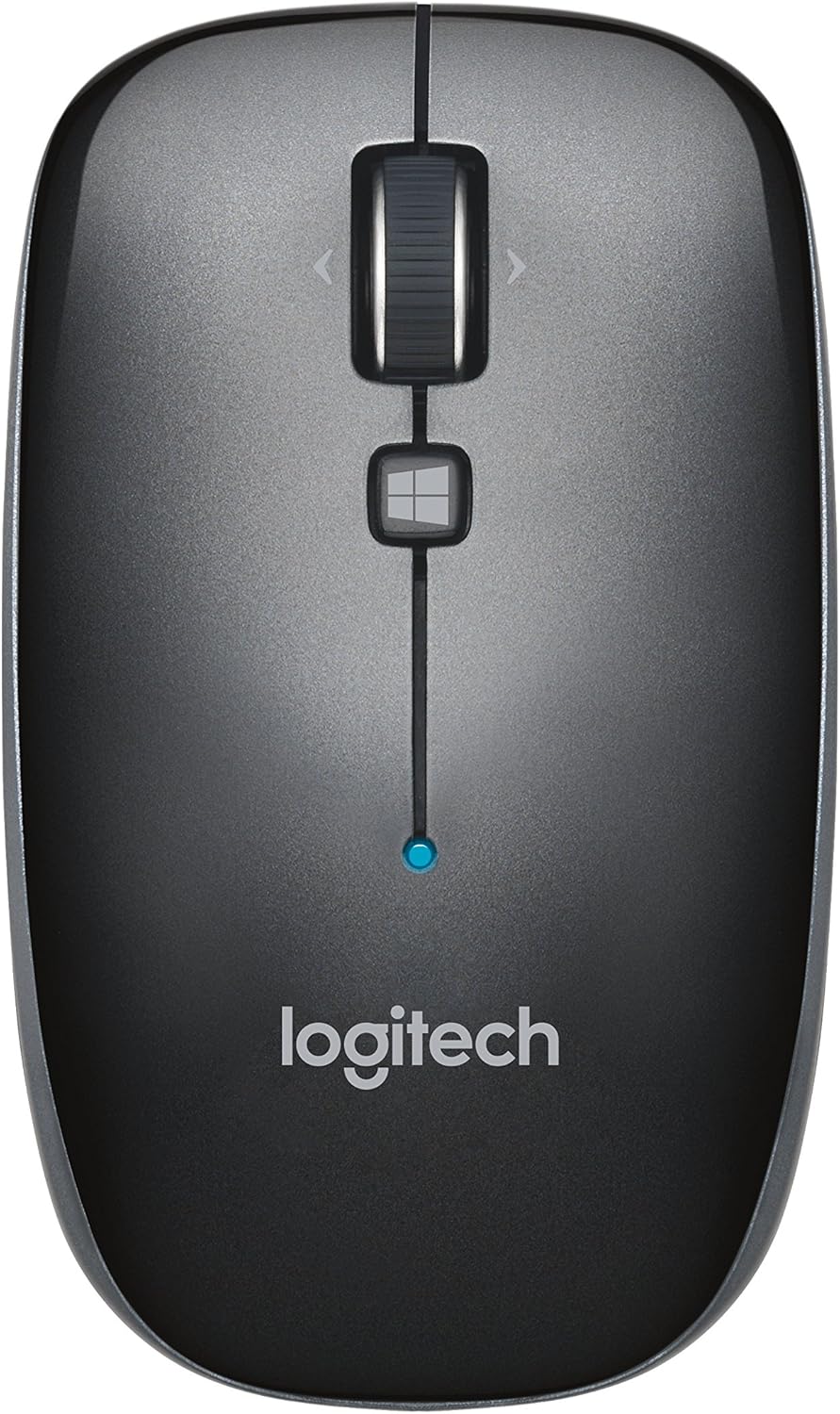
1 paveikslas: Į viršų view of the Logitech M557 Bluetooth Mouse, showing the scroll wheel, Windows button, and Logitech logo.
2. Pakuotės turinys
Patikrinkite, ar jūsų pakuotėje yra šie elementai:
- Logitech M557 Bluetooth pelė
- 1 AAA Battery (pre-installed or included separately)
- Greito paleidimo vadovas (šis vadovas yra išsamus vadovas)
3. Sąranka
3.1. Akumuliatoriaus įdėjimas
- Raskite akumuliatoriaus skyrių pelės apačioje.
- Atidarykite akumuliatoriaus skyriaus dangtelį.
- Insert the included AAA battery, ensuring correct polarity (+/-).
- Uždarykite akumuliatoriaus skyriaus dangtelį.

2 paveikslas: Underside of the Logitech M557 mouse, showing the ON/OFF switch, Connect button, and optical sensor. The battery compartment is typically located here.
3.2. Prisijungimas per Bluetooth
The Logitech M557 connects wirelessly via Bluetooth, requiring no USB receiver.
- Maitinimas: Slide the ON/OFF switch on the bottom of the mouse to the "ON" position. A small LED indicator on the top of the mouse may light up briefly.
- Suaktyvinti poravimo režimą: Paspauskite ir palaikykite Prisijunkite button on the bottom of the mouse for a few seconds until the LED indicator on the top of the mouse begins to blink rapidly. This indicates the mouse is in pairing mode.
- Įjunkite „Bluetooth“ savo įrenginyje:
- „Windows“: Eikite į Nustatymai > Įrenginiai > „Bluetooth“ ir kiti įrenginiaiĮsitikinkite, kad „Bluetooth“ įjungtas.
- macOS: Eikite į System Settings > BluetoothĮsitikinkite, kad „Bluetooth“ įjungtas.
- Chrome OS/Android: Eikite į Nustatymai > Prijungti įrenginiai > „Bluetooth“Įsitikinkite, kad „Bluetooth“ įjungtas.
- Suporuokite pelę: In your device's Bluetooth settings, look for "Logitech M557" in the list of available devices. Select it to initiate the pairing process.
- Patvirtinimas: Once paired, the LED indicator on the mouse will stop blinking and remain solid for a few seconds, then turn off. Your mouse is now ready for use.
Note: If the connection is lost or you wish to pair with a different device, repeat steps 2-5.
4. Pelės valdymas
4.1. Pagrindinės funkcijos
- Kairysis pelės mygtuko paspaudimas: Pirminė atranka ir aktyvavimas.
- Dešiniojo pelės mygtuko paspaudimo mygtukas: Pasiekia kontekstinius meniu.
- Slinkties ratukas: Vertikaliai slenka per dokumentus ir web puslapių.
- Pakreipimo ratas: The scroll wheel can also be tilted left or right for horizontal scrolling (if supported by your operating system/application).
- Scroll Wheel Button: Pressing the scroll wheel acts as a middle-click button, often used for opening links in new tabs or activating specific application functions.
- „Windows“ mygtukas: Located below the scroll wheel. By default, this button opens the Start Menu or Search function on Windows. Its function may be customizable using Logitech Options software (if available for your OS).

3 paveikslas: Kampuotas view of the Logitech M557 mouse, highlighting its ergonomic design and button placement.
4.2. Customizing Your Mouse (Optional)
For advanced customization of button functions and scroll behavior, Logitech may offer software such as Logitech Options. Visit the official Logitech support website for your product model to check for compatible software downloads.
5. Priežiūra
5.1. Valymas
To maintain optimal performance, clean your mouse periodically:
- Šiek tiek naudokite minkštą, be pūkelių šluostę dampened with water or an electronics-safe cleaning solution.
- Venkite agresyvių cheminių medžiagų ar abrazyvinių medžiagų.
- Clean the optical sensor area on the bottom of the mouse to ensure accurate tracking.
5.2. Baterijos keitimas
The Logitech M557 uses one AAA battery. The average battery life is approximately 12 months, but actual life may vary based on usage.
- When the battery is low, the LED indicator on the mouse may flash red.
- Turn off the mouse using the ON/OFF switch on the bottom.
- Atidarykite akumuliatoriaus skyrių.
- Remove the old AAA battery and dispose of it according to local regulations.
- Insert a new AAA battery, observing correct polarity.
- Close the battery compartment and turn the mouse back on.
6. Problemų sprendimas
6.1. Mouse Not Connecting or Disconnecting
- Patikrinkite akumuliatorių: Įsitikinkite, kad akumuliatorius tinkamai įdėtas ir yra pakankamai įkrautas. Jei reikia, pakeiskite.
- Maitinimo ciklas: Išjunkite ir vėl įjunkite pelę.
- Iš naujo suporuoti: Remove "Logitech M557" from your device's Bluetooth list and repeat the pairing process (Section 3.2).
- Įrenginys „Bluetooth“: Įsitikinkite, kad jūsų kompiuteryje arba planšetiniame kompiuteryje įjungtas „Bluetooth“ ryšys.
- Trikdžiai: Bluetooth can be affected by other wireless devices (e.g., Wi-Fi routers, other Bluetooth devices). Try moving closer to your device or away from potential sources of interference.
- Operacinės sistemos atnaujinimai: Įsitikinkite, kad jūsų įrenginio operacinė sistema ir „Bluetooth“ tvarkyklės yra atnaujintos.
6.2. Cursor Movement is Erratic or Non-Responsive
- Švarus jutiklis: Nuvalykite optinį jutiklį pelės apačioje.
- Paviršius: Ensure you are using the mouse on a suitable surface. Highly reflective or transparent surfaces may affect tracking. A mouse pad is recommended.
- Baterija: Low battery can affect performance. Replace the battery.
6.3. Buttons or Scroll Wheel Not Functioning
- Iš naujo suporuoti: Try re-pairing the mouse with your device.
- Programinė įranga: If using customization software, ensure it is correctly installed and configured. Temporarily uninstalling and reinstalling the software might resolve issues.
- Bandymas kitame įrenginyje: If possible, test the mouse on another Bluetooth-enabled device to determine if the issue is with the mouse or the original device.
7. Specifikacijos
| Funkcija | Detalė |
|---|---|
| Prekės ženklas | Logitech |
| Modelis | M557 (dalies nr.: 910-003971) |
| Ryšio technologija | Bluetooth |
| Judesio aptikimas | Optinis |
| Operacinės sistemos suderinamumas | Windows 10, 11 or later, macOS, Chrome OS, Android |
| Maitinimo šaltinis | Maitinamas baterijomis |
| Baterijos tipas | 1 AAA baterija (pridedama) |
| Vidutinis baterijos veikimo laikas | 12 mėnesių |
| Spalva | Pilka |
| Prekės svoris | 2.16 uncijos (apie 61 gramų) |
| Gaminio matmenys (IxPxH) | 3.93 x 2.28 x 1.34 colio (apytiksliai 10 x 5.8 x 3.4 cm) |

4 paveikslas: Logitech M557 mouse displaying its physical dimensions.
8. Garantija ir palaikymas
Dėl garantijos informacijos ir techninės pagalbos kreipkitės į oficialią „Logitech“ svetainę. website. You can find detailed support resources, FAQs, and contact information by visiting support.logi.com and searching for "Logitech M557".
Note: Product specifications and warranty terms are subject to change without notice. Please consult the official Logitech websvetainėje, kur rasite naujausią informaciją.


