1. Sąranka
This section guides you through the initial setup of your NEC VY24G/D-9 laptop.
1.1 Išpakavimas ir pradinė apžiūra
Atsargiai išimkite visus komponentus iš pakuotės. Patikrinkite, ar yra šie daiktai:
- NEC VY24G/D-9 Laptop
- Kintamosios srovės adapteris ir maitinimo laidas
- Recovery CD
- Any additional software CDs (e.g., WinDVD, Roxio Creator)
Inspect the laptop and accessories for any visible damage. Note that the exterior casing and LCD screen may have minor cosmetic scratches from previous use, which do not affect functionality.
1.2 Kintamosios srovės adapterio prijungimas
Before first use, connect the AC adapter to the laptop and a power outlet to charge the battery and provide power.
- Plug the DC output connector of the AC adapter into the power input port on the side of the laptop.
- Prijunkite maitinimo laidą prie kintamosios srovės adapterio.
- Kitą maitinimo laido galą įkiškite į įžemintą elektros lizdą.
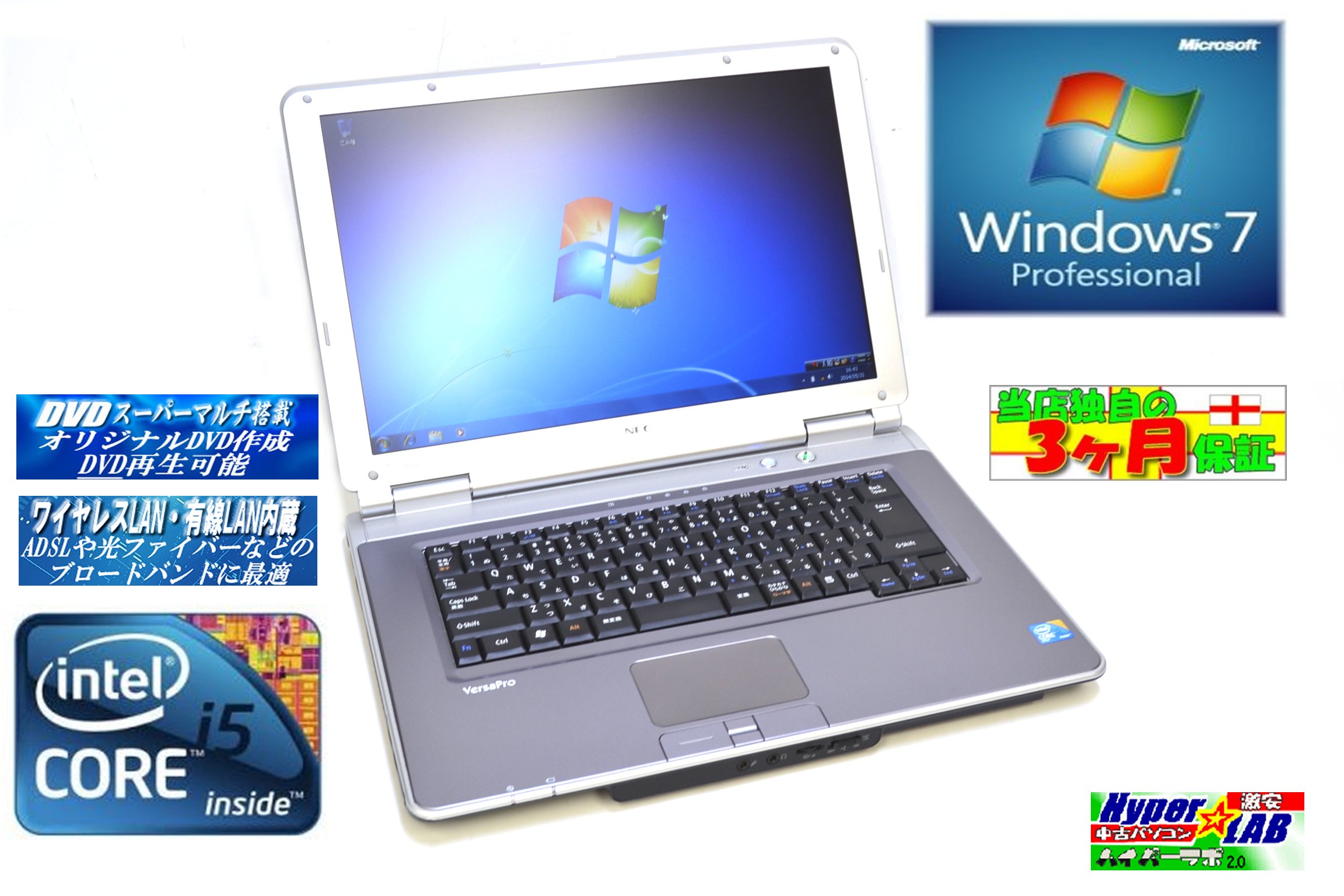
Image 1.1: The NEC VY24G/D-9 laptop shown with its AC adapter and included software/recovery CDs. The laptop is silver with a black base, and the AC adapter is a black rectangular unit with a power cord.
1.3 Pradinis įjungimas ir operacinės sistemos sąranka
Press the power button to turn on the laptop. The system comes with Windows 7 Professional 32-bit pre-installed. Follow the on-screen prompts to complete the initial operating system setup, which may include setting up user accounts, time zone, and network connections.
2. Naudojimo instrukcijos
This section covers the basic operation of your NEC VY24G/D-9 laptop.
2.1 Maitinimo įjungimas/išjungimas
- Norėdami įjungti: Paspauskite maitinimo mygtuką, esantį ant nešiojamojo kompiuterio.
- Norėdami išjungti: Click the Start button in Windows, then select "Shut Down."
- Norėdami paleisti iš naujo: Click the Start button, then select "Restart."
- Miegoti: Click the Start button, then select "Sleep."
2.2 Using the DVD Multi Drive
The laptop is equipped with a DVD Multi optical drive for reading and writing CDs and DVDs.
- Norėdami atidaryti dėklą, paspauskite optinio disko išstūmimo mygtuką.
- Įdėkite kompaktinį diską arba DVD diską į dėklą etikete į viršų.
- Gently push the tray back into the laptop until it clicks shut.
- The operating system will typically detect the disc automatically.
2.3 Prisijungimas prie tinklo
The laptop supports both wired and wireless network connections.
- Laidinis LAN: Connect an Ethernet cable to the LAN port on the side of the laptop.
- Wireless LAN (802.11bgn): Use the Windows network settings to connect to available Wi-Fi networks. Ensure the wireless adapter is enabled (check for a physical switch or function key combination if Wi-Fi is not detected).
2.4 Using USB Ports and PC Card Slot
The laptop features multiple USB 2.0 ports and a PC Card slot for connecting external devices.
- USB 2.0 prievadai (x5): Prijunkite USB įrenginius, tokius kaip pelės, klaviatūros, išoriniai standieji diskai arba „flash“ diskai.
- PC Card Slot (x1): Insert compatible PC Cards for expanded functionality, such as additional network adapters or storage.

2.1 pav.: A pusė view of the NEC VY24G/D-9 laptop, illustrating the arrangement of its various ports, including USB, LAN, and potentially VGA or serial ports.
3. Priežiūra
Tinkama priežiūra užtikrina nešiojamojo kompiuterio ilgaamžiškumą ir optimalų veikimą.
3.1 Nešiojamojo kompiuterio valymas
- Išorė: Šiek tiek naudokite minkštą, be pūkelių šluostę dampnuplaukite vandeniu arba švelniu valymo tirpalu. Venkite stiprių cheminių medžiagų.
- Ekranas: Naudokite mikropluošto šluostę, specialiai skirtą elektronikos ekranams. Nepurkškite skysčio tiesiai ant ekrano.
- Klaviatūra: Norėdami pašalinti dulkes ir šiukšles iš tarpų tarp klavišų, naudokite suslėgtą orą.
3.2 Programinės įrangos naujiniai
Regularly check for and install updates for Windows 7 Professional and any installed applications to ensure security and performance.
3.3 Akumuliatoriaus priežiūra
To maximize battery life, avoid extreme temperatures and allow the battery to discharge partially before recharging. If storing the laptop for an extended period, ensure the battery is charged to about 50%.
4. Problemų sprendimas
Šiame skyriuje pateikiami dažniausiai pasitaikančių problemų, su kuriomis galite susidurti, sprendimai.
4.1 Nešiojamasis kompiuteris neįsijungia
- Įsitikinkite, kad kintamosios srovės adapteris yra tvirtai prijungtas tiek prie nešiojamojo kompiuterio, tiek prie veikiančio maitinimo lizdo.
- Patikrinkite, ar maitinimo lizdas veikia, prijungdami prie jo kitą įrenginį.
- Jei naudojate maitinimą iš akumuliatoriaus, įsitikinkite, kad akumuliatorius įkrautas.
4.2 Ekrane nėra vaizdo
- Patikrinkite, ar nešiojamas kompiuteris įjungtas.
- Adjust the screen brightness using the function keys (Fn + brightness keys).
- Connect an external monitor to determine if the issue is with the laptop's internal display.
4.3 Tinklo ryšio problemos
- Laidinis: Ensure the Ethernet cable is properly connected and the network router/modem is working.
- Belaidis ryšys: Verify that Wi-Fi is enabled and you are connecting to the correct network with the correct password. Restart your router/modem.
4.4 Sistemos atkūrimas
If the operating system becomes unstable or corrupted, you can use the provided Recovery CD to restore the system to its factory settings. Refer to the instructions included with the Recovery CD for detailed steps.
5. Specifikacijos
Detailed technical specifications for the NEC VY24G/D-9 laptop.
| Funkcija | Specifikacija |
|---|---|
| Prekės ženklas | NEC |
| Modelio pavadinimas | VY24G/D-9 (VersaPro VY24G/D-9) |
| Ekrano dydis | 15.4 colių |
| Rezoliucija | 1280 x 800 |
| Procesoriaus prekės ženklas | Intel |
| CPU tipas | Core i5 (520M) |
| CPU greitis | 2.4 GHz |
| Procesoriaus skaičius | 1 |
| RAM dydis | 2 GB |
| HDD talpa | 160 GB |
| HDD sąsaja | Serijinė ATA |
| Optinis diskas | DVD Multi |
| Belaidis tipas | 802.11 milijardo |
| Laidinis LAN | Taip |
| USB prievadai | USB 2.0 x 5 |
| PC kortelės lizdas | x 1 |
| Operacinė sistema | "Windows 7 Professional" ("32" bitas) |
| Aparatinės įrangos platforma | PC |
6. Garantija ir palaikymas
This section provides information regarding the product warranty and how to obtain support.
6.1 Gaminio garantija
This NEC VY24G/D-9 laptop comes with a 3 mėnesių garantija from the date of purchase. This warranty covers manufacturing defects and hardware malfunctions under normal use. It does not cover damage caused by misuse, accidents, unauthorized modifications, or normal wear and tear.
6.2 Techninė pagalba
For technical assistance or warranty claims, please contact your retailer or the authorized NEC service center. Have your purchase receipt and the laptop's serial number ready when contacting support.