Įvadas
The AEG Voxtel M250 is a mobile phone designed for straightforward communication, particularly suitable for users who prefer simplicity and ease of use. It features large, illuminated buttons, a clear 1.8-inch color display, and an essential SOS emergency function for added safety. This manual provides detailed instructions for setting up, operating, and maintaining your device.
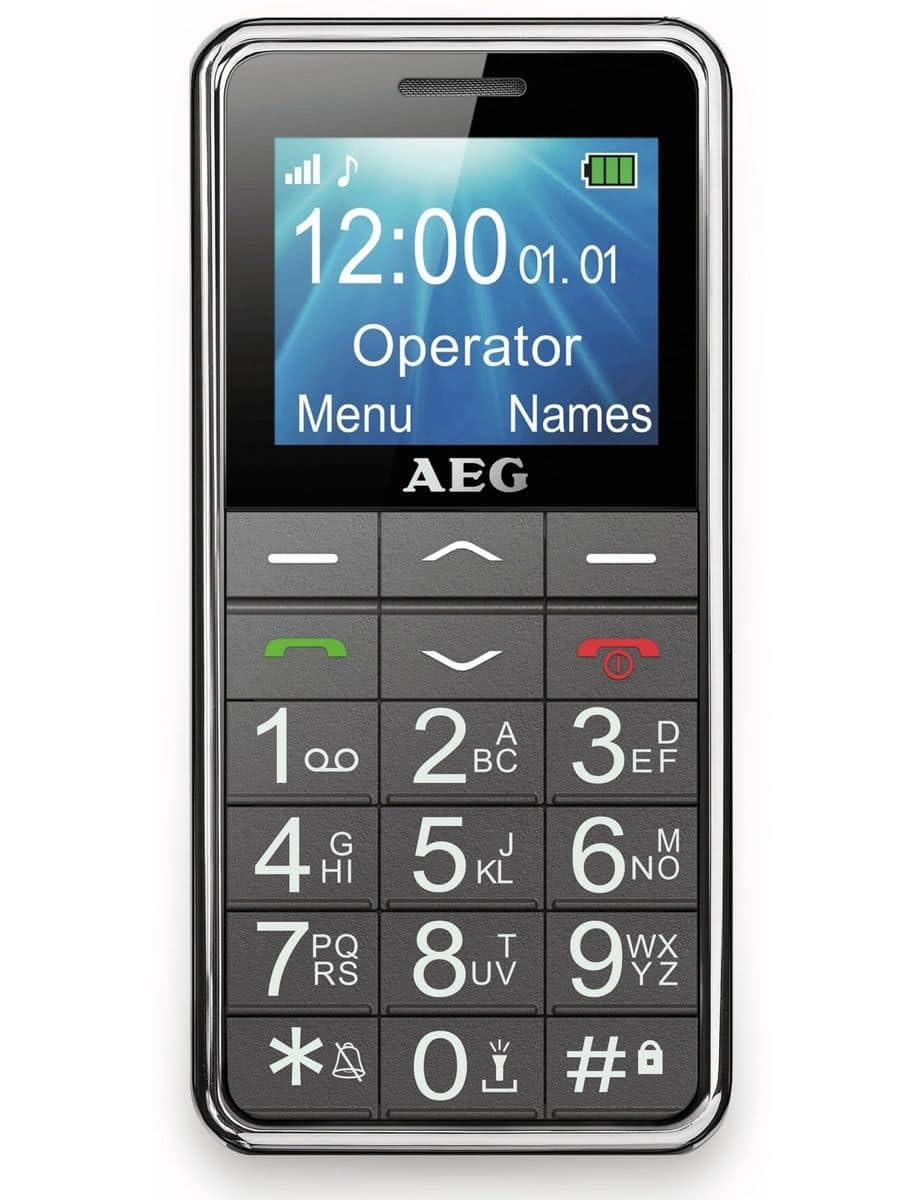
Image: The AEG Voxtel M250 senior mobile phone, showcasindėl didelių mygtukų ir aiškaus ekrano.
1. Sąranka
1.1 Išpakavimas
Carefully unpack your AEG Voxtel M250. The package should contain the following items:
- AEG Voxtel M250 Mobile Phone
- Ličio jonų akumuliatorius
- Maitinimo įkroviklis
- Vartotojo vadovas (šis dokumentas)
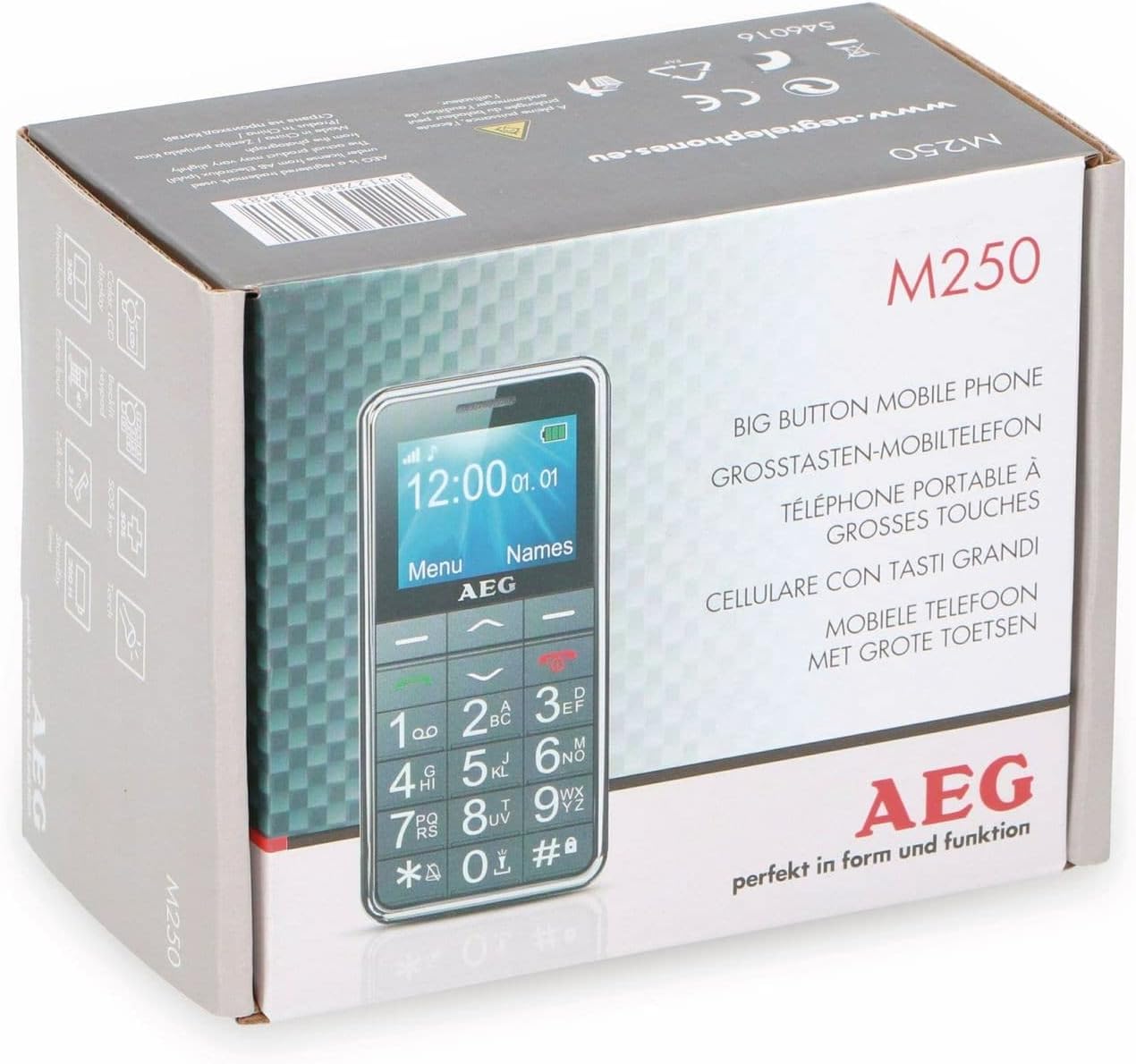
Image: The retail packaging of the AEG Voxtel M250, indicating the product model and key features.
1.2 Akumuliatoriaus įdėjimas
- Nuimkite telefono galinį dangtelį, švelniai jį atlenkdami nuo įpjovos.
- Insert the Li-ion battery pack into the battery compartment, ensuring the gold contacts align with the phone's terminals.
- Uždėkite galinį dangtelį, tvirtai spausdami, kol jis užsifiksuos vietoje.
1.3 SIM kortelės montavimas
The AEG Voxtel M250 supports a single SIM card.
- Išėmę bateriją, suraskite SIM kortelės lizdą.
- Carefully insert your existing SIM card into the slot, ensuring the cut corner is correctly oriented as indicated on the phone.
- Įdėkite bateriją ir galinį dangtelį.
1.4 Akumuliatoriaus įkrovimas
Prieš pirmą kartą naudodami, visiškai įkraukite telefono bateriją.
- Connect the mains charger to the charging port on the phone.
- Įjunkite įkroviklį į sieninį lizdą.
- The battery indicator on the screen will show charging status. Allow approximately 3 hours for a full charge.
- Visiškai įkrovę atjunkite įkroviklį.
1.5 Įjungimas / išjungimas
- Norėdami įjungti: Paspauskite ir palaikykite raudoną Baigti skambutį / Maitinimas mygtuką, kol ekranas užsidegs.
- Norėdami išjungti: Paspauskite ir palaikykite raudoną Baigti skambutį / Maitinimas button until the power-off option appears, then confirm.
2. Telefono valdymas
2.1 Pagrindinė navigacija
The phone features a simple menu structure and large, easy-to-press buttons.
- Naršymo mygtukai: Use the up/down arrow keys to scroll through menu options.
- Left Soft Key (Menu): Prisijunkite prie pagrindinio meniu.
- Right Soft Key (Names): Access your phonebook contacts.
- Skambinimo klavišas (žalias): Initiate a call or answer an incoming call.
- Skambučio baigimo / maitinimo mygtukas (raudonas): End a call or return to the idle screen.
2.2 Skambinimas ir skambučių priėmimas
- Norėdami paskambinti:
- Įveskite telefono numerį naudodami klaviatūrą.
- Paspauskite žalią Skambinti mygtuką.
- To end the call, press the red Baigti skambutį mygtuką.
- Norėdami skambinti iš telefonų knygos:
- Press the Right Soft Key (Names) to open the phonebook.
- Scroll to the desired contact using the navigation keys.
- Paspauskite žalią Skambinti mygtuką.
- Norėdami gauti skambutį: When the phone rings, press the green Skambinti button to answer. Press the red Baigti skambutį button to reject or end the call.
2.3 SMS žinučių siuntimas ir gavimas
- Norėdami išsiųsti SMS žinutę: Navigate to the 'Messages' menu, select 'Write Message', enter your text, and then select the recipient from your phonebook or enter their number.
- Norėdami perskaityti SMS žinutę: New messages will typically display an alert. Access the 'Messages' menu and select 'Inbox' to view gautų žinučių.
2.4 Telefonų knyga
Telefonų knygoje galima saugoti iki 100 kontaktų.
- Kontakto pridėjimas: Go to 'Menu' > 'Phonebook' > 'Add New Contact'. Enter the name and phone number, then save.
- Kontakto redagavimas / ištrynimas: Select the contact from the phonebook, then choose the appropriate option.
2.5 SOS avarinė funkcija
The SOS button is located on the back of the phone and is designed for emergency situations.
- Paspauskite ir palaikykite SOS mygtuką 3 sekundes.
- An audible siren will sound to alert nearby individuals.
- The phone will automatically send an SMS message to up to 5 pre-programmed emergency contacts.
- Immediately after sending the SMS, the phone will call the first emergency contact on the list. If the call is not answered, it will attempt to call the next contact, and so on.
Important: Ensure your emergency contacts are correctly set up and informed about this function.
2.6 Žibintuvėlis
Patogumui telefone yra įmontuotas žibintuvėlis.
- To turn on/off the flashlight, typically press and hold a dedicated button (refer to your phone's specific button layout) or access it via the 'Tools' or 'Utilities' menu.
2.7 Kitos funkcijos
The AEG Voxtel M250 includes several useful features:
- Skaičiuotuvas: Atlikti pagrindinius aritmetinius veiksmus.
- Kalendorius: View dates and set reminders.
- Klaviatūros užraktas: Prevent accidental key presses. Activate/deactivate via a shortcut (e.g., long press '*') or through the settings menu.
- Vibration Signal: Set the phone to vibrate for incoming calls or messages.
- Laiko ir datos rodymas: The current time and date are shown on the idle screen.
- Laisvų rankų funkcija: Use the loud speakers for hands-free conversations.
3. Priežiūra
3.1 Telefono valymas
Kad jūsų telefonas būtų optimalios būklės:
- Use a soft, dry cloth to wipe the screen and body of the phone.
- Venkite naudoti skystus valiklius, aerozolius ar stiprias chemines medžiagas, nes jos gali pažeisti įrenginį.
3.2 Akumuliatoriaus priežiūra
- Nelaikykite baterijos nuo ekstremalių temperatūrų.
- Only use the original charger provided with the phone.
- If the phone will not be used for an extended period, charge the battery partially before storing it.
4. Problemų sprendimas
If you encounter issues with your AEG Voxtel M250, try the following solutions:
- Telefonas neįsijungia: Įsitikinkite, kad akumuliatorius yra tinkamai įdėtas ir visiškai įkrautas.
- Negalima skambinti arba priimti skambučių: Check if the SIM card is properly inserted and if you have network coverage. Ensure your SIM card is active.
- Nėra garso: Check the volume settings. Ensure the phone is not in silent or vibrate-only mode.
- Baterija greitai išsikrauna: Reduce screen brightness, close unused applications (if applicable), or consider replacing an old battery.
- Klaviatūra nereaguoja: Ensure the keypad lock is not activated. Restart the phone.
Jei problemos išlieka, kreipkitės į klientų aptarnavimo tarnybą.
5. Specifikacijos
| Modelio pavadinimas | M250 |
| Modelio numeris | 1042678 |
| Operacinė sistema | Nėra operacinės sistemos |
| Ekrano dydis | 1.8 colių |
| Ryšys | Bluetooth |
| SIM kortelių lizdai | Viena SIM kortelė |
| Baterijos tipas | 1 ličio jonas (įtraukta) |
| Pokalbių laikas | Iki 4 valandų |
| Budėjimo laikas | Iki 200 valandų |
| Gaminio matmenys | 5 x 1.6 x 0.1 cm |
| Prekės svoris | 135 g |
| Spalva | Pilka |
| Ypatingos savybės | Large buttons, SOS button, Flashlight, Calculator, Calendar, Keypad lock, Vibration, Time/Date display, Hands-free function |
6. Garantija ir palaikymas
Your AEG Voxtel M250 mobile phone comes with a standard manufacturer's warranty. Please refer to the warranty card included in your package for specific terms and conditions.
For technical support, service, or further inquiries, please contact your retailer or the official AEG customer service channels. Keep your purchase receipt and product model number (M250) handy when contacting support.


