1. Įvadas ir pabaigaview
The CAD Audio D90 is a premium supercardioid dynamic handheld microphone designed for live vocal performance. It features a Trueflex diaphragm and PowerGap high-gauss neodymium magnets, delivering a strong and articulate signal. Its durable, all-metal construction ensures reliability for stage naudoti.
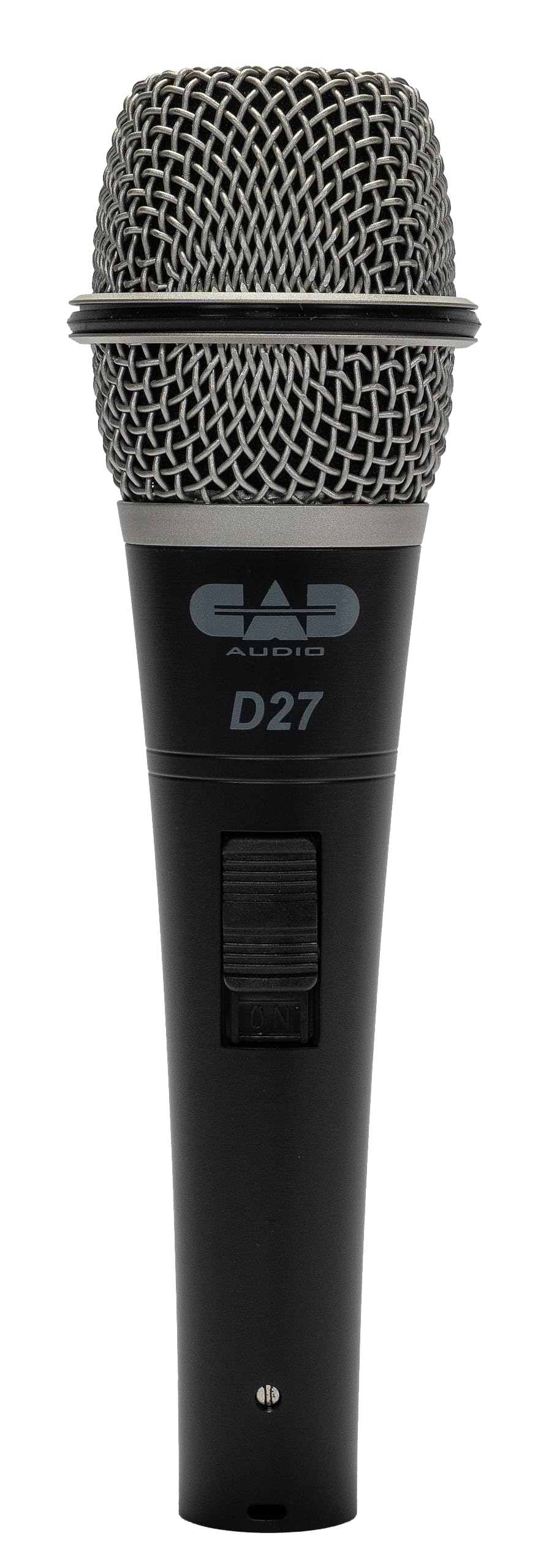
Image 1.1: The CAD Audio D90 Handheld Dynamic Microphone.
Pagrindinės funkcijos:
- Trueflex Diaphragm: Provides articulate response for clear vocal reproduction.
- Powerful Neodymium Magnet: Ensures a hot signal output.
- Superkardioidinis poliarinis modelis: Offers excellent off-axis rejection, reducing feedback and isolating the sound source.
- Patvari metalinė konstrukcija: Built to withstand the rigors of live performance.
- Smooth and Articulate Lead Vocal Performance: Engineered for optimal vocal clarity.

Image 1.2: Illustrates the professional sound features of the CAD Audio D90 microphone, highlighting articulate clarity and a powerful signal.
1.1 vaizdo įrašas: Oficialus pasirodymas baigtasview of the CAD Audio D90 Premium Supercardioid Dynamic Handheld Microphone, showcasing jo dizainą ir savybes.
2. Kas yra dėžutėje
Upon opening your CAD Audio D90 package, you should find the following items:
- CAD Audio D90 delninis dinaminis mikrofonas
- Hard-sided road case (for protection and transport)
- Microphone clip (for mounting on a stand)

Image 2.1: Contents of the CAD Audio D90 package, including the microphone, mic clip, and carrying pouch.
3. Sąranka
Follow these steps to set up your CAD Audio D90 microphone for use:
- Pritvirtinkite mikrofono laikiklį: Secure the included microphone clip to a standard microphone stand. Ensure it is tightened sufficiently to hold the microphone firmly.
- Įdėkite mikrofoną: Gently insert the CAD Audio D90 microphone into the microphone clip. Adjust the angle as needed for optimal positioning.
- Prijunkite XLR kabelį: Connect a standard 3-pin XLR cable to the microphone's output connector at the base. The D90 is a passive dynamic microphone and does not require phantom power.
- Prisijunkite prie garso sistemos: Connect the other end of the XLR cable to an input on your mixer, audio interface, or amplifier. Ensure the input gain is set to a low level before powering on your audio system.

Image 3.1: The CAD Audio D90 microphone securely mounted on a stand, ready for connection.
4. Naudojimo instrukcijos
To achieve the best performance from your CAD Audio D90 microphone, consider the following operational guidelines:
Microphone Technique:
- Artumo efektas: The D90 exhibits a proximity effect, meaning bass response increases as the microphone is moved closer to the sound source. Experiment with distance to achieve desired tonal characteristics.
- On-Axis Placement: For optimal clarity and frequency response, position the microphone directly in front of the sound source (on-axis).
- Neašies atmetimas: As a supercardioid microphone, the D90 is highly directional. Point the microphone away from unwanted sound sources (e.g., stage monitors, instruments) to minimize bleed and feedback.
Gauk Staging:
- Start with the input gain on your mixer or interface at its lowest setting.
- Gradually increase the gain while speaking or singing into the microphone at your typical performance volume.
- Adjust the gain until the signal is strong without clipping or distortion. Aim for a healthy signal level that allows for headroom.

Image 4.1: A performer utilizing the CAD Audio D90 microphone on stage, demonstrating typical usage.
5. Priežiūra
Proper maintenance will extend the life and performance of your CAD Audio D90 microphone:
- Valymas: Regularly wipe the microphone body with a soft, dry cloth. For the grille, use a soft brush to remove any debris. Avoid using liquid cleaners directly on the microphone.
- Saugykla: When not in use, store the microphone in its included hard-sided road case or a protective pouch to prevent dust accumulation and physical damage.
- Venkite drėgmės: Mikrofoną saugokite nuo drėgmės ir ekstremalių temperatūrų.
- Elkitės atsargiai: While durable, avoid dropping or subjecting the microphone to harsh impacts.
6. Problemų sprendimas
If you encounter issues with your CAD Audio D90 microphone, refer to the following common problems and solutions:
| Problema | Galima priežastis | Sprendimas |
|---|---|---|
| Nėra garso išvesties |
|
|
| Iškraipytas garsas |
|
|
| Per didelis grįžtamasis ryšys |
|
|
| Silpnas signalas |
|
|
7. Specifikacijos
Detailed technical specifications for the CAD Audio D90 Handheld Dynamic Microphone:

Image 7.1: Visual representation of key specifications for the CAD Audio D90 microphone.
| Specifikacija | Vertė |
|---|---|
| Modelio numeris | D90 |
| Mikrofono formos faktorius | Tik mikrofonas |
| Garso jautrumas | 51 Decibels (-51 dBV @ 1pa) |
| Varža | 500 omai |
| Dažnio atsakas | 50Hz - 16KHz |
| Signalo ir triukšmo santykis | 80 dB |
| Medžiaga | Metalas |
| Prekės svoris | 1 svaro (454 XNUMX gramo) |
| Gaminio matmenys (I x P x A) | 10 x 3 x 6.5 colio |
| Maitinimo šaltinis | Corded Electric (passive, no external power required) |
| Aparatinės įrangos platforma | Karaoke Machine (compatible with various audio systems) |
| UPC | 631922107289 |
8. Garantija ir palaikymas
For warranty information, technical support, or service inquiries regarding your CAD Audio D90 microphone, please refer to the official CAD Audio websvetainėje arba susisiekite su klientų aptarnavimo skyriumi.
Palaikymas internetu: Aplankykite CAD Audio Store on Amazon or the official CAD Audio websvetainė, kurioje rasite DUK, produktų registraciją ir kontaktinę informaciją.
Prašome išsaugoti pirkimo įrodymą bet kokiems garantiniams reikalavimams.