1. Įvadas
This manual provides detailed instructions for the setup, operation, and maintenance of your EMOS E0114 Digital Thermometer and Hygrometer. This device accurately measures indoor temperature and humidity, and also functions as a quartz clock with an alarm, snooze feature, and date display. Please read this manual thoroughly before using the product to ensure correct operation and to prevent damage.
2. Saugos informacija
- Laikykite įrenginį atokiau nuo ekstremalių temperatūrų, tiesioginių saulės spindulių ir didelės drėgmės.
- Nelaikykite prietaiso nuo vandens ar kitų skysčių.
- Nebandykite ardyti ar modifikuoti įrenginio. Tai panaikins garantiją.
- Naudotas baterijas išmeskite atsakingai pagal vietines taisykles.
- Baterijas laikykite vaikams nepasiekiamoje vietoje.
3. Pakuotės turinys
Išpakuodami patikrinkite pakuotės turinį:
- EMOS E0114 Digital Thermometer and Hygrometer
- Vartotojo vadovas
Note: 1 AA Mignon 1.5 V battery is required and not included in the package.

Figure 3.1: EMOS E0114 device in its retail packaging.
4. Produktas baigtasview
Familiarize yourself with the components of your EMOS E0114 device.
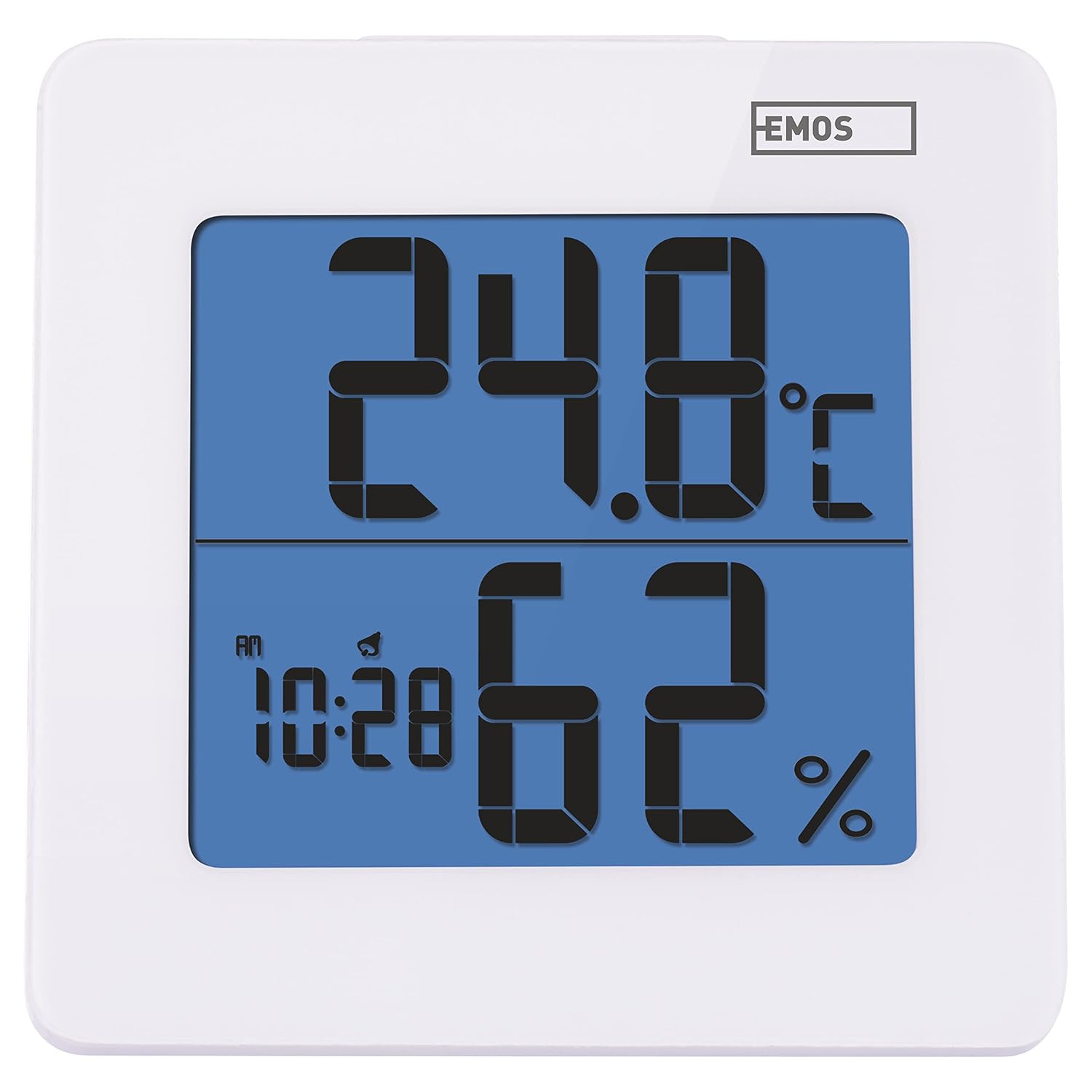
4.1 pav.: priekis view of the EMOS E0114 display, showing temperature, humidity, and time.

4.2 pav.: Nugara view of the EMOS E0114, highlighting the control buttons and battery compartment.
Valdymo mygtukai:
- MODE: Perjungia laiko rodymą, žadintuvo nustatymą ir datos nustatymą.
- AUKŠTYN: Increases values during setting, activates/deactivates alarm.
- MEM: Displays maximum and minimum temperature/humidity records.
- C/F: Perjungia temperatūros matavimo vienetus pagal Celsijų ir Farenheitą.
- NUSTATYTI: Atkuria įrenginio gamyklinius nustatymus.
- SNOOZE/LIGHT (Top Bar): Activates snooze function during alarm, illuminates the display backlight.
5. Sąranka
5.1 Akumuliatoriaus įdėjimas
- Įrenginio gale suraskite baterijų skyrių (žr. 4.2 pav.).
- Atidarykite akumuliatoriaus skyriaus dangtelį.
- Insert one (1) AA Mignon 1.5 V battery, ensuring correct polarity (+/-).
- Saugiai uždarykite akumuliatoriaus skyriaus dangtelį.
5.2 Pradinis įjungimas
Upon battery installation, the device will power on automatically and display the current time (default 12:00 AM), temperature, and humidity. The backlight will briefly illuminate.
6. Naudojimo instrukcijos
6.1 Laiko ir datos nustatymas
- Įprastu laiko rodymo režimu paspauskite REŽIMAS vieną kartą, kad įjungtumėte laiko nustatymo režimą. Pradės mirksėti valandų skaitmenys.
- Naudokite UP mygtuką, norėdami reguliuoti valandas.
- Paspauskite REŽIMAS again to set the minutes. The minute digits will flash. Use the UP mygtuką norėdami sureguliuoti minutes.
- Paspauskite REŽIMAS again to set the year. The year digits will flash. Use the UP mygtuką, kad nustatytumėte metus.
- Spauskite toliau REŽIMAS to set the month and then the day, adjusting each with the UP mygtuką.
- Nustatę dieną, paspauskite REŽIMAS , kad išeitumėte iš nustatymo režimo ir grįžtumėte į įprastą laiko rodymo režimą.
6.2 Signalizacijos nustatymas
- Įprastu laiko rodymo režimu paspauskite REŽIMAS button twice to enter alarm setting mode. The alarm time will be displayed, and the hour digits will flash.
- Naudokite UP mygtuką, norėdami reguliuoti žadintuvo valandą.
- Paspauskite REŽIMAS again to set the alarm minutes. The minute digits will flash. Use the UP mygtuką, kad sureguliuotumėte žadintuvo minutes.
- Paspauskite REŽIMAS , kad išeitumėte iš žadintuvo nustatymo režimo.
- Norėdami įjungti arba išjungti žadintuvą, paspauskite UP button once in normal time display mode. An alarm icon will appear on the display when activated.
6.3 Using Snooze and Backlight
- Kai skamba žadintuvas, paspauskite SNAIGĖ / ŠVIESA bar on top of the device to activate the snooze function. The alarm will pause for approximately 5 minutes and then sound again.
- To turn off the alarm completely, press any other button (MODE, UP, MEM, C/F) on the back of the device.
- Paspauskite SNAIGĖ / ŠVIESA bar at any time to briefly illuminate the display backlight for better visibility in low light conditions.
6.4 Temperatūros vienetų (°C/°F) perjungimas
Įprastu rodymo režimu paspauskite C / F button on the back of the device to toggle between Celsius (°C) and Fahrenheit (°F) temperature readings.
6.5 Viewing Maximum and Minimum Records
The device stores the maximum and minimum temperature and humidity values recorded since the last reset or battery change.
- Paspauskite MEM vieną kartą, kad būtų rodoma maksimali užregistruota temperatūra ir drėgmė.
- Paspauskite MEM button again to display the minimum recorded temperature and humidity.
- Paspauskite MEM a third time to return to the current temperature and humidity display.
- To clear the maximum/minimum records, press and hold the MEM mygtuką maždaug 3 sekundes, tuo pačiu metu viewįrašus.
7. Priežiūra
7.1 Valymas
- Nuvalykite prietaisą minkšta, sausa šluoste.
- Do not use abrasive cleaners, solvents, or chemical agents, as these may damage the display or casing.
7.2 Akumuliatoriaus keitimas
When the display becomes dim or the device stops functioning, it is time to replace the battery.
- Atidarykite akumuliatoriaus skyriaus dangtelį, esantį prietaiso gale.
- Išimkite seną AA bateriją.
- Insert a new AA Mignon 1.5 V battery, observing correct polarity.
- Uždarykite akumuliatoriaus skyriaus dangtelį.
- You may need to reset the time and date after battery replacement.
8. Problemų sprendimas
| Problema | Galima priežastis | Sprendimas |
|---|---|---|
| Nėra ekrano arba ekranas yra pritemdytas | Žema arba išsikrovusi baterija; neteisingas baterijos įdėjimas. | Replace the battery with a new AA 1.5V battery. Ensure correct polarity. |
| Neteisingas laikas / data | Time/date not set correctly after battery installation or reset. | Follow instructions in Section 6.1 to set the time and date. |
| Temperature/humidity readings seem inaccurate | Device placed in an unsuitable location (e.g., near heat source, vent, direct sunlight). | Relocate the device to a stable indoor environment away from direct influences. Allow 30 minutes for readings to stabilize. |
| Signalizacija neskamba | Signalizacija neįjungta. | Ensure the alarm icon is visible on the display (refer to Section 6.2). |
| Įrenginys nereaguoja | Laikinas elektroninis gedimas. | Paspauskite RESET button on the back of the device using a thin object (e.g., paperclip). Note: This will clear all settings. |
9. Specifikacijos
- Modelis: E0114
- Prekinis ženklas: EMOS
- Temperatūros matavimo diapazonas: Nuo 0 ° C iki +50 ° C (nuo 32 ° F iki 122 ° F)
- Temperatūros skiriamoji geba: 0.1 °C / 0.1 °F
- Drėgmės matavimo diapazonas: 20–90 % santykinė drėgmė (RH)
- Drėgmės skiriamoji geba: 1% RH
- Laikrodis: Quartz with 12/24 hour format
- Signalizacija: Taip, su snaudimo funkcija
- Ekranas: LCD apšvietimas
- Atminties funkcija: Maksimali/min temperatūra ir drėgmė
- Maitinimas: 1 x AA Mignon 1.5 V battery (not included)
- Matmenys (P x P x A): 3.7 x 9.3 x 9.3 cm (apytiksliai 1.46 x 3.66 x 3.66 colio)
- Ekrano matmenys: 60 x 65 mm (approximately 2.36 x 2.56 inches)
- Svoris: 109 gramų (maždaug 3.84 uncijos)
- Montavimo tipas: Wall mountable (integrated stand)
- Spalva: White (with blue display backlight)

Figure 9.1: Dimensions of the EMOS E0114 device.
10. Garantija ir palaikymas
EMOS products are designed for reliability and performance. For warranty information or technical support, please refer to the warranty card included with your purchase or visit the official EMOS websvetainėje. Prašome išsaugoti pirkimo įrodymą, jei prireiktų pateikti pretenziją dėl garantijos.


