1. Įvadas
The Netatmo Smart Indoor Camera (model NSC01-EU) is designed to enhance your home security by providing intelligent surveillance. It features motion detection, facial recognition, night vision, and two-way audio, allowing you to monitor your home and communicate with occupants from anywhere. This manual provides essential information for installation, operation, and troubleshooting.
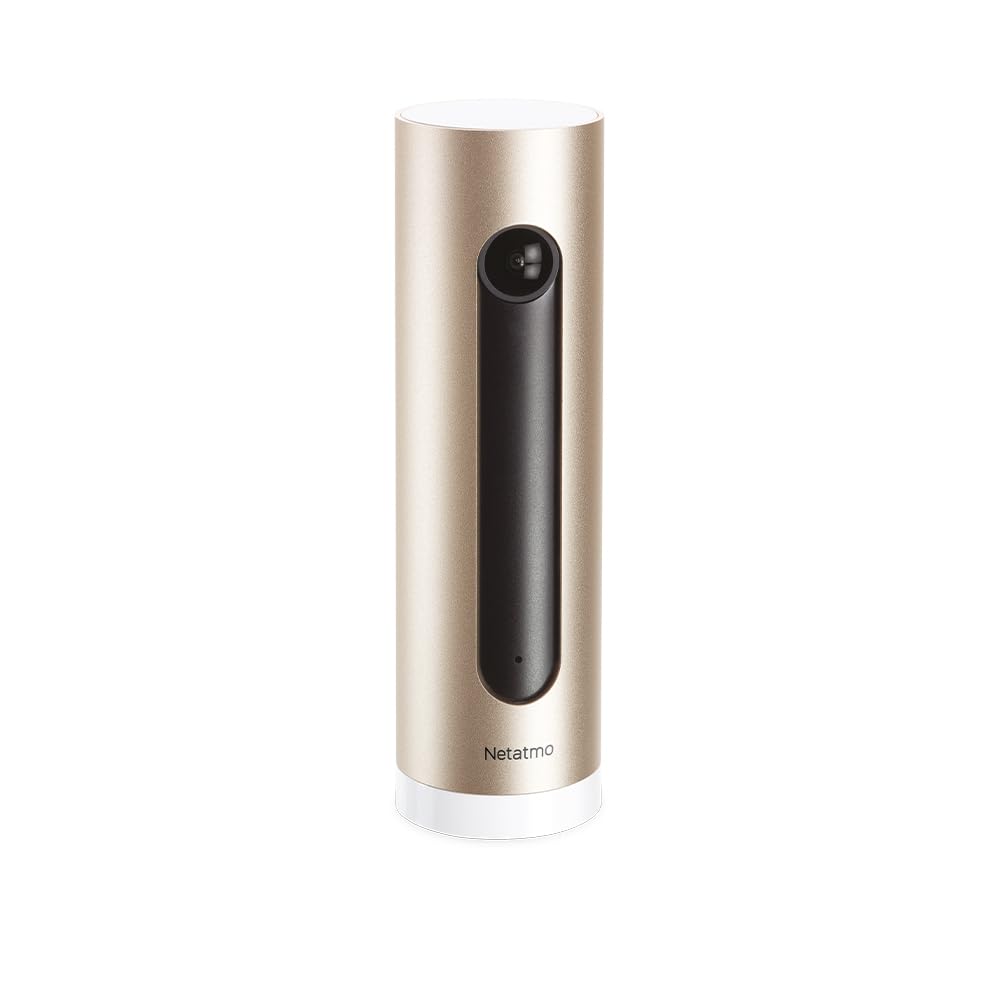
Image: The Netatmo Smart Indoor Camera, showcasing its compatibility with Apple HomeKit, Amazon Alexa, and Google Assistant.
2. Sąranka
2.1 Išpakavimas ir turinys
Carefully unpack the camera and verify all components are present:
- Netatmo Smart Indoor Camera (NSC01-EU)
- Maitinimo adapteris
- USB kabelis
- Vartotojo vadovas (šis dokumentas)

Image: The Netatmo Smart Indoor Camera along with its included power adapter, USB cable, and printed user guide.
2.2 Kameros išdėstymas
Place the camera indoors on a stable, flat surface with a clear view of the area you wish to monitor. Ensure it is within range of your Wi-Fi network. Avoid placing it in direct sunlight or near heat sources.

Image: The Netatmo Smart Indoor Camera positioned discreetly on a wooden desk, demonstrating typical indoor placement.

Image: The Netatmo Smart Indoor Camera placed on a windowsill, offering a view of an indoor plant and the outdoor environment.
2.3 Maitinimo jungtis
- Prijunkite USB laidą prie fotoaparato maitinimo prievado.
- Kitą USB laido galą prijunkite prie maitinimo adapterio.
- Insert the power adapter into a wall outlet. The camera will power on automatically.
2.4 Programėlės diegimas ir susiejimas
- Download the Netatmo Security app from the Apple App Store or Google Play Store.
- Atidarykite programėlę ir sukurkite naują paskyrą arba prisijunkite naudodami esamą.
- Follow the on-screen instructions within the app to add your new camera. This typically involves scanning a QR code on the camera or packaging and connecting it to your home Wi-Fi network.
3. Fotoaparato valdymas
3.1 Tiesiogiai View and Event Timeline
Once connected, open the Netatmo Security app to access the live video feed from your camera. The app also displays a timeline of recorded events, such as motion detections or recognized faces.

Image: The Netatmo Smart Indoor Camera positioned beside a smartphone, illustrating the camera's live feed and event timeline within the Netatmo Security application.
3.2 Judesio aptikimas ir įspėjimai
The camera is equipped with advanced motion detection. When motion is detected, the camera records the event and sends a notification to your smartphone. You can customize alert settings within the app.
3.3 Veido atpažinimas
The Netatmo Smart Indoor Camera can learn to recognize familiar faces. Once a face is identified, you can assign a name to it in the app. This allows the camera to differentiate between known individuals and strangers, providing more relevant alerts.
3.4 Dvipusis garsas
Dvipusiam ryšiui naudokite įmontuotą mikrofoną ir garsiakalbį. Tiesioginio vaizdo ekrane palieskite mikrofono piktogramą. view to speak through the camera, and hear responses through your phone's speaker.
3.5 Naktinis matymas
The camera automatically switches to infrared night vision in low-light conditions, ensuring continuous surveillance even in complete darkness.
3.6 Privatumo valdikliai
Manage your privacy settings through the Netatmo Security app. You can define specific zones within the camera's view to ignore for motion detection or disable recording when certain individuals are detected.
3.7 Vaizdo įrašų saugykla
The Netatmo Smart Indoor Camera offers free local storage of video recordings on a microSD card (included or purchased separately). You can also opt for cloud storage solutions if desired, though no subscription is required for basic functionality.
4. Priežiūra
4.1 Valymas
To maintain optimal performance, periodically clean the camera lens and body with a soft, dry, lint-free cloth. Do not use harsh chemicals or abrasive materials.
4.2 Programinės įrangos naujiniai
Ensure your camera's firmware is up to date. The Netatmo Security app will typically notify you of available updates and guide you through the installation process. Regular updates provide new features and security enhancements.
5. Problemų sprendimas
5.1 Kamera neįsijungia
- Verify the power adapter is securely plugged into both the camera and a working wall outlet.
- Išbandykite kitą sieninį lizdą.
- Įsitikinkite, kad USB laidas nepažeistas.
5.2 Nėra „Wi-Fi“ ryšio
- Check if your home Wi-Fi network is active and functioning correctly.
- Įsitikinkite, kad kamera yra jūsų „Wi-Fi“ maršrutizatoriaus veikimo diapazone.
- Paleiskite iš naujo „Wi-Fi“ maršrutizatorių.
- Attempt to re-pair the camera with the Netatmo Security app.
5.3 Prasta vaizdo kokybė
- Nuvalykite fotoaparato objektyvą.
- Ensure adequate lighting in the monitored area (outside of night vision mode).
- Patikrinkite interneto ryšio greitį; lėtas ryšys gali paveikti transliacijos kokybę.
5.4 Judesio aptikimo problemos
- Review motion detection settings in the Netatmo Security app.
- Adjust the camera's placement to optimize its field of view.
- Įsitikinkite, kad jokie objektai neužstoja kameros view.
6. Specifikacijos
| Funkcija | Aprašymas |
|---|---|
| Prekės ženklas | Netatmo |
| Modelio pavadinimas | NSC01-EU |
| Ryšio technologija | Laidinis, belaidis („Wi-Fi“) |
| Ypatingos savybės | Two-Way Audio, Night Vision, Motion Detection, Facial Recognition |
| Naudojimo aplinka | Vidinis |
| Maitinimo šaltinis | AC/DC |
| Suderinami įrenginiai | Smartphones (iOS, Android), Apple HomeKit, Amazon Alexa, Google Assistant |
7. Garantija ir palaikymas
7.1 Informacija apie garantiją
For detailed warranty information, please refer to the warranty card included in your product packaging or visit the official Netatmo websvetainėje. Išsaugokite pirkimo įrodymą garantiniams reikalavimams.
7.2 Pagalba klientams
If you encounter any issues not covered in this manual or require further assistance, please visit the official Netatmo support websvetainė adresu www.netatmo.com/support. You can find FAQs, troubleshooting guides, and contact information for technical support.