Įvadas
The Superior Electronics Freedom 2in1 is a universal programmable remote control designed to operate up to two different audio/video devices. This manual provides comprehensive instructions for setup, operation, maintenance, and troubleshooting to ensure optimal performance and longevity of your device.
Saugos informacija
- Saugokite nuotolinio valdymo pultą nuo tiesioginių saulės spindulių, šilumos šaltinių ar ekstremalių temperatūrų.
- Venkite nuotolinio valdymo pulto numetimo ir stiprių smūgių.
- Nemerkite nuotolinio valdymo pulto į vandenį ar kitą skystį.
- Baterijas laikykite vaikams nepasiekiamoje vietoje. Prarijus, nedelsiant kreipkitės medicininės pagalbos.
- Išmeskite panaudotas baterijas laikydamiesi vietinių taisyklių.
Pakuotės turinys
Prašome patikrinti, ar pakuotėje yra visi reikalingi daiktai:
- Superior Electronics Freedom 2in1 Universal Remote Control
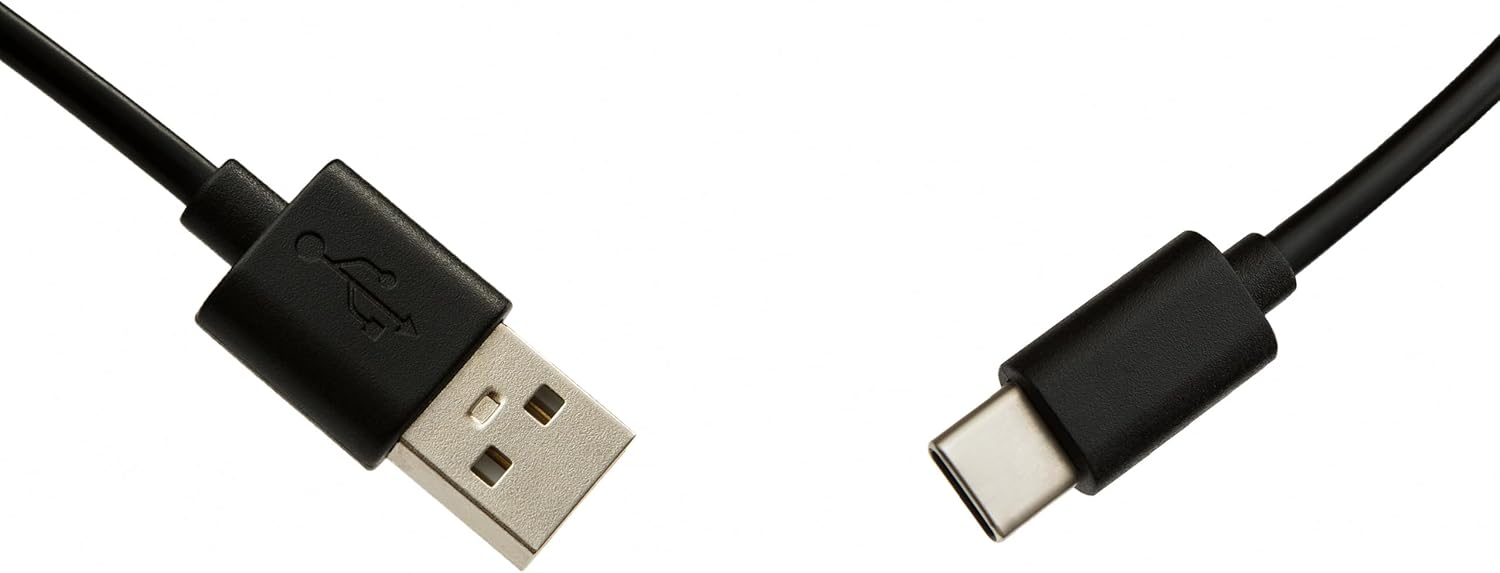
- USB-C Cable for programming
- Vartotojo vadovas (šis dokumentas)
Sąranka
1. Akumuliatoriaus įdėjimas
Nuotolinio valdymo pultui reikalingos dvi AAA baterijos (nepridedamos). Norėdami įdiegti:
- Atidarykite nuotolinio valdymo pulto gale esantį baterijų skyriaus dangtį.
- Įdėkite dvi AAA tipo baterijas, užtikrindami teisingą poliškumą (+ ir -).
- Saugiai uždarykite akumuliatoriaus skyriaus dangtelį.
2. Nuotolinio valdymo pulto programavimas
The Superior Electronics Freedom 2in1 remote control is programmable via a computer using the included USB-C cable and Superior's dedicated software. This allows for quick and accurate setup for a wide range of devices.
- Atsisiųskite programinę įrangą: Visit the official Superior Electronics website to download the latest programming software for your Freedom 2in1 remote.
- Prijungti nuotoliniu būdu: Connect the remote control to your computer using the provided USB-C cable.
- Paleisti programinę įrangą: Open the Superior programming software on your computer.
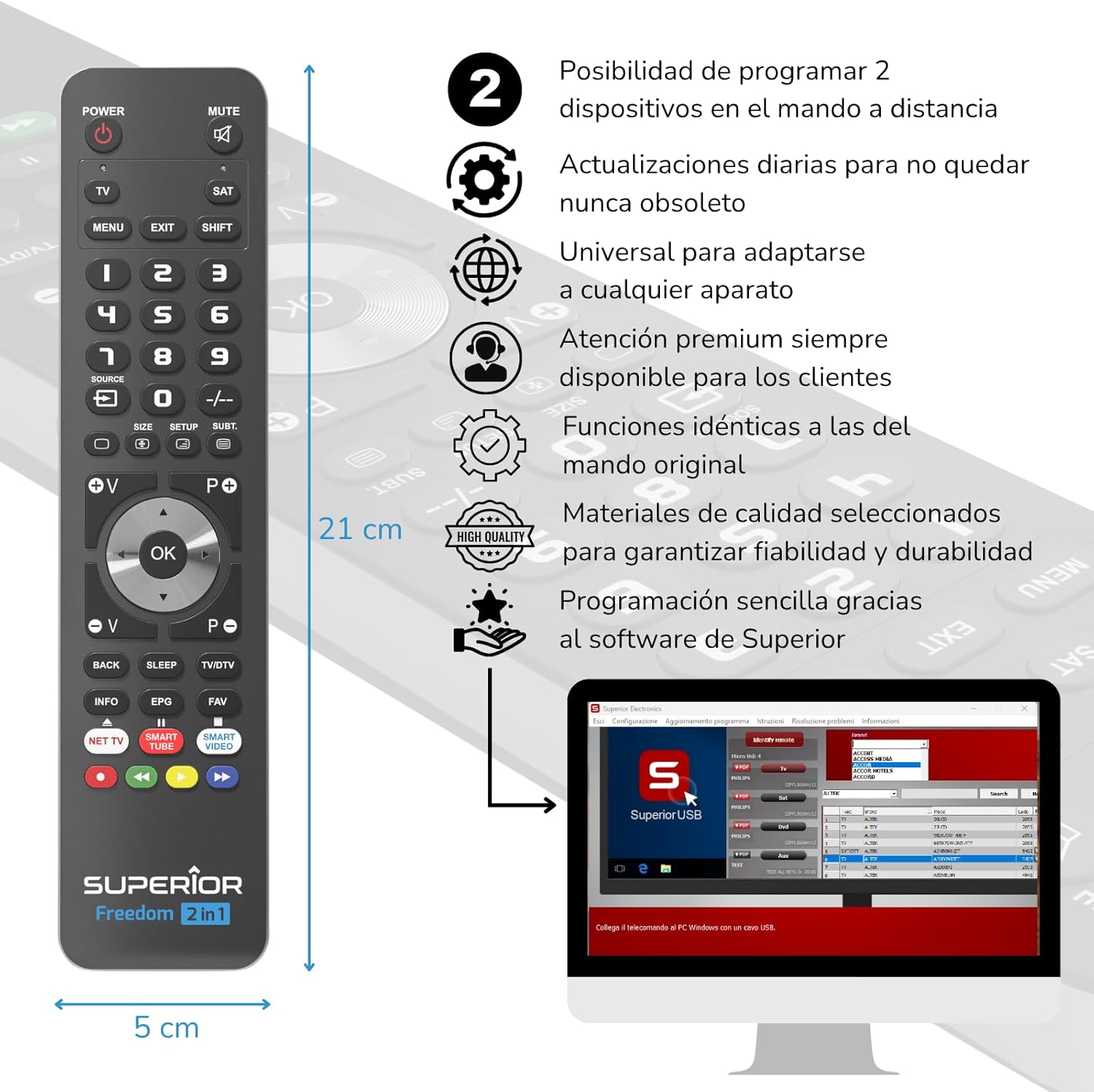
- Pasirinkite įrenginį: Follow the on-screen instructions to select the brand and model of the device you wish to control (e.g., TV, SAT, DVD, Soundbar). The software utilizes a leading European database with over 260,000 compatible devices.
- Programa: Initiate the programming process. Programming is typically completed in less than one minute by double-clicking the desired brand and model within the software.
- MAP Function: The dedicated MAP function allows you to recover the original remote control functions on the Superior Freedom keypad, ensuring all original functionalities are available.

Naudojimo instrukcijos
Once programmed, your Superior Electronics Freedom 2in1 remote control is ready for use. It can control up to two devices, such as TVs, Smart TVs, decoders, DVD players, projectors, and soundbars.

Mygtukų funkcijos baigtosview:
- GALIA: Įjungia arba išjungia pasirinktą įrenginį.
- Nutildyti: Nutildo arba įjungia garsą.
- TV / SAT: Selects the device to be controlled (e.g., TV or Satellite receiver).
- MENU / EXIT: Accesses or exits the device's menu.
- SHIFT: Activates secondary functions of certain buttons.
- 0-9: Number buttons for direct channel input.
- ŠALTINIS: Changes the input source on your TV.
- +/-: Adjusts channel up/down or navigates through menus.
- SIZE / SETUP / SUBT.: Specific functions depending on the device.
- Volume (V+/-) / Channel (P+/-): Reguliuoja garsumą ir keičia kanalus.
- Navigacija (aukštyn, žemyn, kairėn, dešinėn, gerai): Naršo meniu ir patvirtina pasirinkimus.
- BACK / SLEEP / TV/DTV: Returns to previous screen, sets sleep timer, or switches between TV/Digital TV modes.
- INFO / EPG / FAV: Displays information, Electronic Program Guide, or Favorite channels.
- NET TV / SMART TUBE / SMART VIDEO: Dedicated buttons for smart TV applications.
- Spalvoti mygtukai (raudona, žalia, geltona, mėlyna): Used for specific functions within menus or smart TV apps.
The maximum operating range of the remote control is 10 meters.
Priežiūra
Valymas
Nuotolinio valdymo pultui valyti naudokite minkštą, sausą šluostę. Nenaudokite abrazyvinių valiklių, tirpiklių ar cheminių medžiagų, nes jos gali pažeisti paviršių ar vidinius komponentus.
Baterijos keitimas
When the remote control's performance diminishes or it stops responding, it is likely time to replace the batteries. Follow the battery installation steps outlined in the Setup section.
Trikčių šalinimas
- Nuotolinis nereaguoja: Ensure batteries are correctly inserted and not depleted. Replace batteries if necessary.
- Device not controlling: Verify that the remote is pointed directly at the device's IR receiver. Ensure there are no obstructions between the remote and the device.
- Incorrect functions: The remote may not be programmed correctly for your specific device model. Re-program the remote using the Superior Electronics software and ensure you select the correct brand and model.
- Ribotas funkcionalumas: If some functions are missing, use the MAP function in the programming software to ensure all original remote functions are mapped to the Freedom 2in1.
If issues persist after following these steps, please contact Superior Electronics customer support.
Specifikacijos
| Modelio numeris | SUPTUB002 |
| Prekės ženklas | Aukščiausios kokybės elektronika |
| Matmenys | 23 x 5 x 1.5 cm |
| Svoris | 80 g |
| Reikalingos baterijos | 2 x AAA (neįtraukta) |
| Ryšys | USB-C (for programming) |
| Palaikomų įrenginių skaičius | 2 |
| Didžiausias diapazonas | 10 metrai |
| Suderinami įrenginiai | TVs, Smart TVs, Decoders, DVD players, Projectors, Soundbars, Hi-Fi systems |
Garantija ir palaikymas
Superior Electronics is committed to providing high-quality products and excellent customer service.
- Programinės įrangos atnaujinimai: Enjoy free and constant updates for your remote control's programming database, ensuring compatibility with new devices.
- Pagalba klientams: Premium customer assistance is available 7 days a week to address any questions or issues you may encounter.
For further assistance, please visit the official Superior Electronics websvetainėje arba susisiekite tiesiogiai su jų klientų aptarnavimo tarnyba.


